How to Make the James Bond AI Trend Video From One Photo
What’s new on this page
- — Published: our first James Bond AI trend video (Wan 3.0, 14 s, 480p, 16:9, with sound, 360 credits, first try, about 9.5 minutes), second by second, photo tips, a comparison of five James Bond Reveal AI tools and fixes.
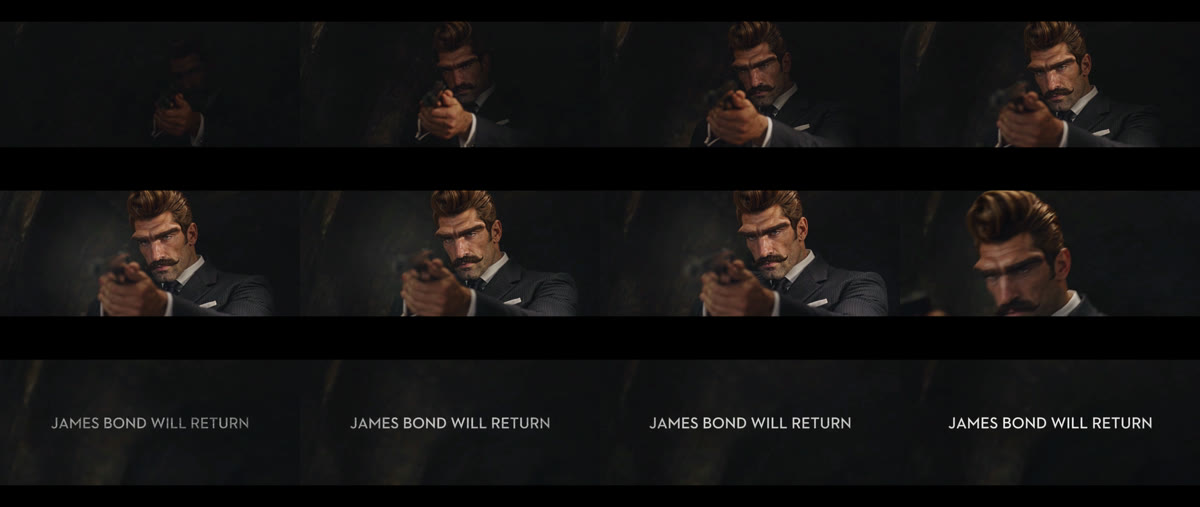
A James Bond AI trend video puts the person in your photo into the Identity Confirmed reveal that announced the new 007: a gun rises out of the dark, a side light finds your face, the frame closes in on your eyes and the screen ends on James Bond Will Return. We made the clip above on 18 November 2026, two days after the real reveal, from one photo of a character with a tall quiff and a curled moustache. This guide covers what you need, the steps, what our test showed and how the other James Bond Reveal AI tools compare.
What is the James Bond AI trend?
The James Bond AI trend is a set of AI remakes of the teaser that named Robert Pattinson the next James Bond. Amazon MGM Studios announced the casting on 16 November 2026, with Denis Villeneuve directing from a script by Steven Knight. The official @jamesbond007 TikTok post, captioned Identity Confirmed, went up at 15:00 UTC that day and had 25.8 million views and 722,000 shares by 18 November.
The first CapCut templates that put other faces into the reveal appeared 45 minutes after the official post. The trend is also called James Bond Reveal AI, which is the name most AI video sites use, and the James Bond Will Return trend, after the line on the closing card. AI versions are still early: on 18 November, TikTok’s #jamesbondai tag had 17 videos and 58,000 views, against 7.45 billion views on #jamesbond.
What happens in a James Bond AI trend video, second by second?
It is one continuous shot in near darkness, framed in widescreen like a film. In our result:
| Seconds | What happens |
|---|---|
| 0–2 | A hand holding a pistol rises out of total darkness; the face behind it is barely visible |
| 2–5 | A warm side light slowly reveals the face, eyes locked on the camera over the gun |
| 5–8 | Fully lit: the face, hair and suit from the photo, holding the aim |
| About 9 | The frame cuts close to the eyes and the brow |
| 10–14 | The screen goes black and the white words James Bond Will Return fade in and hold |
What you need to make the James Bond AI trend video
- One photo, face to the camera, both eyes visible. It can be you, an adult friend who agreed, or a character you made.
- An account and 360 credits. New accounts get 75 free credits, so you need the one-time $5.99 pack (540 credits), which leaves 180 credits after one video. No subscription.
- About ten minutes. Our render took about 9.5 minutes; you can close the tab and find it in My Videos.
- Nothing else: no CapCut, no app, no prompt, no editor. The darkness, the light, the gun, the music and the closing card are already in the template.
How to make the James Bond AI trend video in 4 steps
1. Pick who plays Bond
The reveal has one person and nobody else in the frame, so pick one: you, a friend, your dad or the colleague who will never live it down. Ask first if the photo isn’t yours. Photos of Robert Pattinson, past Bond actors or other public figures are not allowed.
2. Pick the photo
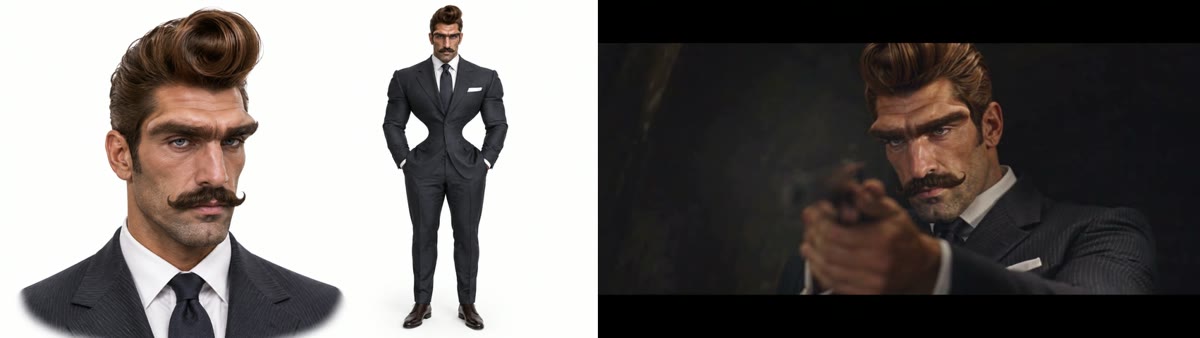
Choose a sharp, front-facing photo with both eyes visible, because around the ninth second the frame closes in on the eyes. What you wear in the photo is what Bond wears: a suit or tuxedo gives the classic look, and a hoodie turns it into a joke. A face close-up next to a full-body shot in one image also works; that is what our test used.
3. Upload it to the template
Open the James Bond AI trend generator and add the photo to the single slot. There is nothing else to fill in. The Generate button shows the credit cost before you start.
4. Generate and download
Press Generate. Ours was ready about 9.5 minutes later. Download the MP4 from My Videos: it has no watermark, the music is already on it, and the James Bond Will Return card is already at the end, so there is nothing to edit.
Our James Bond Reveal AI test: settings, credits and result
We used one image of an original AI character: a man with a tall brown quiff, heavy brows, blue eyes, a curled moustache and a charcoal pinstripe suit with a dark tie and a white pocket square, shown as a face close-up next to a full-body shot.
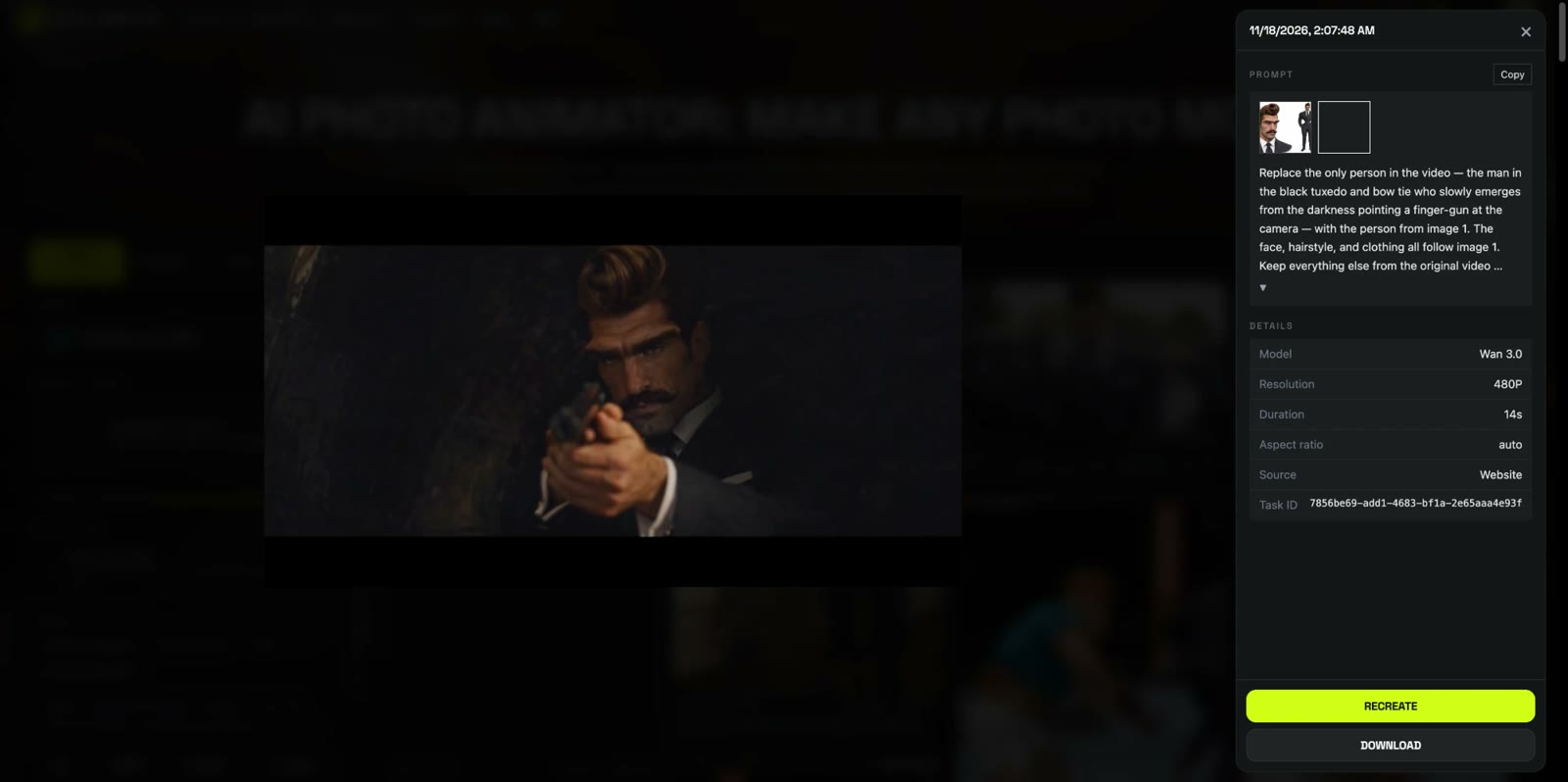
| Setting | Our test |
|---|---|
| Date | 18 November 2026 |
| Model | Wan 3.0 |
| Photos | 1 |
| Length | 14 seconds |
| Resolution and frame | 480p (854 × 480), 16:9 widescreen |
| Sound | On |
| Cost | 360 credits, about $3.99 |
| Render time | About 9.5 minutes |
| Attempts | 1 (worked first time) |
What we saw, frame by frame:
- The face held from the dark to the close-up. The quiff, the brows, the eyes and the moustache matched the photo in every lit frame, including the tight shot at about 9 seconds.
- The outfit came from the photo, not the teaser. The character wore his own pinstripe suit, tie and pocket square instead of the tuxedo and bow tie in the official reveal.
- The pistol stayed. The gun is part of the scene, so it appears whatever the photo shows; you don’t need to hold anything in your picture.
- The closing card and music came through. James Bond Will Return fades in at about 10 seconds and holds to the end, and the soundtrack builds and drops in the same places as the teaser.
- One difference from the teaser: where the official clip fades out after the reveal, ours cuts to a close-up of the eyes first. It works as a beat, but it means the face has to be sharp.
Which photos work best for the James Bond AI trend?
- One person, face to the camera. Bond stares into the lens the whole time, so a front-facing face gives the model the most to work with.
- Both eyes visible. No sunglasses and no hand over the face; the close-up at about 9 seconds is all eyes.
- Dress for the part. You wear what you wear in the photo. A suit or a tux reads as Bond straight away.
- Hair and facial hair show. The side light falls across the hair and face, so a quiff, a beard or a moustache comes through clearly.
- No group shots. With two people in the photo, the model may pick the wrong one. Crop to one person first.
James Bond AI trend: CapCut templates and other generators compared
Most tools sell this trend as James Bond Reveal AI. The figures below are taken from each tool’s own page on 18 November 2026; we have not generated videos with them. CapCut templates for the reveal exist too, but they are posted by individual template creators and change daily, so we left them out of the table.
| Tool | Photos | Length | Frame | Credits per video | Lowest entry price | Watermark |
|---|---|---|---|---|---|---|
| Our template | 1 | 14 s | 480p, 16:9 | 360 | $5.99 one-time pack (about $3.99 a video) | None |
| VidTrend | 3 | 25 s | 720p or 1080p, 9:16 | 100 (720p) / 200 (1080p) | Not stated on the page | None |
| PixQuill | 1 | 10 s | 480p, 16:9 | 700 | $4.99/month plan; packs from $9.99 | None |
| ViralVideoAI | 1 | 10 s | 720p, 9:16 | 130 | $9.99 one-time pack; no free trial | None |
| Soracai | 1 | 8 s | Vertical | 140 | $0.99 for 20 credits (not enough for one video) | None |
The main difference is what the video shows. The other tools describe a general spotlight reveal of a figure in a tux; our template follows the Identity Confirmed teaser itself, ending on the James Bond Will Return card, in the same widescreen frame. If you want a vertical clip with a different setup, the tools above are worth a look. If you want your own version of the reveal everyone just watched, make the James Bond AI trend video here.
Is the James Bond AI trend official?
No. James Bond AI trend videos are fan-made parodies. Our template is not affiliated with Amazon MGM Studios, EON Productions, the James Bond films or Robert Pattinson, and the person in your video comes from your photo. When you post it, label it as AI-made, don’t present it as an official teaser, and only use photos of yourself or adults who agreed to appear.
James Bond AI trend video problems and fixes
| Problem | Fix |
|---|---|
| The face doesn’t look like the photo | Use a sharper, front-facing photo with even light, then run it again. Small or side-on faces lose detail in the shadows. |
| The close-up looks soft or wrong | The eyes carry the close-up at about 9 seconds. Avoid sunglasses, hats low over the eyes and hands near the face. |
| The wrong person plays Bond | The photo had more than one person. Crop to one person and run it again. |
| You wanted the tuxedo | Use a photo where the person wears a tuxedo or a dark suit; the outfit always comes from the photo. |
| The video has bars on TikTok | The video is 16:9 like the teaser. Post it as is with bars, or post it to YouTube or X where widescreen fills the player. |
Is the James Bond AI trend free?
Not completely. New accounts get 75 free credits and one James Bond AI trend video takes 360, so you need the one-time $5.99 pack (540 credits). That is about $3.99 for the video, with 180 credits left over and no subscription. See pricing. Failed renders are refunded automatically.
How long is the James Bond AI trend video and what format is it?
14 seconds, 480p, in a 16:9 widescreen frame, with sound and no watermark. It ends on the James Bond Will Return card.
What is James Bond Reveal AI?
James Bond Reveal AI is another name for the James Bond AI trend: AI videos that put your face into a 007-style reveal. It took off after the Identity Confirmed teaser named Robert Pattinson the new Bond on 16 November 2026.
Do I need more than one photo?
No. The James Bond AI trend video needs one photo, of the person who plays Bond. Nobody else appears in the scene.
Will I be wearing a tuxedo?
Only if you wear one in your photo. The outfit comes from the photo: our test character wore his pinstripe suit and tie, not the tuxedo and bow tie from the teaser.
Can I use my pet?
We haven’t tested the James Bond AI trend with a pet photo, so we can’t say how it turns out. Our test used one person, and that is what the template is set up for.
Is there a James Bond AI CapCut template?
Yes, several CapCut creators posted James Bond reveal templates from 16 November 2026, but they change daily and depend on your region. Our template runs in the browser, with no app to install.
Why doesn’t my James Bond AI video look like me?
Usually the face in the photo is small, blurry, side-on or partly covered, and half the face is in shadow in this scene. Use a sharp, front-facing photo of one person and run it again.
Want to star in another film scene? Our Goodbye GTA 5 AI tutorial puts one photo on a sunset pier with GTA V’s three leads.
Want one more film scene? Walk away from an exploding manor in our Peaky Blinders Explosion AI tutorial.