Window Peeper AI: Make the Burger Window Meme Video
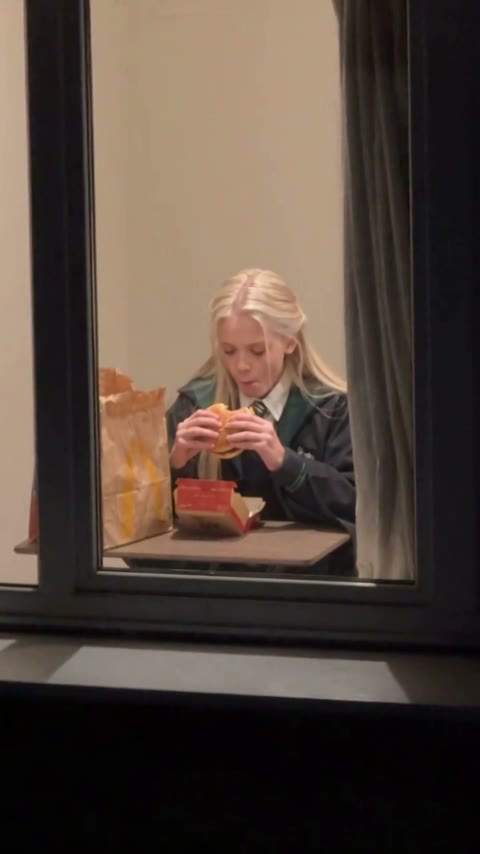
One photo puts you behind a lit apartment window at night, eating a burger, until you notice the camera and stare right back.
Effect
Your photos1 photo
What is the window peeper meme?
It's a TikTok filter trend from fall 2026, also called "burger thru window". The clip starts on a dark apartment block, zooms into the one lit window, and finds someone eating fast food at a small table.
Halfway through the burger they slowly look up, glare at whoever is filming, then get up and pull the curtain before the light goes out. The #windowpeeper tag is full of versions with Mr. Bean, Neymar, cats and people's friends.
- Also called
- Burger thru window
- Format
- Night zoom into a lit window
- Trend
- Fall 2026, TikTok / CapCut
- Tag
- #windowpeeper
Make your own #windowpeeper video like these
What this Window Peeper AI video does
Window Peeper AI turns one photo into a 15-second vertical video with sound: the camera zooms into a lit window at night, you're eating a burger alone, then you catch the lens and stare back. No prompt, no filming, no watermark.
The person filming is the creep here, yet the one in the window wins: a mouthful of burger, a slow look up, and a stare that makes the camera feel caught. Put your boss, your roommate or a very serious friend in that window and the stare does all the work.
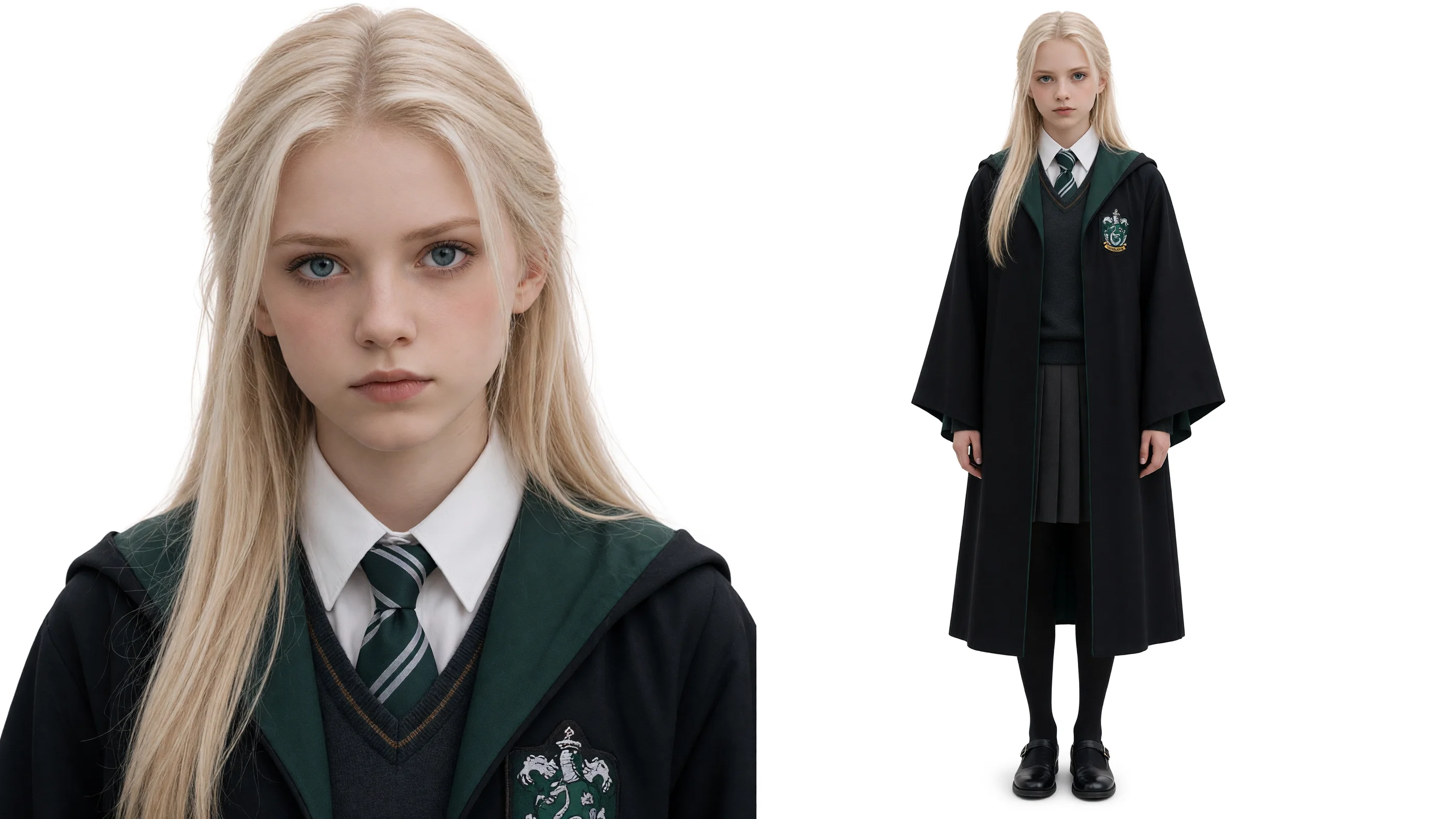
Upload one clear photo of one person with the face visible. Their face, hair and outfit come from your photo; the night window, the burger, the stare and the curtain at the end are already in the scene. The full walkthrough with our test settings is in the window peeper AI guide.
Fan-made template, not affiliated with TikTok, CapCut or anyone in the meme. Upload only yourself or people who said yes.
- Input
- 1 photo
- Output
- 15s · 480p
- Audio
- On by default (toggle Audio off for silent)
- Aspect ratio
- auto
How to make a window peeper AI video
Caught eating a burger at night, and you stare right back.
IMG_01 Open the template
The Window Peeper template is already open at the top of this page, with Wan 3.0 and the prompt set up: 15s, vertical, with sound.
Add one photo
One person, face clearly visible. Waist up with the outfit showing works best, since the clothes carry over too.
Generate & download
Press Generate. Our run took about five minutes. The video lands in My Videos, so you can close the tab. Download the MP4 without a watermark.
Why use this Window Peeper AI template
The stare lands
The slow look up and the glare at the lens come out on your face, which is the whole joke.
Vertical, ready for TikTok
9:16 from the dark building to the curtain and lights out, with sound. No cropping or editing.
Your look, not a costume
Face, hairstyle and outfit come from your photo, so friends recognize who's in the window.
No watermark
Download a clean MP4 on every plan, free credits included. Failed renders refund credits automatically.
No CapCut needed
Add a photo and press Generate in your browser, on phone or desktop. No app, no template hunting.
Try your photo in another effect
Photo to Video AI
Animate Old Photos with AI
AI Dance Video Generator
Animate Pet Photo AI
Animate Drawing
Outstanding Tiny Desk AI: Put Your Friends in the Concert
Bulin 47 AI Viral Video Generator
Tesla Roadster AI Video: Make Your Car Fly Like the Roadster
Balcony Stare Dancer Meme AI Video: Starring You and a Friend
AI Toy Car to Real Car Transformation from One Photo
Dame Hombro AI Video Generator
Bad Times AI Video Generator
Window Peeper AI FAQ
How do I make the window peeper video with my own photo?
Open this page, upload one clear photo of one person and press Generate. The model and prompt are already set up, so you get a 15-second vertical clip of that person eating a burger behind a night window and staring back, with sound.
What is the window peeper meme?
A TikTok filter trend, also called "burger thru window": the camera zooms into a lit apartment window at night, someone is eating a burger, then they glare at the camera and close the curtain. Searching #windowpeeper on TikTok shows thousands of versions.
Is this the CapCut window peeper filter?
No. It's our own AI template that makes the same kind of scene from your photo in the browser. You don't need CapCut or the TikTok filter.
What photo works best?
One person, face toward the camera, sharp and well lit, waist up. The clothes in the photo show up in the video, so wear what you want to be seen in.
Can I use a photo of a friend, a celebrity or my pet?
Use yourself or friends who said yes. Pets can work but the template is tuned for people, so results vary. Don't upload photos of celebrities or strangers.
How long is the video and how much does it cost?
15 seconds, vertical, 480p with sound. Our run on Wan 3.0 cost 300 credits and took about five minutes. The exact cost shows on the Generate button, new accounts get free credits, and failed renders are refunded.
Can I download it without a watermark?
Yes. Downloads are clean MP4s on every plan, free credits included.
Is this official?
No. It's a fan-made template and isn't affiliated with TikTok, CapCut or anyone in the meme. Only upload yourself or people who said yes.
Last updated