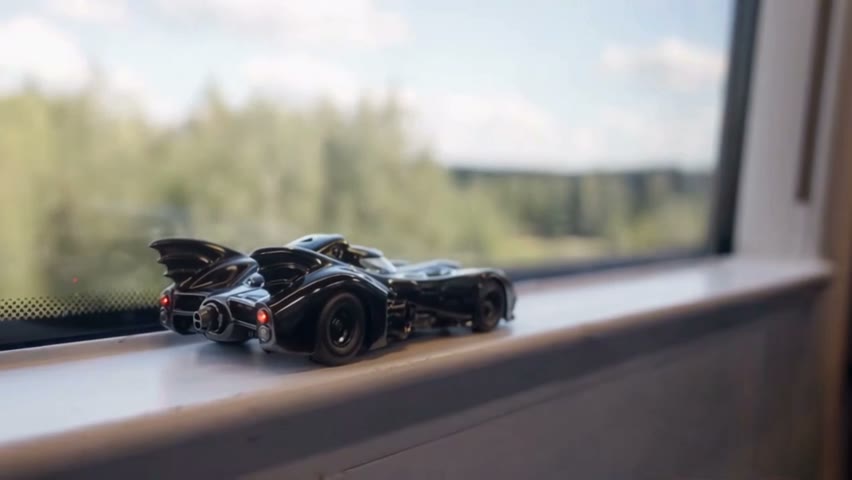
AI Toy Car to Real Car Transformation from One Photo
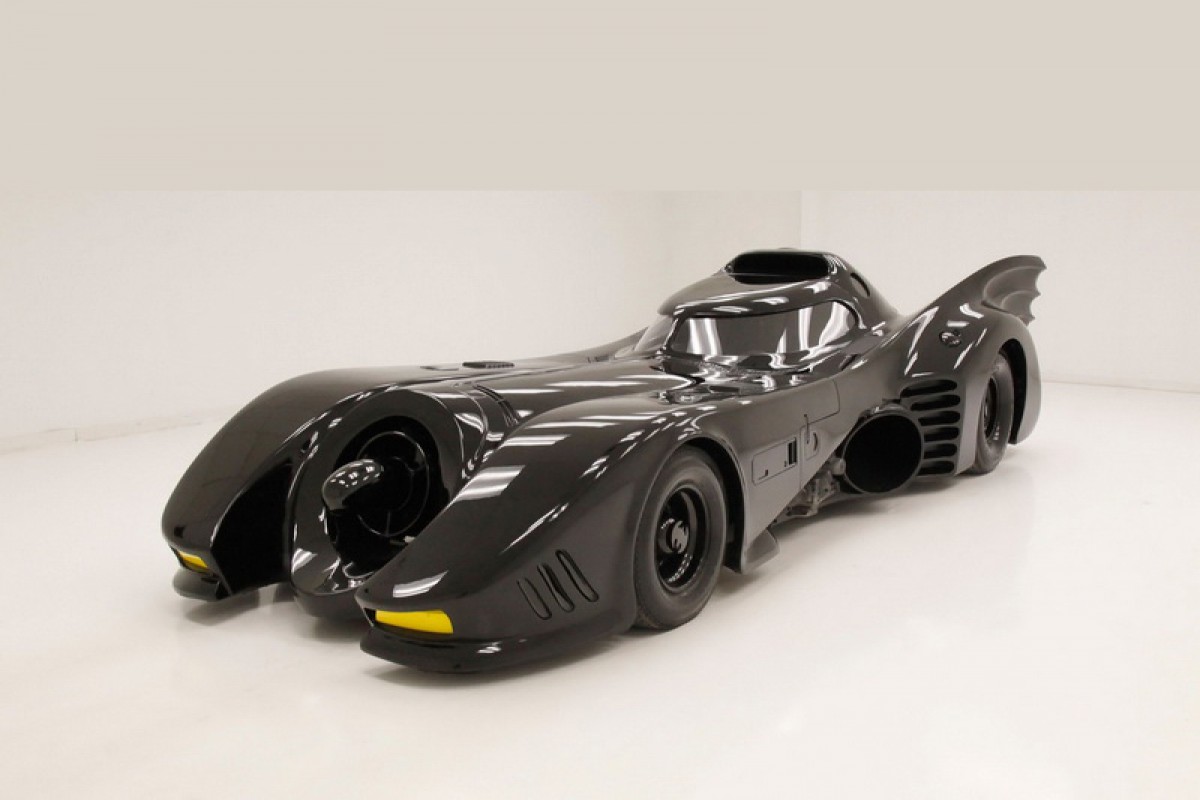
Your car starts as a tiny model on a windowsill, then rolls out as the full-size car on a highway at night.
Effect
Your photos1 photo
What this AI toy car to real car video does
AI Toy Car to Real Car Transformation turns one photo of your car into a 15-second video with sound: a scale model of it sits on a windowsill, then the shot moves into a tunnel and the full-size car drives on through the night. No prompt, no filming, no watermark.
Toy car to real car edits have been around TikTok and Instagram for a while, and in fall 2026 a version took off where a diecast car rides on a window ledge, then cuts to the real car on the road. AI makes it from a single photo instead of a model, a camera and an edit.
Scale is what sells it: the same body, wheels and lights you just saw a few centimeters long now fill the lane. A car you own, a car you're saving for, or the hatchback your family has driven for ten years all land differently.
Upload one sharp photo with the whole car in view, best from the front or a front corner. Shape, paint, wheels and lights come from your photo. Why the angle matters, and the prompt we ended up with, is in our toy car to real car AI prompt write-up.
Fan-made template, not affiliated with TikTok, Instagram or any car maker. Use photos of your own car or ones you have the right to use.
- Input
- 1 photo
- Output
- 15s · 480p
- Audio
- On by default (toggle Audio off for silent)
- Aspect ratio
- 16:9
How to make an AI toy car to real car video
A tiny model on the windowsill drives off as the real thing.
IMG_01 Open the template
The Toy Car to Real Car template is already open at the top of this page, with Wan 3.0 and the prompt set up: 15s, 480p, with sound.
Add one photo of your car
The whole car in view, sharp, nothing in front of it. A front or front-corner angle works best.
Generate & download
Press Generate. Our run took about five minutes. The video lands in My Videos, so you can close the tab. Download the MP4 without a watermark.
Why use this AI toy car to real car template
Your car, both sizes
The windowsill model and the car on the road share the same body, paint and wheels from your photo.
Always nose first
The template is tuned so the car faces where it's going in every shot, whichever way it faces in your photo.
Not only cars
A motorbike, a figurine or a pet can take the car's place and moves in its own way along the road. Cars give the most reliable result.
No watermark
Download a clean MP4 on every plan, free credits included. Failed renders refund credits automatically.
No model car or editing
No diecast, no camera, no transition work. Add a photo and press Generate in your browser.
Try your photo in another effect
Photo to Video AI
Animate Old Photos with AI
AI Dance Video Generator
Animate Pet Photo AI

Animate Drawing
Outstanding Tiny Desk AI: Put Your Friends in the Concert
Bulin 47 AI Viral Video Generator
Tesla Roadster AI Video: Make Your Car Fly Like the Roadster
Balcony Stare Dancer Meme AI Video: Starring You and a Friend
Dame Hombro AI Video Generator
Bad Times AI Video Generator
Window Peeper AI: Make the Burger Window Meme Video
AI Toy Car to Real Car FAQ
How do I make a toy car to real car video with AI?
Open this page, upload one photo with your whole car in view and press Generate. The model and prompt are already set up, so you get a 15-second video of your car as a windowsill model that becomes the real car driving at night, with sound.
What is the toy car to real car trend?
A transition edit where a small model car seems to turn into a full-size car. The fall 2026 version puts the model on a window ledge, moves into a tunnel and ends with the real car on the road at night.
Why does my car face the wrong way or drive backwards?
Video models tend to copy the angle of your photo, so a car facing left in the photo can end up rolling backwards. This template tells the model to take only the look from your photo and keep the car nose first; a front or front-corner photo makes it even more reliable.
What photo works best?
One car, the whole body in view, sharp and evenly lit, from the front or a front corner. No people, other cars or fences in front of it.
Can I use something that isn't a car?
Yes. A motorbike, a figurine, a toy or a pet can take the car's place and moves along the road in its own way. Cars and bikes give the steadiest result.
How long is the video and how much does it cost?
15 seconds, 480p, with sound. Our run on Wan 3.0 cost 300 credits and took about five minutes. The exact cost shows on the Generate button, new accounts get free credits, and failed renders are refunded.
Can I download it without a watermark?
Yes. Downloads are clean MP4s on every plan, free credits included.
Is this official?
No. It's a fan-made template and isn't affiliated with TikTok, Instagram or any car maker. Use photos of your own car or ones you have the right to use.
Last updated