Angry Dance Filter AI
The pointing, shrugging, telling-the-camera-off dance, made from one photo of you or your character.
Effect
Your photos1 photo
What is the angry dance filter trend?
Angry Dance Filter AI turns one photo into a 15-second video of you pointing at the camera, shrugging and scolding in time with the music, with sound. No CapCut, no prompt, no watermark.
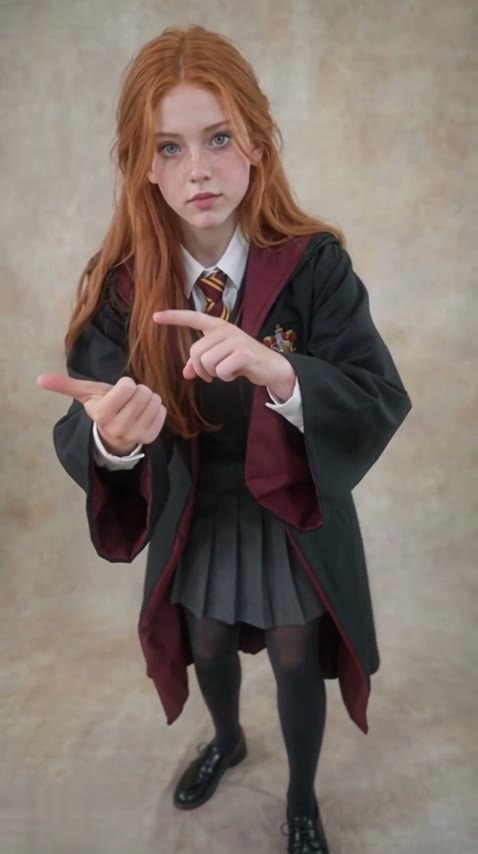
The angry dance comes from the same dance as the Bad Times AI trend, set to Imael Angel's song. Bad Times uses the head-grabbing argument part. The angry dance filter takes the next part: finger pointed at the camera, palms up, a shrug, then more pointing, like you're listing everything the person filming did wrong. It took off in late October 2026 as a CapCut template.
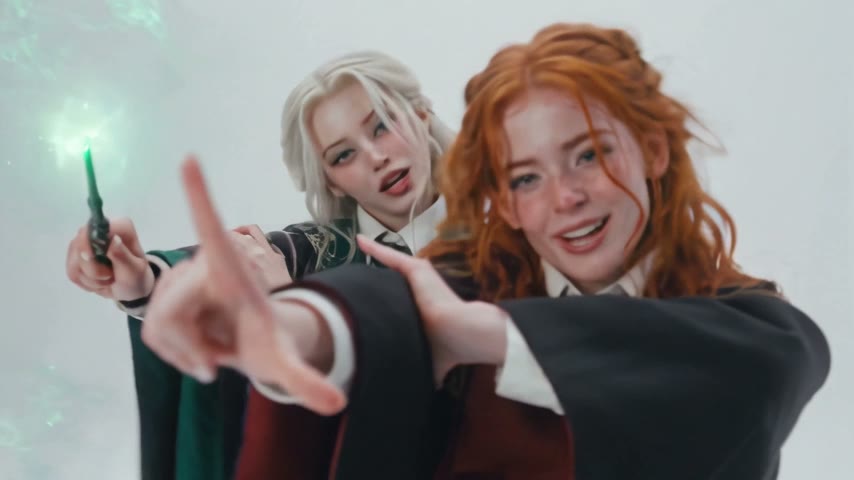
It works best on someone who would never talk like that. In our example a shy-looking girl in a wizard school robe does the whole rant without breaking character, and the contrast is what sells it. Grandmas, cosplay characters, a serious LinkedIn headshot: the calmer the photo, the funnier the result.
Upload one photo at the top of this page and press Generate. Full body works best, since the hands and stance carry the joke. The look and lighting of your photo set the scene. A front-on photo copies the moves best; here's why: how to make the angry dance filter AI video. Want the head-grabbing part instead? Try the Bad Times AI video.
Only upload photos of yourself, people who gave you permission, or characters you created. This page is not affiliated with CapCut, TikTok or Imael Angel.
- Input
- 1 photo
- Output
- 15s · 480p
- Audio
- On by default (toggle Audio off for silent)
- Aspect ratio
- auto
How to make an angry dance filter AI video
Point, shrug and tell the camera off, from one photo.
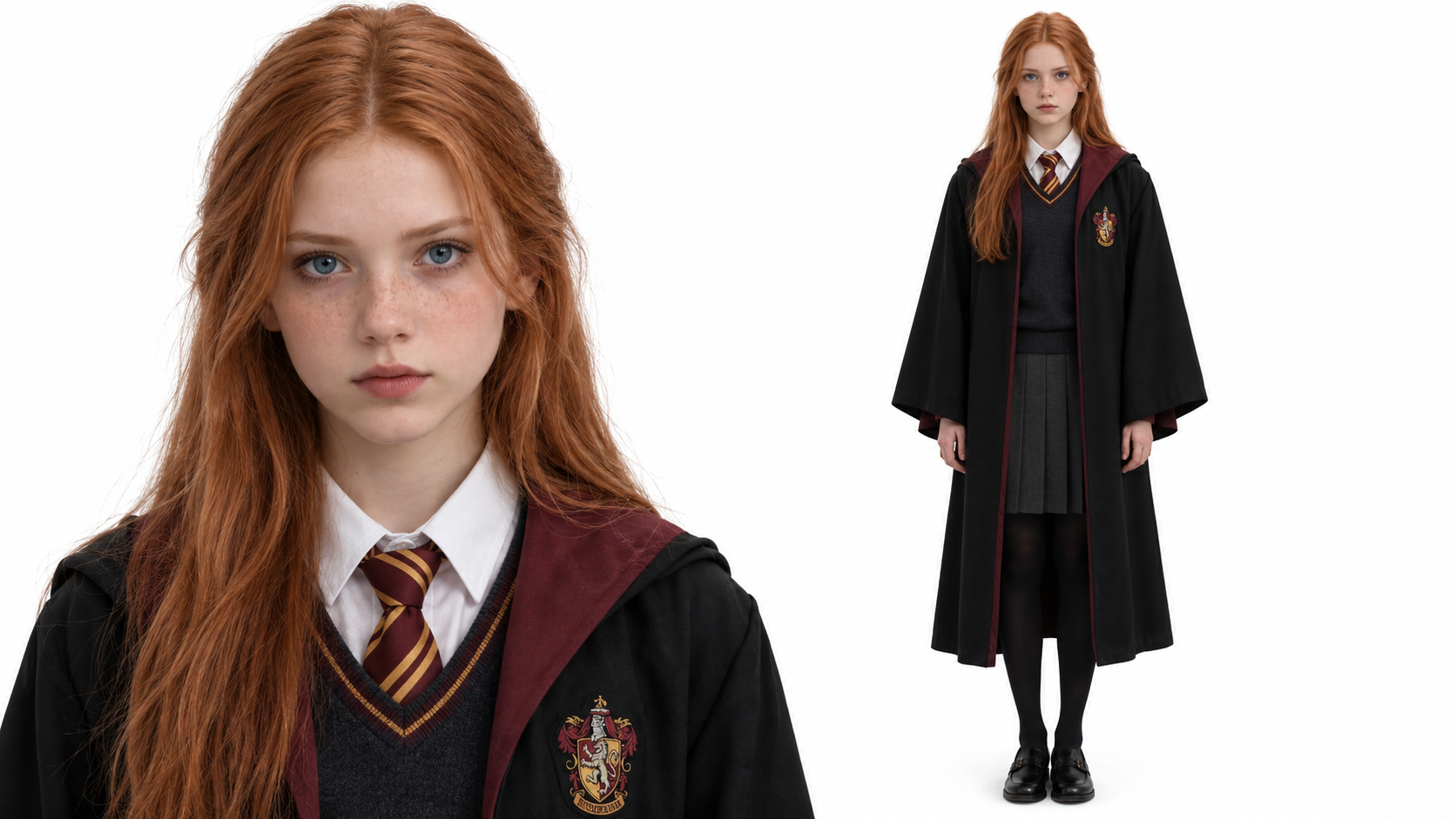
IMG_01 Open the template
The Angry Dance template is already open at the top of this page, on Wan 3.0: 15s, with sound.
Upload one photo
One person, face visible, ideally full body. Pick a photo whose look you like, since its style and lighting carry into the video.
Generate & download
Press Generate. The video lands in My Videos, so you can close the tab. Download the MP4 without a watermark.
Why use this angry dance template
Every point and shrug
The finger pointing, open palms and shrugs land on the beat, the way the trend does them.
Your photo sets the scene
The background follows your photo's style and light. A studio cosplay shot stays a studio shot.
Still looks like you
Built on Wan 3.0. Face, hair and outfit stay consistent for all 15 seconds.
No CapCut needed
Works in the browser on any phone or computer. No template hunting, no editing.
No watermark
Download a clean MP4 on every plan. Failed renders refund credits automatically.
Try your photo in another effect
Photo to Video AI
Animate Old Photos with AI
AI Dance Video Generator
Animate Pet Photo AI
Animate Drawing
Smalltown Boy AI Dance Video Generator
Bby Wow Dance Guy Meme AI Video
A2O LITE NEON Dance AI: Do the Duo Intro With a Friend
Otsukare Summer AI Dance Generator
Talk Dirty Dance AI: Put Anyone on the Hip Hop Stage
KDA Firestarter Dance AI Video
Dime Dime Baby AI Dance Generator
Angry dance filter AI FAQ
How do I make the angry dance filter AI video?
Open this page, upload one photo and press Generate. The model and settings are already set up.
What is the angry dance filter trend?
The angry dance filter trend is a short clip where someone points at the camera, shrugs and scolds in time with Imael Angel's song Bad Times. It spread in October 2026 as a CapCut template.
Is the angry dance the same as the Bad Times trend?
The angry dance and the Bad Times trend come from the same dance. Bad Times uses the head-grabbing argument part, and the angry dance uses the pointing part. Our [Bad Times AI video](/effects/bad-times-ai-video) template does the other half.
Do I need CapCut?
No. The angry dance filter AI template runs in your browser and gives you a finished MP4.
What photos work best?
One person, face clearly visible, full body or knees-up so the hands show. Avoid sunglasses, heavy filters and group photos.
Is it free?
New accounts get free credits. The exact cost is shown on the Generate button before you start, and failed renders are refunded.
Does the video have sound?
Yes, the song is on by default. You can turn Audio off for a silent clip.
Can I upload photos of other people?
Only of yourself, people who gave you permission, or characters you created. No celebrities, public figures or minors.
Last updated