AI Holiday Trends
Every viral AI holiday trend in one place, from Halloween to Christmas and New Year, updated as new ones take off. Pick one and make your own video from a single photo.
Updated · 3 templates
Your photos1 photo
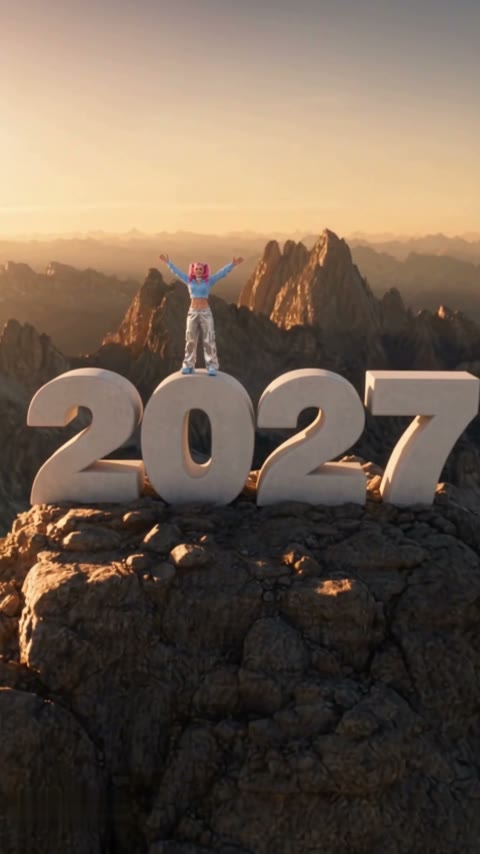 Goodbye 2026 Welcome 2027 AI: You on Top of a Giant 2027 at Sunset
One photo: you climb onto a giant white 2027 on a sunset summit.
↗- 254Mviews
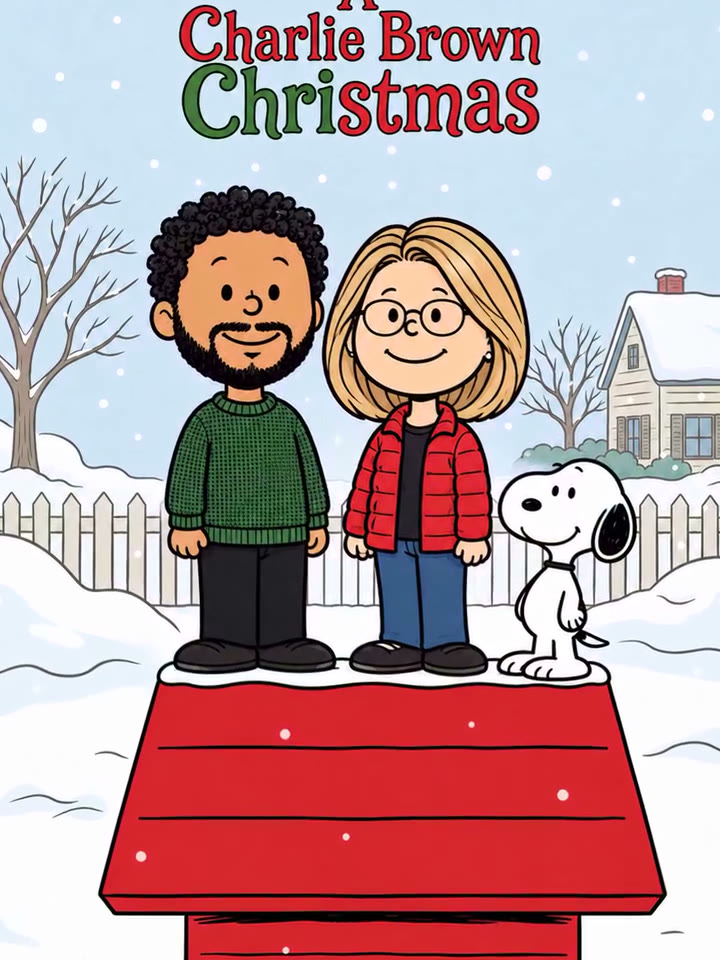 Charlie Brown Christmas Trend AI: You on Snoopy's Red Doghouse
Your photo scans into a Snoopy Christmas cartoon of you on the red doghouse.
↗ - 63.1Mviews
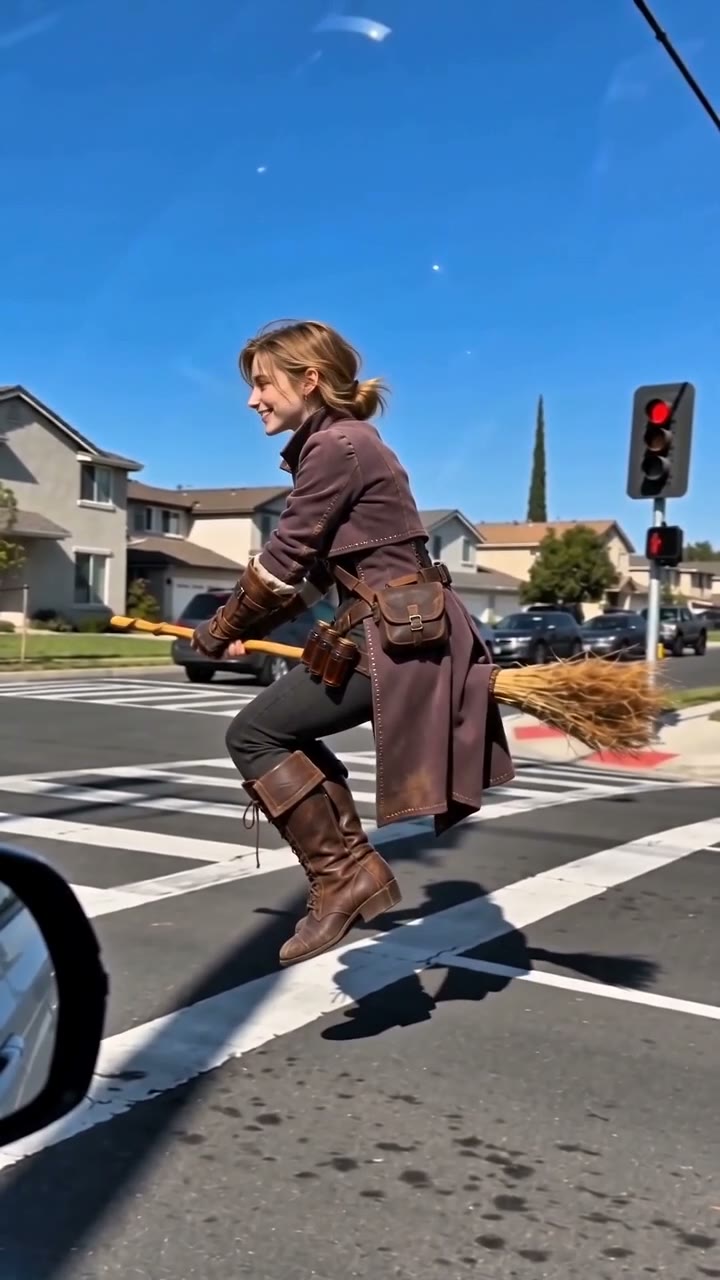 AI Broom Riding Video Generator
Fly a broomstick past the car window — the viral My Ride Is Here trend.
↗
What are AI holiday trends?
AI holiday trends are the seasonal AI clips that take over TikTok, Reels and Shorts around each holiday: the Charlie Brown Christmas cartoon in December, Goodbye 2026 Welcome 2027 at New Year, the broom ride at Halloween. Each one is a fixed format with the same scene, moves and sound, and thousands of people remake it with their own photo, so your feed fills with one trend starring different faces.
Holiday trends run on a calendar. They peak in the one to two weeks before the day, fade after it, and often come back the next year. This page collects every one as it starts spreading and keeps past hits for next season.
Browse every holiday template below. Some are cartoon and greeting-card styles, some are dances, and some are full scenes that need a clear shot of you. Each card plays a real result, so you see the trend before you make your own.
Browse all AI holiday trendsEvery holiday trend, easy to find
- ▦All in one place
No more scrolling TikTok to find that trend again. Every holiday template we have is on this page.
- ↗See what’s hot right now
Tap Trending to see what people are making most this month. The one all over your feed is at the top.
- ✦Catch trends early
Tap Newest for the templates we just added. Post before everyone else does and get the views.
- ⇄Jump to your holiday
Christmas, New Year, Halloween each have their own tab, so you only see what fits the day you’re celebrating.
Top AI holiday trends this month (November 2026)
- 1
Goodbye 2026 Welcome 2027
One photo: you climb onto a giant white 2027 on a sunset summit.
Where it took off: CapCut summit-climb template, late October 2026 - 2
Charlie Brown Christmas Trend
Your photo scans into a Snoopy Christmas cartoon of you on the red doghouse.
Where it took off: #charliebrownchristmas on TikTok, 253.6M views (as of 2026-11-02) - 3
AI Broom Riding
Fly a broomstick past the car window — the viral My Ride Is Here trend.
Where it took off: #myrideishere on TikTok, 63.1M views (as of 2026-11-02)
AI holiday trends by occasion
Turn the family photo into a Christmas cartoon or a festive scene. A card nobody throws away, and the post that gets the most views in December.
Say goodbye to the old year and step into the new one, literally. Post it between December 26 and New Year’s Day, when everyone is looking back.
A costume without the costume: fly a broom, go full witch, spook your friends. Made for October feeds.
How to join an AI holiday trend
- 1
Pick the trend
Tap any card above. The example playing is a real result from the same template.
- 2
Add one photo
Any clear photo from your camera roll works, of you, your family or your pet. Couple templates take two.
- 3
Post it the same day
Ready in a few minutes as a vertical 9:16 video with sound and no watermark, so you can post or send it right away.
Photo tips for AI holiday trends
- ✓
Face clear and forward
A sharp photo with the face looking toward the camera keeps the person recognizable in every frame.
- ✓
Soft, even light
Daylight or warm indoor light beats a harsh flash, and matches the cozy holiday look.
- ✓
One photo per person
For couple or family templates, upload one clear photo of each person, or a group photo where every face is visible.
- ✓
No sunglasses or hats
Keep the face uncovered unless the template asks for it; the festive outfit and scene are added for you.
AI holiday trends FAQ
What are the top AI holiday trends right now?
The templates on this page are sorted by what people are making most. In November and December that is mostly Christmas dances and New Year “goodbye / welcome” clips; in October it is Halloween effects. New holiday trends are added as they start going viral.
Why follow AI holiday trends on AI Photo Animator?
Every holiday trend is collected on one page and added as soon as it takes off, so you never have to hunt for it again. Trending and Newest show what’s hot and what’s just starting, and each holiday has its own tab. Every card plays a real result before you spend a credit. You only need one photo, no app and no editing, and you get a vertical 9:16 video with sound and no watermark. New accounts get free credits, and failed generations are refunded automatically.
Can I make an AI Christmas video from one photo?
Yes. Pick a Christmas template, upload one clear photo, and the AI makes the person in it star in the scene. Couple and group templates take two photos.
Is it free to make an AI holiday video?
New accounts get free starter credits, enough to try a template. After that each video costs credits shown on the template before you generate, and failed generations are refunded automatically.
Will the video have a watermark?
No. Downloads have no watermark and come in vertical 9:16, ready for TikTok, Instagram Reels and YouTube Shorts.
When should I post a holiday trend video?
Holiday trends peak in the one to two weeks before the day itself. Make your clip as soon as the template appears here and post it before the holiday, not after.
Can I make a holiday video of my whole family?
Yes. Couple and group templates take one clear photo per person; for single-photo templates, use a family photo where every face is visible and well lit.
Can I turn the ChatGPT Christmas photo trend into a video?
Yes. Take the Christmas portrait you made with ChatGPT or any other AI image tool, upload it to a Christmas template here, and it becomes a moving video with sound. For free-form motion, use Photo to Video instead.
How much does an AI Holiday Trends cost?
Templates on this page cost 165–400 credits per video, and the exact number is shown on the Generate button before you start. New accounts get 75 free credits, failed generations are refunded automatically, and downloads have no watermark.
Why doesn’t the video look like me, and how do I fix it?
It’s almost always the photo: the face is too small, turned sideways, backlit, behind sunglasses or covered by a hand. Try again with a front-facing photo, even light and a sharp face. Templates with full-body moves need a head-to-toe photo, and duo templates need one clear photo per person. Failed generations are refunded automatically, so retrying with a better photo costs nothing extra.
More AI video trends
AI Sports Trends
Every viral AI sports trend in one place: the goals, celebrations and dunks fans are remaking, updated after every big match. Pick one and make your own video from a single photo.
AI Dance Trends
Every viral AI dance trend in one place, from quick TikTok routines to full choreography, updated as new dances take off. Pick one and make your own video from a single photo.
AI Meme Trends
Every viral AI meme trend in one place, from movie scenes to pet pranks, updated as new memes spread. Pick one and make your own video from a single photo.
AI Pet Trends
Every viral AI pet trend in one place: the cat and dog memes, pranks and dances people are remaking, updated as new ones take off. Pick one and make your own AI cat or dog video from a single photo.
AI Pranks Trends
Every viral AI prank trend in one place, updated as new ones take off. Pick one and make your own prank video from a photo, no one gets hurt.
Viral AI Trends: Every TikTok AI Video Effect, Made Yours
The dances, memes, movie scenes and sports moments everyone is remaking with AI, collected in one place and updated as new ones take off. Find a trend you love, add one photo, and make your own version.