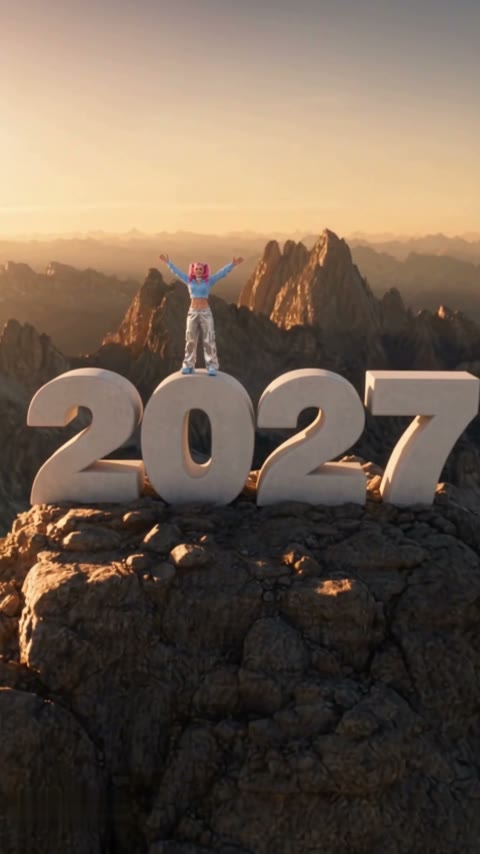
Your last post of 2026
Most people make the Goodbye 2026 Welcome 2027 video from a favorite photo of the year and post it on December 31 with a caption about what they're leaving behind.
Upload one photo. You pull yourself up, stand and open your arms while the camera flies back over the mountains. Ready to post before midnight on December 31.
Effect
Your photos1 photo
Goodbye 2026 Welcome 2027 AI turns one photo into an 8–9 second vertical video with sound of you climbing onto a giant white "2027" on a mountain summit. It's a one-click template, not a prompt-based generator like Sora or Kling. You keep your face and wear exactly what you wear in the photo, shoes included, and the year reads 2027.
Goodbye 2026 Welcome 2027 is the New Year trend of late 2026: a person hauls themselves over the edge of a huge white block, stands up laughing, and the camera pulls away to show the block is the "0" of a giant 2027 on a mountaintop. The summit version spread through a CapCut template that appeared at the end of October 2026.
The payoff is the reveal. For four seconds it looks like an ordinary climb, then the drone shot shows you standing on next year, which is why people post it as their last video of 2026.
Upload one waist-up or full-body photo. In our test the pink pigtails, blue hoodie, silver cargo pants and blue sneakers from the photo stayed the same from the first grip to the wide shot. Our Goodbye 2026 Welcome 2027 tutorial walks through that run.
Fan-made template, not affiliated with CapCut, TikTok or any creator of the trend. Only upload yourself or people who said yes. You must be 18 or older, and photos of celebrities, public figures or children aren't allowed.
Most people make the Goodbye 2026 Welcome 2027 video from a favorite photo of the year and post it on December 31 with a caption about what they're leaving behind.
Instead of a card, people send their family group chat a clip of themselves standing on 2027. It works on WhatsApp, Instagram DMs and WeChat because it's a plain MP4.
The template takes one person, so couples and friends each make their own clip and post them side by side or as a carousel.
Creators and shop owners post it as their New Year update, without booking a shoot over the holidays.
The Goodbye 2026 Welcome 2027 trend is a run of New Year videos posted on TikTok, Reels and Shorts since late October 2026. The most copied version is the summit climb: a close shot of hands gripping a white stone edge, the person crawling up and standing, then a drone-style pull-back that reveals a giant white 2027 on a rocky peak at sunrise or sunset.
It is built from CapCut templates rather than one original post, and French-speaking TikTok picked it up early under the caption "Adieu 2026 Bienvenue 2027". A second version, where the 2027 you hugs the 2026 you goodbye, runs under the same name; this page makes the summit climb.
One photo: you climb onto a giant white 2027 on a sunset summit.
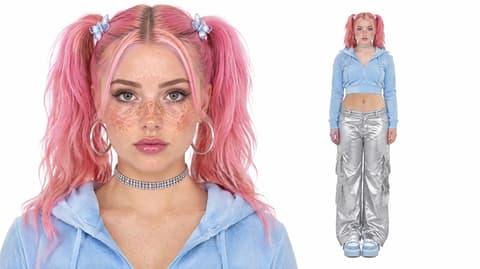
The Welcome 2027 template is already open at the top of this page, with Wan 3.0 and the prompt set up: 8–9 seconds, with sound.
Waist up or full body, face to the camera, your outfit in view. Only you in the photo.
Press Generate. Our test took about 3 minutes and the video lands in My Videos. Download the MP4 without a watermark and post it.
The best photo for Goodbye 2026 Welcome 2027 AI is a waist-up or full-body shot facing the camera with your whole outfit in view, because the video ends on a wide shot where your clothes carry the likeness.
Whole outfit in view
In the final wide shot you're small, so your clothes are what make it read as you.
Clear face
The first seconds are close up as you climb, so the face must read as you.
Head-only selfie
Without your body in the photo, the model has to invent your clothes, and they won't be yours.
Sunglasses
Sunglasses hide the face in the close-up and blur into a dark smudge in the wide shot.
Grip, climb, stand, arms wide, then one smooth pull-back over the peaks to a giant 2027, with all four digits reading 2027 in our test, not 2227 or a stray extra number.
Your face, hair and outfit come from your photo and stay put all the way to the wide shot. Nobody gets dressed in a stock parka.
The whole climb with an uplifting soundtrack, ready for TikTok, Reels and Shorts.
Download a clean MP4 on every plan, free credits included. Failed renders refund credits automatically.
With Sora or Kling you'd write and tune a prompt until the numbers come out right. Here you add one photo in your browser and press Generate. No app, and nothing region-locked.



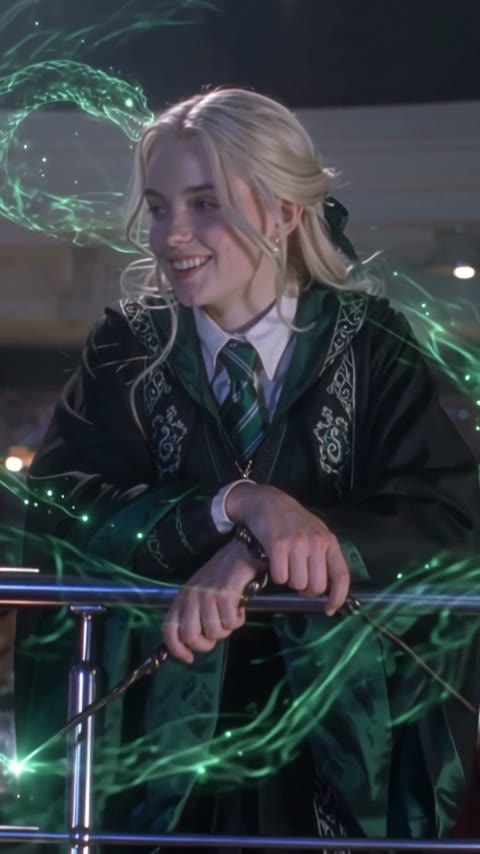
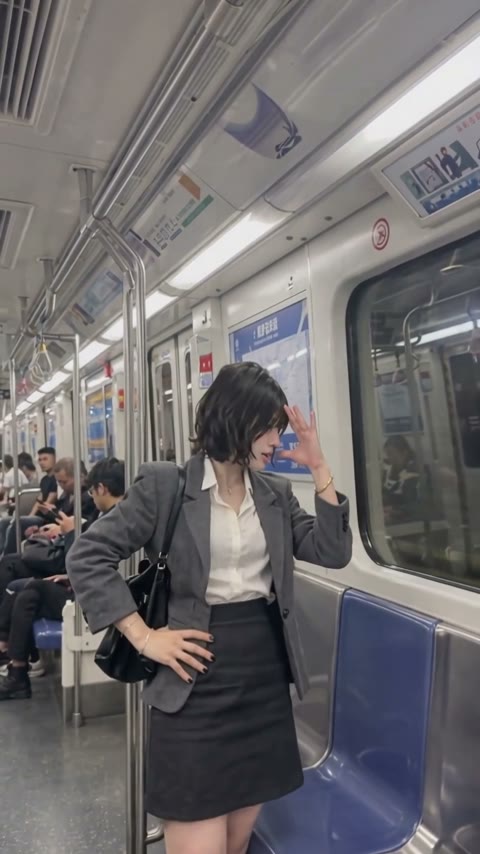
Open this page, upload one waist-up or full-body photo, and press Generate. You get an 8–9 second vertical video with sound of you climbing onto a giant 2027 on a mountain summit; our test was ready in about 3 minutes.
The Goodbye 2026 Welcome 2027 trend is a New Year video format from late October 2026 in which a person climbs onto a giant white 2027 on a mountaintop while the camera pulls back. It spread through a CapCut summit-climb template at the end of October 2026.
It's also called Welcome 2027 AI, Hello 2027 and, in French, Adieu 2026 Bienvenue 2027. The French name comes from tutorials on TikTok; the others come from template and generator page titles.
0–2s, your hands grip the edge of a huge white block and you pull up; 2–4s, you crawl onto the top; 4–5s, you stand up laughing, arms open; 5s to the end, the camera flies back and up to reveal you standing on a giant white 2027 on a rocky summit at sunset.
Yes. The clothes, shoes and accessories in your photo are the ones you wear on the summit. In our test the blue hoodie, silver cargo pants and blue sneakers stayed the same from the climb to the wide shot.
Yes, in our test all four digits read 2027 from the first glimpse to the last frame. Untuned prompts can produce a wrong year such as 2227; this template uses the setup that came out right.
You can, but a waist-up or full-body photo works better. The last three seconds are a wide shot, and with only a face in the photo the model has to invent your clothes.
Not completely. New accounts get 75 free credits, and one Goodbye 2026 Welcome 2027 video takes 180. The one-time $5.99 trial pack (540 credits) covers three videos at about $2.00 each, with no subscription. The exact cost shows on the Generate button, and failed renders are refunded automatically.
About $2.00 for one video. That is 180 credits for an 8–9 second, 480p vertical clip with sound; our test rendered in about 3 minutes.
Four reasons: it looks like your photo, it costs less, you get a clean video, and it's ready to post.
Looks like you: your face, hair and full outfit stay the same from the climb to the summit, and the year reads 2027. We ran this setup until both came out right, so you don't spend credits on retries.
Costs less: about $2.00 per video with a one-time $5.99 pack and no subscription, and the pack covers three videos.
Clean video: no watermark on any plan, free credits included, and if a render fails your credits come back automatically.
Ready to post: vertical, 8–9 seconds with sound, so it goes straight to TikTok, Reels or Shorts with no editing, dubbing or cropping.
Usually the CapCut template asks you to pay, shows an error, isn't available in your country or the tutorial links a different template. This page makes the same summit climb from one photo in your browser, with no app.
Usually it's a tight selfie, a side angle or sunglasses, so the model has to guess your face and clothes. Use a sharp waist-up or full-body photo facing the camera, then run this template again.
Write one line about what you're leaving in 2026, mention it's AI, and add #goodbye2026 #welcome2027 #hello2027. The video already has sound, so no extra audio is needed.
Your photos and videos stay in your account, so you can download them again from My Videos at any time. They are never used to train AI models and are not sold or shared, except with the video model provider that renders your clip.
Last updated