Uptown Funk AI Video Generator
Upload one photo and lead the Bruno Mars street crew in the Uptown Funk MV.
Effect
Your photos1 photo
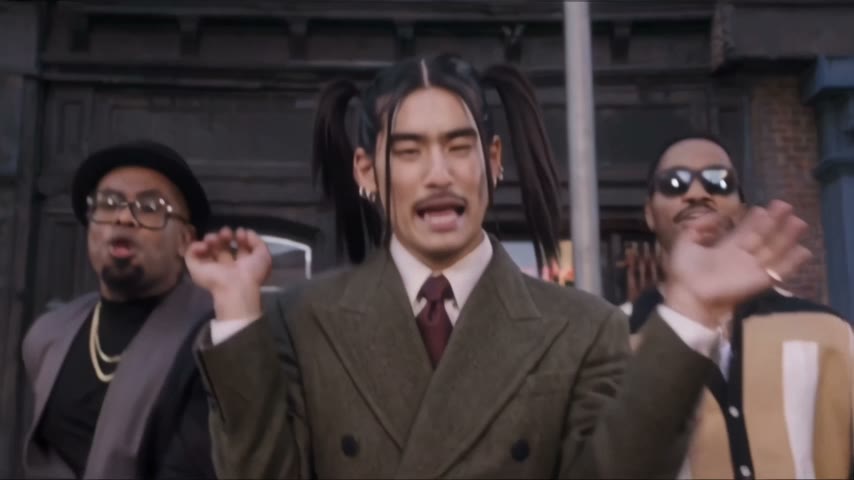
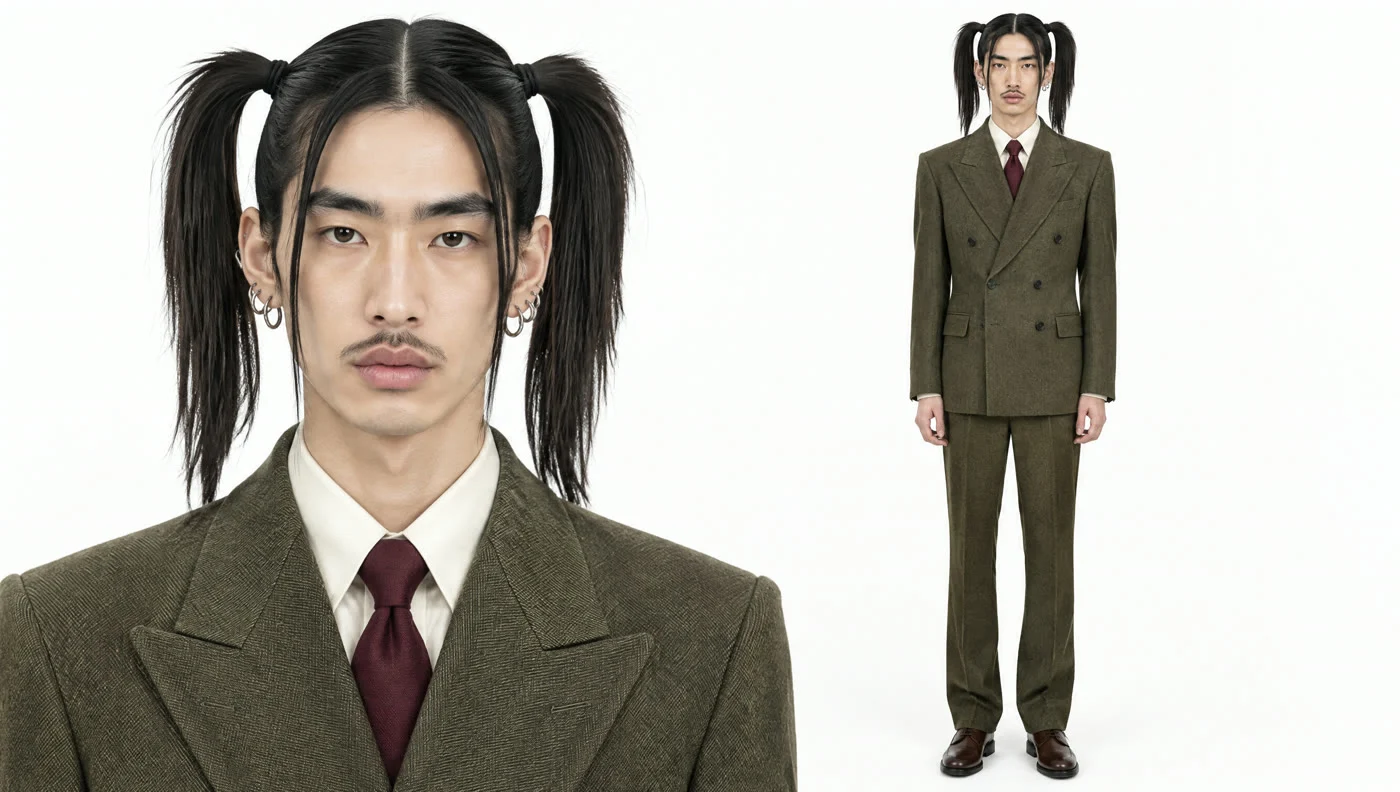 Example
What is the Uptown Funk AI trend?
Uptown Funk is the 2014 hit by Mark Ronson featuring Bruno Mars. Its music video has Bruno and his crew strutting and singing down a city street in sharp suits.
In October 2026 an AI clip put Mark Zuckerberg, Elon Musk, Jensen Huang and Sam Altman into that street scene, and it spread across YouTube, LinkedIn and Instagram. Since then people have been making versions starring their friends, bosses and themselves.
- Song
- Uptown Funk
- Artists
- Mark Ronson ft. Bruno Mars
- Released
- 2014
- AI trend
- October 2026
What our Uptown Funk AI generator does
Uptown Funk AI Video turns one photo into a 15-second clip of you singing lead in the Uptown Funk street scene, with the song. No prompt, no filming, no editing.
The fun is in the contrast. Two backup singers in gold chains and shades keep the groove going, and front and center is someone who has never fronted a band in their life. A tidy office headshot or a passport-style photo lands best.
Upload one photo of one person, waist up or full body. Face, hair and outfit come from your photo, so the suit you wear in it is the suit you sing in. The street, the backup singers and the moves stay as they are.
Fan-made template, not affiliated with Mark Ronson, Bruno Mars or their labels. Upload only yourself or people who said yes.
- Input
- 1 photo
- Output
- 15s · 480P
- Audio
- On by default (toggle Audio off for silent)
- Aspect ratio
- 16:9
How to make an Uptown Funk AI video
One photo, and you front the Uptown Funk crew on the street.
IMG_01 Open the template
The Uptown Funk template is already open at the top of this page, with Wan 3.0 and the prompt set up: 15s, with sound.
Upload one photo
One person, waist up or full body, face clearly visible.
Generate & download
Press Generate. The video lands in My Videos, so you can close the tab. Download the MP4 without a watermark and post it.
Why use this Uptown Funk AI template
Still looks like you
Face, hair and outfit come from your photo.
Uptown Funk included
Sound is on, so the clip is ready to post. Turn Audio off for a silent version.
No filming
No green screen, no CapCut, no singing lessons. One photo you already have is enough.
No watermark
Download a clean MP4 on every plan, free credits included. Failed renders refund credits automatically.
One photo, no prompt
Upload, press Generate, done. Works in your browser on phone or desktop.
More AI video templates
Photo to Video AI
Animate Old Photos with AI
AI Dance Video Generator
Bulin 47 AI Viral Video Generator
Toc Toc AI Dance Generator
Zoolander AI Video Generator
AI Broom Riding Video Generator
Smalltown Boy AI Dance Video Generator
Bad Times AI Video Generator
Nicole Kidman Dance AI Video Generator
Ozil Goal AI Video Generator
AI Basketball Dunk Trend: Photo to Dunk Video
AI Moonwalk Dance Video: Make Any Photo Moonwalk
Balcony Stare Dancer Meme AI Video: Starring You and a Friend
Tesla Roadster AI Video: Make Your Car Fly Like the Roadster
Talk Dirty Dance AI: Put Anyone on the Hip Hop Stage
A2O LITE NEON Dance AI: Do the Duo Intro With a Friend
Cheba Man Dance AI: Put Yourself on the Stage
Crazy Frog AI Video Generator: Ride the Axel F Chase
Sawadika Dance AI Generator
Otsukare Summer AI Dance Generator
Dime Dime Baby AI Dance Generator
Uptown Funk AI FAQ
How do I make an Uptown Funk AI video?
Open this page, upload one photo and press Generate. The model and prompt are already set up, so you get a 15-second clip of you leading the street scene, with sound.
Who is in the Uptown Funk video?
Bruno Mars sings lead, with Mark Ronson and a crew of backup singers and dancers. The song is Mark Ronson's, featuring Bruno Mars, released in 2014.
How was the AI tech CEO Uptown Funk video made?
It's an AI-generated parody that puts Zuckerberg, Musk, Jensen Huang and Sam Altman into the music video's street scene. This template gives you the same kind of clip with your own photo.
Can I use a photo of my friend or boss?
Yes, if they're fine with it. Use a photo of one person with the face clearly visible. Group photos confuse the model.
How long is the video and how much does it cost?
15 seconds at 480p with sound. Our run cost 300 credits. The exact cost shows on the Generate button before you start, new accounts get free credits, and failed renders are refunded.
Is there a watermark?
No. Downloads are clean MP4s on every plan.
Is this official?
No. It's a fan-made template and isn't affiliated with Mark Ronson, Bruno Mars or their labels.
Last updated