New car owners
People who just picked up a truck or finished a build put a photo of it in slot 2 and themselves in slot 1, then post it as the delivery-day video. The car that flies over is their own.
Add a photo of you and a photo of your car. Your car launches over the ridge, clears your head and parks right behind your chair, and you never turn around.
Effect
Your photos2 photos
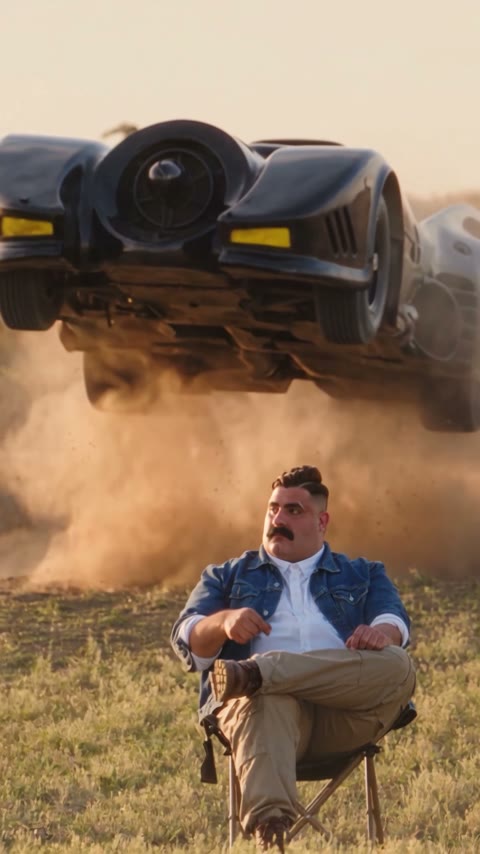
Desert Truck Jump AI turns two photos, one of you and one of your car, into a 12-second vertical video with sound: you sit unbothered in a folding chair at golden hour while your car flies over your head and lands behind you. It's a one-click template, not a prompt-based generator like Sora or Kling, and the car in the air is the one in your photo, not a stock truck.
The car jump trend is one shot: someone sits in a camp chair in a dry field, a truck launches over the ridge behind them, flies overhead in a cloud of dust and lands, and they don't even flinch. It is credited to a reel by @ya_danilova01 on Instagram from September 26, 2026, and spread through TikTok tutorials from September 28.
The calm is the punchline. Nobody would sit under a flying truck for real, so the less the person in the chair reacts, the better it lands. Then a second wave asked a better question: what if it's my car? Two-photo versions, you plus your car, took off on TikTok in November 2026.
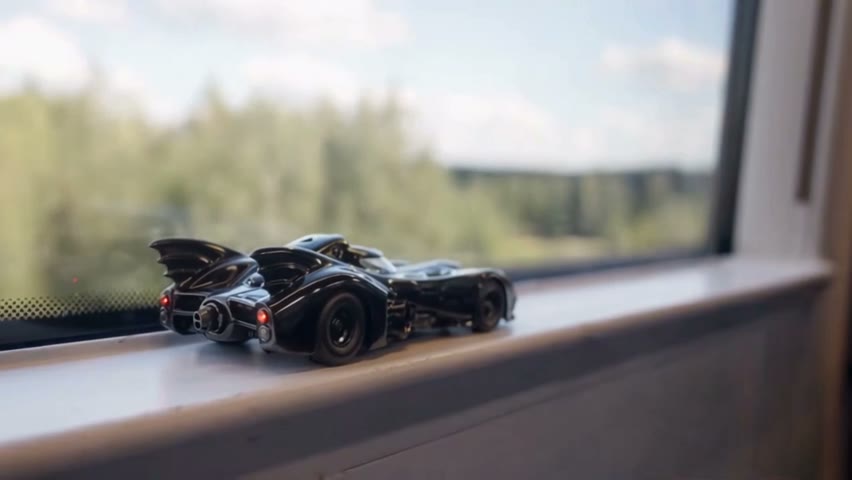
Add a photo of yourself to the first slot and a photo of your car to the second. Your face and outfit come from photo 1; the car's body, color and lights come from photo 2. In our demo, a black movie-style custom car with tail fins and yellow lights came through first time. The full test, with the exact settings, is in how to make the desert truck jump AI video.
This template is unofficial and not affiliated with any car brand, film studio or the creators of the trend. Only upload photos of yourself or people who agreed, and cars you own or have the right to use; you must be 18 or older; and photos of celebrities, public figures or children are not allowed.
People who just picked up a truck or finished a build put a photo of it in slot 2 and themselves in slot 1, then post it as the delivery-day video. The car that flies over is their own.
People who don't own the car yet use a photo of the one they want, like a classic muscle car or a lifted 4x4, and caption it "one day". Use a photo you have the right to use.
Friends make one of the calmest person in the group, with their OK, using that friend's photo and their car, and drop it in the group chat.
The car jump AI trend, also called the desert truck jump or the unbothered car trend, shows a person sitting still in a folding chair while a pickup or SUV flies over the ridge behind them and lands. Trend trackers credit the first version to Instagram creator @ya_danilova01, who posted it on September 26, 2026.
TikTok tutorials followed two days later; @stevenwommack's how-to from September 28, 2026 has 116,000 views. In November the trend moved to two photos, one of you and one of your car or dream car: a Spanish-language version by @kimberlihayes1 from November 10, 2026 passed 1.2 million TikTok views by November 21.
Two photos, about 4 minutes. Keep the sound on for the landing.
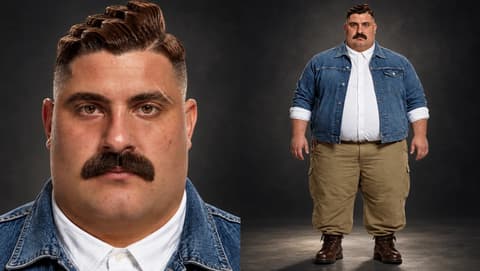
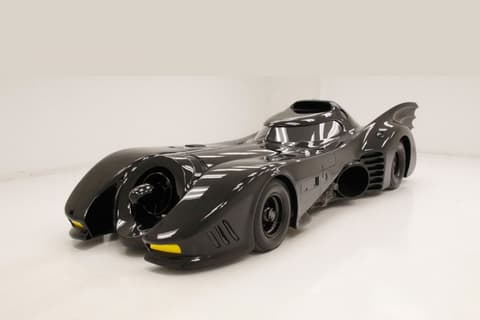
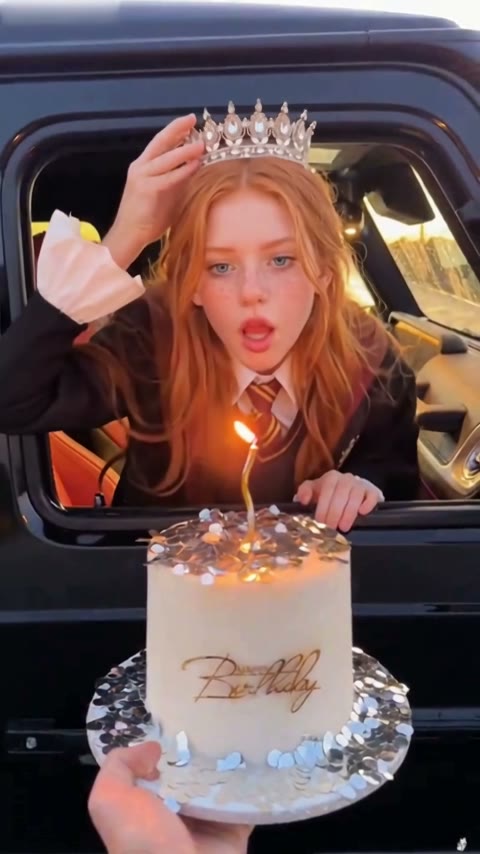
Photo 1 is you: one person, face to the camera, full body or knees-up. Wear what you want to sit there in.
Photo 2 is the car: the whole car in frame, front three-quarter or side view, in daylight. No prompt to write.
Check the credits on the button, tap Generate and wait about 4 minutes. Download the MP4 from My Videos.
You sit in the chair from head to toe the whole time, and the car is seen from below in the air and from the front when it parks. A full-length photo of you and a clear side-front photo of the car cover both.
You, full body
Face to the camera, even light.
The whole car
Side-front view, daylight.
A cropped car
Missing wheels or roof get guessed.
Group photo
One person in photo 1.
The flying car comes from your second photo, not from a stock truck or a text description. Its shape, paint and lights follow the photo, and it lands and parks right behind your chair.
Your face, hair and outfit come from your first photo and stay the same for all 12 seconds while the car goes over. You don't need sunglasses or a uniform.
The video is 12 seconds, 9:16 vertical, with sound, so it goes straight to TikTok, Reels or Shorts.
One video is 335 credits, about $3.72 from the one-time $5.99 starter pack, with no subscription. The MP4 has no watermark, and failed generations return their credits.
Unlike Sora or Kling, you don't describe your car or tune a prompt, and you don't cut a car into a clip in CapCut. Add two photos in your browser.
Desert Truck Jump AI is a 12-second vertical video made from two photos: you sit calmly in a folding chair in a golden-hour field while your own car flies over the ridge behind you, clears your head and parks behind your chair. The person comes from photo 1 and the car from photo 2.
The car jump AI trend is a viral clip where someone sits unbothered in a camp chair while a truck jumps over them and lands. It is credited to Instagram creator @ya_danilova01 (September 26, 2026), spread through TikTok tutorials from September 28, and in November 2026 turned into a two-photo version with your own car.
It's also called the car jump AI trend, the unbothered car trend, the desert car jump and the camp chair car jump. "Car jump" and "unbothered" come from TikTok tags and tutorial titles; "desert car jump" and "desert truck jump" are what AI tool pages call it.
0–3s, you sit in a black folding chair with your legs crossed in a golden-hour field as the camera pushes in; 3–5s, you raise a fist and the car bursts over the ridge behind you in a spray of sand; 5–8s, it flies over your head in slow motion; 8–10s, it lands and slides in behind you; 10–12s, it stops right behind your chair while you never look back.
Yes. Photo 2 is your car, and the video follows its body shape, paint and lights. In our test, a black movie-style custom car with tail fins and yellow lights came through in every frame, with none of the default pickup left over.
Two: one of you (one person, face to the camera, full body or knees-up) and one of your car (the whole car, side-front view, daylight).
Not completely. New accounts get 75 free credits, and one Desert Truck Jump AI video costs 335 credits. The one-time $5.99 starter pack (540 credits) covers one video, about $3.72, with 205 credits left in your account and no subscription. The exact credits show on the Generate button, and failed generations are refunded automatically.
Four reasons: you and your car look like your photos, it costs less, you get a clean video, and it's ready to post.
You and your car look like your photos: your face and outfit stay the same for all 12 seconds, and the car in the air is the one in your second photo; our test came out right the first time, so you don't spend credits on retries.
Costs less: about $3.72 a video from a one-time $5.99 pack, with no subscription; among the tools we found with a listed price, it's the cheapest per video.
Clean video: every plan, including free credits, downloads a watermark-free MP4, and failed generations return their credits.
Ready to post: 12 seconds, 9:16 vertical, with sound, no prompt and no editing.
About 4 minutes; our test took 3 minutes 58 seconds. The video is 12 seconds, 480p, 9:16 vertical, with sound and no watermark.
Usually it's because the template keeps a driver at the wheel, so a figure shows through the windshield when the car parks. Nobody gets put in the car from your photos; your photo 1 is always the person in the chair.
Usually it's a cropped or busy car photo: missing wheels, a cut-off roof or other cars in front. Use a photo of the whole car from the side-front in daylight, then run this template again.
No. It's AI-made, and nobody sits under a flying truck. Label it as AI when you post, and don't try the stunt for real.
We have only tested people with this template so far, so we can't show a pet result yet. A person's photo, face to the camera, is what we know works.
Keep the caption short and calm, like "Parked." or "Nothing fazes me", and add #carjump, #cartok and #aitrend. Keep the platform's AI label on.
Your photos and videos stay in your account, so you can download them again from My Videos at any time. They are never used to train AI models and are not sold or shared, except with the video model provider that renders your clip.
Last updated