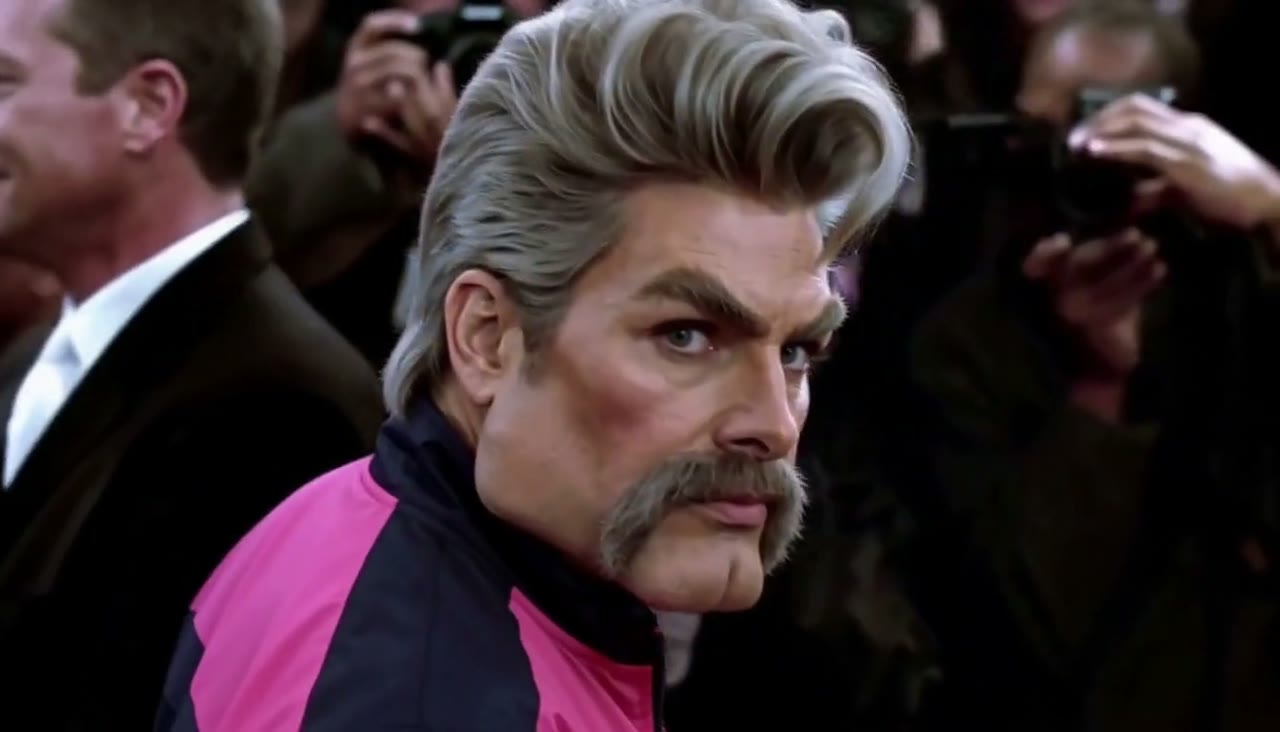
Zoolander AI Video Generator
Put two people into the viral Zoolander stare meme — upload two photos, no editing, no prompts.
Template
Your photos2 photos
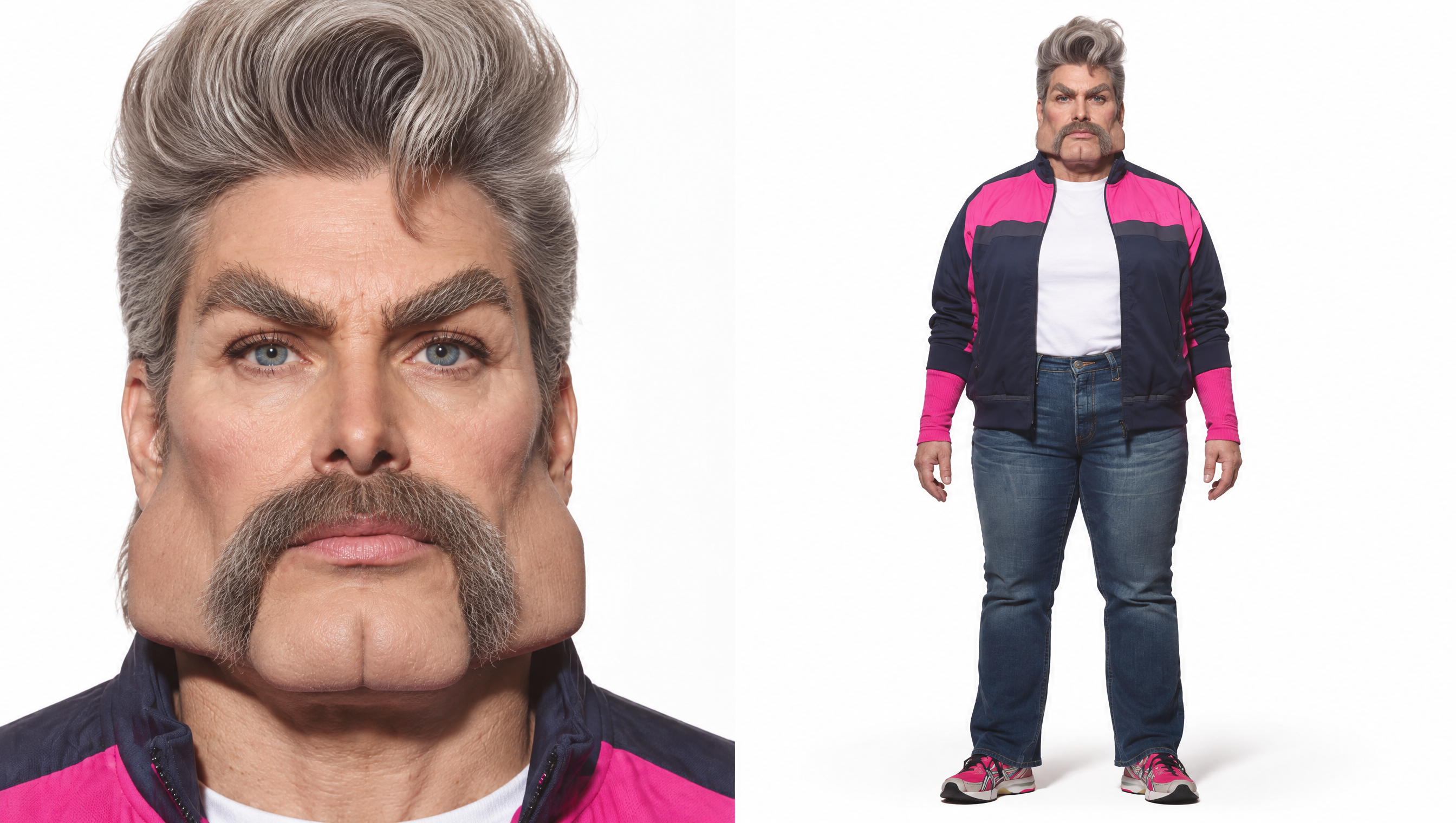 Example
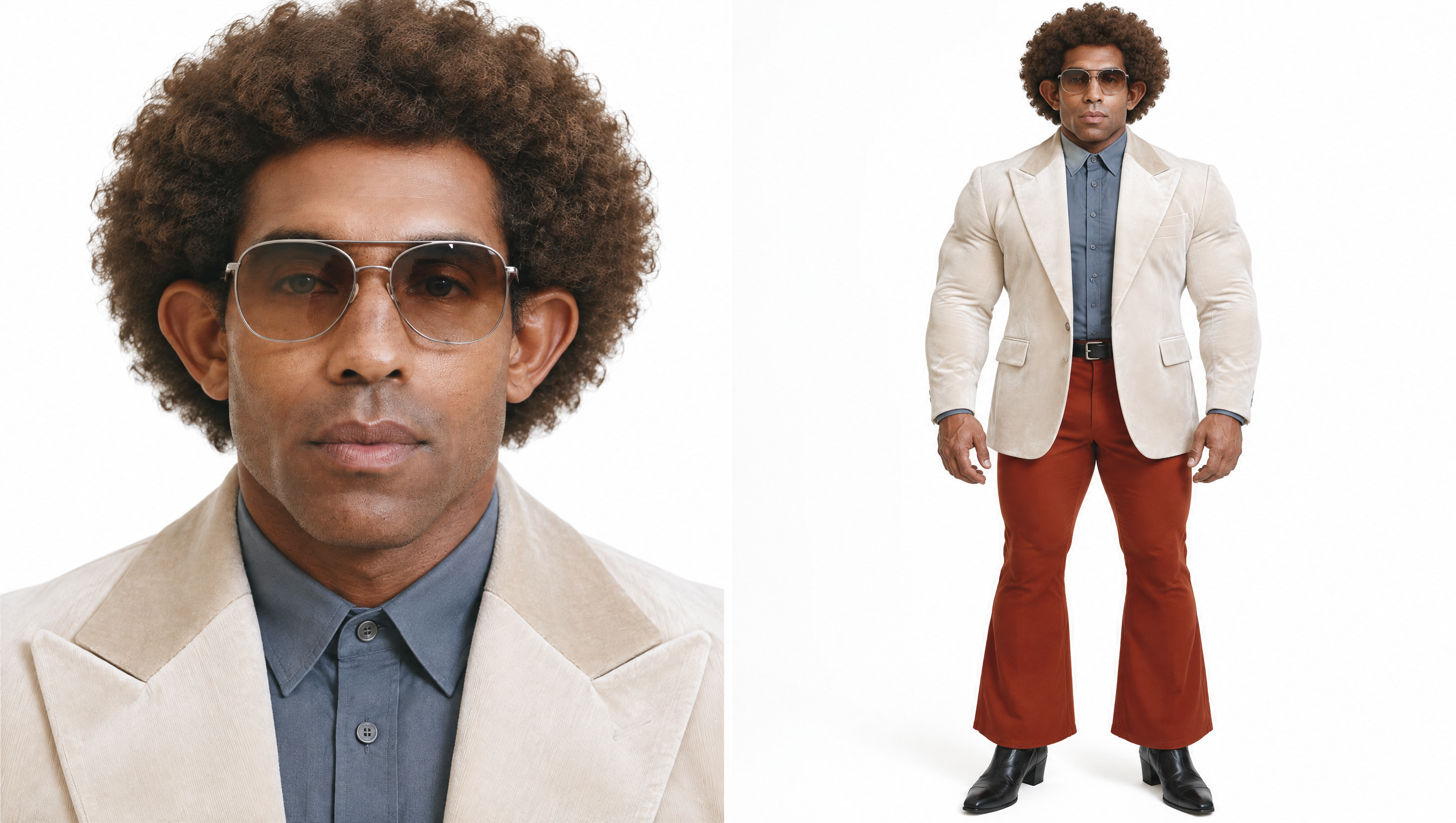 Example
The meme: Zoolander (2001) ↗
What is the Zoolander AI video trend?
The Zoolander meme comes from the red-carpet scene in the 2001 comedy *Zoolander*: one model slowly turns around and locks eyes with his rival in a dead-serious stare while cameras flash. In the Zoolander AI video trend, creators recast both men as anyone they like — two friends, a pair of rivals, original characters — and post the face-off on TikTok, Reels and Shorts.
Most tutorials make you generate characters in one tool, animate them in another and stitch the scenes together. This Zoolander AI video generator is a ready-made template instead: the red-carpet scene, the model (MiniMax H3) and the prompt are already set up. Your two people keep their own face, hair and outfit, and play out the turn and the stare with the crowd, the flashes, the camera move and the sound.
Upload two photos at the top of this page — the first plays the one in the black jacket who turns around, the second plays his rival in the blue jacket — and press Generate. Prefer to set it up by hand with your own prompt and model? Read our step-by-step guide: how to make a Zoolander AI meme video.
Independent tool — not affiliated with the film or its studio. Only upload photos of yourself, people who gave you permission, or characters you created.
- Input
- 2 photos
- Output
- 11s · 768P
- Audio
- On by default (toggle Audio off for silent)
- Aspect ratio
- 16:9
How to make a Zoolander AI video
Put two people into the viral Zoolander red-carpet stare.
IMG_01 IMG_02 Open the template
The Zoolander template is already open at the top of this page. The red-carpet scene, MiniMax H3 and the prompt are set up: 11s · 768p · 16:9 with sound.
Upload two photos
Photo 1 plays the one in the black jacket who turns and stares; photo 2 plays his rival in the blue jacket. Use one person per photo, face clearly visible — waist-up shots show the outfit too.
Generate & download
Press Generate. Finished videos stay in My Videos, so you can close the tab. Download the MP4 without a watermark and post it to TikTok, Reels or Shorts.
Why use this Zoolander AI video generator
Both people in one go
No making two halves and stitching them together. One render puts both people in the same shot.
The meme, shot for shot
The crowd, photographers, flashes, framing and camera move all match the meme, so it instantly reads as the Zoolander stare.
Sound included
Sound is on by default, so the video is ready to post. Failed renders refund credits automatically.
No watermark
Every plan, free credits included, downloads a clean MP4 with no logo — ready for TikTok, Reels and Shorts.
Ready anytime
Runs in your browser on phone or desktop, 24/7. No app to install, no editing software, no waiting for a human editor.
More AI video templates
Zoolander AI video FAQ
How do I make the Zoolander AI video?
Open this page, upload two photos — one for the one who turns around, one for his rival — then press Generate. The scene, model and prompt are already set up.
Which photo goes where?
Photo 1 plays the one in the black jacket who turns and stares. Photo 2 plays the rival in the blue jacket. Swap the uploads if you want the roles the other way around.
Can I use one photo for both people?
The template needs two photos, one per person. To play both roles yourself, upload two different photos of yourself.
Is the Zoolander AI video generator free?
New accounts get free credits to try the site. The exact credit cost is shown on the Generate button before you start, and failed renders are refunded.
What photos work best?
One person per photo, facing the camera, sharp and well lit. Waist-up or full-body shots let the AI copy the outfit and hair too. Avoid sunglasses, heavy filters and group photos.
Does the video have sound?
Yes. Sound is on by default; you can switch Audio off for a silent video.
How long does it take?
Usually a few minutes. You can close the tab; the result appears in My Videos when it is ready.
Can I make a vertical version for TikTok?
The template is 16:9 so the framing matches the meme. TikTok, Reels and Shorts all play 16:9 videos with bars above and below.
Is this affiliated with the Zoolander movie?
No. It is an independent AI video tool and is not affiliated with the film or its studio. Do not upload photos of celebrities, public figures, minors or anyone without their permission.