How to Make the I'm a 2020 President Candidate AI Video
What’s new on this page
- — Published: our first I'm a 2020 President Candidate AI video (Wan 3.0, 14 s, 480p, 16:9, with sound, 385 credits, first try, about 4.5 minutes), the one-line prompt we used, second by second, photo tips and fixes.
An I'm a 2020 President Candidate AI video puts the person in your photo into the scene from Roddy Ricch's "The Box": you dance in a night parking lot, a sports car flips in a fireball behind you, and then you rap "I'm a 2020 president candidate" at a White House podium. We made the clip above on 20 November 2026 from one photo of a man in a camel suit with a huge moustache. This guide covers the steps, the exact one-line prompt we used, what came out well and what didn't, and which photos work.
What is the I'm a 2020 President Candidate AI trend?
The I'm a 2020 President Candidate AI trend is the newest form of a meme built on one lyric from "The Box", the Roddy Ricch song released on 6 December 2019 that spent 11 weeks at No. 1 on the Billboard Hot 100. In the official music video, released on 28 February 2020, he raps the line at a White House podium about 2 minutes 20 seconds in.
It has been a meme twice before. In February 2020 TikTok lip-dubbed it, with Charli D'Amelio's version passing 4.8 million likes, and in September 2025 editors turned the podium clip into "2020 president candidih" brainrot edits; Know Your Meme logged one at 291,900 likes in a day. From 18 November 2026 AI versions started putting new faces into three scenes from the video, and people call them The Box AI trend. On 20 November 2026 #2020presidentcandidate had 29.6 million TikTok views.
What happens in an I'm a 2020 President Candidate AI video, second by second?
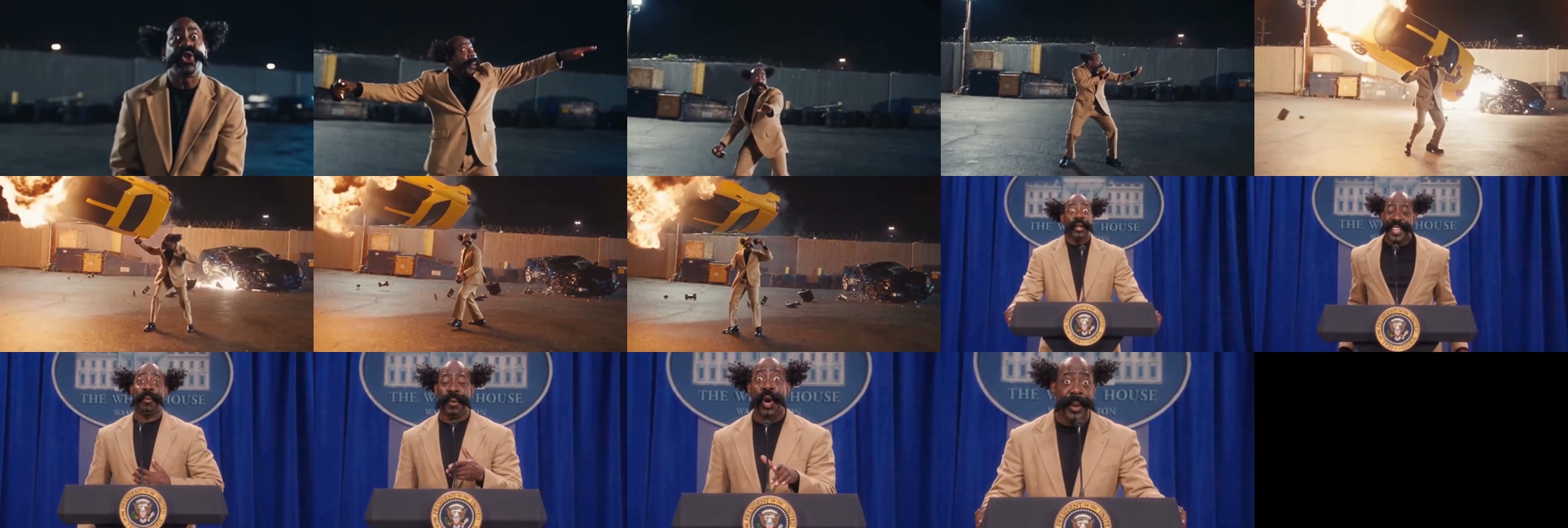
Three scenes, hard cuts between them. In our result:
| Seconds | What happens |
|---|---|
| 0–1 | Night parking lot, close-up: you rap straight into the camera |
| 1–4 | The camera pulls back to full body and you dance with big arm swings |
| 4.3 | A quick white flash |
| 4.5–8.4 | Wide shot: a yellow sports car flips into the air inside a fireball behind you; you keep dancing, then walk toward the camera |
| 8.4–14.4 | A press room with a blue curtain: you stand at a White House podium, chest-up, and give the line like a campaign speech, hand on your chest |
What you need to make the I'm a 2020 President Candidate AI video
- One photo of one person, face to the camera, full body or knees-up. It can be you, an adult friend who agreed, or a character you made.
- An account and 385 credits. New accounts get 75 free credits, so you need the one-time $5.99 pack (540 credits), which leaves 155 credits after one video. No subscription.
- About five minutes. Ours took 4 minutes 31 seconds; you can close the tab and find the video in My Videos later.
How to make the I'm a 2020 President Candidate AI video in 4 steps
1. Pick your candidate
There is one person in every shot, so pick one: you, or the friend in the group chat who always has a plan. Ask first if the photo isn't yours. Photos of politicians, celebrities and other public figures are not allowed, so no real candidates.
2. Pick the photo
Choose a sharp, front-facing photo with even light, full body or knees-up. The video opens on a face close-up, shows you full-body in the dance and the explosion, and ends chest-up at the podium, so the photo has to cover your face and your outfit. Whatever you wear in it is your campaign look for all three scenes.
3. Upload it to the template
Open the I'm a 2020 President Candidate AI generator and add the photo to the single slot. There is no prompt to write: the dance, the car explosion and the podium are already set. The Generate button shows the credit cost before you start.
4. Generate and download
Press Generate. Ours was ready 4 minutes 31 seconds later. Download the MP4 from My Videos: it has no watermark and the sound is already on it. It is widescreen, so for a vertical TikTok add bars or a caption strip above and below.
Our I'm a 2020 President Candidate AI test: a camel suit at the podium
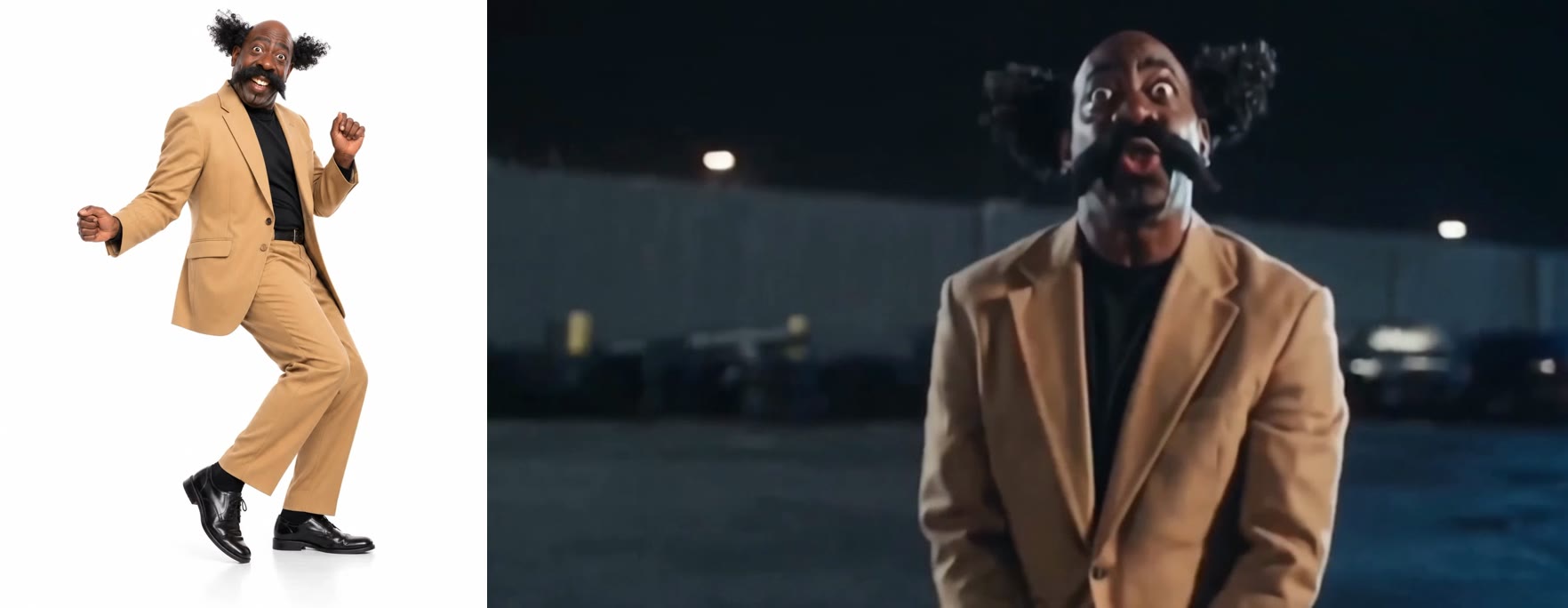
We used one full-body photo on a white background: a bald man with two big curly tufts at the sides, a wide black moustache, a camel suit, a black turtleneck and black shoes. We picked a look that is easy to spot, so we could see in every shot whether it was still him.
| Setting | Our test |
|---|---|
| Date | 20 November 2026 |
| Model | Wan 3.0 |
| Photos | 1 |
| Length | 14 seconds (15-second setting) |
| Resolution and frame | 480p (854 × 480), 16:9 widescreen |
| Sound | On |
| Cost | 385 credits, about $4.27 |
| Render time | 4 minutes 31 seconds |
| Attempts | 1 (worked first time) |
The prompt we used
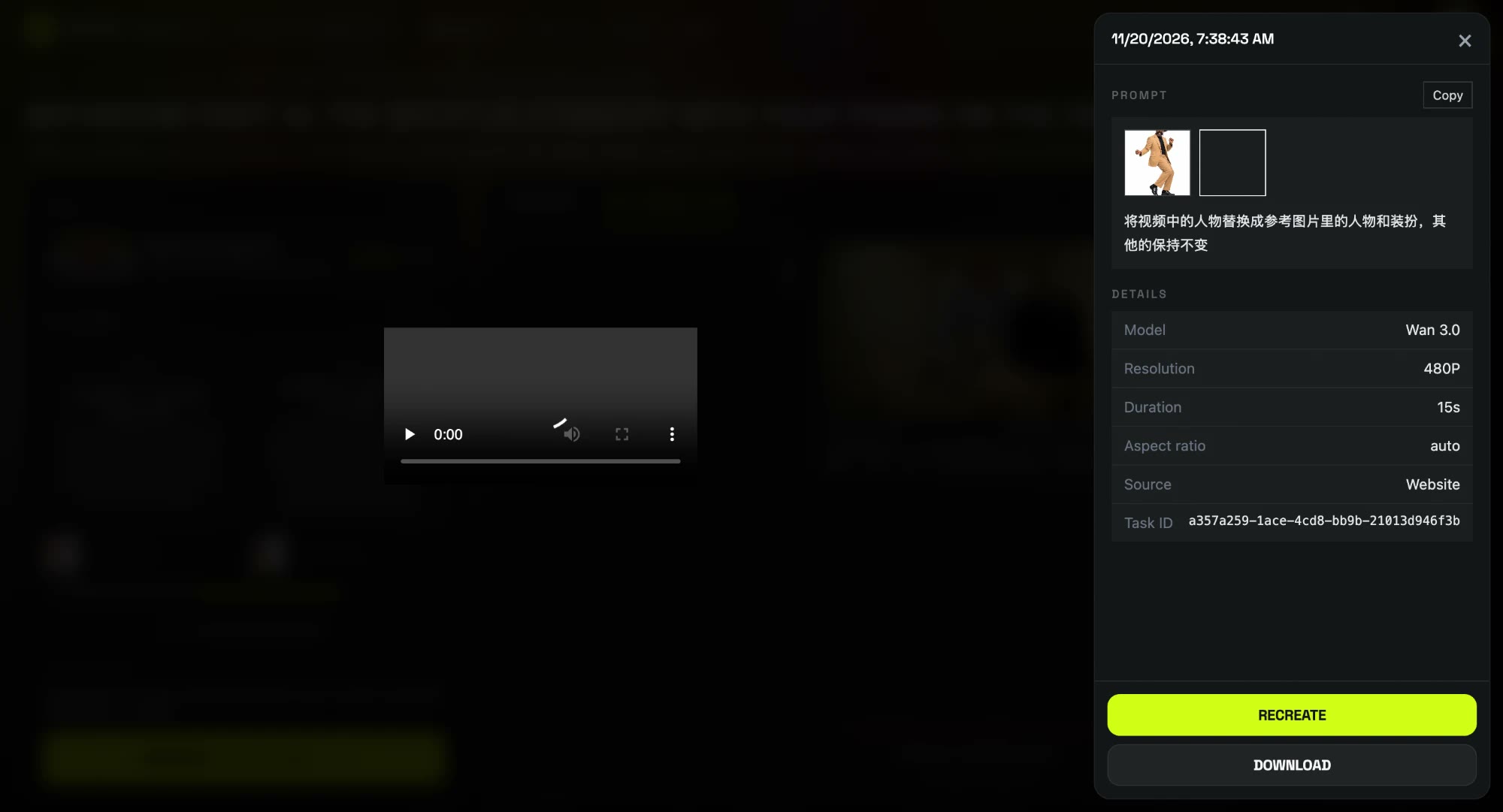
We ran it with one short line in Chinese, and it worked on the first try:
将视频中的人物替换成参考图片里的人物和装扮,其他的保持不变
Replace the person in the video with the person and outfit from the reference image, and keep everything else the same.
We did not describe the dance, the car or the podium. Because the prompt says "person and outfit", the clothes came from the photo too, not only the face. The template on our effect page runs this setup for you, so you don't paste anything.
What we saw, frame by frame:
- The outfit stayed his. The camel suit and black turtleneck are there from the first close-up to the last second at the podium, and nothing was added that wasn't in the photo.
- The moustache and face held. The wide moustache and big eyes match the photo in the close-up and at the podium, where the face is largest.
- He never looked back. The car flips at about 4.5 seconds and he keeps dancing, then walks toward the camera, just like the meme.
- The small slips. In the full-body dance shots around 3 to 4 seconds the two curly side tufts shrink into a small knot on top of his head, and in the wide explosion shot the face is small and soft, which is the 480p limit. At the podium the tufts are back.
Which photos work best for the I'm a 2020 President Candidate AI video?
- One person, face to the camera. The opening and the podium are both close, so a front-facing face matters most.
- Full body or knees-up. The dance and the explosion are full-body shots, and a photo that shows the whole outfit keeps it the same in every scene.
- A big, sharp face. A tiny face cropped from a group shot gets even smaller in the wide explosion shot.
- Wear the campaign look. A suit plays it straight; a loud shirt or a hoodie makes the speech funnier.
- No politicians, celebrities or children. Only photos of yourself or adults who agreed.
I'm a 2020 President Candidate AI generators compared
On 20 November 2026 we found one other site with a one-photo template for this trend. Its figures come from its own page; we have not generated a video with it.
| Tool | Photos | Length and frame | Price per video | Smallest purchase |
|---|---|---|---|---|
| Our template | 1 | 14 s, 480p, 16:9 | 385 credits, about $4.27 | $5.99 one-time pack |
| MakeViral | 1 | 14 s, 720p, 16:9 | 213 credits | $39.99 one-time pack |
CapCut also has "2020 president" templates, but those add text and effects to clips; they don't put you into the three scenes.
Is the I'm a 2020 President Candidate AI video real or official?
Neither. The I'm a 2020 President Candidate AI video is a fan-made parody generated from one still photo; nobody filmed it. Our template is not affiliated with Roddy Ricch, Atlantic Records or the White House. When you post it, keep the platform's AI label on and never use it to make a real politician look like they said this.
I'm a 2020 President Candidate AI video problems and fixes
| Problem | Fix |
|---|---|
| The face is small in the explosion shot | That shot is wide so the car fits. Your face is big at the start and at the podium; a sharper, front-facing photo keeps it clearest. |
| Big hair looks smaller in the dance | Wide full-body shots lose some hair volume at 480p. It comes back in the close-ups. |
| The video is widescreen | Add bars or a caption strip above and below for TikTok or Reels. |
| The generation failed | The credits come back automatically. Try again, or try another photo. |
Is I'm a 2020 President Candidate AI free?
Not completely. New accounts get 75 free credits and one I'm a 2020 President Candidate AI video takes 385, so you need the one-time $5.99 pack (540 credits). That is about $4.27 for the video, with 155 credits left over and no subscription. See pricing. Failed renders are refunded automatically.
What song says "I'm a 2020 president candidate"?
"The Box" by Roddy Ricch (2019). He raps the line at a White House podium in the official music video from 28 February 2020. The lyric is "president", not "presidential".
What does "2020 president candidih" mean?
It's a joke spelling of "candidate" from the September 2025 TikTok edits of the podium clip, also written "canadih". It's the same meme and the same line.
Can my dog be the 2020 president candidate?
We have only tested a person so far, so we can't show a pet result. A person's photo, face to the camera, is what we know works.
How long is the video?
14 seconds, 480p, 16:9 widescreen, with sound and no watermark. Ours took 4 minutes 31 seconds to render.
Do I need to write a prompt?
No. On the effect page the template is already set up; you only add the photo. The one-line prompt above is what we used in our own test.
Liked walking away from the explosion? Our Peaky Blinders Explosion AI tutorial does it in a 1920s manor with one photo.
Want to be the lead in a different music video? Our What's Poppin AI tutorial puts you in Jack Harlow's diner with one photo.