How to Make a Cat Singing Happy Birthday AI Video (Tested)
What’s new on this page
- — Published: our first cat singing happy birthday AI video from one pet photo (a golden retriever; Wan 3.0, 14 s, 480p, 9:16, with sound, 360 credits, first try, 5 minutes), the prompt, frame-by-frame results, what didn't match, photo tips and a comparison with four other singing-pet sites.
A cat singing happy birthday video is a short clip in which a pet appears to sing the birthday song, usually sent to someone as a birthday greeting. Most apps only animate a close-up of the pet's face. The version in this guide puts the whole animal in the shot: up on its hind legs, holding a cream cake with lit candles, singing in a party room with balloons and string lights.
What happens in a cat singing happy birthday AI video?
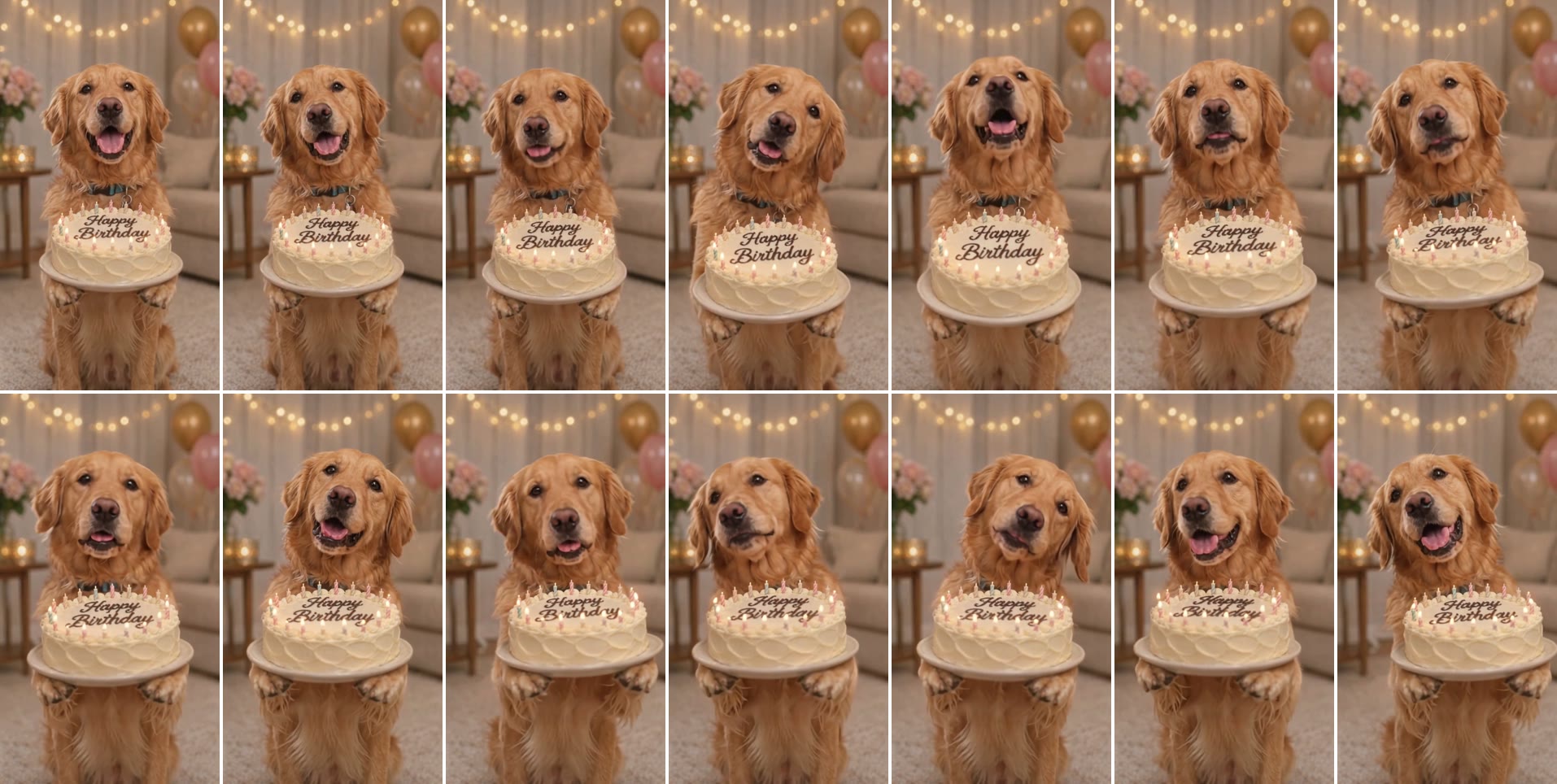
One still shot for all 14 seconds. Your pet is up on its hind legs from the first frame, holding the cake at chest height in its front paws. Through the song it opens and closes its mouth, tilts its head side to side and squints on the long notes. The candles flicker, and behind it are warm string lights, gold and pink balloons, pink flowers and a beige sofa.
What you need to make a cat singing happy birthday video
- One pet photo. One cat or dog, face and fur clear, in good light. Your own pet, or one whose owner has agreed.
- An account and 360 credits. New accounts get 75 free credits, so you need the one-time $5.99 pack (540 credits) or a plan. See pricing.
- About 5 minutes. Nothing to film, no app to install, no prompt to write.
How to make a cat singing happy birthday AI video in 4 steps
1. Pick the pet
Use your own pet, or, for a birthday surprise, the birthday person's own cat or dog. Being sung to by their own pet is what makes people laugh; ask their family for a photo or use one they've shared, with permission.
2. Pick the photo
Choose a sharp photo of one pet facing the camera, eyes and ears visible. Sitting is ideal. It doesn't need to be a birthday photo: ours was a golden retriever sitting on a living-room rug. Take off any collar or bandana you don't want in the video, because accessories carry over.
3. Upload it to the template
Open the cat singing happy birthday AI generator and add the photo. There is no prompt to write: the cake, the party room and the song are set up. The Generate button shows the credits before you start.
4. Generate, download and send
Press Generate. Ours was ready exactly 5 minutes later. Download the MP4 from My Videos: 14 seconds, vertical 9:16, with sound and no watermark. Send it on WhatsApp or iMessage, or post it to Instagram Stories or TikTok, with the person's name in the message.
Our cat singing happy birthday test: a golden retriever
We deliberately tested with a dog. The scene was built around a dark brown short-haired cat, so a long-haired golden retriever is about as different as a pet gets, which makes it a good test of whether the template really follows your photo.
| Setting | Our test |
|---|---|
| Date | 23 November 2026 |
| Model | Wan 3.0 |
| Photos | 1 (the pet) |
| Length | 14 seconds |
| Resolution and frame | 480p (480 × 854), 9:16 vertical |
| Sound | On |
| Credits | 360 (about $3.99 with the $5.99 pack) |
| Time | 5 minutes |
| Tries | 1, first try |
The prompt we used
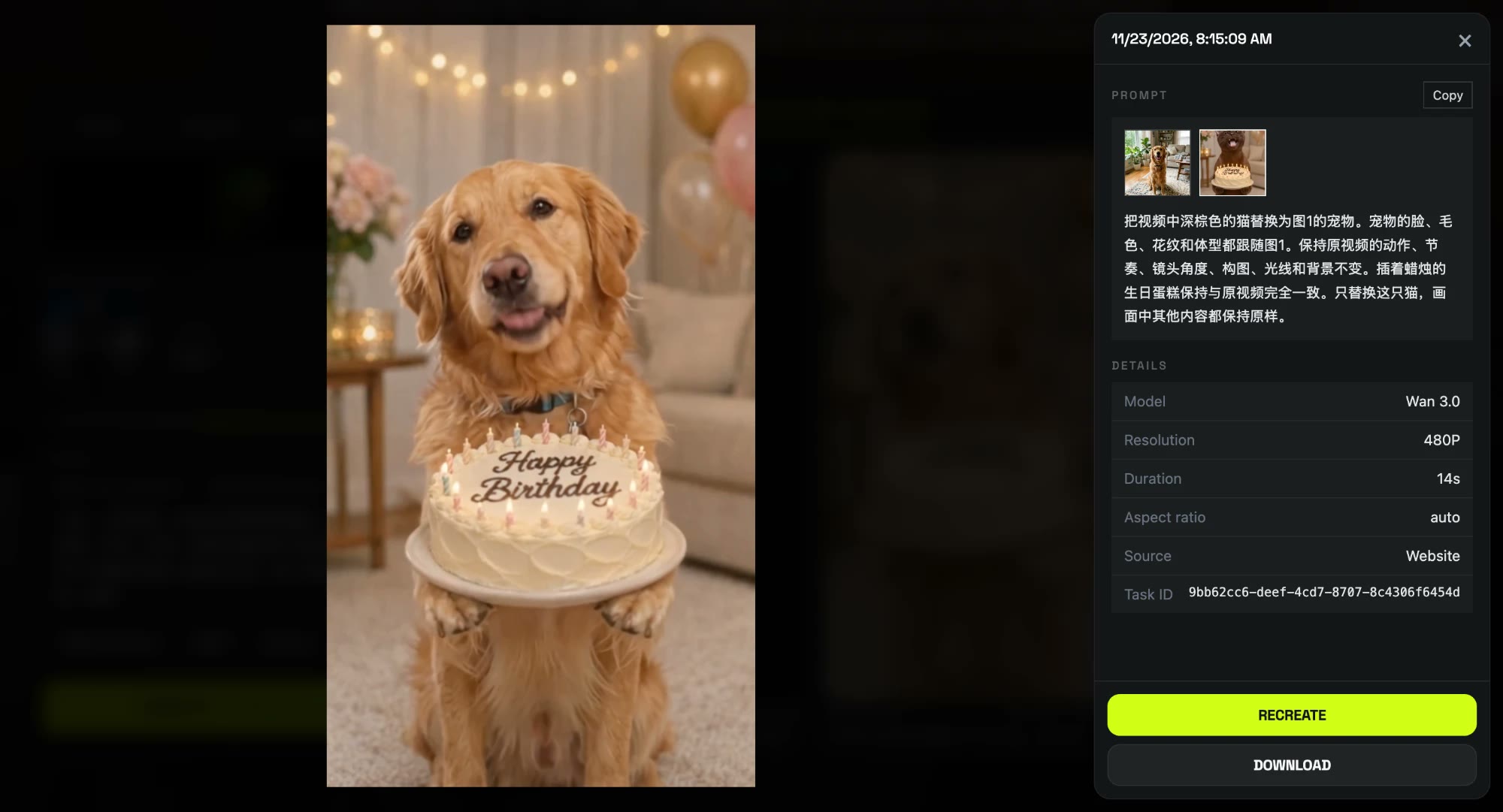
Five short sentences, first try. We wrote it in Chinese; the English version below says the same thing. The template runs it for you, so you only need it if you want to see how it works or adapt it.
Replace the dark brown cat in the video with the pet from image 1. The pet's face, fur color, markings and body shape all follow image 1. Keep the original motion, timing, camera angle, framing, lighting and background unchanged. Keep the birthday cake with lit candles exactly as in the original video. Only replace the cat, and keep everything else in the scene the same.
把视频中深棕色的猫替换为图1的宠物。 宠物的脸、毛色、花纹和体型都跟随图1。 保持原视频的动作、节奏、镜头角度、构图、光线和背景不变。 插着蜡烛的生日蛋糕保持与原视频完全一致。 只替换这只猫,画面中其他内容都保持原样。
Two choices mattered. We pointed at the cat only by how it looks (dark brown) and said nothing about the new pet except "image 1", so the same prompt works for any pet photo. And we named the cake and candles separately, so they stay exactly as they are instead of changing with the pet.
What we saw, frame by frame:
- It looks like the dog in the photo. The golden coat, the long ear fur and the face shape all carried over, and nothing of the brown cat was left in any frame.
- The collar came too. The blue collar and its round tag from the photo are visible for the whole video, which is nice if it's your pet's own collar and a surprise if you forgot about it.
- The cake holds steady. The cake, plate and candles stay level in the paws for all 14 seconds.
- The writing on the cake softens in a few frames. "Birthday" blurs slightly while the dog moves, as it also does in the scene the template is built on.
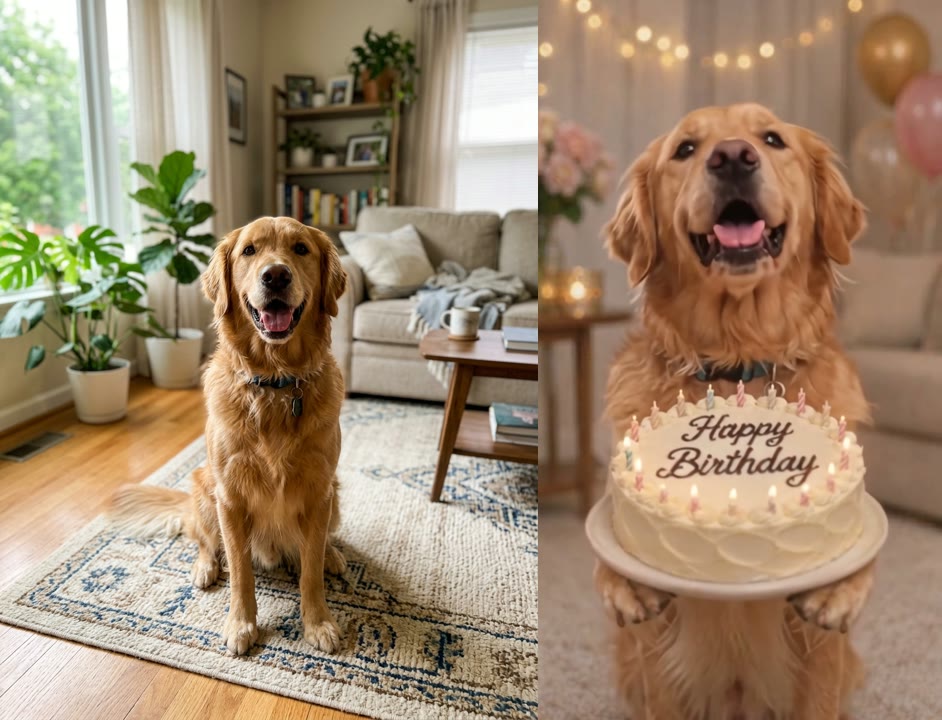
How close is the AI video to the cat singing happy birthday clip?
Very close. At the same second the cake, the candles, the balloons, the flowers and the string lights match; only the singer is different.
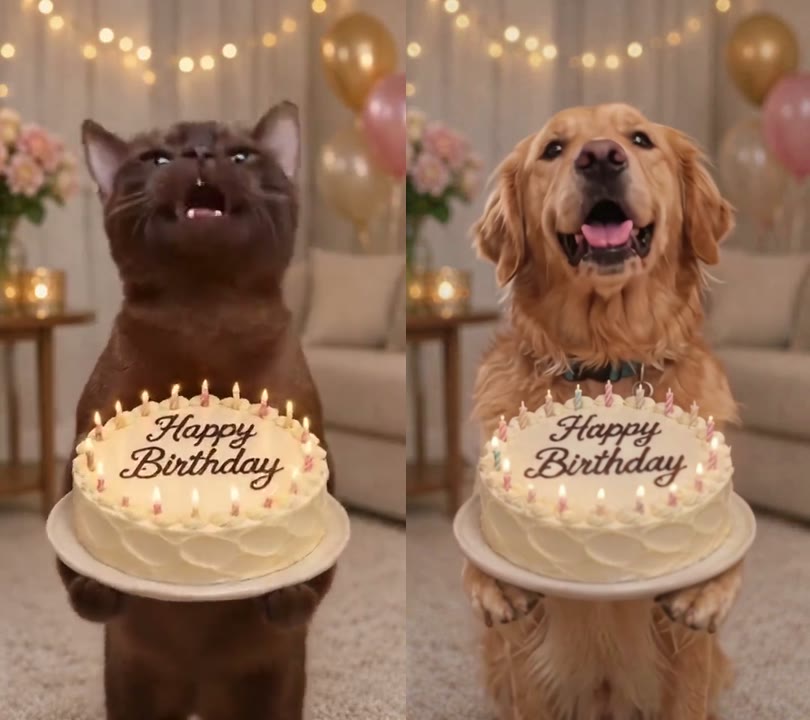
Which photos work best for a cat singing happy birthday video?
- One pet, facing the camera. Eyes, ears and nose clear. The scene has one singer.
- Daylight or even light. Dark shots lose markings and change fur color.
- Sharp, not filtered. Blur and heavy filters make the face drift.
- Any background. The party comes from the template, so a couch or the floor is fine.
- Remove what you don't want. Collars, tags and bandanas carry over.
Does the cat singing happy birthday template work with dogs and other pets?
Yes for dogs: our golden retriever test worked first time. Despite the name, we haven't yet run it with a cat photo of our own, or with rabbits and other pets. The scene was made with a cat, so cats fit it naturally; use one animal with its face clearly visible.
Cat singing happy birthday AI tools compared
On 23 November 2026 we read four other singing-pet sites that ChatGPT cites for this question. The figures below come from their own pages; we have not generated videos with them.
| Tool | What you get | Length and frame | Price per video |
|---|---|---|---|
| Our template | Your pet up on its hind legs holding a candlelit cake, singing | 14 s, 480p, 9:16, with sound | 360 credits, about $3.99 ($5.99 pack, no subscription) |
| Vidney | Pet's face sings a Happy Birthday verse; lyrics can change | 8 s, with sound | $2.99 for one, $5.99 for three |
| Kavel | Cat sitting behind a small birthday cake | 10 s, 480p or 720p, 9:16, with sound | $9.99 for two |
| Memelry | Pet with a Happy Birthday cake from a TikTok clip | about 19 s, 720p, 9:16 | $18.99 |
| TalkingPets | Cat's face meows the song | not stated | First video free with watermark |
Ours is the one where the whole pet holds the cake, at a one-time price with no subscription and no watermark.
Is the cat singing happy birthday video real?
No. A cat singing happy birthday AI video is generated from one still photo; the pet never stood up or held a cake. Our template is unofficial and not affiliated with TikTok or CapCut. When you post it publicly, keep the platform's AI label on.
Cat singing happy birthday video problems and fixes
| Problem | Fix |
|---|---|
| The pet doesn't look like mine | Use a sharp, well-lit photo of one pet facing the camera, then generate again. |
| A collar or bandana I didn't want is there | It came from your photo; use one without it. |
| The writing on the cake is blurry | It softens in a few frames while the pet moves; it's part of the scene and reads Happy Birthday most of the time. |
| I want the song to say a name | The song can't change; put the name in your message or caption. |
Is the cat singing happy birthday video free?
Not completely. New accounts get 75 free credits and one cat singing happy birthday video takes 360, so you need the one-time $5.99 pack (540 credits). That is about $3.99 for the video, with 180 credits left over and no subscription. See pricing. Failed renders are refunded automatically.
Does my photo need a birthday cake in it?
No. Any clear everyday photo of your pet works; the cake, candles, balloons and party room come from the template.
Can I make my dog sing happy birthday?
Yes. The video in this guide is a golden retriever, made first try from one photo.
Can the cat sing my friend's name?
No. The song is the same in every video. Add the name in the message you send with it.
How long does it take?
About 5 minutes. Ours took exactly 5 minutes, and the video is 14 seconds long.
Is my pet's photo used for training?
No. Your photos and videos stay in your account and are not used to train AI models or shared, except with the video model provider that renders your clip.
Want another video with your pet? Our Cat Middle Finger AI template has your cat flip someone off, and Dog Elevator Prank AI has your dog kick a friend into an elevator.