How to Make a Talk To Me Doja AI Video From One Photo
What’s new on this page
- — Published with the tested vertical clip, frame breakdown and posting steps. Added the original clip beside the AI example.
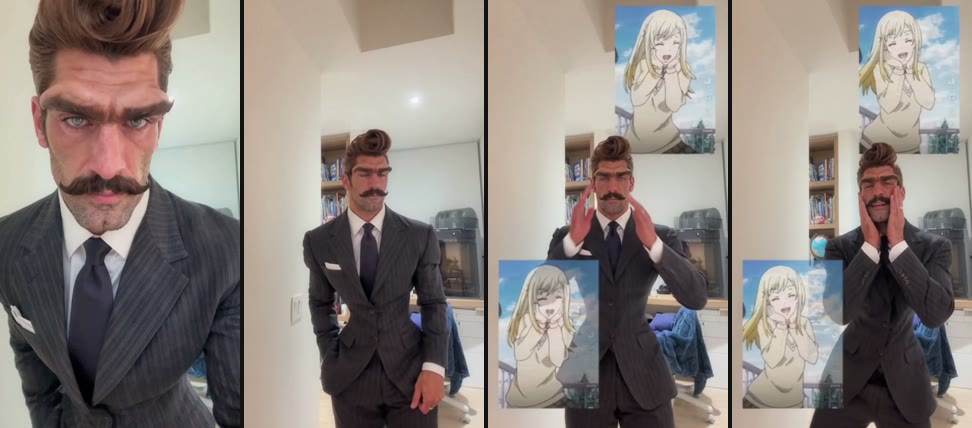
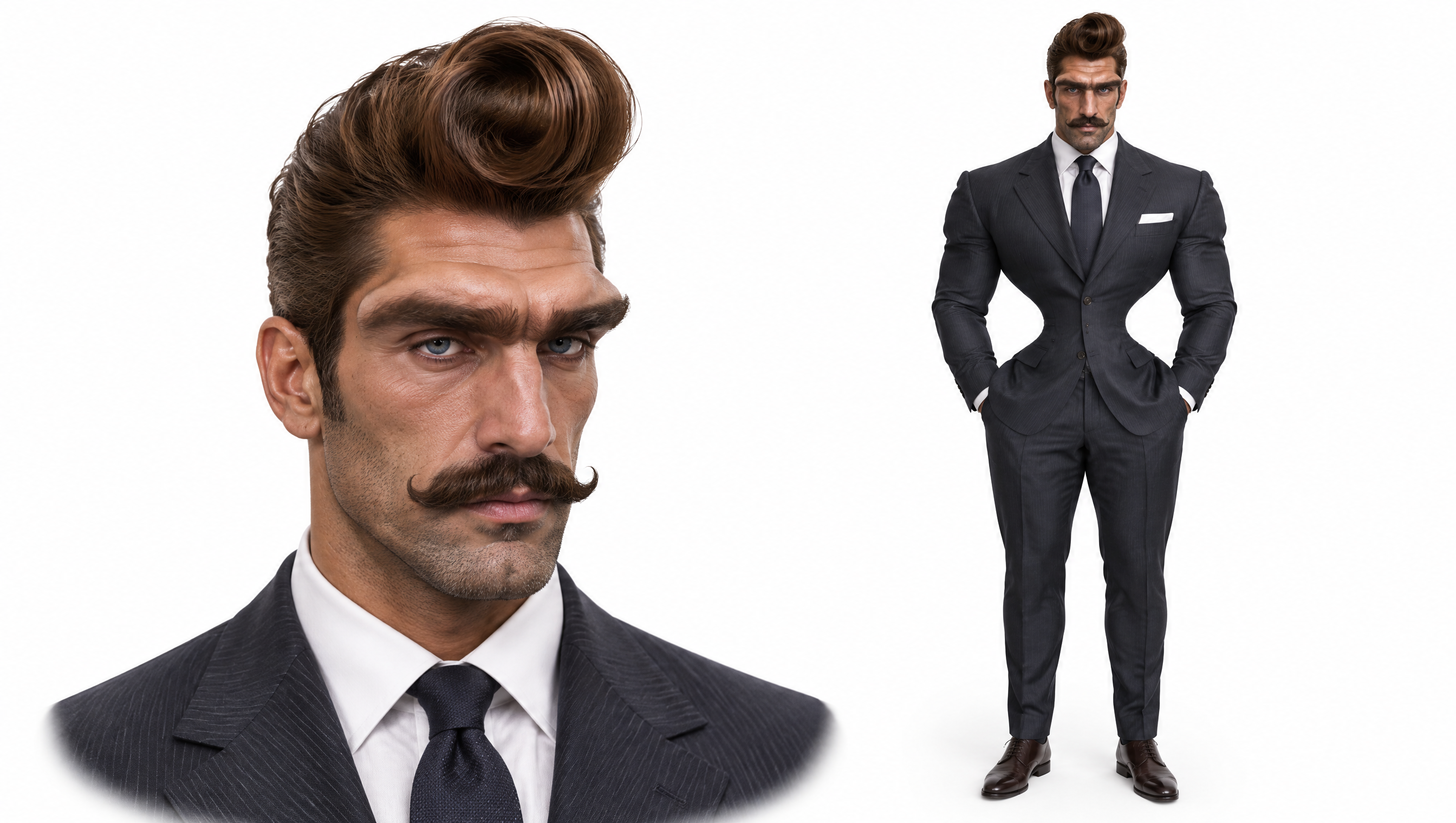
For our Talk To Me Doja AI test, we used one character image with an unmistakable pompadour, curled mustache and dark pinstripe suit. The export opens on a straight face. Around the six-second mark, the same man brings both hands to his cheeks and starts to sway.
Talk To Me Doja original trend clip
Talk To Me Doja AI result
What happens in the Talk To Me Doja AI clip?
In our 14-second example, the suited character backs away from the camera with a straight face for about six seconds. He then cups his cheeks and sways with two anime insets on screen. Near the end he drops his hands and grins.
| What we checked | Result |
|---|---|
| Input | 1 image of a stylized human character |
| Model and settings | Wan 3.0 · 480p · 15s adaptive setting |
| Export | About 14 seconds · 480 × 854 · vertical MP4 |
| Current template cost | 385 credits per generation |
How do you make a Talk To Me Doja AI video?
- Open the template. Go to the Talk To Me Doja AI effect and watch the example once so you know where the pose changes.
- Add your character. Use the Character photo slot. Pick one image where the eyes, cheeks and the clothing you care about are visible.
- Check the cost and generate. The button shows the credit charge. When the task finishes, open My Videos, watch through the cheek pose and download the MP4.
- Prepare your post. Use “Talk to me Doja” or the early wording “Speak to me Doja” as the caption. If your app offers the trend sound, preview it against the moment the hands come up. Use the app’s AI content label when posting.
Which photo should you use for Talk To Me Doja?
Start with one well-lit image showing a recognizable face, visible cheeks and the upper part of the outfit. A crop that ends at the neck leaves out details like a striped jacket, collar or tie. If the finished face or clothes look off, check whether the original image shows those details clearly before using another generation.
The pose puts the hands right next to the face. Watch that moment at full size before posting so you can spot anything awkward around the fingers or cheeks. A distinctive outfit helps the viewer recognize the same character on either side of the pose change.
Where do the Talk To Me Doja pose and song come from?
Know Your Meme tracks the earliest known edit to a November 7, 2026 TikTok by @lovingbalanci with the caption “Speak to me Doja.” By November 9, creators including @the_real.ryan were acting out the sway on camera. Know Your Meme’s timeline.
The anime character is Urara Shiraishi from episode 1 of Yamada-kun and the Seven Witches. Ryu Yamada is in her body during the scene, trying to act bashful when a classmate asks her out. Episode listing on Crunchyroll.
The trend uses a sped-up edit of “Like That,” the Doja Cat track featuring Gucci Mane from Hot Pink. Search “Like That” by artist when you are looking for the sound. Sony Music song credits.
Talk To Me Doja AI FAQs
What song is used in Talk To Me Doja?
The trend uses a sped-up edit of “Like That” by Doja Cat featuring Gucci Mane, from Hot Pink. Central Cee’s track is titled “Doja.” Our public demo plays muted. To match the trend, add the sound in your posting app if it’s available there.
How do I make a Talk To Me Doja AI video?
Upload one clear character image, confirm the 385-credit cost and click Generate. Open My Videos to check the result and download the MP4.
Can I use my own character or a friend’s photo?
The template has one slot for a human-looking character or an adult portrait you have permission to use. Our sample used a stylized human character. Use one person per image.
Is Talk To Me Doja AI free, and is there a watermark?
One Talk To Me Doja video costs 385 credits at the current settings. The 75-credit signup bonus covers part of it. The $5.99 one-time pack contains 540 credits, so one render uses about $4.27 worth of that pack. System failures return the charged credits. MP4 downloads are watermark-free.
Who can see my image and generated video?
Your asset list and generation history require sign-in. The service sends the photo or its link to providers for generation. Anyone with a direct media link may be able to open the file. See the Privacy Policy for details.