How to Make an Iconic By Mistake AI Dance Video
Make an Iconic By Mistake AI Dance video by adding one portrait for each dancer to the Iconic By Mistake AI Dance template. Photo 1 starts on the viewer’s left. Photo 2 starts on the right and gets the last close-up. If you’re making it on your own, put your portrait in the first slot and choose Use example for the second dancer.
The demo is a 13-second vertical MP4 with sound. One generation uses 360 credits, or about $3.99 worth of credits from the $5.99 starter pack. The Generate button shows the charge before you start.
What the studio duet looks like
The two dancers start close together, hands up by their faces. They step back into a wider pose, turn to face each other and bring their hands together. Near the end, the dancer who started on the right steps toward the camera. Pick the right-hand slot for whoever wants that shot.
TikTok duo cover used for the demo
Iconic By Mistake AI Dance result
The cover uses “ICONIC BY MISTAKE,” the June 12, 2026 collaboration single by LE SSERAFIM, ILLIT and KATSEYE. The short duet above comes from TikTok. For the song’s release and the full-group choreography, see the Weverse release notice and HYBE’s official dance practice.
How to make the Iconic By Mistake AI Dance in four steps
You’ll fill two slots, choose who starts on each side and generate in your browser.
1. Open the duet template
Open the Iconic By Mistake studio duet on your phone or computer. The demo helps you decide which person should get the closing close-up.
2. Add your portrait to Dancer 1
Dancer 1 starts on the left. Upload a solo photo with your eyes visible and enough of your upper body to show what you’re wearing. If your friend should appear on the left, put their portrait here instead.
3. Fill Dancer 2 with your friend or the example
Dancer 2 starts on the right. Upload a photo your friend has agreed you can use. If you’re making the duet alone, click Use example under Dancer 2. Check the thumbnails before generating so the right person gets the final close-up.
4. Generate, preview and download
Check the 360-credit charge before you generate. After it finishes, open My Videos and play the clip with sound. Look at both faces in the opening shot and check the right dancer again at the end. Download the watermark-free MP4 when ready. You can check current credit packs before you start.
How to choose the two photos
Show one well-lit face and the top you want to see on each dancer. The demo kept the orange hair and pink top on the left and the dark hair and white shirt on the right. The left dancer’s leopard-print trousers came from the cover. The right dancer wore jeans in both the cover and the portrait. Treat a portrait as a guide for the look and preview the result if a specific outfit matters.
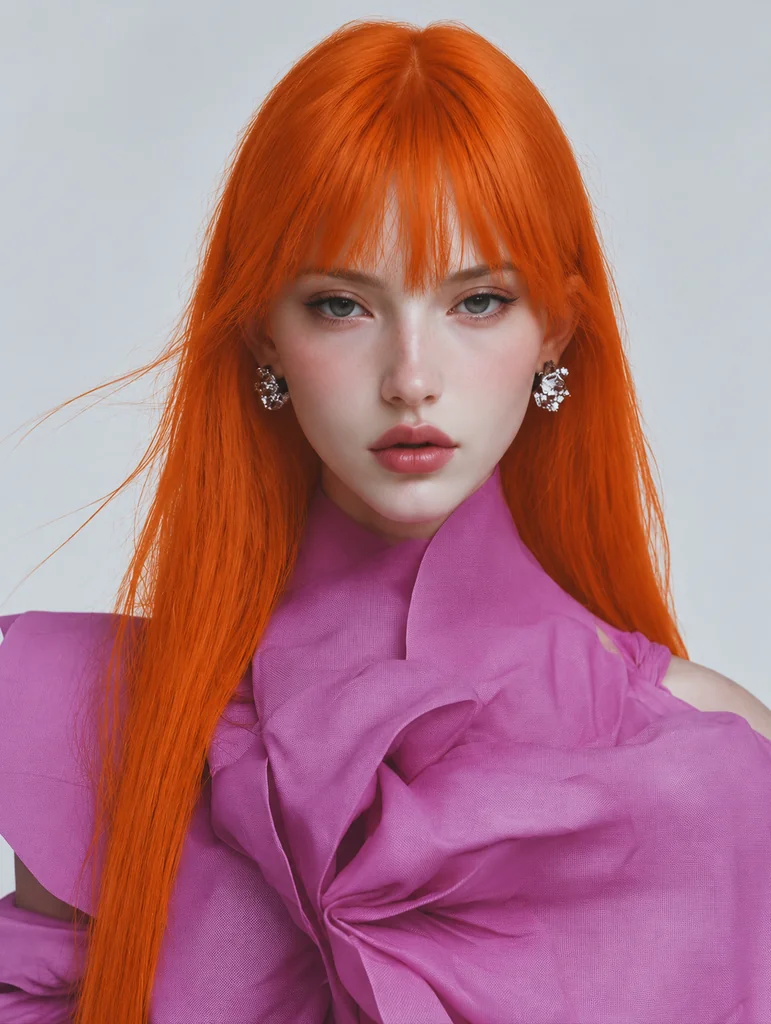
Photo 1 · Starts on the left
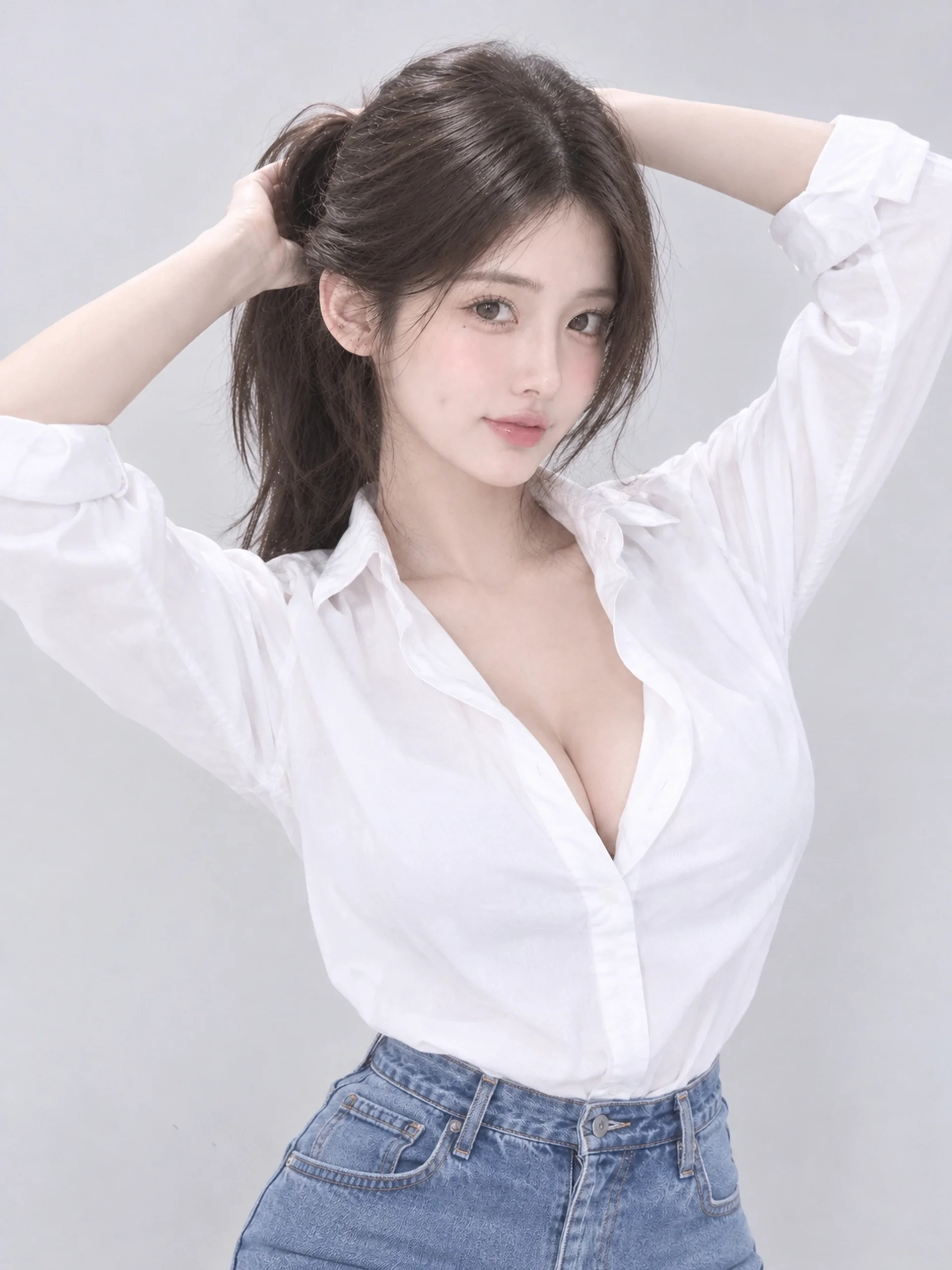
Photo 2 · Starts on the right
| What you have | What to put in the two slots |
|---|---|
| Two portraits | Use one per slot. Put the person you want in the final close-up on the right. |
| One portrait of yourself | Fill Dancer 1 with your photo and click Use example under Dancer 2. |
| A photo of you both | Crop it into two portraits if each face stays sharp. Upload each crop in its own slot. |
| A tight selfie | If the hairstyle or shirt matters, choose a wider crop that includes it. |
If the opening shot is hard to recognize, try one clear photo per dancer with light on the face. Check the crops in the two dancer slots before spending credits.
How to post the duet with sound
The downloaded MP4 has an audio track. If you prefer to add the song inside TikTok or Reels, search for “ICONIC BY MISTAKE” by LE SSERAFIM, ILLIT and KATSEYE. Lower the uploaded clip’s volume and align the first hand gesture with the beat. If the track is available to your account, use the posting preview to check the timing. For a caption, try “We finally got in the same dance studio” with #IconicByMistake and an AI-generated label.
Iconic By Mistake AI Dance FAQ
Can I make the duet with one photo of my own?
Yes. Upload your own photo to Dancer 1, then click Use example under Dancer 2. The finished video still has two dancers.
Why are the trousers different from my photo?
The AI can carry over clothing details from the dance clip. In our test, the hairstyle and upper-body clothing followed the portraits more closely than the trousers.
Is the Iconic By Mistake AI Dance template free?
A full generation costs 360 credits. New accounts get 75 signup credits, and failed generations automatically return the credits used.
Can I upload photos of the singers?
Use your own photo or one of an adult who agreed to appear. The template is for users 18 or older. Photos of celebrities, public figures and children are prohibited.
For a stage duet, try the Trouble Maker AI dance.