How to Make the Like JENNIE Dance AI Video (Prompt Inside)
What’s new on this page
- — Published: our first Like JENNIE Dance AI video (Wan 3.0, video to video, 480p, 14 s, 1 photo, 360 credits, first try, about 11 minutes).
A Like JENNIE Dance AI video puts you at the front of a K-pop dance crew, in the style of JENNIE's 2025 "like JENNIE" performance: white spotlights, a crew in black, a spin, and a final pose on the floor with the dancers lying in a circle around you. The hard part isn't the dance. It's making the model change only the person in front, and keep your look instead of dressing you up as the original lead.
How Do You Make a Like JENNIE Dance AI Video in 3 Steps?
You make a Like JENNIE Dance AI video on AI Photo Animator with one photo and one button; the template already has the model, the prompt and the dance set up.
Step 1: Open the Like JENNIE Dance AI template
Go to the Like JENNIE Dance AI page. The template is open at the top with one photo slot for the lead dancer, and the Generate button shows 360 credits.
Step 2: Upload one photo of one person
Use a sharp photo with your face toward the camera, waist up or full body. What you wear in the photo is what you dance in, so pick the outfit you want on screen; light colors stand out best against the crew in black.
Step 3: Generate and download
Press Generate. Ours took about 11 minutes and was saved to My Videos, so you can close the tab. Download the MP4 without a watermark and post it.
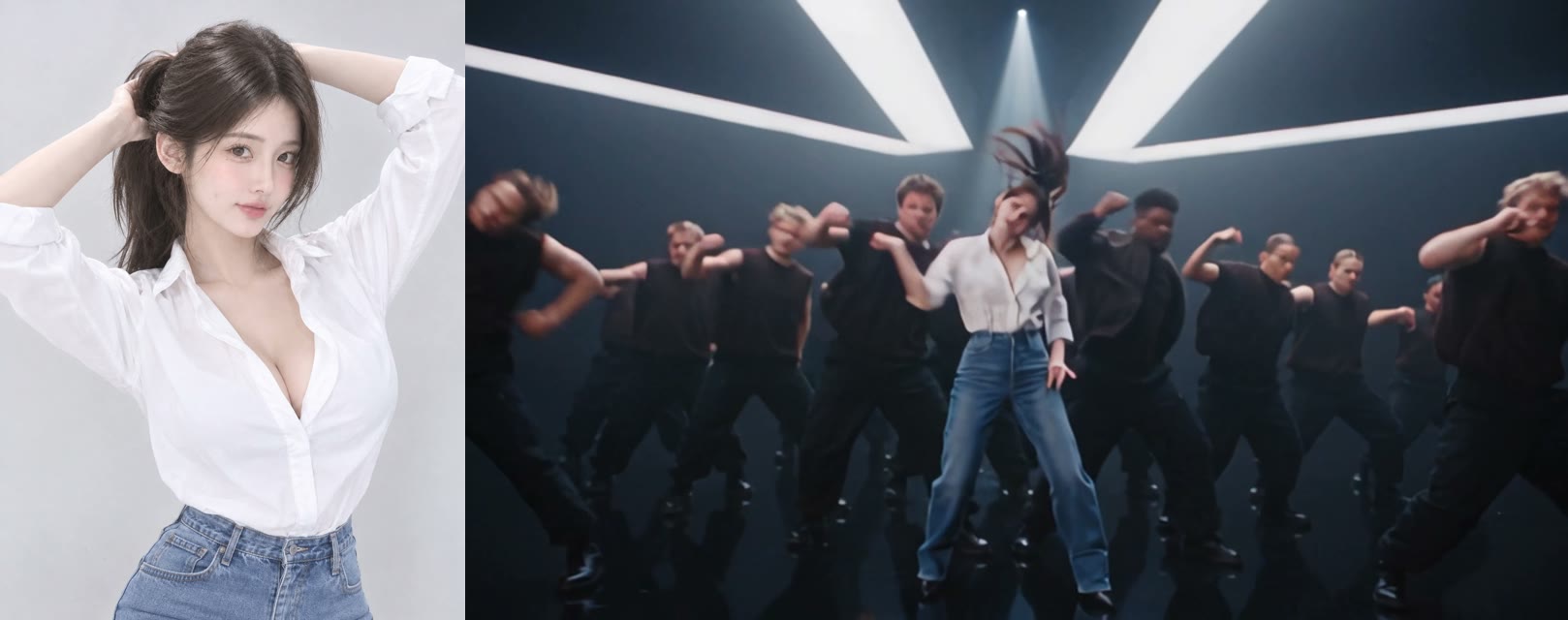
What Changes and What Stays in a Like JENNIE Dance AI Video?
In a Like JENNIE Dance AI video only the lead dancer changes: the face, hair, body and outfit come from your photo, and everything else stays as it was.
| Comes from your photo | Stays the same |
|---|---|
| Face and skin tone | The crew of about thirty dancers in black, with their faces and moves |
| Hairstyle, length and color | The stage, the white spotlight beams and the glossy floor |
| Your whole outfit | The camera moves, the cuts and the 14-second length |
| Body proportions | The sound |
How We Made Only the Lead Dancer Change
We made only the lead dancer change by doing three things in the prompt. Each one fixes a way this kind of video usually goes wrong.
1. Describe the dancer instead of naming her
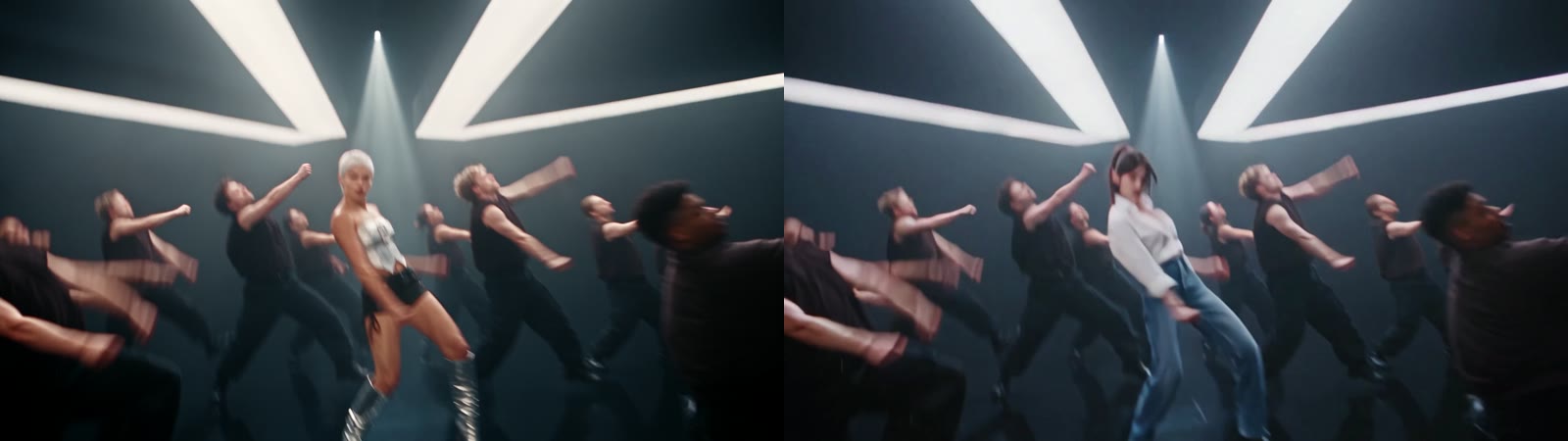
There are more than a dozen people in frame, so "replace the dancer" is ambiguous. The prompt points at one person by what she looks like and where she is: "the lead dancer in the center, the woman with the short platinum-white pixie cut and the silver metallic strapless top". A model can find a pixie cut and a silver top in every frame; it can't look up a name.
2. Tell the model what not to carry over
Without it, models tend to keep the original look and only swap the face, so you end up with your face on white hair and a silver top. The prompt says the photo is the only reference for face, hair, body and outfit, and names the white hair and silver top as things not to transfer. In our result the lead kept long brown hair, a white shirt and jeans in all 14 seconds.
3. Lock the timing and everything around the lead
The prompt asks for the same moves, expressions and lip movement at the same timestamps, and lists what must not change: the background dancers' faces, clothes, number and positions, the lighting, the camera, the cuts, the length and the sound. That's why the crew in our result is the same crew.
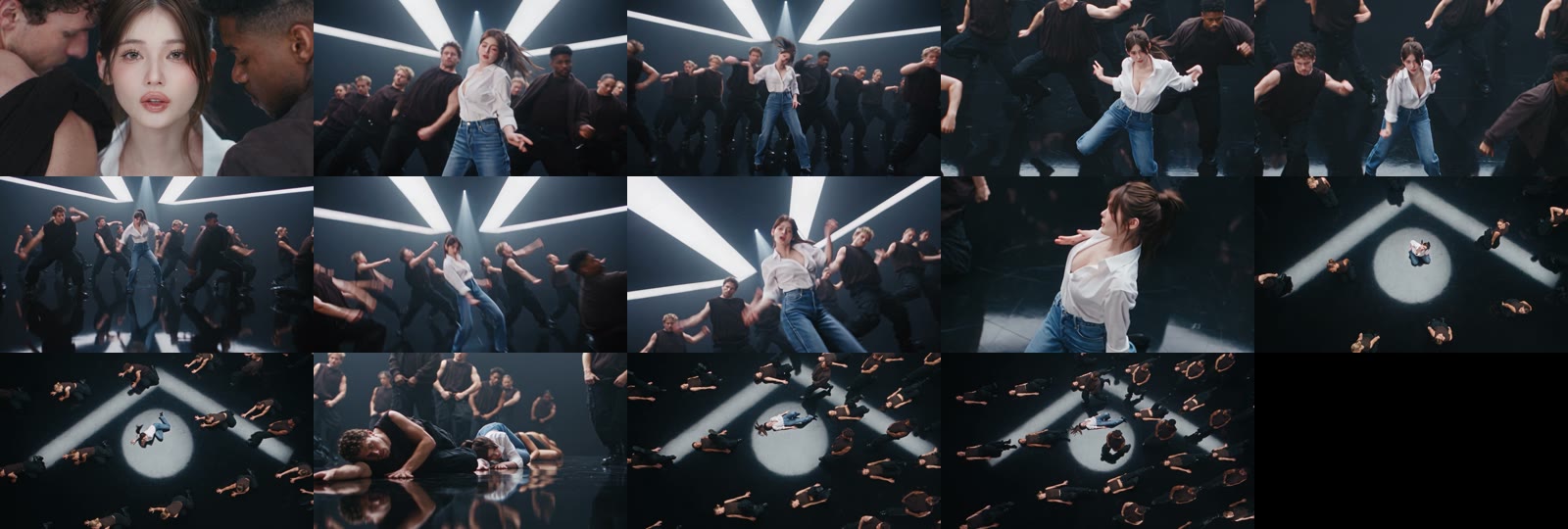
What Happens in the Like JENNIE Dance AI Video, Second by Second?
| Seconds | What happens |
|---|---|
| 0–1 | Close-up of the lead between two dancers |
| 1–5 | The lead dances at the front with the crew in black behind |
| 5–8 | Wide shots under the white spotlights, ending with an arms-up hit |
| 8–10 | A spin and a close turn toward the camera |
| 10–11 | Top-down shot of the lead alone in the spotlight |
| 11–14 | The lead goes down to the floor and the crew lies in a circle around her |
The Full Like JENNIE Dance AI Prompt We Used
This is the prompt behind the template. You don't need to paste it anywhere: the Like JENNIE Dance AI generator already uses it. It's here if you want to adapt the idea to another dance clip on your own.
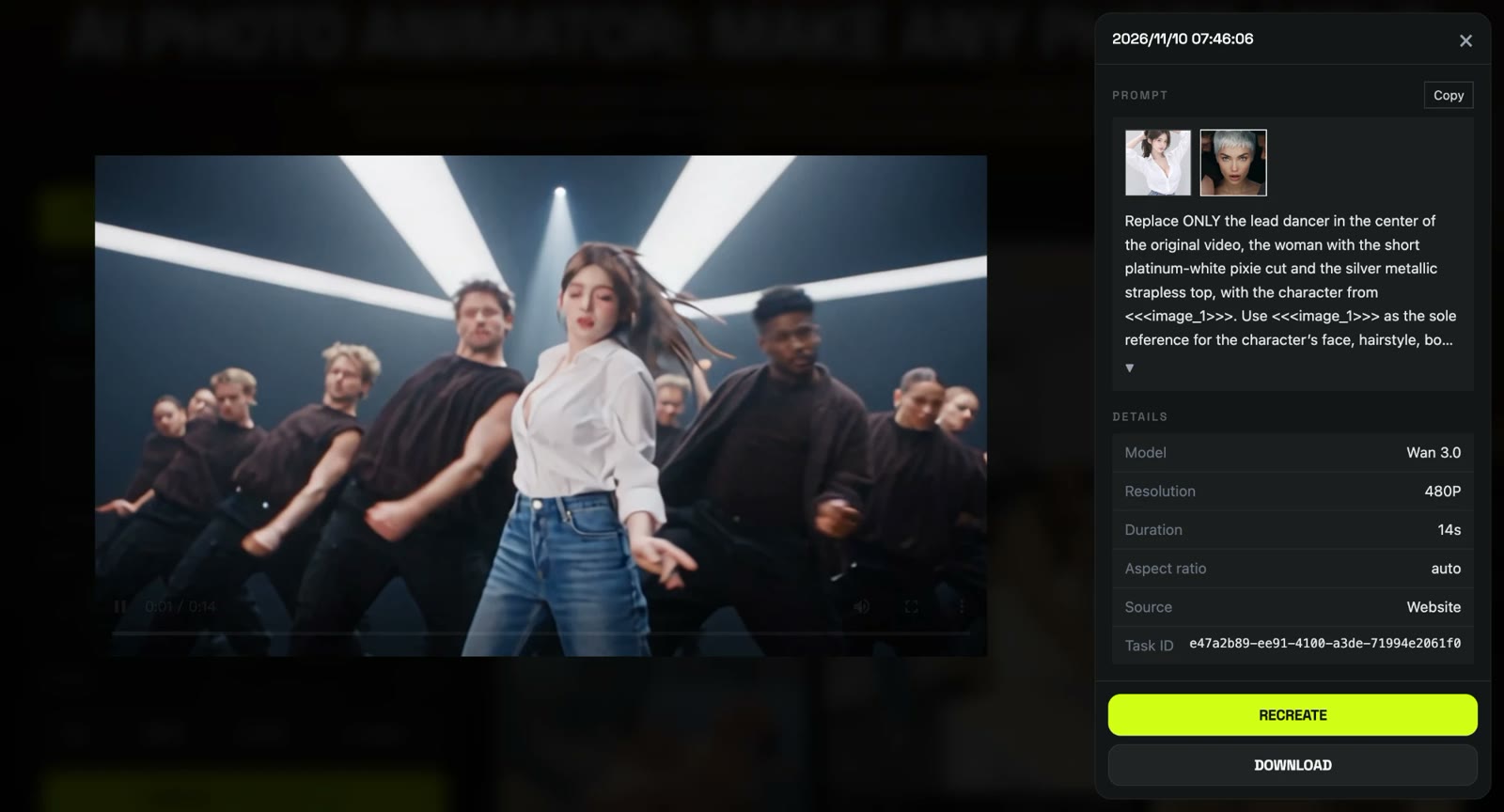
Replace ONLY the lead dancer in the center of the original video, the woman with the short platinum-white pixie cut and the silver metallic strapless top, with the character from <<<image_1>>>. Use <<<image_1>>> as the sole reference for the character’s face, hairstyle, body proportions, and outfit, and keep that appearance consistent for the whole video. Do not carry over the original dancer’s white hair, silver top, or any other part of her look or clothing to the replacement character. Reproduce the lead dancer’s movements, gestures, facial expressions, and lip articulation exactly, at the same timestamps as the original. Match the start, rhythm, and completion of every action frame by frame, perfectly synchronized with the original audio. No lag, anticipation, extra pauses, or added movements, from the first frame to the last. Keep the original location and all background dancers unchanged, including their faces, clothing, movements, number, and positions. Preserve the lighting, camera movements, framing, exact scene cuts, video duration, and original audio. The only change is replacing the white-haired lead dancer in the silver top with the character from <<<image_1>>>. Everything else stays unchanged.
<<<image_1>>> is your uploaded photo.
What Settings Did Our Like JENNIE Dance AI Test Use?
| Setting | Value |
|---|---|
| Model | Wan 3.0 |
| Mode | Video to video, with 1 reference photo |
| Length | 14 seconds |
| Resolution | 480p, widescreen (854×480) |
| Sound | Yes |
| Cost | 360 credits |
| Time | About 11 minutes |
| Result | First try |
Which Photos Work Best for a Like JENNIE Dance AI Video?
The best photo for a Like JENNIE Dance AI video is one person facing the camera, waist up or full body, in a light or bright outfit.
- One person. With several faces in the photo, the wrong one can end up in front. Crop yourself out first.
- A sharp face. The wide shots make the lead small, so a blurry or tiny face won't hold up.
- Not all black. The crew wears black; a black outfit makes you blend in.
- No sunglasses or heavy filters. The opening close-up shows your face up close.
What Is the Like JENNIE Dance AI Trend?
The Like JENNIE Dance AI trend puts one person from a photo at the front of a K-pop dance crew, styled after JENNIE's "like JENNIE", released on March 7, 2025 from her first solo album, Ruby. Its music video passed 100 million YouTube views on May 9, 2025, and the dance challenge spread on TikTok that spring. In late October 2026 AI template sites started offering lead-dancer versions.
How Much Does a Like JENNIE Dance AI Video Cost?
A Like JENNIE Dance AI video costs 360 credits on AI Photo Animator, about $3.99 with the one-time $5.99 trial pack (540 credits), which leaves 180 credits in your account. New accounts also get 75 free credits. On the Lite plan a video works out to about $3.60. Failed renders are refunded automatically. See pricing.
For comparison, dedicated Like JENNIE AI sites listed $6.99 to $9.90 for their smallest pack on their own pages when we checked on November 10, 2026; we did not generate on those tools.
Want more stage dances? Try the Hotline Bling Dance AI, the 58th Floor AI or the 24K Magic AI templates.
Is there a free Like JENNIE Dance AI generator?
Not fully. New accounts get 75 free credits and one Like JENNIE Dance AI video takes 360, so you need the $5.99 trial pack as well; one video uses about $3.99 of it. Failed renders are refunded.
Will the Like JENNIE Dance AI video change my outfit?
No. Your face, hair and outfit come from your photo. In our test the lead kept her white shirt, jeans and long brown hair in every shot.
Does it keep the backup dancers?
Yes. The crew of about thirty dancers in black stays the same, including their faces, clothes and positions.
Does the video have the "like JENNIE" song?
It comes with sound that matches the routine, but it isn't the official release of the song. To use the original track, pick the "like JENNIE" sound in TikTok or Instagram when you post.
Why doesn't the lead look like me in the wide shots?
Usually the face in the photo is too small or blurry, because the wide shots make the lead tiny. Use a sharp, front-facing, waist-up photo and generate again.
Can I use a pet photo?
We've only tested this template with a person, so we can't promise how a pet would come out.
Is this official JENNIE content?
No. It's a fan-made template, not affiliated with JENNIE, Odd Atelier or BLACKPINK, and it doesn't use JENNIE's face. Only upload photos of yourself or people who agreed to be in the video.