How to Make an Ice Ice Baby Duo Dance AI Video From 2 Photos
What’s new on this page
- — Prepared from a successful Wan 3.0 video-to-video run using two photos, a 13-second reference clip, 480p output, audio enabled and 335 credits. Exact soundtrack not independently confirmed.
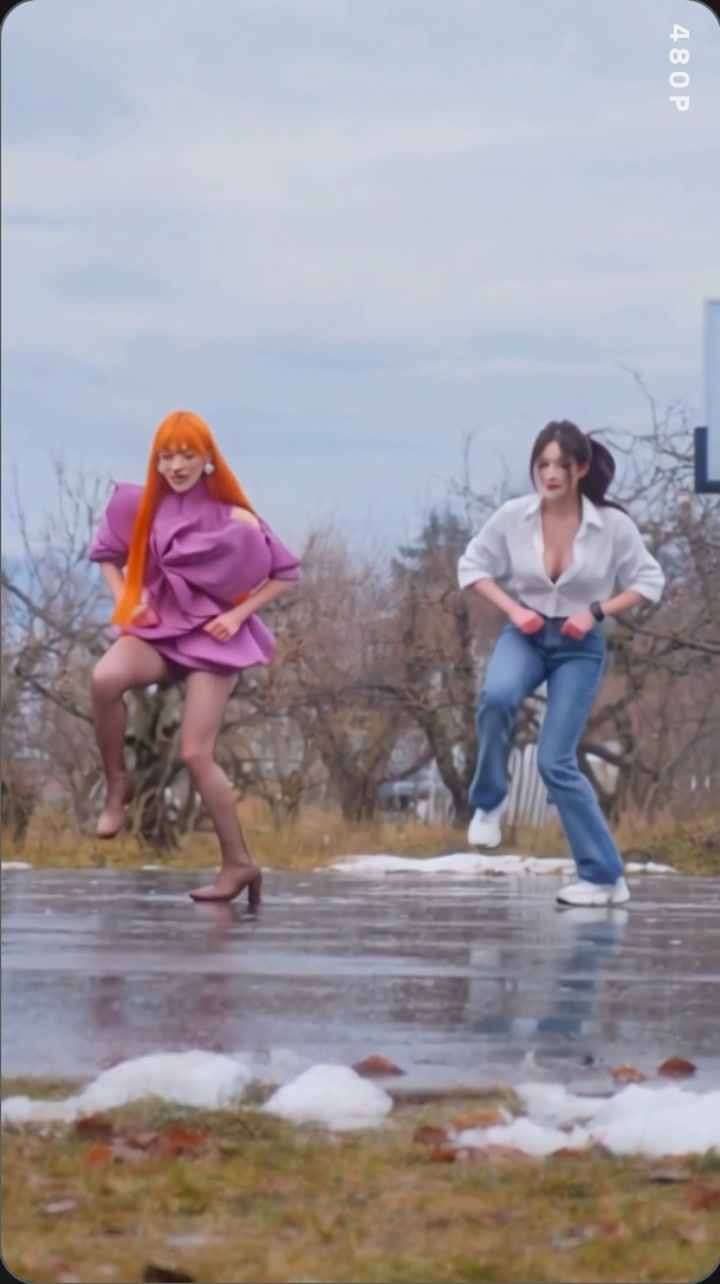
An ice ice baby duo dance ai video puts two people from your photos into the same dance clip. Our successful example used Wan 3.0 with two reference photos and a 13-second source video, rendered at 480p with audio enabled.
What is an Ice Ice Baby duo dance AI video?
It is a short AI video that places two people from separate photos into corresponding roles in a dance clip. The name follows the search phrase for this dance format. The tested example shows two dancers in a winter outdoor setting; it does not establish who first made the original dance clip.
What did our Ice Ice Baby duo dance AI video test produce?
The successful task used two reference photos, Wan 3.0, a 13-second source video, 480p resolution, automatic aspect ratio, and audio enabled. The task record shows 335 credits charged. That is the historical cost for this run; the Generate button shows the current amount before you start a new render.
| Setting | Successful example |
|---|---|
| Model | Wan 3.0 |
| Mode | Video to video |
| Reference photos | 2 |
| Source video | 13 seconds |
| Output resolution | 480p |
| Aspect ratio | Auto |
| Audio | Enabled |
| Historical task charge | 335 credits |
How to make an Ice Ice Baby duo dance AI video in 4 steps
Step 1: Open the two-photo template
Go to the Ice Ice Baby duo dance page. The model and reference clip are already selected, so you can start with the two photos.
Step 2: Upload one photo for each dancer
Use two distinct images, with one person in each. Slot 1 corresponds to the first dancer and slot 2 to the second. The tested prompt maps each reference person's appearance to the corresponding person in the source video.
Step 3: Check the settings and current credit cost
Our example used Wan 3.0, 480p, a 13-second source clip, automatic aspect ratio, and audio enabled. The task cost 335 credits at the time. The Generate button shows the amount for a new run before it starts.
Step 4: Generate and review the finished clip
Press Generate and find the finished MP4 in My Videos. Review the faces, outfit consistency, and sound before sharing. The exact music track in our example has not been independently confirmed.
Which photos work best for the Ice Ice Baby duo dance?
- Choose two separate photos, one person in each image.
- Use clear, well-lit images where each face is easy to see.
- Avoid group shots, heavy filters, sunglasses, or anything that hides the face.
- Use photos of people who have agreed to appear in the generated video.
Does the Ice Ice Baby duo dance AI video keep the reference outfits?
The tested prompt asks Wan 3.0 to preserve each person's overall appearance from their reference image. The generated example follows the reference looks, but AI video results can vary between runs. Check the finished clip if an outfit detail matters.
What song is in the Ice Ice Baby duo dance video?
Audio was enabled for the successful example, but we could not independently confirm the exact track in that particular file. The template is named for the Ice Ice Baby duo dance search phrase; listen to the finished video before labeling the audio as a specific song.
Ice Ice Baby duo dance AI video FAQ
How many photos do I need?
Use two separate photos, one for each dancer.
How long is the video?
The tested example used a 13-second source clip and produced a 13-second video at 480p.
How much does it cost?
The successful test task used 335 credits. The live Generate button shows the current amount before you start.
Does the video have sound?
Audio was enabled in the tested run. Review the finished clip to confirm how the source audio sounds.
Is the track definitely Ice Ice Baby by Vanilla Ice?
We have not independently identified the exact track in this output. The template name follows the dance search phrase; listen to the clip before naming its music.
Can the video keep the outfits from my photos?
The prompt asks the model to preserve each person's overall appearance from their reference photo, but results can vary. Review the generated video for outfit details.
What happens if the render fails?
Failed video renders are refunded automatically under the site's current generation policy.