How to Make the Hotline Bling Dance AI Video (Full Prompt)
What’s new on this page
- — Published: our first Hotline Bling Dance AI video (Wan 3.0, video to video, 480p, 14 s, 1 photo of a plush bull character, 360 credits, first try, about 6.5 minutes).
A Hotline Bling Dance AI video puts you, or any character, into the empty glowing rooms of Drake's 2015 "Hotline Bling" video, doing the same loose finger points and hip sways. The hard part isn't the dance. It's keeping all five rooms in order and making the model use your look instead of the original dancer's red puffer jacket.
How Do You Make a Hotline Bling Dance AI Video in 3 Steps?
You make a Hotline Bling Dance AI video on AI Photo Animator with one photo and one button; the template already has the model, the prompt and the dance set up.
Step 1: Open the Hotline Bling Dance AI template
Go to the Hotline Bling Dance AI page. The template is open at the top with one photo slot for the dancer, and the Generate button shows 360 credits.
Step 2: Upload one photo of one person or character
Use a sharp photo with the face clearly visible, full body if you have one. What you wear in the photo is what you dance in. A cartoon character or mascot works too: we tested with a plush yellow bull.
Step 3: Generate and download
Press Generate. Ours took about 6 and a half minutes and was saved to My Videos, so you can close the tab. Download the MP4 without a watermark and post it.
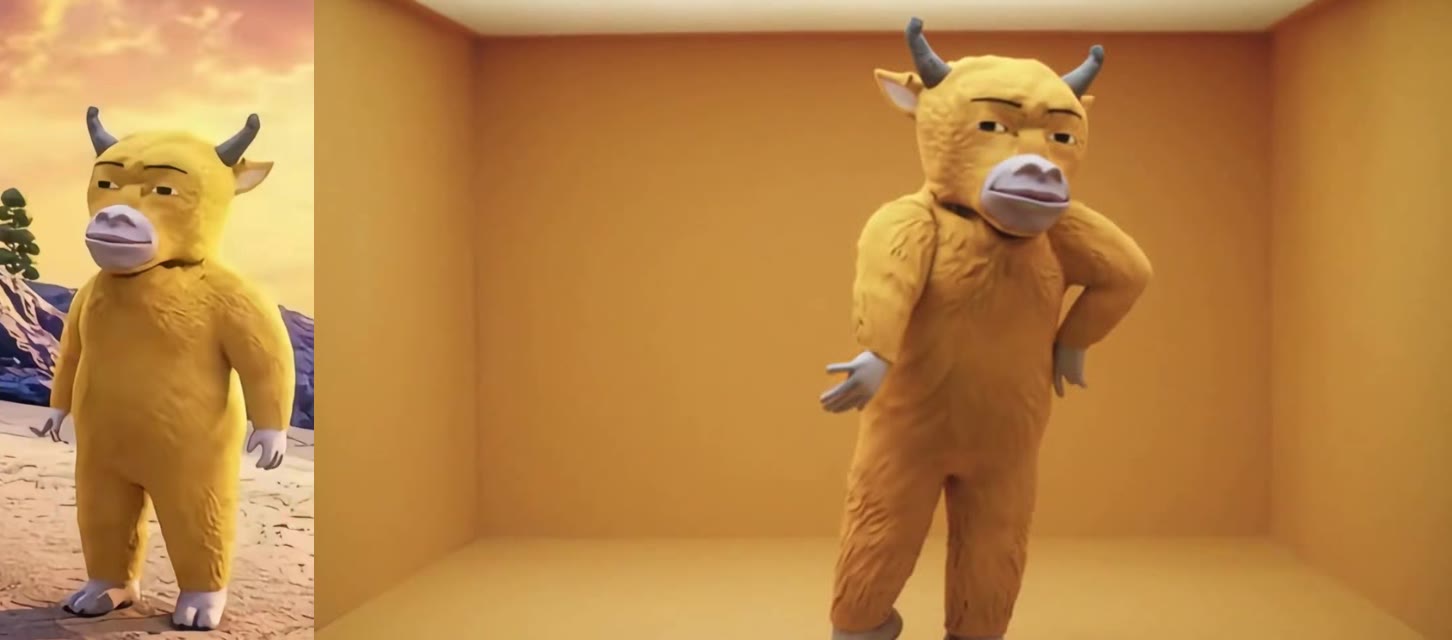
What Changes and What Stays in a Hotline Bling Dance AI Video?
In a Hotline Bling Dance AI video only the dancer changes: the face, hair, body and outfit come from your photo, and the rooms, moves and camera stay as they were.
| Comes from your photo | Stays the same |
|---|---|
| Face and skin tone, or a character's face | All five glowing rooms, in the same order |
| Hairstyle, or fur, horns and colors | The moves: finger points, hip sways, the staircase walk |
| Your whole outfit | The camera framing, the cuts and the 14-second length |
| Body proportions | The Hotline Bling song |
How We Kept the Rooms and Your Own Look
We kept the rooms and the uploaded look by doing three things in the prompt. Each one fixes a way this kind of video usually goes wrong.
1. Name every room in order
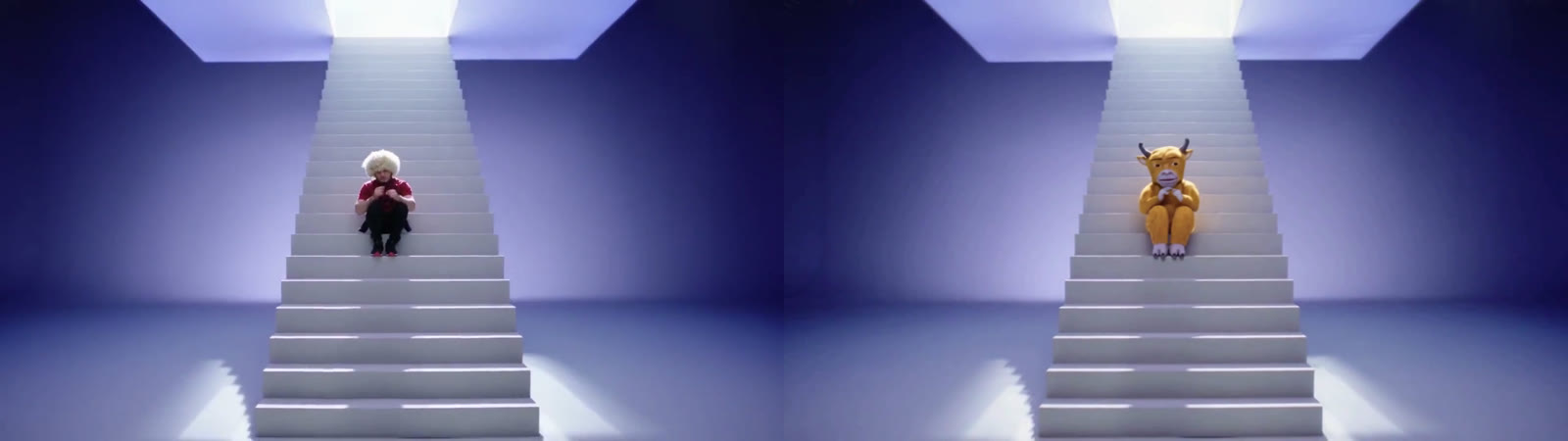
The clip cuts through five very different sets in 14 seconds. If the prompt only says "keep the background", models tend to merge them into one generic colored room or drop the floating boxes. Our prompt lists each one by color and shape: the mustard-yellow room, the dark corridor with cyan walls and a pink doorway, the lavender staircase room, the pastel boxes floating in black and the pink-blue room. In our result all five appear in order.
2. Say what not to carry over
Without it, the red puffer jacket and the fluffy white hair from the clip tend to end up on your character. The prompt says to keep the face, hairstyle, skin tone, body shape and outfit exactly as in the photo and not to copy the original dancer's clothing or hair. Our bull came out with no jacket and no extra hair.
3. Lock the moves and the camera
The prompt asks for the same choreography, timing and framing, and names the moments that matter (the arm swings and the walk down the white staircase), plus "no extra people", so the floating-box shots don't sprout a second dancer.

What Happens in the Hotline Bling Dance AI Video, Second by Second?
| Seconds | What happens |
|---|---|
| 0–2 | Finger point and sway in the mustard-yellow room |
| 2–5 | A walk through a dark hall with glowing cyan walls toward a pink doorway |
| 5–8 | Sitting on, then coming down, a lit white staircase in a lavender room |
| 8–12 | Small cyan, pink, red and yellow boxes floating in black, with the dancer in each |
| 12–14 | A closer finish in a pink-blue room |
The Full Hotline Bling Dance AI Prompt We Used
This is the prompt behind the template. You don't need to paste it anywhere: the Hotline Bling Dance AI generator already uses it. It's here if you want to adapt the idea on your own.
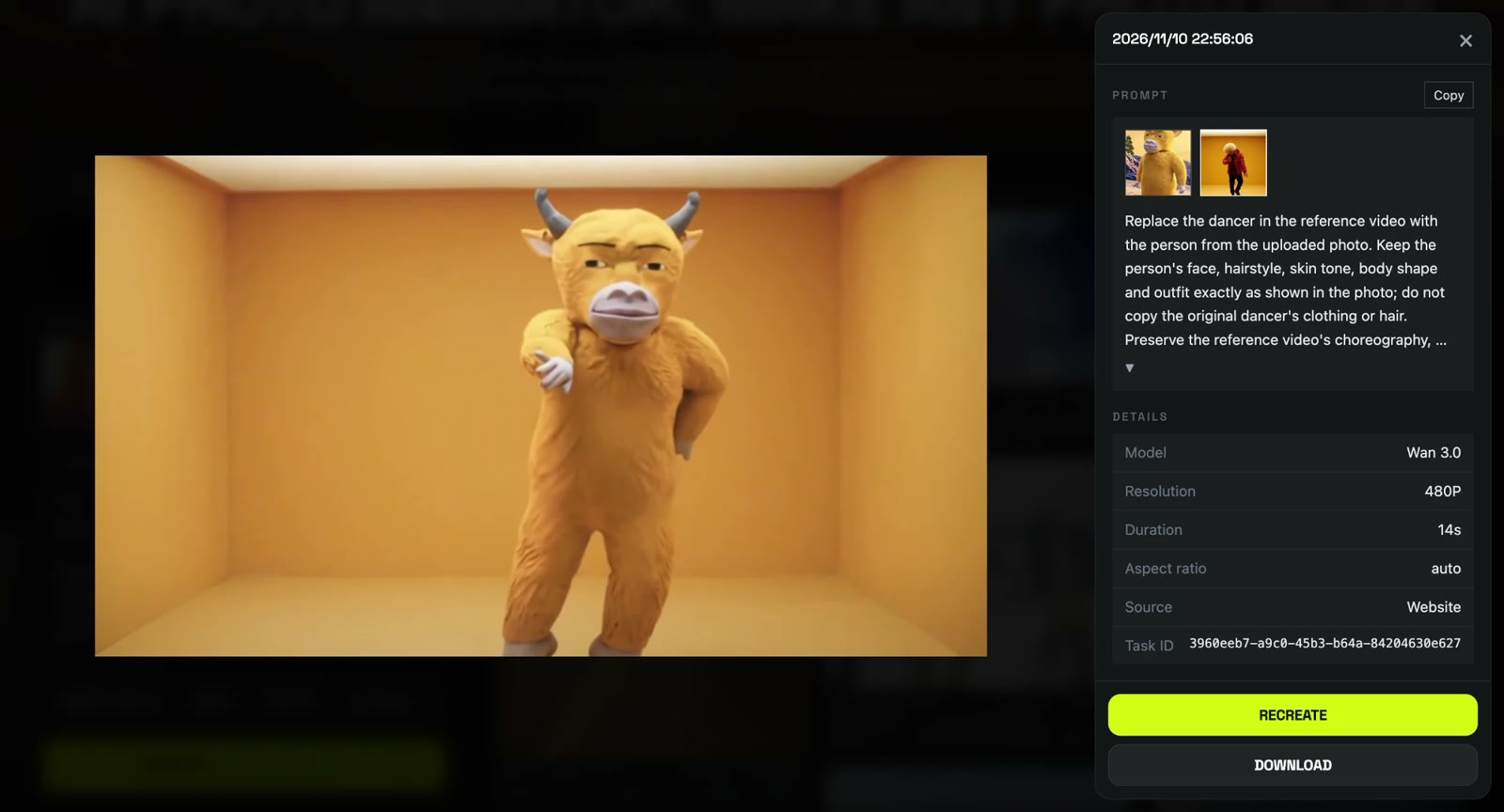
Replace the dancer in the reference video with the person from the uploaded photo. Keep the person's face, hairstyle, skin tone, body shape and outfit exactly as shown in the photo; do not copy the original dancer's clothing or hair. Preserve the reference video's choreography, timing, body movements and camera framing exactly: the confident groove-dance moves, steps, arm swings and the walk down the white staircase. Keep every original scene and transition unchanged: the minimalist mustard-yellow room, the dark corridor with glowing cyan walls and a pink doorway, the lavender room with a lit white staircase, the small framed pastel boxes floating in black, and the pink-blue gradient room. Smooth, soft studio lighting with colored ambient glow, cinematic music-video look, consistent identity in every shot, natural motion, no face distortion, no extra people.
What Settings Did Our Hotline Bling Dance AI Test Use?
| Setting | Value |
|---|---|
| Model | Wan 3.0 |
| Mode | Video to video, with 1 reference photo |
| Length | 14 seconds |
| Resolution | 480p, widescreen (854×480) |
| Sound | Yes, the Hotline Bling song |
| Cost | 360 credits |
| Time | About 6.5 minutes |
| Result | First try |
Which Photos Work Best for a Hotline Bling Dance AI Video?
The best photo for a Hotline Bling Dance AI video is one person or character, full body or waist up, with the face clearly visible.
- One subject. With several people in the photo, the dancer can mix their looks. Crop one out first.
- A sharp, close face. The floating-box shots make the dancer tiny, so a small or blurry face drifts.
- Full body if you can. The rooms show the dancer head to toe; a full-body photo gives the model your shoes and outfit.
- No sunglasses or heavy filters. The yellow-room opening is a medium shot where the face is easy to see.
What Is the Hotline Bling Dance AI Trend?
The Hotline Bling Dance AI trend puts the person or character from a photo into the glowing rooms of Drake's "Hotline Bling" video. Drake released the single on July 31, 2015, and the video, directed by Director X, came out on October 19, 2015; its single-color rooms were widely compared to James Turrell's light installations. In October 2026 AI template sites started offering one-photo versions.
How Much Does a Hotline Bling Dance AI Video Cost?
A Hotline Bling Dance AI video costs 360 credits on AI Photo Animator, about $3.99 with the one-time $5.99 trial pack (540 credits), which leaves 180 credits in your account. New accounts also get 75 free credits. On the Lite plan a video works out to about $3.60. Failed renders are refunded automatically. See pricing.
Want more music-video dances? Try the Like JENNIE Dance AI or the 58th Floor AI templates.
Is there a free Hotline Bling Dance AI generator?
Not fully. New accounts get 75 free credits and one Hotline Bling Dance AI video takes 360, so you need the $5.99 trial pack as well; one video uses about $3.99 of it. Failed renders are refunded.
Do I have to wear a red puffer jacket?
No. Your outfit comes from your photo. Our plush bull kept its own fur and colors in every room.
Does the video have the Hotline Bling song?
Yes. It comes with the Hotline Bling song, timed to the dance. If a platform mutes it, add the Hotline Bling sound from its library when you post.
Can I use a cartoon character or mascot?
Yes. We tested with a plush yellow bull and it kept its horns, fur and face for all 14 seconds. We haven't tested pet photos yet.
Is it vertical for TikTok?
No. It's 16:9 widescreen. TikTok and Reels show it with bars, or you can crop it to vertical in their editor.
Is this official Drake content?
No. It's a fan-made template, not affiliated with Drake, OVO or Director X, and it doesn't use Drake's face. Only upload photos of yourself or people who agreed to be in the video.