How to Make the Come on Barbie, Let's Go Party AI Trend From Two Photos
What’s new on this page
- — Based on the successful Wan 3.0 night-street test.
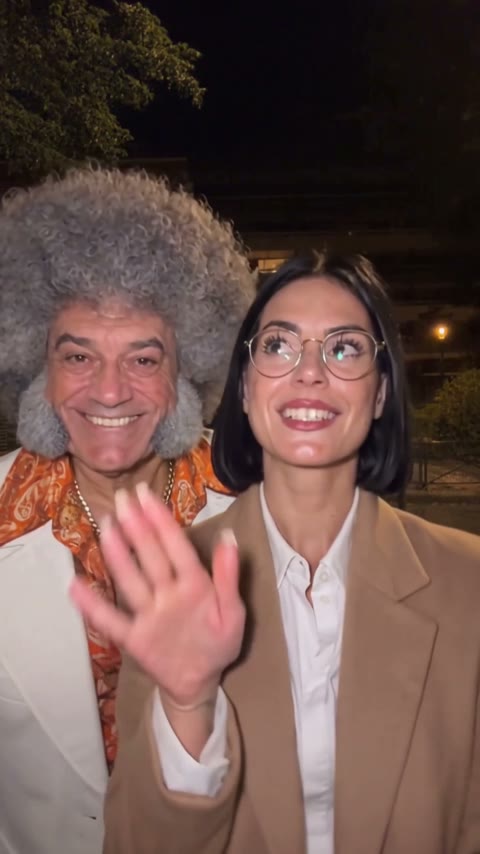
Our Come on Barbie, Let's Go Party AI Trend test put a woman in round glasses and a tan blazer close to the camera, with a man in a white suit behind her. We used two reference images and Wan 3.0.
How to make the Barbie Girl night-street duet
1. Open the night-street template
The scene and two roles are already set up.
2. Add a photo for each role
Put the male role in Photo 1 and the female role in Photo 2.
3. Check the credits and generate
The button shows the charge before you start.
4. Preview and download
Open My Videos and check both faces and outfits before sharing.
Which photos keep the glasses and outfits visible?
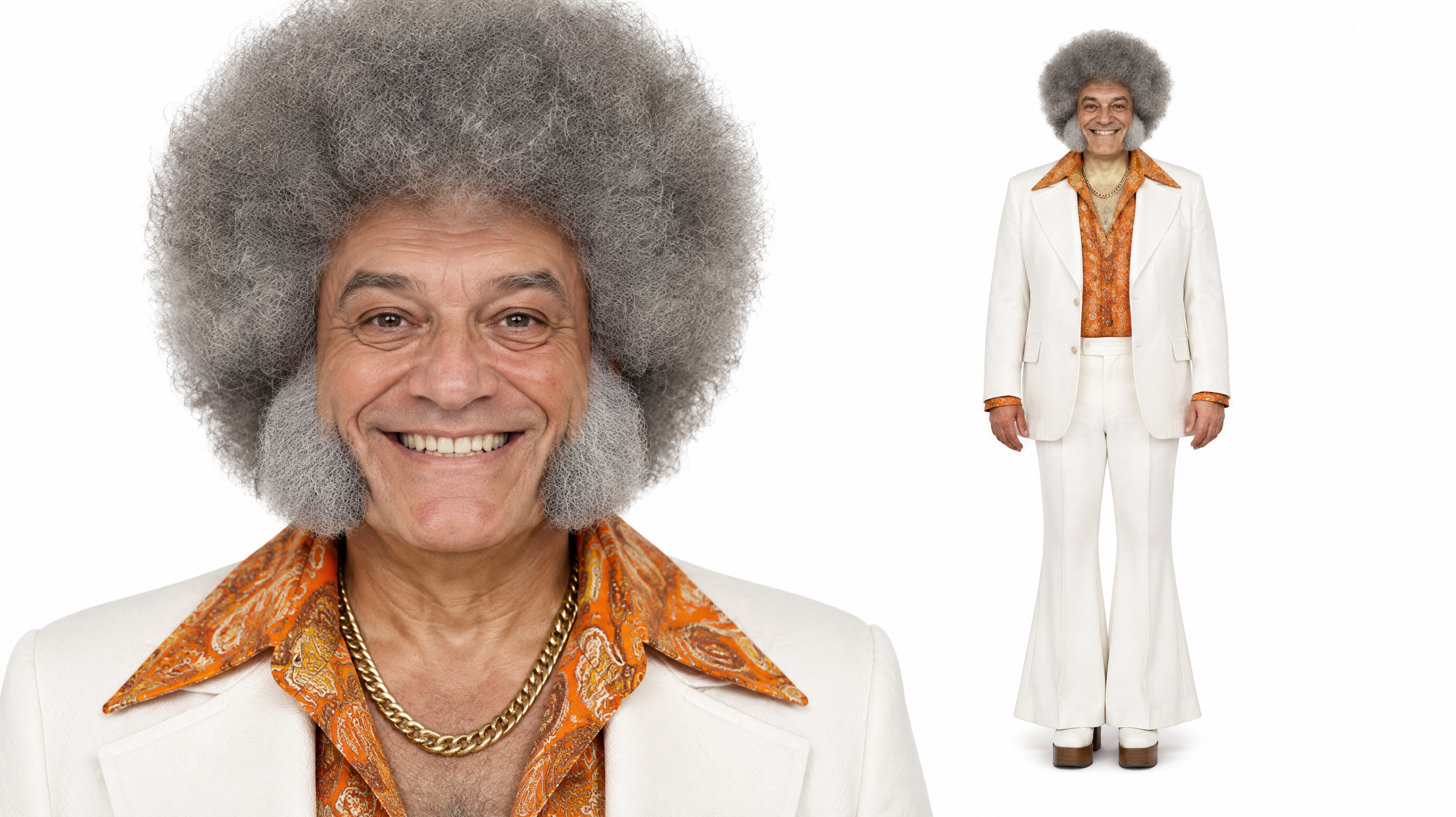
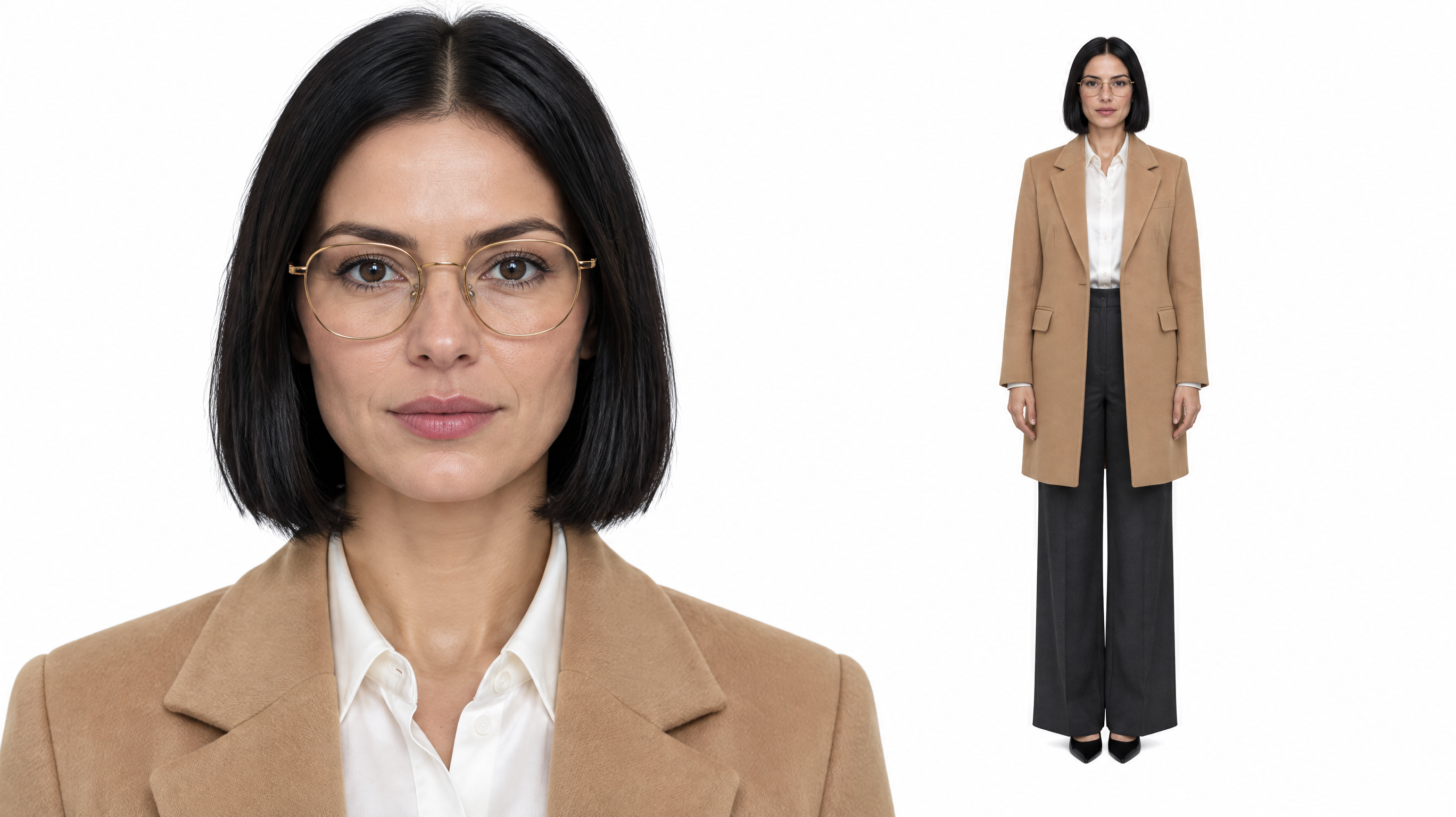
Choose a clear, front-facing view for each person. Our test used a face close-up and a full-body view of the same person together in each image. If you use one regular photo per slot, use a wider crop when the whole outfit matters. Keep each image limited to one person and make sure the glasses, jacket or other detail you want is visible.
What happened in our 15-second test?
Wan 3.0 finished the 480p run in about 5 minutes 16 seconds. The task was set to 15 seconds with audio enabled and cost 385 credits. Use the Generate button to check the current charge.
| Setting | Tested value |
|---|---|
| Model | Wan 3.0 |
| Reference images | 2 |
| Duration setting | 15 s |
| Resolution | 480p |
| Aspect ratio | Auto |
| Audio | On |
| Task charge | 385 |
What to check if the roles switch or glasses disappear
If the roles are switched, check the two upload slots first. If glasses are missing or the jacket changes during a close-up, choose a clearer reference where the eyes, frames and clothing are all visible. In My Videos, scrub through the moments when the two people pass each other or move into the foreground.
How to make a version with your own reference clip
In Video mode, select Wan 3.0 and upload a clip you have permission to use. Add the two role images in the same order as the prompt below. Use a 15-second setting, 480p, automatic aspect ratio and audio enabled to match our test.
Frequently asked questions
What is the Come on Barbie, Let's Go Party trend?
The Barbie Girl dance trend includes two-person dance and lip-sync clips associated with Aqua's Barbie Girl. This version takes place outdoors at night.
Can I keep both outfits and a pair of glasses?
The template uses each person's photo as the guide for their face, hair and clothes. In the example, the round glasses and tan blazer stayed with the woman and the white suit stayed with the man. Review your video before sharing.
Is the Come on Barbie, Let's Go Party AI Trend free?
The tested video used 385 credits, above the 75-credit signup bonus. At $5.99 for 540 credits, 385 credits represents about $4.27 of the pack. The Generate button shows the current charge, and failed generations automatically return credits.