How to Make an AI Old Town Road Video From 2 Photos (4 Steps)
What’s new on this page
- — Published: our first AI Old Town Road video (Wan 3.0, video to video, 480p, 15 s, 385 credits, first try, about 5.5 minutes).
An AI Old Town Road video is the red convertible scene from the 2019 "Old Town Road" remix video, played by you and a friend: one of you drives, the other sings the hook to the camera at a roadside ice cream stand, and the last shot looks down on both of you in the car. You need two photos and no editing.
What is the AI Old Town Road video?
The AI Old Town Road video remakes one scene from the official video for "Old Town Road" (Remix) by Lil Nas X and Billy Ray Cyrus, released on May 17, 2019 and directed by Calmatic. In the original, Billy Ray Cyrus drives a red convertible and Lil Nas X sings at an ice cream stand before they ride off with a bag of money. The song had already spent a record 19 weeks at No. 1 on the Billboard Hot 100 after spreading through TikTok cowboy videos, and the official video passed one billion YouTube views.
The AI version keeps the car, the ice cream stand, the song and the camera moves, and puts your two people in the two roles. It is a video template, not an AI song generator: it doesn't write a new song or clone a voice.
What happens in an AI Old Town Road video, second by second?
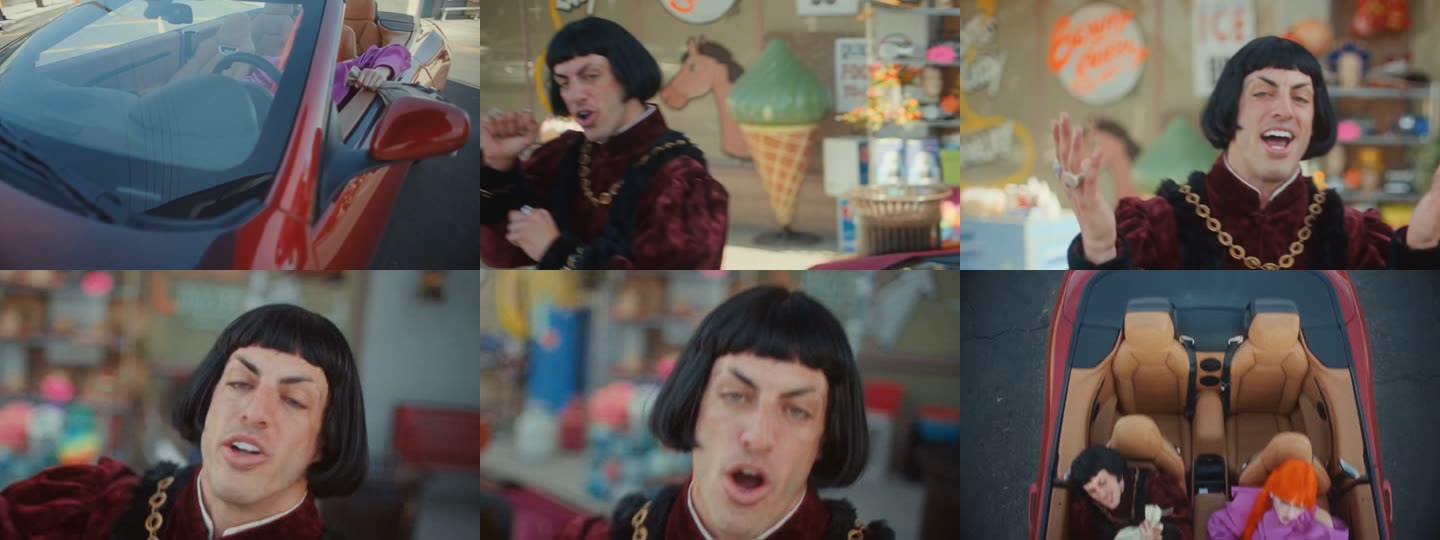
Our AI Old Town Road result ran 14.7 seconds:
| Seconds | What happens |
|---|---|
| 0–2 | Side view of the driver (photo 1) at the wheel of the red convertible |
| 2–6 | The singer (photo 2) starts the hook at the ice cream stand, medium shot, with hand moves |
| 6–11 | Close-ups of the singer lip-syncing, the camera drifting closer |
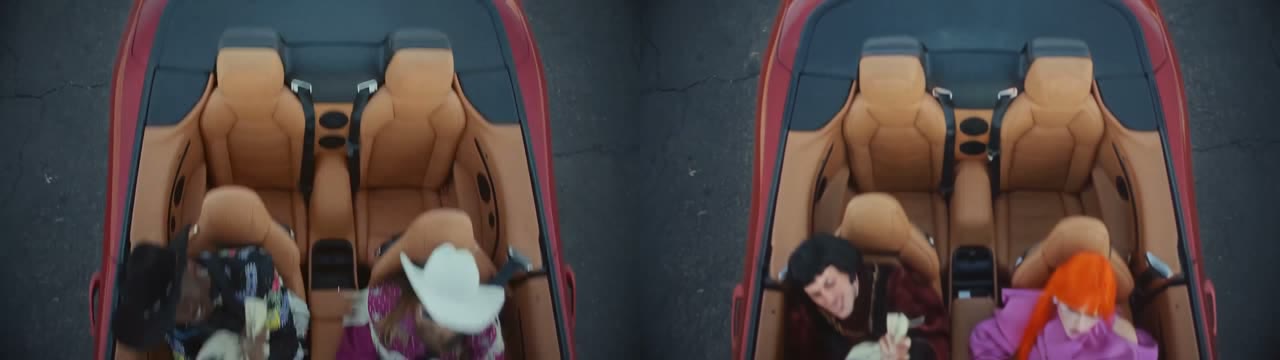
| 11–15 | Overhead shot of both in the convertible's tan leather seats, one holding a bag of money |
How to make an AI Old Town Road video in 4 steps
1. Open the AI Old Town Road template
Go to the AI Old Town Road page. The model (Wan 3.0), resolution (480p), length (15 s) and sound are already set, and the Generate button shows the cost, 385 credits, before you spend anything.
2. Upload the driver and the singer
Slot 1 is the driver, slot 2 the singer. One adult per photo, face clear. The singer gets nearly every close-up, so put your sharpest front-facing photo there. For the driver, bold hair or a bright outfit helps, because the driver is seen through the windshield and from above. We used a portrait of a woman with long orange hair in a pink blazer for the driver and a full-length photo of a man in a black bob wig and burgundy velvet coat for the singer.
3. Press Generate
Press Generate. Ours finished in 5 minutes 28 seconds and was saved to My Videos, so you can close the tab and come back. If a render fails, the credits are refunded automatically.
4. Check both people, download, post
Check seconds 2–11 for the singer's face and lip-sync, and the last seconds for both outfits in the overhead car shot. Then download the MP4, which has no watermark.
Our AI Old Town Road test: settings and cost
| Setting | Our run |
|---|---|
| Model | Wan 3.0 (video to video) |
| Photos | 2 (driver, singer) |
| Output | 14.7 s, 854×480, 16:9, with the song |
| Credits | 385 (about $4.27 with the $5.99 starter pack) |
| Render time | 5 min 28 s |
| Tries | 1, first try |
The template's prompt names each role by what the person does ("IMG 1 replaces the driver; IMG 2 replaces the other main performer, including his singing shots") and asks that face, hair, body and outfit follow each photo throughout. That is why the singer kept his gold chain in every close-up and the driver's orange hair still showed in the overhead shot.
Which photos work best for an AI Old Town Road video?
- One adult per photo. Each slot is one role, so a second face in the same photo can end up on the wrong person.
- Singer: sharp, front-facing, mouth visible. The lip-sync close-ups need a clear mouth.
- Driver: a look that reads small. Bright hair or a bold outfit stays recognizable in the overhead shot.
- No cowboy hat over the eyes. It's tempting for this song, but a wide brim shades the face and the close-ups have to guess it.
- No celebrities or children. Use yourself and friends who agreed to appear.
Why doesn't my AI Old Town Road video look right?
- Someone doesn't look like their photo: usually a small, side-on or hat-shaded face, or two people in one photo. Use one adult with the face clear and run the template again.
- The two of you swapped roles: check the slot order. Slot 1 always drives, slot 2 always sings.
- Only one of you: upload the same photo in both slots and you play both parts.
AI Old Town Road by hand vs with AI
Shooting it for real means a convertible, a roadside stand, two people in one place and an edit that matches the singer's mouth to the track. The AI Old Town Road template needs two photos and about five minutes. If you like music-video remakes, the 24K Magic AI and Bruno Fernandes Singer AI Trend templates work the same way.
How to post your AI Old Town Road video
The video is 16:9 with the song, so it fits YouTube, Instagram feed posts and group chats as is; for TikTok or Reels, post it as a widescreen clip. A caption like "Took my horse to the ice cream stand" works. Say it's AI and add #oldtownroad and #yeehaw, and tag whoever you put in the driver's seat.
AI Old Town Road FAQ
Is there a free AI Old Town Road generator?
Not fully. New accounts get 75 free credits and one AI Old Town Road video takes 385. With the $5.99 starter pack (540 credits) that's about $4.27, with 155 credits left over, and failed renders are refunded. See pricing.
How many photos do I need for AI Old Town Road?
Two: one for the driver and one for the singer. You can also use the same photo twice and play both roles.
Is the Old Town Road song in the video?
Yes. The AI Old Town Road video comes with the song, and the singer lip-syncs the hook.
Can I use a pet?
We haven't tested pets in this template, so we can't promise the result. It is tuned for two adults.
Do I need an app?
No. It runs in your browser on phone or computer: upload two photos, press Generate and download the MP4.
Is this an official Lil Nas X video?
No. It's a fan-made template, not affiliated with Lil Nas X, Billy Ray Cyrus or the song's rights holders.