How to Make a Grandpa Said He'd Handle Dinner AI Video
What’s new on this page
- — Published: our first Grandpa Said He'd Handle Dinner AI video (Wan 3.0, video to video, 480p, about 10 s, 220 credits, first try, under 5 minutes) with a flat-top grandpa character, the full prompt, frames, photo tips and fixes.
A Grandpa Said He'd Handle Dinner AI video puts your grandpa (or dad, or you) in the kitchen meme going around TikTok: the person who promised to cook measures a fish as long as the counter with his hand, then chops it with a cleaver raised over his head. We made the clip above on 8 November 2026 from one photo of a muscular grandpa character with a flat-top, mirrored sunglasses and a teal flame shirt. Here is exactly how to make one yourself: what we uploaded, what it cost, the prompt behind it and how to fix a result that doesn't look like your photo.
What is the Grandpa Said He'd Handle Dinner trend?
The Grandpa Said He'd Handle Dinner trend is a TikTok POV meme from early November 2026: the family member who volunteered to cook stands over a giant fish, waves a hand over it like a chef explaining the plan, then hacks at it with overhead cleaver swings. Many clips carry the caption "POV: Daughter said she'll handle dinner", and creators swap in grandpa, dad or a character. Example posts by @emirhanozhanvs and @lizzykitchen2 went up on November 5–6, 2026; we couldn't find the first account. It's also called Grandpa Handles Dinner or the giant fish dinner meme.
What happens in a Grandpa Said He'd Handle Dinner AI video, second by second?
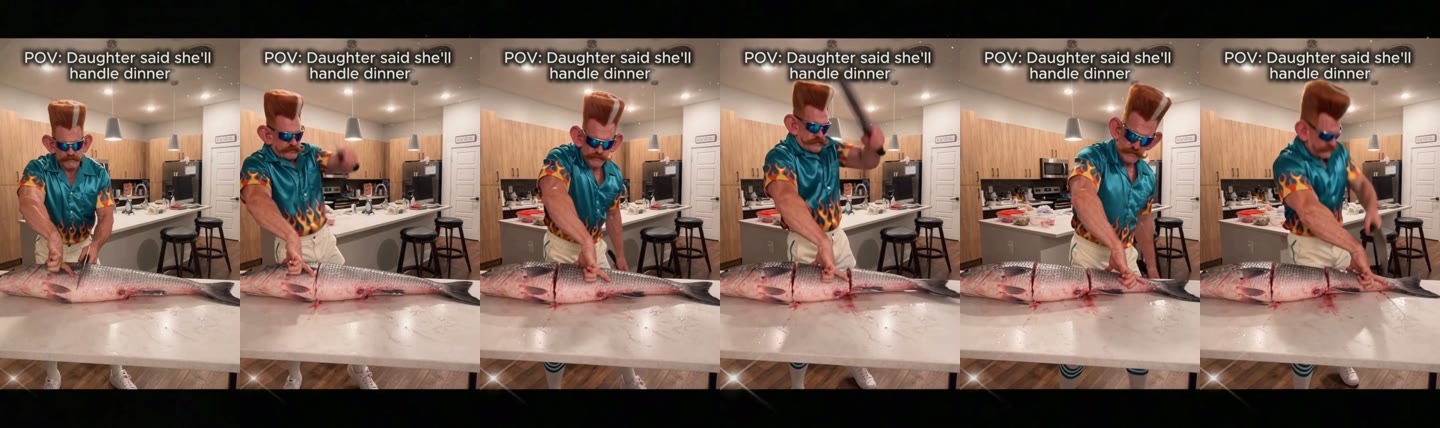
A Grandpa Said He'd Handle Dinner AI video keeps the kitchen, the fish and every chop, and changes only the cook. In our 10-second result:
| Seconds | What happens |
|---|---|
| 0–1 | The cook stands at the kitchen island, cleaver raised over his head |
| 1–2 | He brings it down into the fish |
| 2–3 | He waves his free hand over the fish, as if explaining the plan |
| 3–4 | He presses the blade in |
| 4–5 | He lifts the cleaver high again |
| 5–8 | He keeps cutting along the fish |
| 8–9 | One more big overhead swing |
| 9–10 | He slices toward the tail |
How to make the Grandpa Said He'd Handle Dinner AI video in 4 steps
1. Open the Grandpa Said He'd Handle Dinner AI template
Go to the Grandpa Said He'd Handle Dinner AI generator. Wan 3.0, 480p and sound are already set, and the Generate button shows the cost (220 credits) before you spend anything. You don't write a prompt.
2. Pick the cook and upload one photo
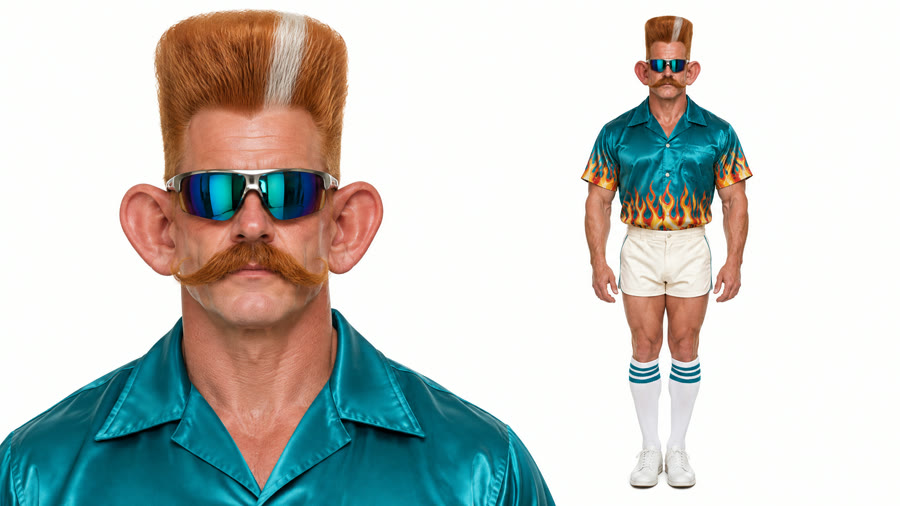
There is one slot: the person who said he'd handle dinner. Grandpa, dad, you, a friend who said yes, or a character all work. Use a photo of one person with a clear face; upper body or full body keeps the shirt. We uploaded a character sheet with a face close-up and a full-body pose side by side.
3. Press Generate
Press Generate. Ours finished in under 5 minutes and was saved to My Videos, so you can close the tab and come back.
4. Check the chops, download, post
Before posting, watch the overhead swings around seconds 0–1, 4–5 and 8–9: the cleaver should go up and land on the fish, and the face should stay the same throughout. Then download the MP4, which has no watermark.
Our Grandpa Said He'd Handle Dinner AI test: settings and cost
| Setting | Our run |
|---|---|
| Model | Wan 3.0 (video to video) |
| Inputs | 1 photo + the trend clip |
| Resolution | 480p, aspect ratio auto (vertical) |
| Length | About 10 seconds, with sound |
| Cost | 220 credits (about $2.44) |
| Time | Under 5 minutes (4 min 43 s) |
| Tries | 1, first try worked |
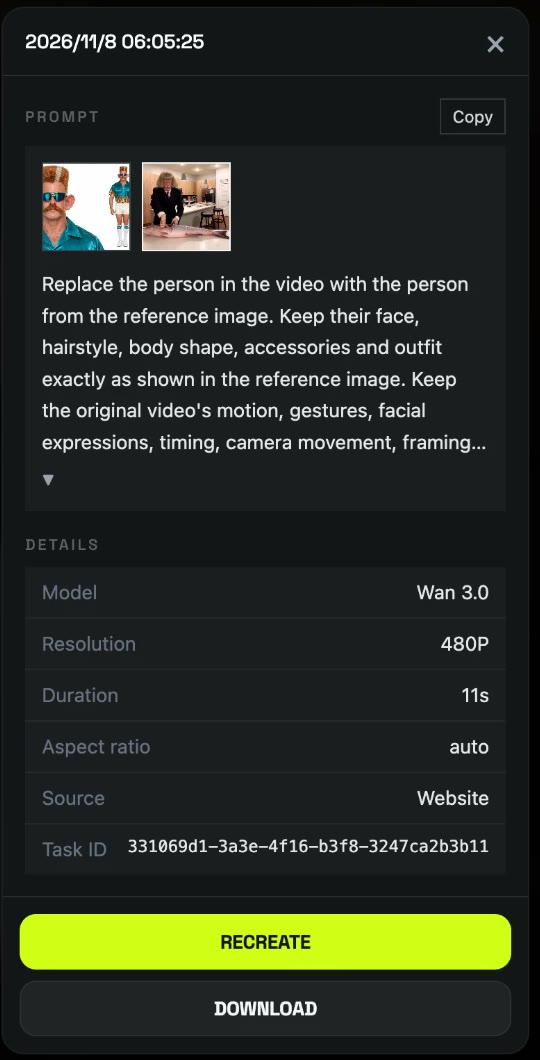
The template uses this exact run. Under the hood it's a video-to-video edit: the model gets the trend clip and your photo, and the prompt tells it to swap only the cook. This is the prompt we used, already built into the template:
Replace the person in the video with the person from the reference image. Keep their face, hairstyle, body shape, accessories and outfit exactly as shown in the reference image. Keep the original video's motion, gestures, facial expressions, timing, camera movement, framing, background and lighting unchanged. Only the person changes; everything else stays the same. Realistic, natural skin and clothing details, consistent identity in every frame, no flickering, no face distortion.
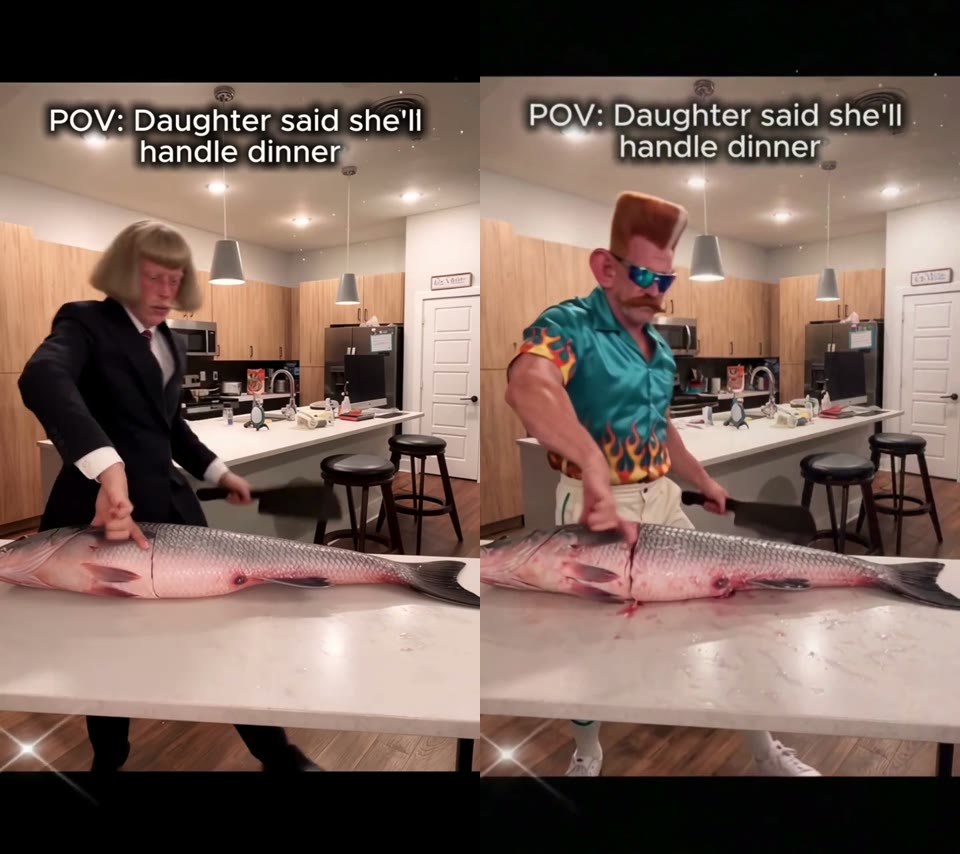
Listing "accessories and outfit" is what kept the mirrored sunglasses and the flame shirt on our grandpa instead of the black suit from the trend clip. Because the background is locked too, the on-screen caption from the clip stays in the video; if you want a different caption, add it as a TikTok text overlay when you post.
Which photo works best for a Grandpa Said He'd Handle Dinner AI video?
- One person, clear face. There is one cook; a second face in the photo can get mixed in.
- Upper body or full body. The cook is on screen from the waist up for all 10 seconds, so the shirt matters.
- Glasses are fine. Our grandpa's mirrored sunglasses stayed on in every frame.
- Characters work. A figure, cartoon or character sheet is fine, as ours was.
- Old photo of grandpa? If it's small or blurry, sharpen it first with our old photo restorer, then upload the result.
- Only people who agreed. Use yourself or family and friends who said yes; no celebrities or children.
Why doesn't my Grandpa Said He'd Handle Dinner AI video look like my photo?
- The face looks off: usually a blurry, dark or partly covered face. Use a clear, front-on photo and run the template again.
- Two people mixed together: usually a group photo. Crop to one person.
- The outfit is wrong: usually a face-only selfie, so the shirt has to be guessed. Use an upper-body or full-body photo.
- A render failed: credits come back automatically; run it again.
How to post your Grandpa Said He'd Handle Dinner AI video
Post it as it is: 9:16 with sound fits TikTok, Reels and Shorts without cropping. "POV: Grandpa said he'd handle dinner" is the caption people search for; "Dad said he'd handle dinner" works for the dad version. Say it's AI and add #grandpa and #pov. Want another prank to send the family? Try the Dog Elevator Prank AI effect, where your dog kicks you into the lift.
Grandpa Said He'd Handle Dinner AI FAQ
Is there a free Grandpa Said He'd Handle Dinner AI generator?
Not fully. New accounts get 75 free credits and one Grandpa Said He'd Handle Dinner AI video takes 220. The one-time $5.99 trial pack (540 credits) covers two videos at about $2.44 each, and failed renders are refunded. See pricing.
Can I make the dad or daughter version?
Yes. The Grandpa Said He'd Handle Dinner AI template uses whoever is in your photo, so upload dad, mum or yourself and change the caption when you post.
Can I use a cartoon or a figure instead of a real person?
Yes. Our test used a character sheet of a flat-top grandpa in a flame shirt, and he kept his look in every frame.
Can I change the caption on the video?
The caption from the trend clip stays in the video. Add your own as a text overlay in TikTok or Reels when you post.
How long is the video and does it have sound?
About 10 seconds, vertical, with sound. Ours was 480p and took under 5 minutes.
Do I need CapCut or an app?
No. It runs in the browser, and the MP4 downloads without a watermark.