How to Do the Bicep Heart Trend With AI From One Photo
What’s new on this page
- — Published: our first Bicep Heart Trend AI video (Wan 3.0, 7 s, 480p, 140 credits, first try, about 3 minutes), the prompt, the photo we used, frames from the result and photo tips.
A Bicep Heart Trend AI video takes one photo of you and plays the viral bicep heart pose with it: you flex one arm, wrap the other hand around the bicep and hold the heart for the camera. We made the clip above on 3 November 2026 from a single photo. Below: what we did, what it cost, and how to do it with your own photo.
What is the bicep heart pose?
The bicep heart is a one-arm pose that went viral on TikTok in late October 2026 under #bicepheart (554 videos and 2.43 million views by 3 November 2026). The biggest post so far is @kavithageorge's from 1 November, with 4.4 million plays. Flex one arm with the fist up by your head. Put the other hand on the inside of the bicep, thumb down and fingers curled over the top. Your hand closes the curve of the arm into a heart. Posts usually open with the line "have you ever heard of a bicep heart" and use the TikTok audio "original sound – trendformusic".
Two versions get mixed up. The common one uses one flexed arm plus the other hand. A rarer two-arm version presses both forearms together so the two biceps make the heart. Some apps also call a two-hand heart over your head a "bicep heart", but that's a different pose. Our template does the one-arm version.
What happens in a Bicep Heart Trend AI video?
The camera stays still at chest height in a bedroom. In our result:
| Seconds | What happens |
|---|---|
| 0–2 | He faces the camera and raises one arm into a flex |
| 2–4 | The other hand reaches across the chest toward the bicep |
| 4–6 | The hand wraps the inside of the bicep, fingers over the top |
| 6–7 | The heart holds, a small ❤️ pops up beside it, and he pouts at the camera |
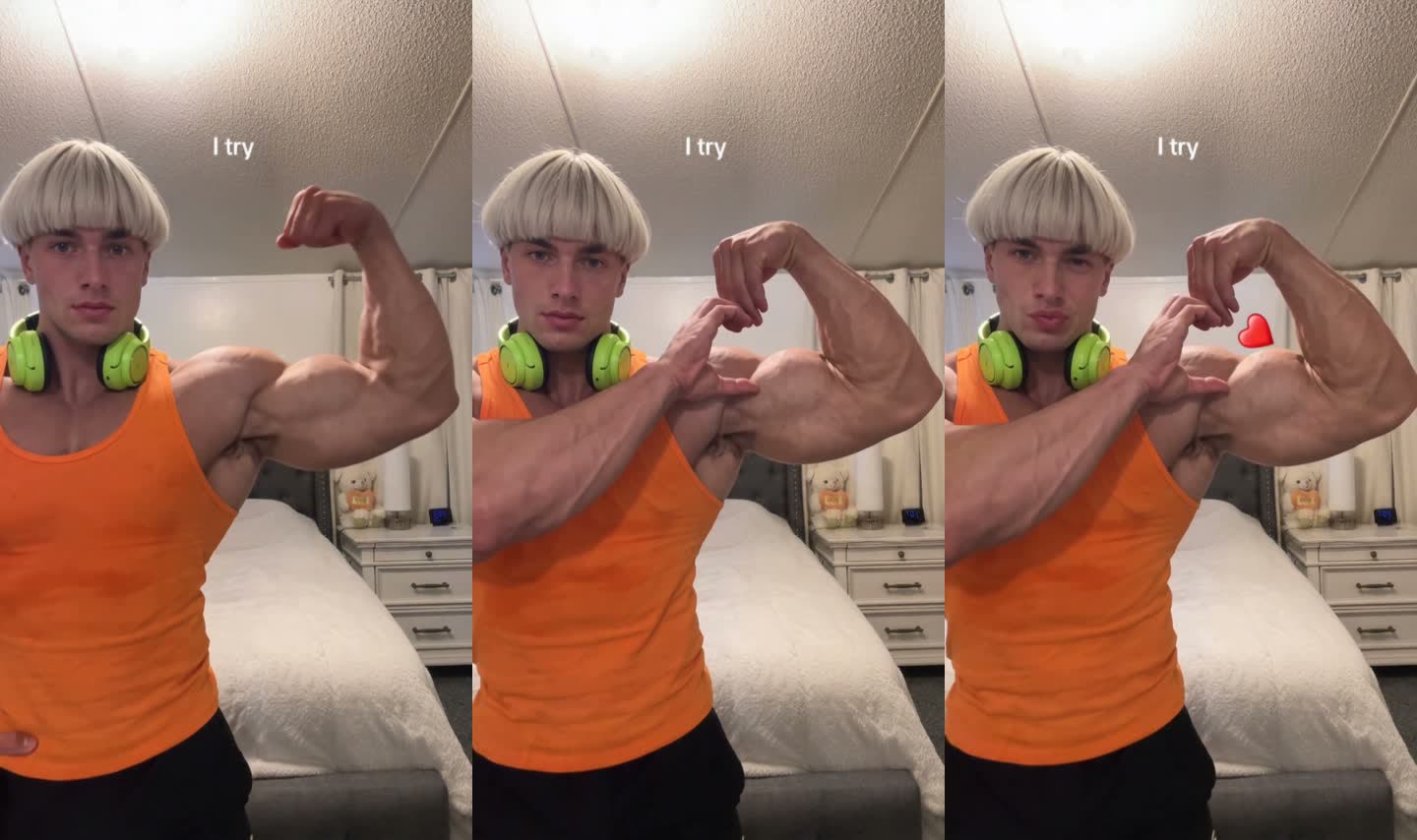
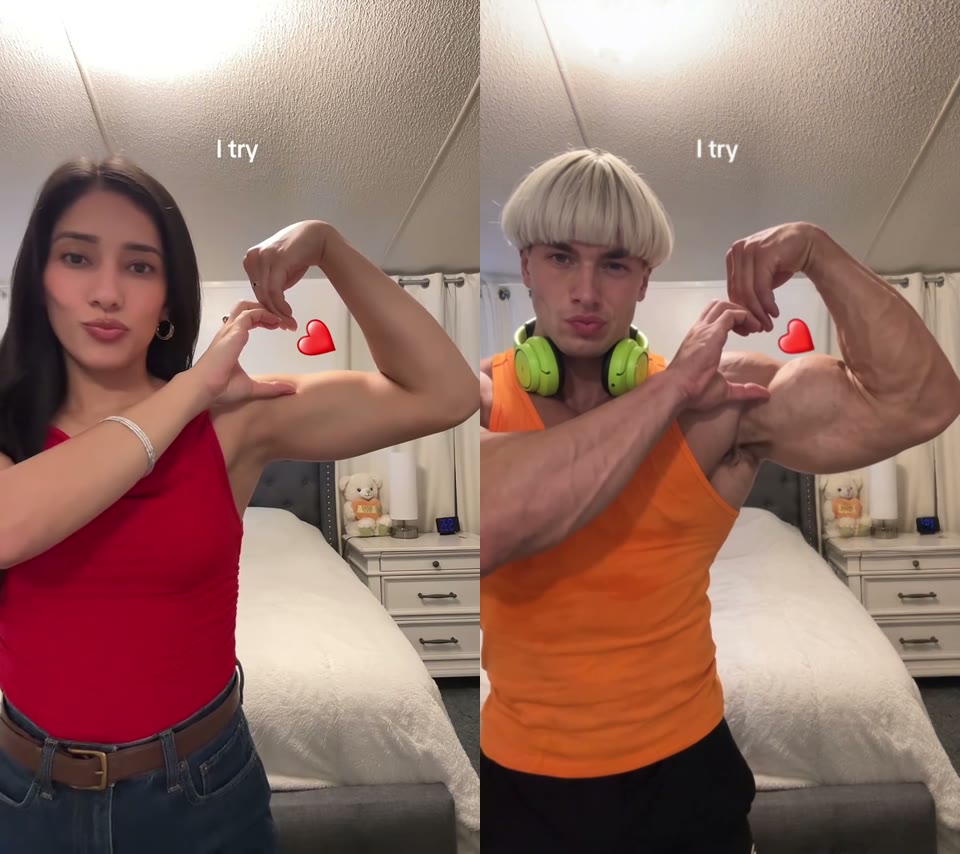
The words "I try" at the top come with the trend's caption and stay in the video. Most people leave them, since they're part of the joke.
How we made our first Bicep Heart Trend AI video
We built it by hand first, the way you would without a template, so we know which settings matter.
1. We picked a photo that shows the arms
Our photo is a character sheet: a close-up of the face and a full-body shot of the same man, in an orange tank top with green headphones around his neck. A tank top shows the whole arm, which matters because the pose is all arm.
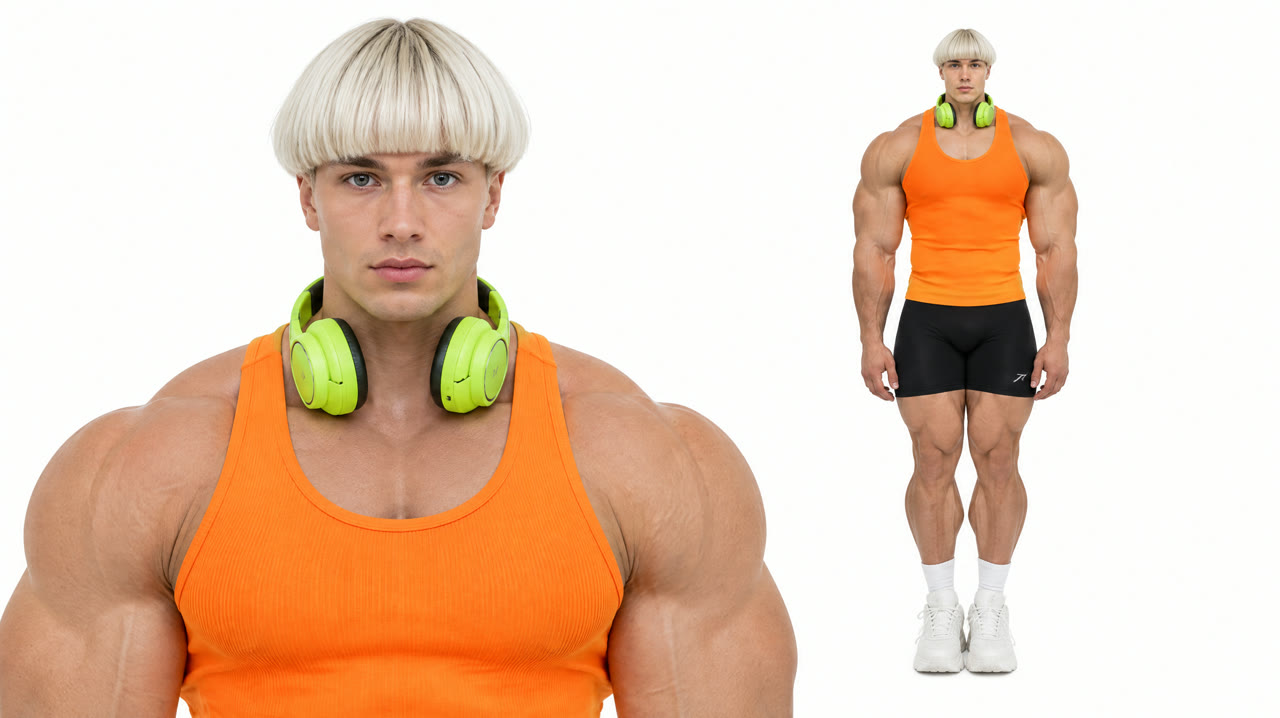
2. We told the model to keep the photo's look
We used Wan 3.0 with a trend clip as the motion reference (video to video), and one short instruction:
Replace the person in the reference video with the person from the uploaded photo. Keep the person's face, hairstyle, skin tone and outfit exactly as in the photo. Do not use the outfit from the video.
The last sentence matters most. Without it, video models tend to keep the clothes from the motion clip. With it, the tank top, headphones and bowl cut all came from our photo.
3. It rendered in about 3 minutes
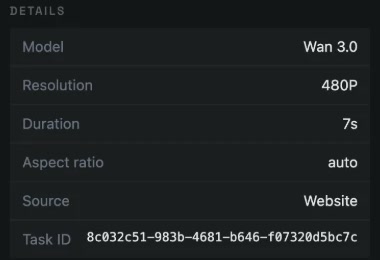
Settings: 7 seconds, 480p, aspect ratio auto, sound on. It cost 140 credits and finished in about two and a half minutes on the first try.
How to make a Bicep Heart Trend AI video in 3 steps
The template has that exact setup saved, so you skip the prompt and the reference clip.
Step 1: Open the template
Go to the Bicep Heart Trend AI page. The template is open at the top with Wan 3.0, 7 seconds and sound already set.
Step 2: Upload one photo
Waist up or full body, face toward the camera, both arms in view. The Generate button shows the cost (140 credits) before you start.
Step 3: Generate and download
Press Generate. The video goes to My Videos, so you can close the tab. Download the MP4 without a watermark and post it.
What photo works best for the Bicep Heart Trend AI?
- Both arms in view. One arm flexes and the other hand has to reach it. If your photo cuts an arm off, the model invents one, and it won't look like yours.
- Waist up or full body. A head-only selfie leaves nothing to flex.
- Tank top or short sleeves. The arm is the whole pose. Long sleeves still work but the heart reads less clearly.
- Face to the camera, no sunglasses. The clip ends on a close look at you, so the face needs to be sharp.
- Only you in the photo. Crop out friends; the template plays one person.
Can you do the Bicep Heart Trend AI without muscles?
No. The heart comes from where the hand goes, not from the size of the muscle. The template keeps the build from your photo and doesn't add muscle: our test subject has big arms because his photo does. On TikTok, slim-arm versions are a popular joke.
Can you send bicep hearts to your partner?
Yes. Ask your partner first, upload a waist-up photo of them, and send the finished clip back as a reply instead of a heart emoji. Only use photos of adults who agreed. When you're done, the Money Flex AI trend is another one-photo flex that pairs well with it.
Is Bicep Heart Trend AI free?
Not completely. New accounts get 75 free credits and one video takes 140, so you need the one-time $4.99 pack (540 credits). That covers three videos at about $1.29 each, with no subscription. See pricing. Failed renders are refunded automatically.
How long is the video and how much does it cost?
About $1.29 for one video: 140 credits for a 7-second, 480p vertical clip with sound and no watermark. Ours rendered in about 3 minutes.
What sound is used in the bicep heart trend?
Most posts use the TikTok audio "original sound – trendformusic", a short music clip with no named song. The AI video comes with sound.
Will the AI make my arms bigger?
No. Your build, face, hair and outfit come from your photo. In our test even the headphones around the neck stayed on.
Why doesn't my video look like me?
Usually the photo is a tight selfie, a side angle or has sunglasses. Use a sharp waist-up photo facing the camera with both arms in view, then run the template again.
Can I use a photo of my pet?
We haven't tested pets with this template, so we can't promise the pose works. It's built for people.