How to Make a Closing Door Prank AI Video From 2 Photos
What’s new on this page
- — Published: our first Closing Door Prank AI video (Wan 3.0, 5 s, 480p, 100 credits, first try, 4 min 55 s), the full prompt, screenshots of the template and the task, photo tips and what to watch for.
A Closing Door Prank AI video puts two people from two photos into the TikTok door prank: one stands at the door, the other comes running, and the door swings closed right as they reach it. It's a fake-out, so in the real trend nobody is meant to get shut in or hit. We made the clip above on 2 November 2026 from two photos of our own. This is exactly what we did, what it cost, and what we'd change.
What happens in a Closing Door Prank AI video?
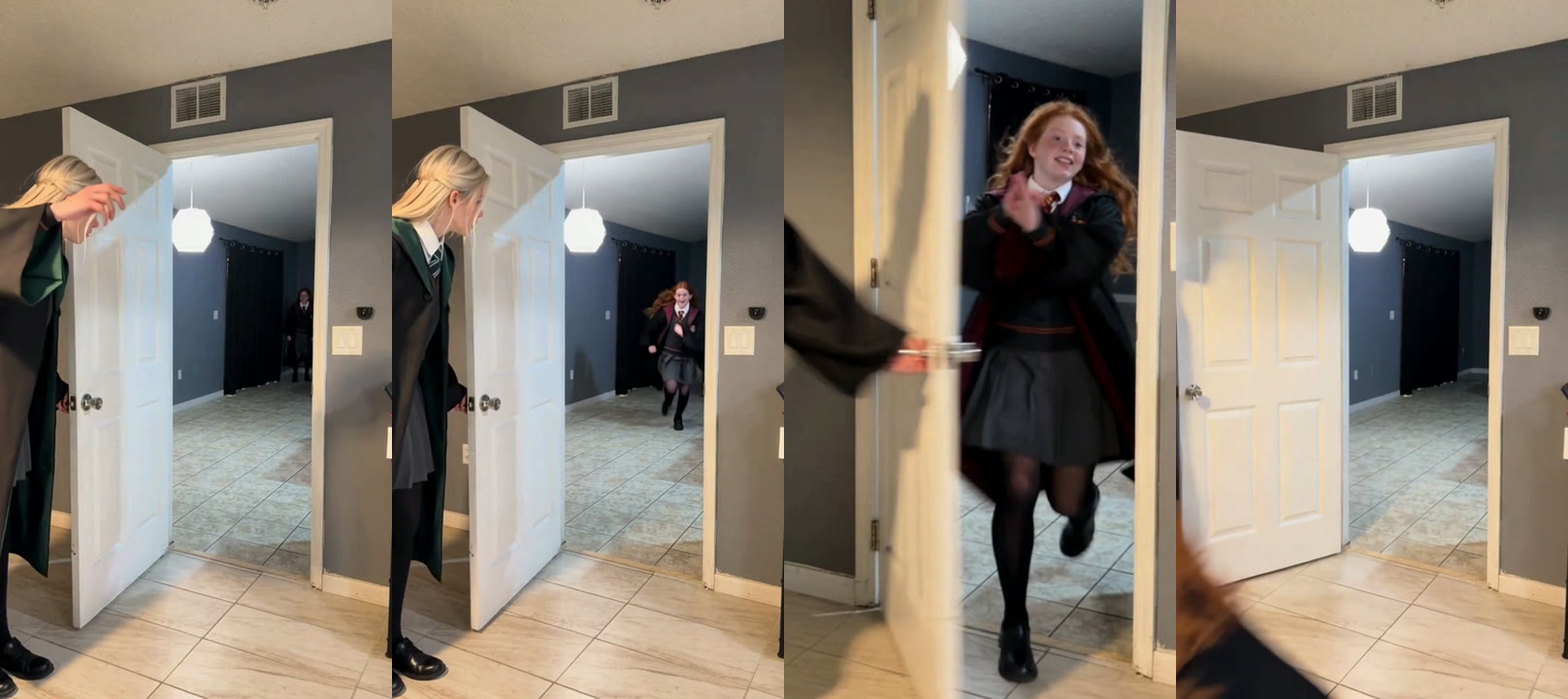
The camera stays put in a hallway; the two people do the work. In our result:
| Seconds | What happens |
|---|---|
| 0–1 | Photo 1 stands at the door, hand on the handle; photo 2 appears at the far end of the hall |
| 1–3 | The runner skips toward the doorway, smiling |
| 3–4 | They reach the door and it starts to swing |
| 4–5 | The door swings closed in front of them and fills the frame |
How we made our first Closing Door Prank AI video
We built it by hand first, the same way you would without a template, so we know where it can go wrong.
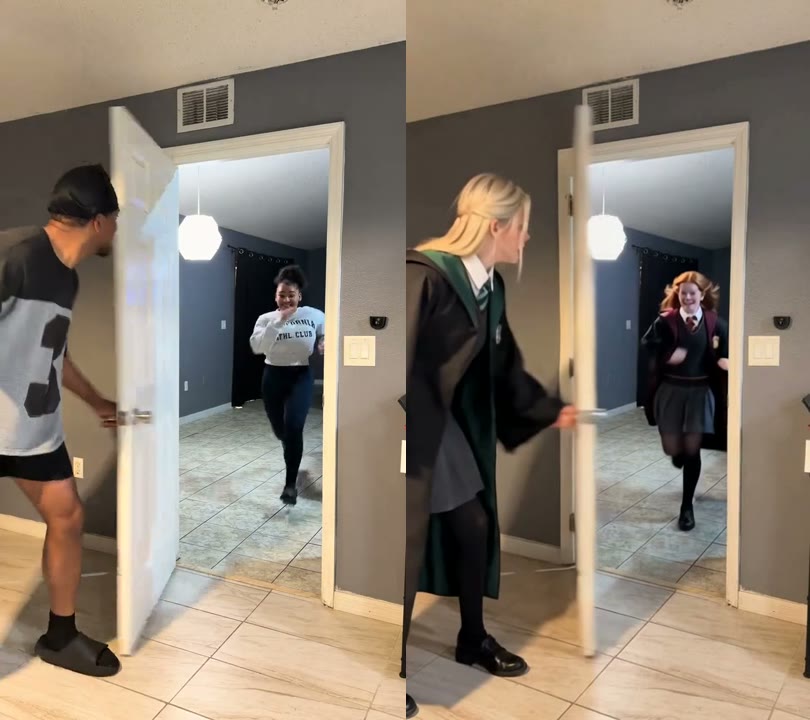
1. We cut the trend clip to 5 seconds
The trend video we worked from was 10.24 seconds long. Everything that matters, the run and the door swing, happens in the first 5. Cutting it kept the joke and kept the price at 100 credits instead of paying for 10 seconds of nothing.
2. We used one photo per person
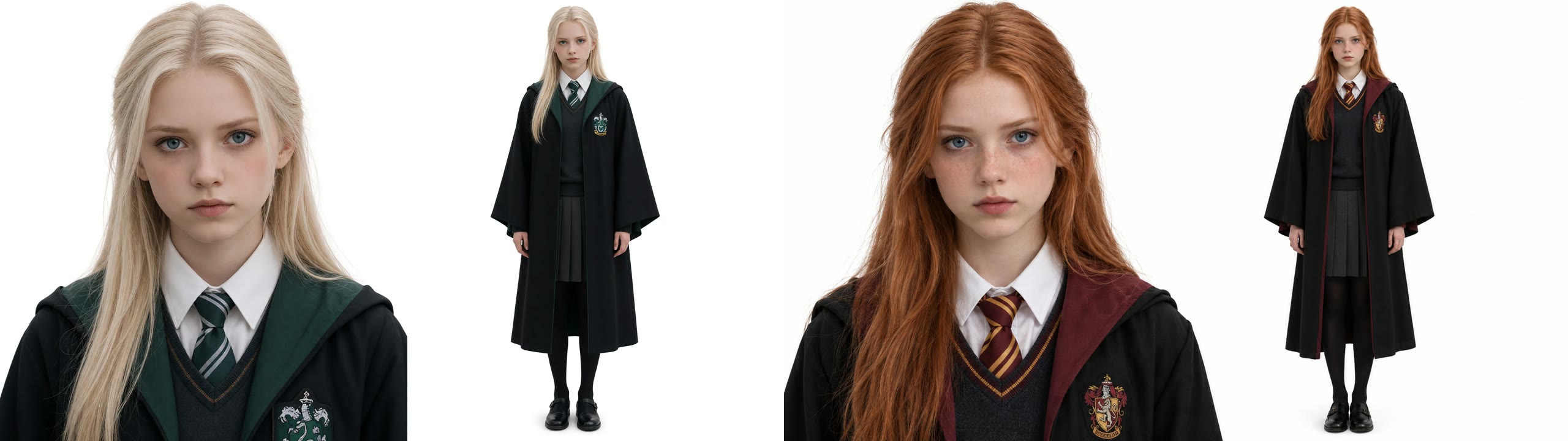
Photo 1 was a blonde girl in a green-trimmed robe, photo 2 a red-haired girl in a red-trimmed robe. Each image had a face close-up and a full-body shot side by side, so the model saw both the face and the whole outfit. Two clearly different looks also made it easy to check that nobody swapped clothes.
3. We changed one line about clothes
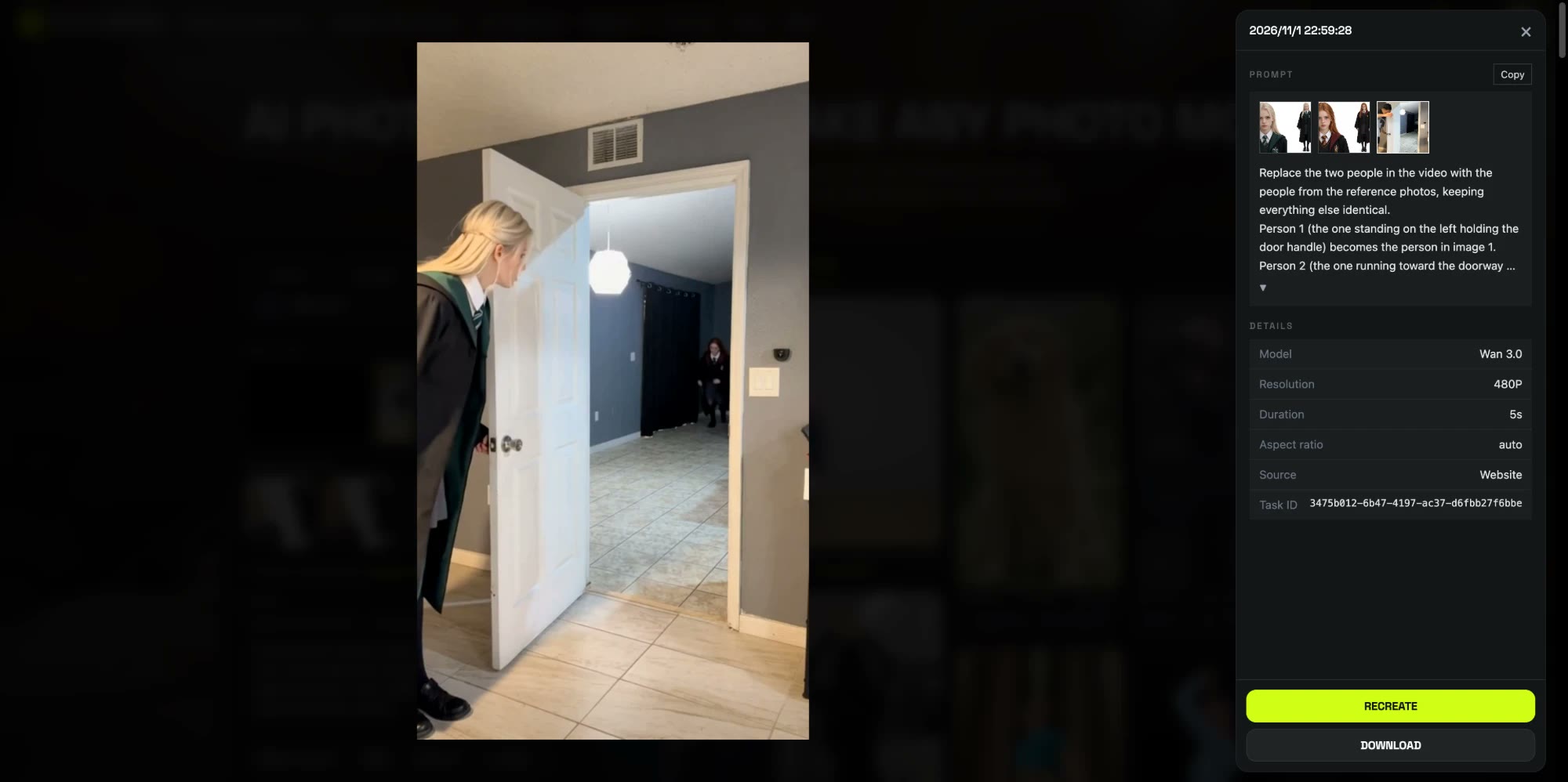
Our first draft of the prompt told the model to keep the casual clothes from the trend. We switched it to take the clothes from each photo instead, and in the result both robes match their photos from start to finish. This is the prompt we ran, on Wan 3.0, 480p, 5 seconds, sound on:
Replace the two people in the video with the people from the reference photos, keeping everything else identical. Person 1 (the one standing on the left holding the door handle) becomes the person in image 1. Person 2 (the one running toward the doorway from the back room) becomes the person in image 2. Preserve each person's face, hairstyle, skin tone, body shape and clothing from their reference photo. Their outfits must match their reference photos exactly. Do not change the room, the white door, the lighting, the camera angle, the camera motion or the timing. Realistic, natural home-video look, no extra people, no text.
4. It rendered in under 5 minutes
We submitted at 06:59 UTC and the video was ready at 07:04: 4 minutes 55 seconds, first try, 100 credits. That run is what the template now uses, with the 5-second cut and the prompt already set up.
How to make a Closing Door Prank AI video in 4 steps
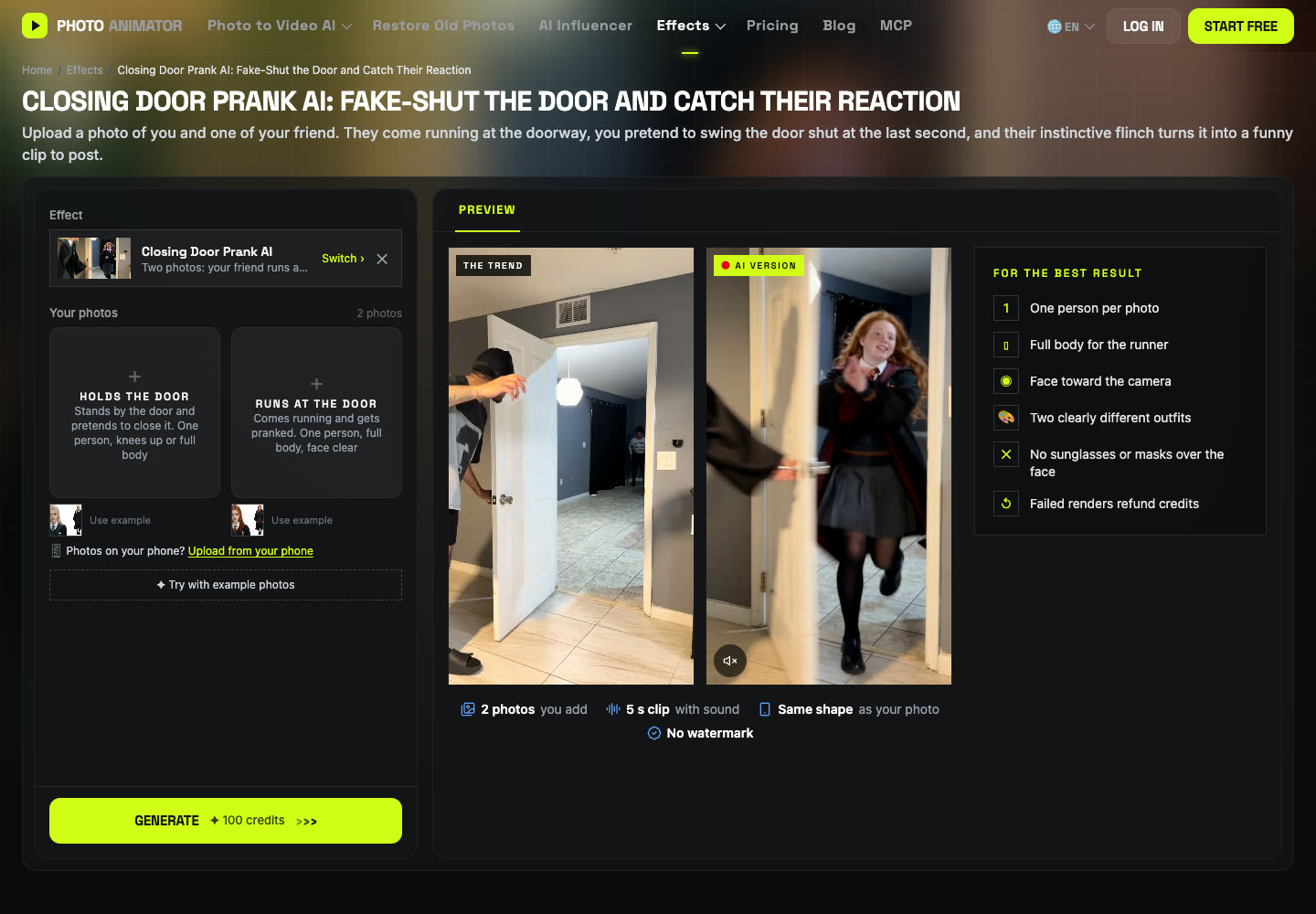
Step 1: Open the template
Go to the Closing Door Prank AI page. The template is already loaded at the top, with the model and prompt set up.
Step 2: Add the person who holds the door
The first slot, Holds the door, is the person who stands at the doorway and fakes the close. Knees up or full body works.
Step 3: Add the person who runs
The second slot, Runs at the door, is the one who gets pranked. Use a full-body photo, because they are seen head to toe the whole way down the hall. No partner? Click Use example under either slot and keep our sample photo.
Step 4: Generate and download
Press Generate. The button shows 100 credits before anything is charged. The video lands in My Videos, so you can close the tab. Download the MP4, which has no watermark, and post it.
Which photo plays which person in the closing door prank?
| Slot | Role | Best photo |
|---|---|---|
| Photo 1 | Holds the door, fakes the close | One person, knees up or full body, facing the camera |
| Photo 2 | Runs at the door, gets pranked | One person, full body, face clear |
To change who gets pranked, switch the two uploads.
What photos work best for a Closing Door Prank AI video?
- One person per photo. With two people in one photo, the model can't tell who holds the door and who runs.
- Show the whole body, especially for the runner. A face close-up plus a full-body shot in one image worked well for us.
- Pick two different looks. Different hair and outfits keep each person in their own role.
- Keep the face clear. No sunglasses, masks or hands over the face.
- Adults only. Use photos of yourself or adults who said yes. Photos of children, celebrities and public figures aren't allowed.
What to watch for in a Closing Door Prank AI video
- The big shocked face may not show. In our result the runner smiles all the way in, and the door hides her face as it swings. The joke lands on the timing of the door, not a close-up reaction.
- 480p is made for phones. It looks sharp on a vertical feed and soft if you blow it up on a big screen.
- Outfits come from your photos. The hallway, the door and the sound come with the template; faces, hair and clothes come from what you upload.
These are the reasons we packaged it: the 5-second cut, the clothes line in the prompt and the model are already set, so you don't pay to rediscover them. Make your Closing Door Prank AI video with the same settings.
Can you do the fake closing door prank without filming?
Yes. There are two ways. One is to film your friend walking toward a door and add a closing door in an AI video editor such as Runway, which still needs a real clip, a doorway and some editing. The other is a photo template like ours: two photos, no filming, no editing, about $0.92.
Is the closing door prank safe?
The door in the trend is only faked, but the real stunt can still go wrong: someone running full speed can crash into the door, trip, or catch their fingers, and kids can get scared. Families started it in late October 2026, with posts from @thefordfamili and @thepadillafamily_ on 28 October. The AI version has no real door at all, so nobody can get hurt.
Is Closing Door Prank AI free?
Not completely. New accounts get 75 free credits and one video takes 100, so you need the one-time $4.99 pack (540 credits). That covers five videos at about $0.92 each, with no subscription. See pricing. Failed renders are refunded automatically.
How long is the video and how much does it cost?
About $0.92 for one video: 100 credits for a 5-second, 480p vertical clip with sound, ready in about 5 minutes.
Can I make it with only one person?
Yes. Upload your photo in one slot and click Use example under the other, so our sample photo plays the second role.
Why don't the people look like my photos?
Usually the photo is side-on, tiny or a group shot. Use a sharp single-person photo facing the camera, full body for the runner, and run the template again.
Which sound should I post it with?
The trend has no single song, and your video already comes with sound. Add #closingdoorprank and #doorclosingprank when you post.
Can I use photos of my kids?
No. The trend started with parents and kids, but our template only takes photos of adults who agreed. Photos of children, celebrities and public figures aren't allowed.
Making another two-person clip? Our Hop Hop Hop AI Dance tutorial walks through a duo template with a switch in the middle.