How to Create an AI Influencer That Stays Consistent
What’s new on this page
- — Published, based on 12 character sheets I generated with GPT Image 2.5 on October 29, 2026.
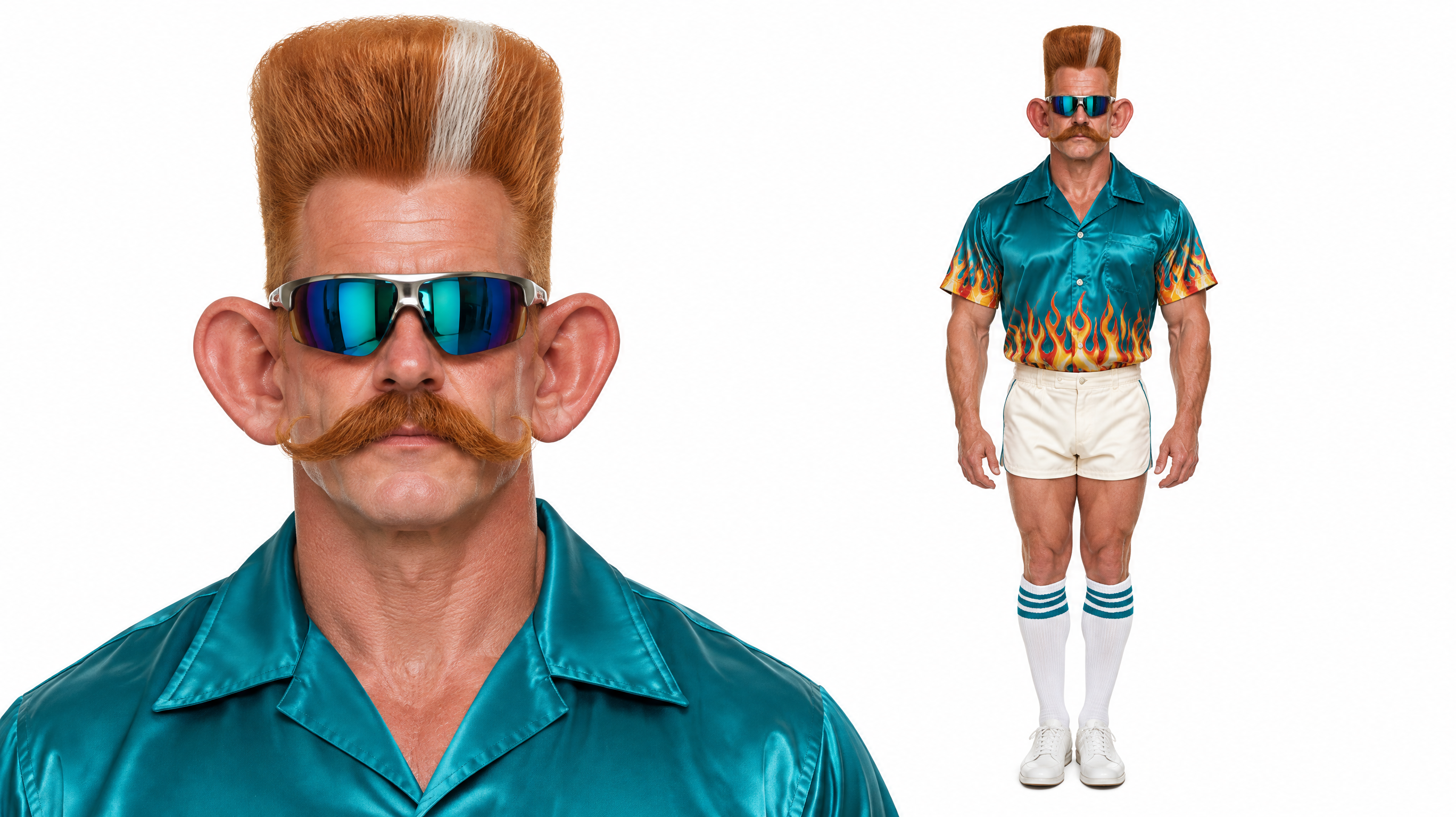
Most AI influencer tutorials stop at the first good picture. The real problem shows up on the second one: a different face, a different jacket, a different person. I generated 12 characters on October 29, 2026 to find a process that keeps one AI influencer looking the same everywhere, and it comes down to one file you make at the start.
What is an AI influencer?
An AI influencer is a virtual person that posts like a creator: a fixed face, a recognizable style and a personality, but no real human in front of the camera. Some are realistic, some are deliberately absurd. Either way, followers only stick around if they recognize the same character in every post.
How to create an AI influencer in 3 steps
Step 1. Decide who your AI influencer is
Write down three things before you generate anything: how exaggerated the character should be, what makes them recognizable at a glance, and what they wear most of the time. In the AI influencer generator these map to the Character type (Average, Bold, Extreme or an animal hybrid), a Face feature or Signature detail, and a Style.
- Average for a believable lifestyle or fashion account.
- Bold when you want one striking trait people remember, like a lavender beehive.
- Extreme or an animal hybrid (frog, cat, pug, capybara, goose, mantis) for meme content.
- Leave anything you do not care about on Any. When I set every option, the traits started fighting each other.
Step 2. Generate one character sheet, not a portrait
A character sheet puts two views of the same person in one image: a tight head-and-shoulders close-up and a full-body front view. The close-up locks the face, hair and skin; the full body locks the build, outfit and shoes. That single image is what keeps the character consistent later.
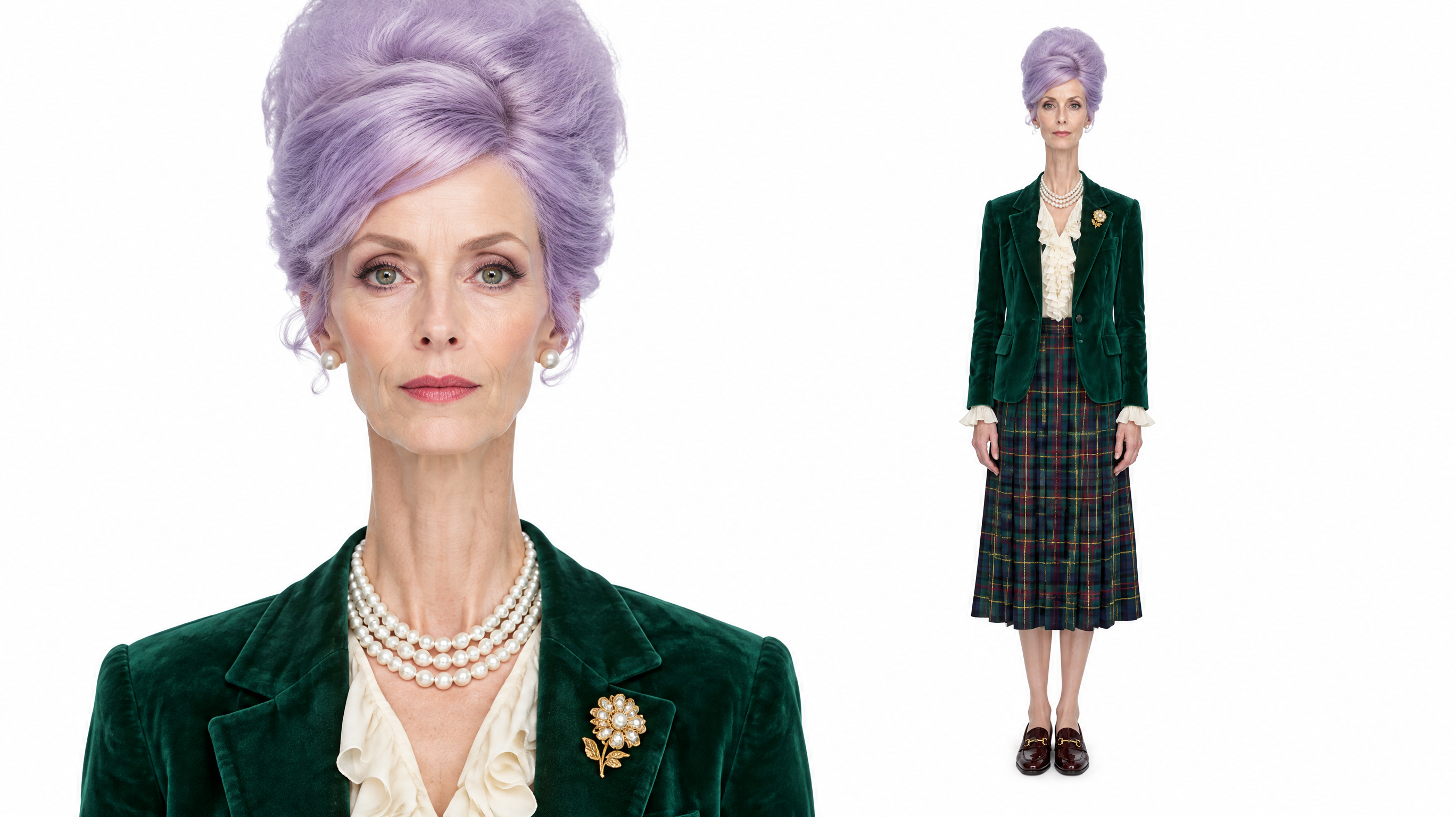
Click Generate and wait. My 11 successful sheets took 95 seconds on average, the fastest 42 seconds and the slowest 139. You can queue several at once and pick the best.
Step 3. Reuse the sheet for every post and video
Download the sheet and keep it. From now on, do not describe your AI influencer from scratch again; give the sheet to the image or video model as the reference. To make it move, upload the sheet to an effect template such as the Birthday Car Trend or to photo to video.
How do I keep my AI influencer consistent?
Keep one reference and never regenerate the character from text. A text prompt is re-interpreted every time, so "ginger pompadour, teal bowling shirt" gives you a slightly different man on every run. A reference image is copied, not re-imagined.
| Approach | What stays the same | What drifts |
|---|---|---|
| Same text prompt every time | Rough idea of the look | Face, hairline, colors, outfit details |
| One portrait as reference | Face | Body, outfit, shoes |
| One character sheet as reference | Face, hair, body and outfit | Pose and background, which you want to change anyway |
What makes an AI influencer memorable?
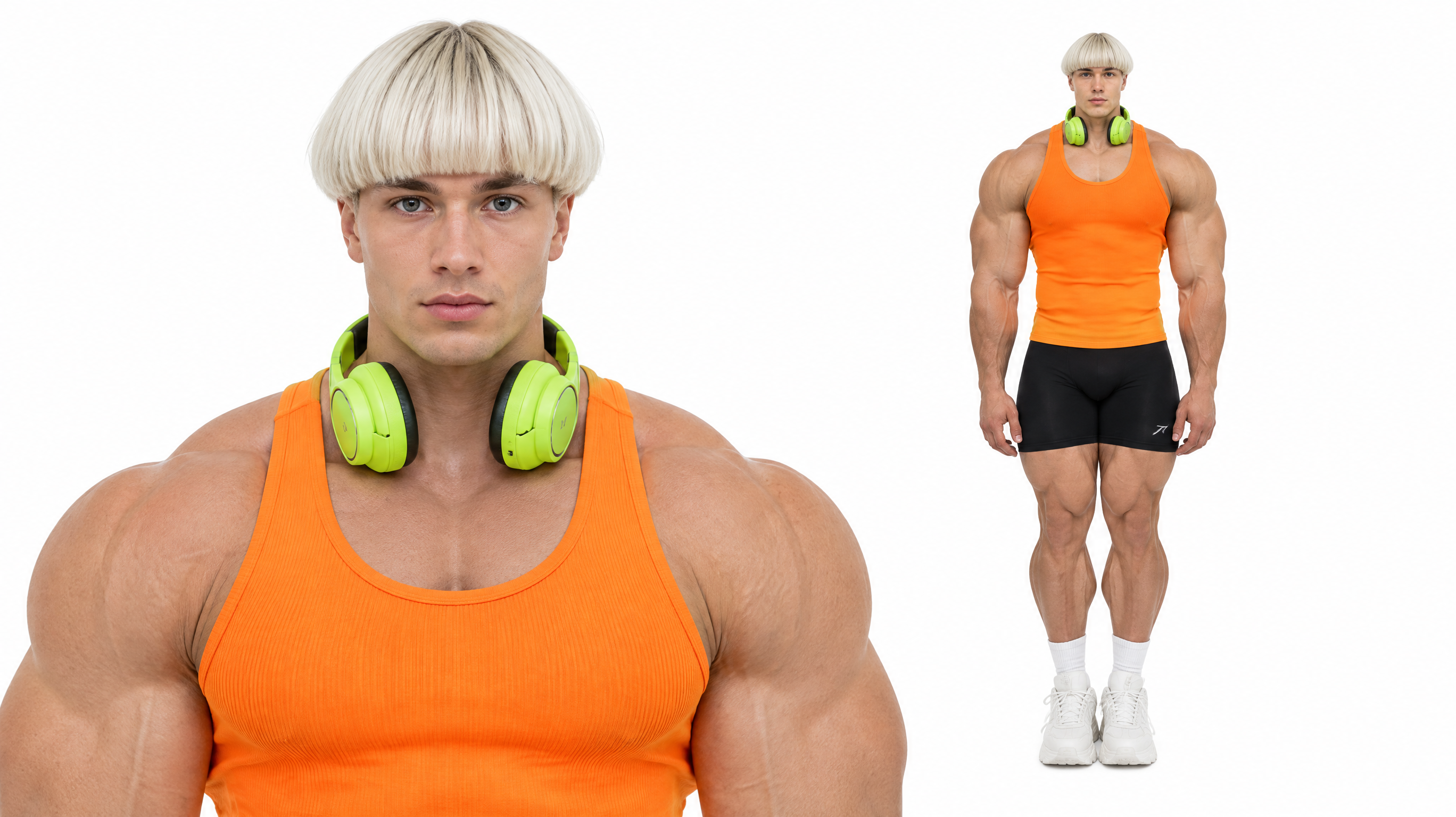
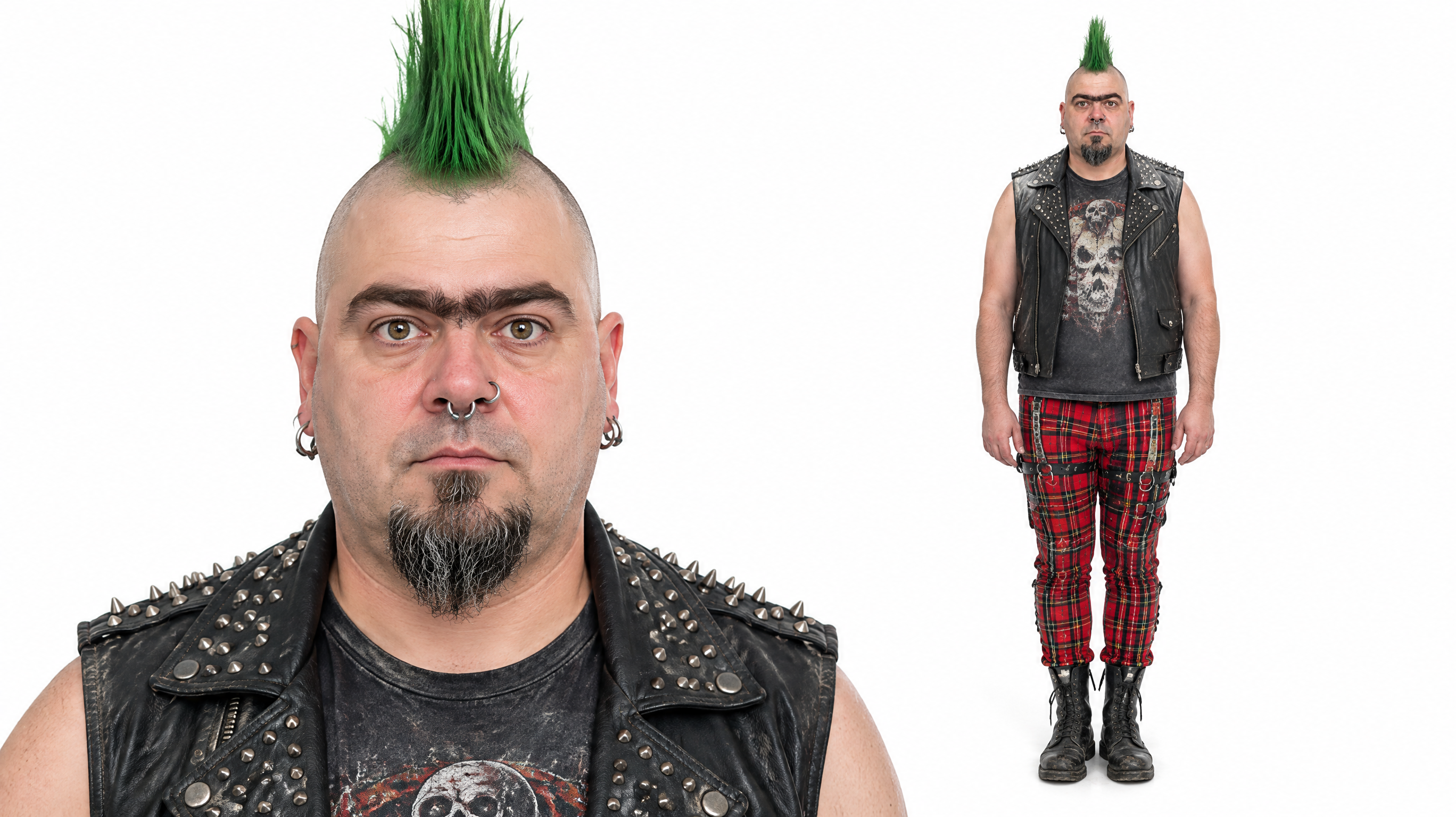
One clear hook beats five average traits. The characters that worked best in my run each had a single thing you notice first: tiny head on a huge body, a liberty-spike mohawk, a massive grey afro.
Can I create an AI influencer from my own face?
Yes. Upload a clear, front-facing photo under Base it on your photo. The generator keeps your face and identity and applies the hair, outfit and style you choose. Gender, age, ethnicity and skin tone then come from the photo, so those options are greyed out. Avoid sunglasses, heavy filters and group photos; one face, well lit, works best.
What prompt should I use to make an AI influencer?
If you use another image tool, the layout part of the prompt matters more than the description. This is the layout block the generator sends with every sheet; add your character lines after it.
A character reference sheet on a pure white seamless background, 16:9 landscape, two views of the same character side by side. LEFT (about 55% of the frame): tight head-and-shoulders close-up cropped at mid-chest, face centered, looking straight into the camera, neutral expression. RIGHT: full-body front view of the same character standing straight, arms relaxed, the entire body visible from head to shoes. Identical face, hair and outfit in both views. Photorealistic, soft studio lighting, no text, no labels, no borders.
Then describe the look in one sentence, in this order: hair, face details, top, bottom, shoes or accessories. For example: "Towering ginger pompadour with a silver streak, mirrored wraparound sunglasses, teal satin bowling shirt with flame trim, cream tennis shorts, white tube socks."
What went wrong in my test, and how to avoid it
- 1 of 12 runs was blocked by the model's content filter ("flagged as sensitive"). The credits came back automatically. Rewording the description fixed it.
- Too many options at once made the look muddled. Setting 4 to 6 options and leaving the rest on Any gave cleaner results.
- Descriptions that contradict the options (Mohawk in the options, "long waves" in the text) produce a compromise you did not ask for. Keep them in agreement.
How much does it cost to create an AI influencer?
One character sheet costs 20 credits. New accounts get 75 free credits, which covers 3 sheets. After that, the $4.99 starter pack has 540 credits, enough for 27 sheets at about $0.18 each, with no subscription. Failed runs are refunded.
Is it legal to create an AI influencer?
Creating a fictional character is legal. Platforms do set rules: Instagram, Facebook and TikTok ask creators to label realistic AI-generated content. Do not present the character as a real person, and do not build it on someone else's face without their permission.
How do I create an AI influencer for free?
New accounts get 75 free credits and one character sheet costs 20, so you can create 3 AI influencers for free in the AI influencer generator. After that, about $0.18 per sheet with the $4.99 starter pack, no subscription.
Which AI influencer generator is the best?
Pick one that gives you a character sheet rather than a single portrait, because that is what keeps the character consistent. Ours produces a 2K close-up plus full-body sheet for about $0.18, with no watermark, and you can turn it into a video on the same site.
How long does it take to create an AI influencer?
About 1–2 minutes per character sheet. In my test on October 29, 2026, the average was 95 seconds.
Can I turn my AI influencer into a video?
Yes. Upload the character sheet to an effect template or to photo to video. Because the sheet shows both the face and the full outfit, the character carries over into the clip.
Do AI influencers make money?
Some do, through brand deals, ads and subscriptions, but nothing is guaranteed. The character is the easy part; the audience comes from posting regularly.