How to Make the Money Flex AI Video With Your Pet: Prompt Tips (Tested on Wan 3.0)
What’s new on this page
- — Published: one successful Wan 3.0 run, one failed Seedance 2 run, and the one-photo template built from it.
The money flex AI trend (also called cash flex, AI money trend or AI rich trend, and often searched as "all my money is cash") took off on TikTok in September 2026. The base clip is a guy in a bedroom hugging a tower of $100 stacks, slapping cash on the dresser and fanning bills at the lens. The versions that spread are the ones with cats and dogs.
Swapping a person for a pet is harder than swapping one person for another: the model has to turn human hands into paws, keep the animal's fur and markings, and still hold the cash. We ran it with a golden British Shorthair on Wan 3.0. Below is the full prompt, what each part is for, and where it still slipped.
Our setup
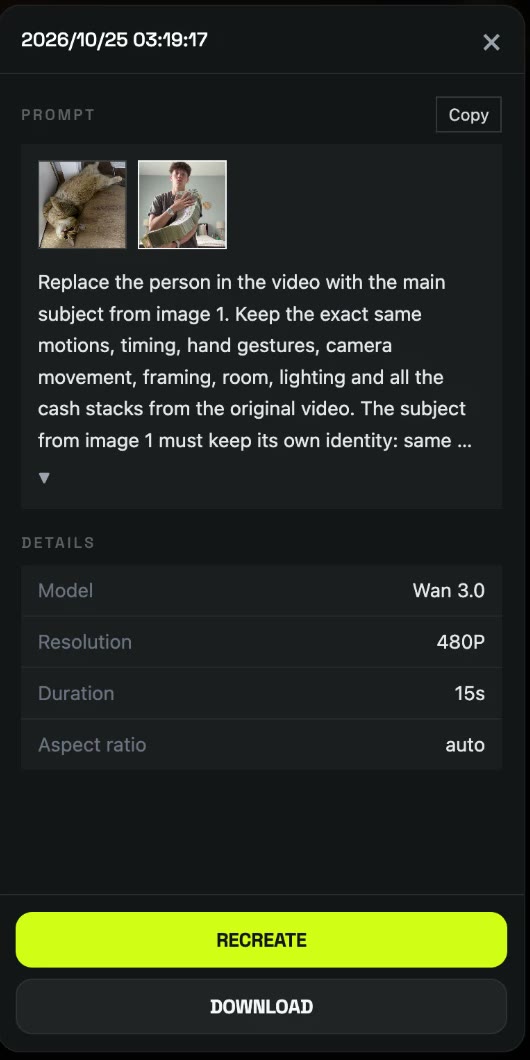
- Engine: Wan 3.0, Video tab.
- Source clip: the money flex clip, trimmed to 15 seconds (video-to-video takes up to 15s).
- Reference image: one cat photo as image 1. Ours was the cat lying sideways on the floor.
- Ratio and length: Match source, so the frame stays vertical 9:16.
- Resolution: 480P, Audio on.
The prompt, and what each part is for
A generic "replace the person" prompt works for person-to-person swaps. For a pet, the model needs to be told what changes about the body. This is the prompt we used; it also works with a person photo, so you can keep one prompt for everything:
Replace the person in the video with the main subject from image 1. Keep the exact same motions, timing, hand gestures, camera movement, framing, room, lighting and all the cash stacks from the original video. The subject from image 1 must keep its own identity: same face, species, fur or hair color, markings, body shape and art style. If the subject is an animal, give it natural paws or limbs that hold, hug, slap down and fan the stacks of $100 bills just like the original, with a confident, smug "rich" attitude. If the subject is a person, keep their face, hairstyle and outfit from image 1. The money must stay sharp and realistic, with no extra hands, no leftover parts of the original person, no warped bills and no flicker. Photorealistic, vertical 9:16, smooth and natural movement.
| Part of the prompt | Why it's there |
|---|---|
| "the main subject from image 1" | Doesn't say cat or person, so the same prompt works for any photo. |
| "keep the exact same motions … and all the cash stacks" | The hug, the slap and the fan are the joke. Without this, models tend to simplify the money. |
| "same face, species, fur or hair color, markings" | Stops the model from drifting to a generic cat. Our cat's golden coat and tabby forehead stayed. |
| "natural paws or limbs that hold, hug, slap down and fan" | Tells the model to turn hands into paws instead of gluing human hands onto fur. |
| "confident, smug rich attitude" | Gives the face something to do. Cats read this as the deadpan stare, which is the funny part. |
| "no extra hands, no leftover parts of the original person" | The most common pet-swap failure. We still saw it in the first second (see below). |
| "no warped bills, no flicker" | Fanned bills are thin and fast; this keeps them readable. |
Which pet photo to pick
Our photo was not ideal: the cat is lying sideways, upside down, on a wooden floor. Wan 3.0 still stood it up and kept the face, so you don't need a studio shot. What helps most:
- One animal per photo. Two pets and the model has to guess who flexes.
- Face sharp, eyes open. The stare at the lens is the punchline.
- Fur pattern visible. Markings carry over only if the model can see them.
- No filters or stickers. They get baked into the fur.
Our test run: what worked and where it slipped
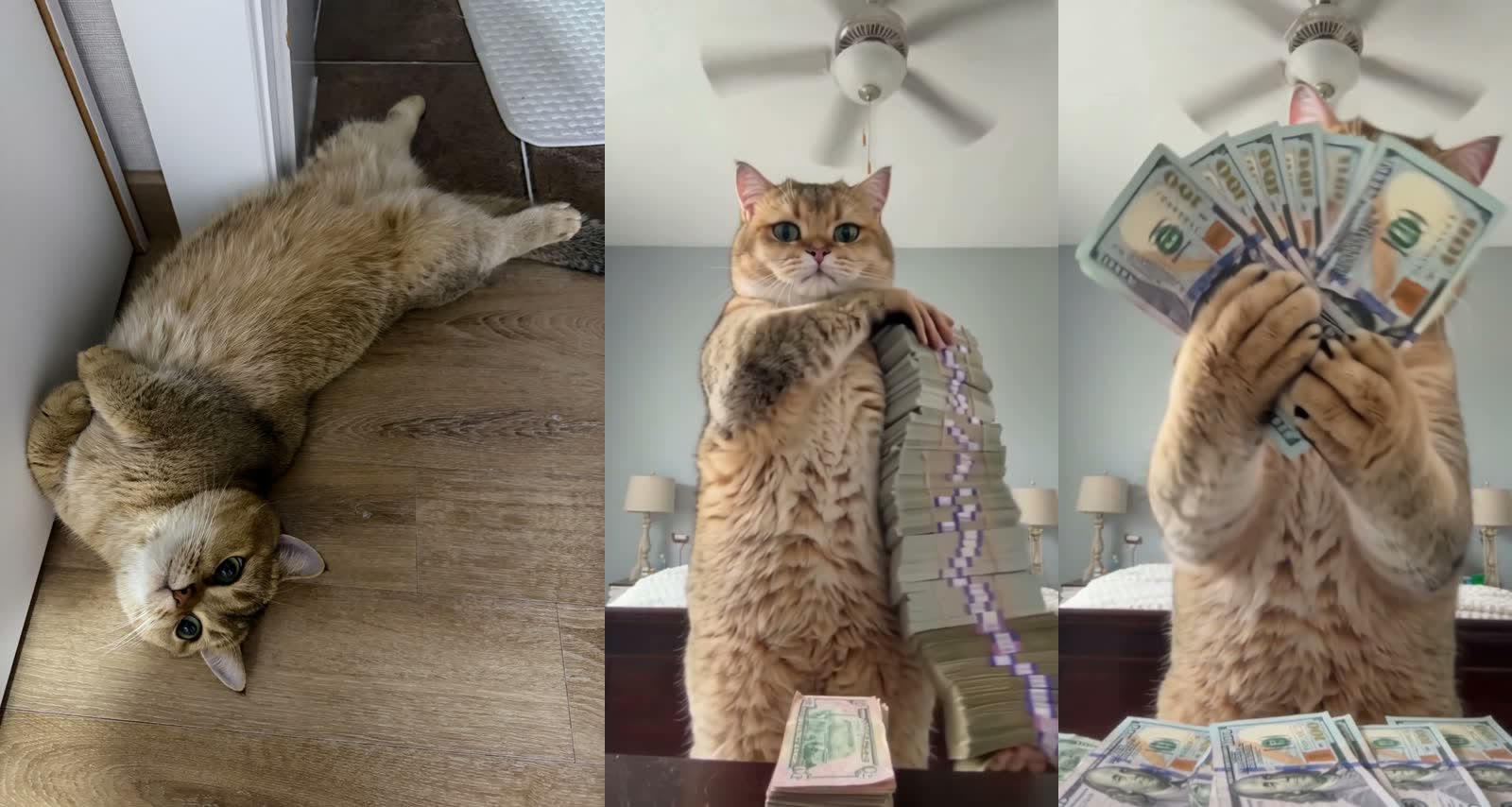
From about 4 seconds on it's clean: the same golden cat, standing at the dresser, paws around the cash tower, then two paws fanning a spread of $100 bills right at the lens. The room, ceiling fan, timing and sound match the trend clip.
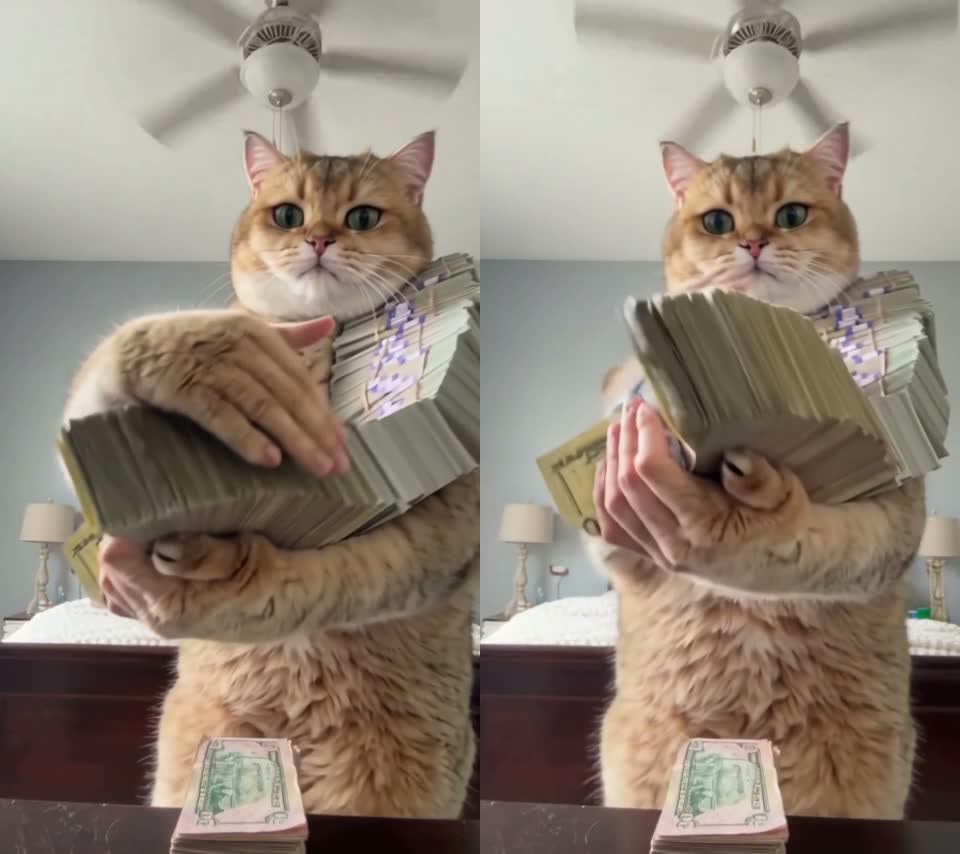
Where it slipped: in the first three seconds, while the stacks are moving fast, human fingers show up next to the paws. That's exactly what "no leftover parts of the original person" is meant to stop, and it only partly worked. If it bothers you, move that sentence to the front of the prompt, or trim the first second from the finished video.
| Wan 3.0 | Seedance 2 | |
|---|---|---|
| Result | Success | Failed |
| Length | 15s, vertical 9:16 | — |
| Resolution | 480p, with sound | — |
| Credits | 300 | 435 (refunded) |
| Time | ~5.2 min | ~14 min, then error |
| Notes | Human fingers in the first 3s | Failed the audio copyright check |
The same prompt on Seedance 2 ran for about 14 minutes and then failed with "the output audio may be related to copyright restrictions". The trend sound is a commercial track, and Seedance 2 checks for that. If you want the original sound, use Wan 3.0.
Skip the prompt: use the Money Flex template (one photo)
We packaged this run as a template: the clip, Wan 3.0, the prompt above and the settings (15s · 480p · vertical · with sound). You only add the photo.
- Open the Money Flex AI template. The template is already loaded.
- Upload one sharp photo of one pet (or one person), face visible.
- Press Generate. The video shows up in My Videos when it's ready. Download the MP4, no watermark.
FAQ
Why does my pet end up with human hands?
The trend clip is full of hand close-ups, and models copy them. Say "natural paws" and "no leftover parts of the original person" in the prompt; in our run it still slipped for the first three seconds, then stayed clean.
Does it work with dogs?
The prompt is written for any animal, but we only tested a cat. Use one dog per photo with the face sharp.
Why did my video fail on Seedance 2?
Ours failed the audio copyright check after about 14 minutes; the credits were refunded. Wan 3.0 rendered the same clip with sound.
Is the AI money trend the same as the AI rich trend?
Yes. Money flex AI, cash flex, AI money trend and AI rich trend all mean the same cash flex video.
How long does it take and what does it cost?
Our Wan 3.0 run took about 5.2 minutes and 300 credits for 15 seconds at 480p with sound. New accounts get free credits, and failed renders are refunded.