How to Make a Bonito Bonito AI Baby Dance Video From 1 Photo (4 Steps)
What’s new on this page
- — Published: our Seedance 2.0 run (15 s, 480p, 435 credits), face-pixelated trend clip, prompt and photo tips.
The Bonito Bonito AI baby dance is the TikTok trend where a still photo of a baby turns into a 15-second clip of that baby grinning, swaying, pressing both hands to their cheeks and hugging themselves to "Bonito, Bonito", the AI-sung song with the hook "un cafecito riquito riquito". The baby version spread on US TikTok from 24 October 2026.
What happens in a Bonito Bonito AI baby dance video?
The baby stays in the room from your photo, in the same clothes, and acts out the song line by line. In our 15-second result:
| Seconds | What the baby does |
|---|---|
| 0–2 | Big smile at the camera, a little bounce |
| 2–5 | Hands go up to the cheeks, mouth open in an "oh!" |
| 5–9 | Leans toward the lens, sways side to side on the beat |
| 9–12 | Crosses both arms in a tight self-hug |
| 12–15 | Steps back and sways, still grinning |
Every run is a new take, so small details such as finger positions differ, but the order of the moves stays the same.
How to make the Bonito Bonito AI baby dance in 4 steps
Step 1: Open the Bonito Bonito template
Go to the Bonito Bonito AI Baby Dance page. The template is already loaded at the top with the model, length and sound set, so there is no prompt to write.
Step 2: Upload one photo of your baby
One baby, standing or sitting up straight, face toward the camera. The room and clothes in the photo become the room and clothes in the video.
Step 3: Press Generate
The button shows the cost (435 credits) before anything is charged. The video renders in the background and lands in My Videos, so you can close the tab. If the render fails, the credits go back automatically.
Step 4: Download and post
Download the MP4. It has no watermark and already carries the song, so you can post it straight to TikTok, Reels or the family chat. Caption it the way the trend does: "Wait until your baby starts dancing…"
Which baby photo works best for the Bonito Bonito AI baby dance?
An upright, front-facing photo of one baby works best, because every move in the routine is done standing and facing the camera.
| Use | Avoid |
|---|---|
| Baby standing or sitting up straight | Baby lying down or shot from above |
| Head to waist or full body in frame | Face-only crops |
| One baby alone | A parent's arms, siblings or pets in the shot |
| Daylight, sharp focus | Dark or blurry chat screenshots |
| A room you like (it stays as the background) | Stickers, filters or text on the photo |
How we set up the Bonito Bonito AI baby dance ourselves
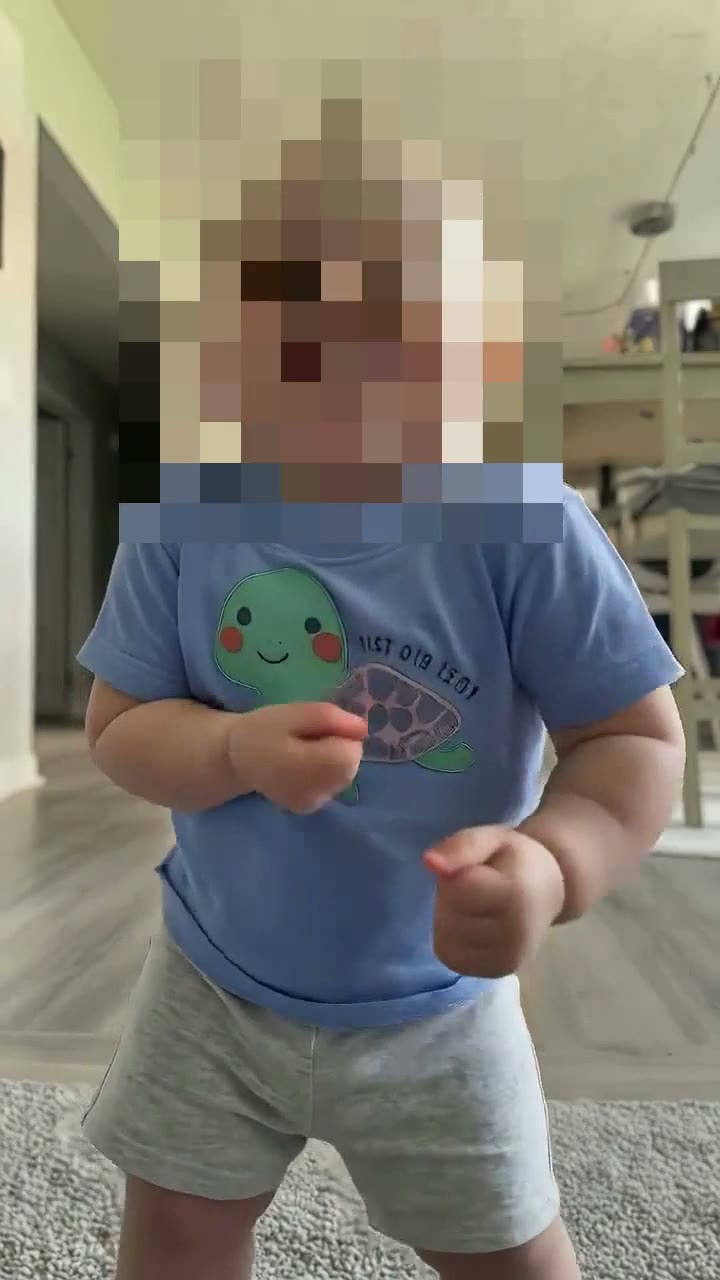
If you want to build it by hand: we used Seedance 2.0 in video-to-video mode with a 15-second clip of the trend, the baby photo as image 1, 480p, auto aspect ratio and audio on. Before uploading the trend clip we pixelated the face of the baby in it. That baby is a real child, and with the face hidden the model has only your photo to take a face from.
Replace the person in the video with the character from image 1. Keep the character's face, skin tone, hair, features, overall appearance and outfit exactly as in image 1. Keep all of the original motion, gestures, facial expressions, timing, camera movement, background and lighting unchanged. Natural, realistic body proportions, smooth movement, no distortion. Do not keep any facial features of the original person.
| Our test | |
|---|---|
| Model | Seedance 2.0 |
| Length | 15 s |
| Resolution | 480p, with sound |
| Photos | 1 |
| Credits | 435 (about $4.02) |
| Date | 28 October 2026 |
The template on our Bonito Bonito AI page uses exactly this run's settings and the pixelated clip, so you skip the editing. Looking for the CapCut route instead? Read where the Bonito Bonito CapCut template is and why it fails.
Is the Bonito Bonito AI baby dance free?
Not completely. New accounts get 75 free credits and one video takes 435, so you need the one-time $4.99 pack (540 credits). That makes one video for about $4.02 and leaves 105 credits, with no subscription.
Can I use a photo of my baby lying down?
It works less well. The routine is done standing, so a lying-down photo can give twisted legs. Use a photo where the baby is standing or sitting upright.
Does the video include the Bonito Bonito song?
Yes. The 15-second MP4 comes with the song, so you do not need to add the TikTok sound again.
Why does the video not look like my baby?
Usually the face in the photo is too small, blurred or turned away. Use a sharp photo of one baby looking at the camera. Our template already uses a pixelated trend clip so the face comes only from your photo.
Can I make it with my pet or an adult?
We have only tested babies and toddlers on this template. For adults, try the Dime Dime Baby AI dance.
How long does it take?
A few minutes. The video keeps rendering if you close the tab and appears in My Videos.