How to Make an iPhone Kupi Dance AI Video From One Photo: Steps and Cost
What’s new on this page
- — Published after our own Seedance 2.0 Mini test run, which worked first time.
The iPhone Kupi trend is the Win William TikTok meme set to "iPhone Kupi (Bare Minimum)" by SABI and Mia Boyka. "Айфон купи" is Russian for "buy me an iPhone". In the video, someone in a hotel room talks into a phone, unfolds it, and it keeps stretching until it is a tablet. The AI version puts the person from your photo into that scene.
What happens in an iPhone Kupi Dance AI video?
The iPhone Kupi Dance AI video is 15 seconds and runs in four beats:
- 0–3s: close to the camera, the person talks into a phone.
- 3–6s: they unfold it, and the folding screen gets bigger than it should.
- 6–11s: it is now a tablet; they hold it up and walk back through the hotel room, waving it around.
- 11–15s: the gestures get bigger and they lean out of frame at the end.
Our iPhone Kupi Dance AI test run
| Our run | |
|---|---|
| Photo | One man, waist up, navy suit, white shirt, glasses |
| Model | Seedance 2.0 Mini, video to video |
| Settings | 15s · 480P · aspect ratio Match source · source audio on |
| Credits | 90 (about $0.83 on the $4.99 / 540-credit pack) |
| Result | Success, first try |
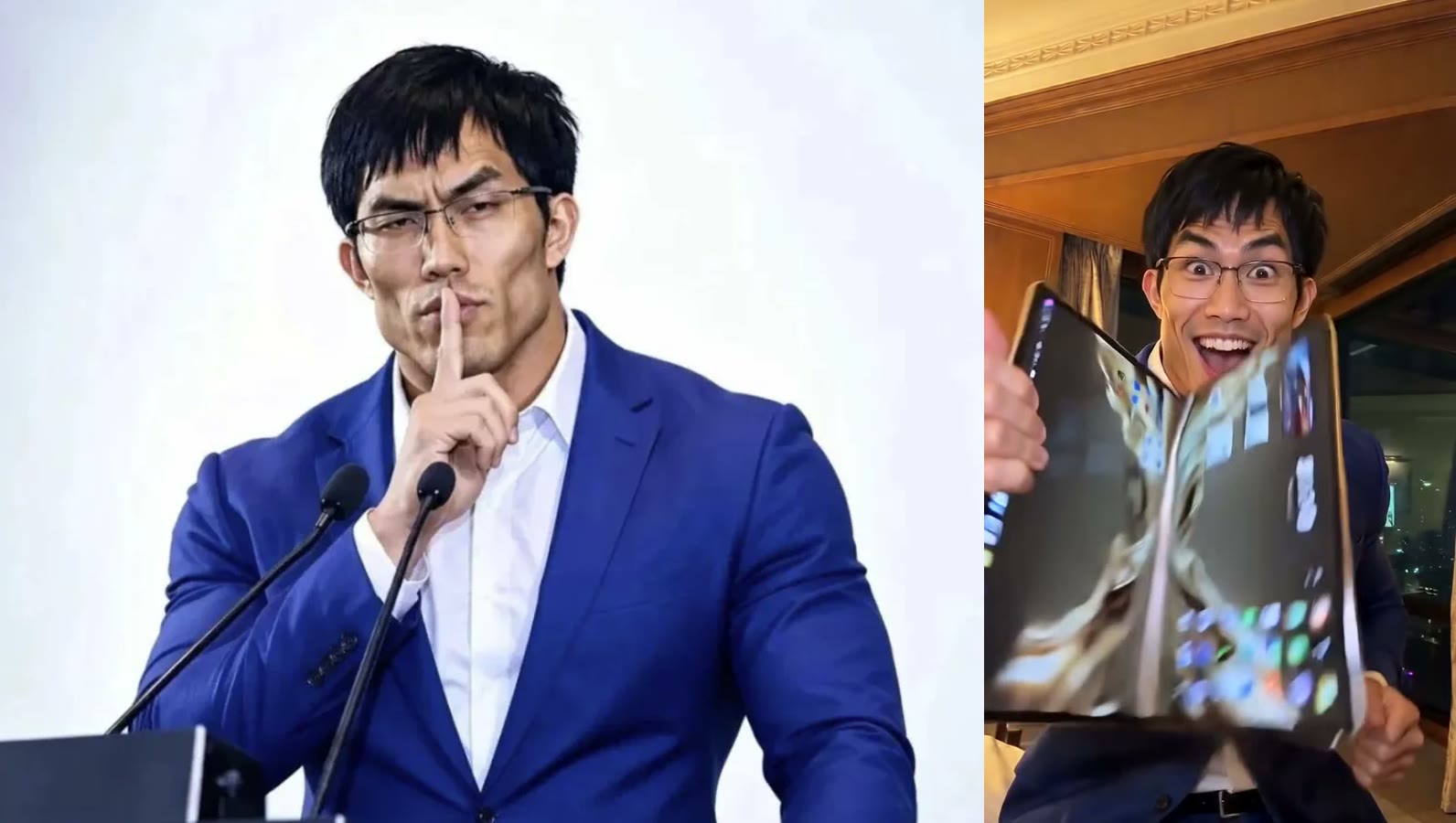
What held up: his face, glasses, hair and the navy suit stayed the same in every shot, including the wide shots at the back of the room. The hotel room, the night city view and the song came from the trend clip. The only weak moment is the first second, when the phone covers part of the face, which is why a clear, front-facing photo matters.
How to make an iPhone Kupi Dance AI video in 4 steps
Step 1: Save the iPhone Kupi clip
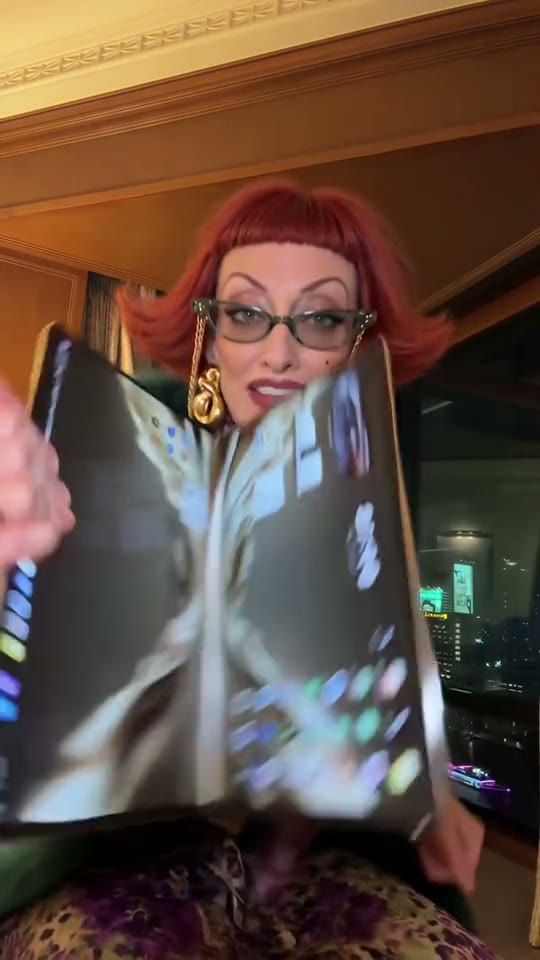
Save a version of the trend as an MP4, 2 to 15 seconds, with one person in frame. Ours was the full 15 seconds: a red-haired woman in a green fur coat unfolding the phone in a hotel room.
Step 2: Pick your photo
One person, face toward the camera, waist up so the outfit shows, nothing covering the face. Glasses are fine: ours kept them the whole way.
Step 3: Set up video to video
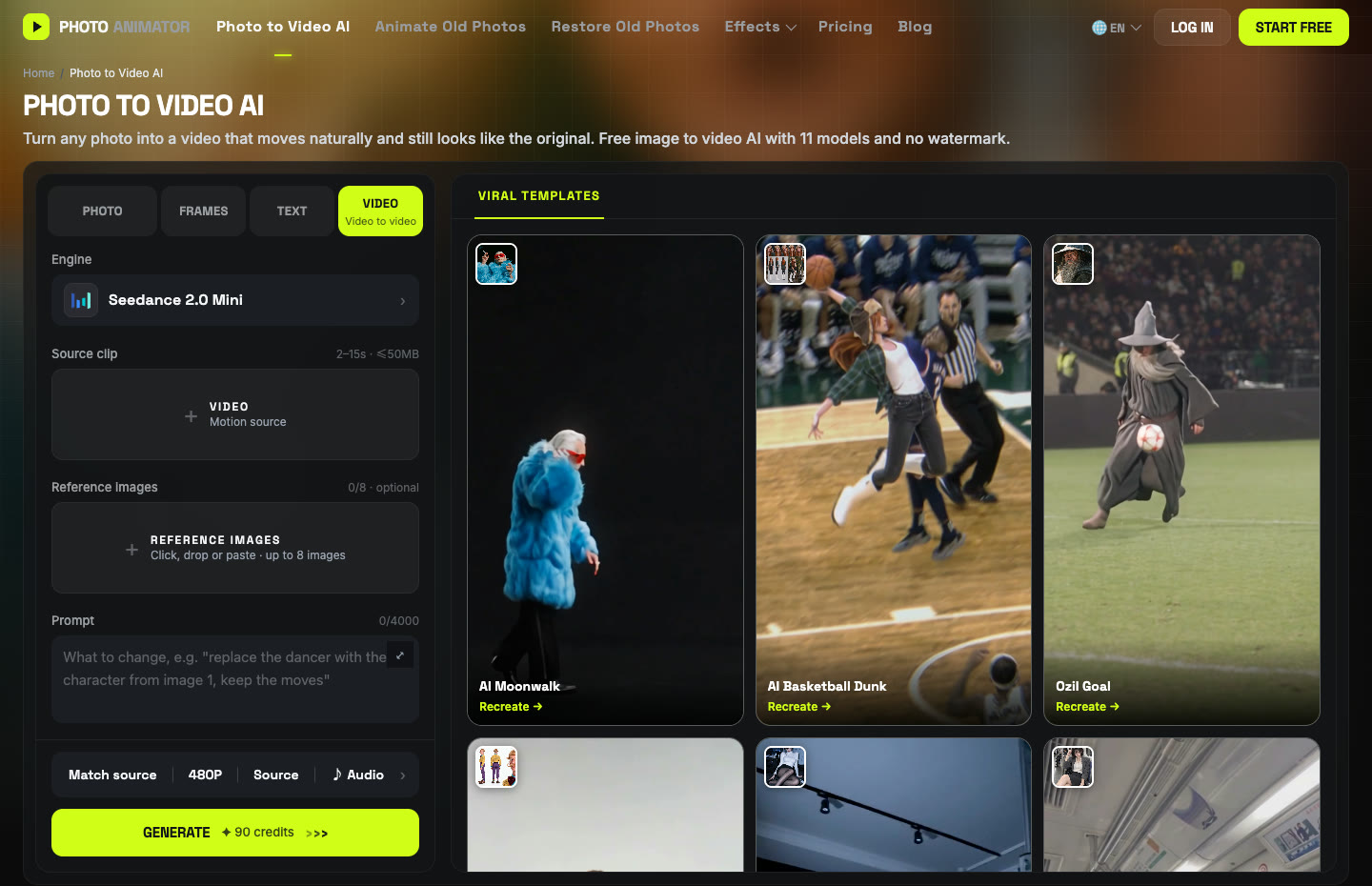
Open Photo to Video AI and switch to the Video tab. Add the clip under Source clip and your photo under Reference images. Pick Seedance 2.0 Mini as the engine, then set Match source, 480P, Source audio.
Step 4: Paste the prompt and generate
We kept the prompt general on purpose: it says nothing about suits, glasses or the hotel, so it works with any photo. The movement comes from the clip, the look comes from your photo.
Replace the person in the source video with the subject from image 1. Keep the subject's appearance and outfit exactly as in image 1. Follow the source video's motion, timing and camera framing exactly. Keep the original background, setting and lighting. Natural, realistic movement, expressive reactions, consistent identity in every frame, no extra people, no text, no distortion of hands or props.
Press Generate. The cost (90 credits for 15 seconds at 480P) shows on the button first. The video lands in My Videos, so you can close the tab.
What photos work best for iPhone Kupi Dance AI?
Clear, front-facing, waist-up photos of one person work best for iPhone Kupi Dance AI. The outfit is copied exactly, so pick it on purpose: a suit or work clothes make the shocked face over a giant phone funnier than a T-shirt.
| Photo | How it turns out |
|---|---|
| Front-facing, waist up, sharp | Best: face and outfit hold in every shot |
| Glasses | Fine: kept in our run |
| Small face in a group shot | Weaker: crop to one person first |
| Side-on, sunglasses, mask | Weaker: the model has too little face to copy |
iPhone Kupi Dance AI FAQ
How do I make the iPhone Kupi Dance AI video from my photo?
Upload one photo to the iPhone Kupi Dance AI template and press Generate, or run Seedance 2.0 Mini video-to-video yourself with the trend clip, your photo and the prompt above.
Is iPhone Kupi Dance AI free?
Not completely. New accounts get 75 free credits, and one video takes 90. The one-time $4.99 trial pack (540 credits) makes six videos at about $0.83 each, with no subscription. Failed renders are refunded automatically.
What is the iPhone Kupi song?
"iPhone Kupi (Bare Minimum)" by SABI and Mia Boyka, a Russian-language song. "Айфон купи" means "buy me an iPhone". Mia Boyka posted it on Instagram on September 20, 2026.
Why doesn't my iPhone Kupi video look like me?
Usually the photo: a small, side-on or blurry face gives the model too little to copy, and the phone covers part of the face in the first second. Use a sharp, front-facing, waist-up photo. The iPhone Kupi Dance AI page uses the setting from our successful run, which saves retries.
Can I keep my own background instead of the hotel room?
Yes, if you do it yourself: change "Keep the original background" in the prompt to "Use the background from image 1". The template keeps the hotel room.
Does the video have sound?
Yes. Source audio was on in our run, so the iPhone Kupi song plays. You can switch it off in the settings bar.
More phone-camera memes we tested: Oh You Can Make It Cap and the Bonito Bonito AI baby dance. Prices for bigger batches are on the pricing page.