How to Make an AI Moonwalk Dance Video From One Photo
What’s new on this page
- — Published after our own Wan 3.0 test run, which worked first time.
The moonwalk is the backwards glide Michael Jackson made famous: it looks like walking forward while you slide back across the floor. The AI version takes one still photo and has that person do it. On TikTok and Reels the funniest ones are the least likely dancers: grandparents, coworkers, pets in costumes, cartoon characters.
If you've asked ChatGPT something like "how do I make an AI video of my photo doing the moonwalk?", this is the answer. We made one ourselves, with screenshots of every step, and wrote down exactly what it cost.
Our test run
| Our run | |
|---|---|
| Photo | A grandma in a blue fur coat and red sunglasses (waist up) |
| Model | Wan 3.0, video to video |
| Settings | 7s · 480P · aspect ratio Match source · audio on |
| Credits | 140 |
| Time to finish | About 3 minutes |
| Result | Success, first try |
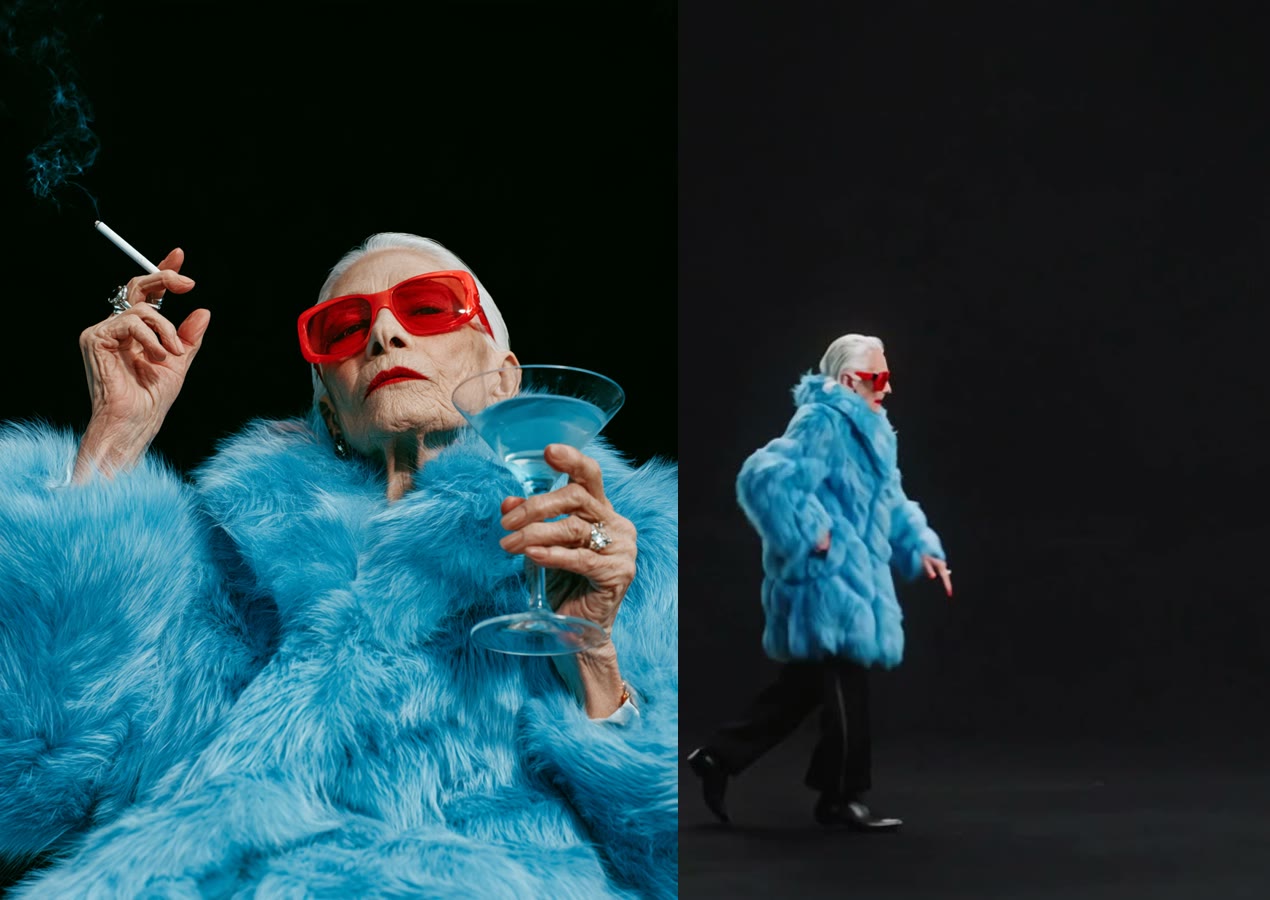
Two things surprised us. First, the photo was only waist up, so the model had to invent the legs. It gave her black trousers and shiny black shoes, which honestly suit the move. Second, the prompt tells the model to use the photo's background as the stage. Our photo had a plain black studio backdrop, so the whole video is a dark stage. Use a photo with a kitchen behind you and you'll moonwalk through your kitchen.
Method 1: Make it yourself with Wan 3.0
Step 1: Save a moonwalk clip
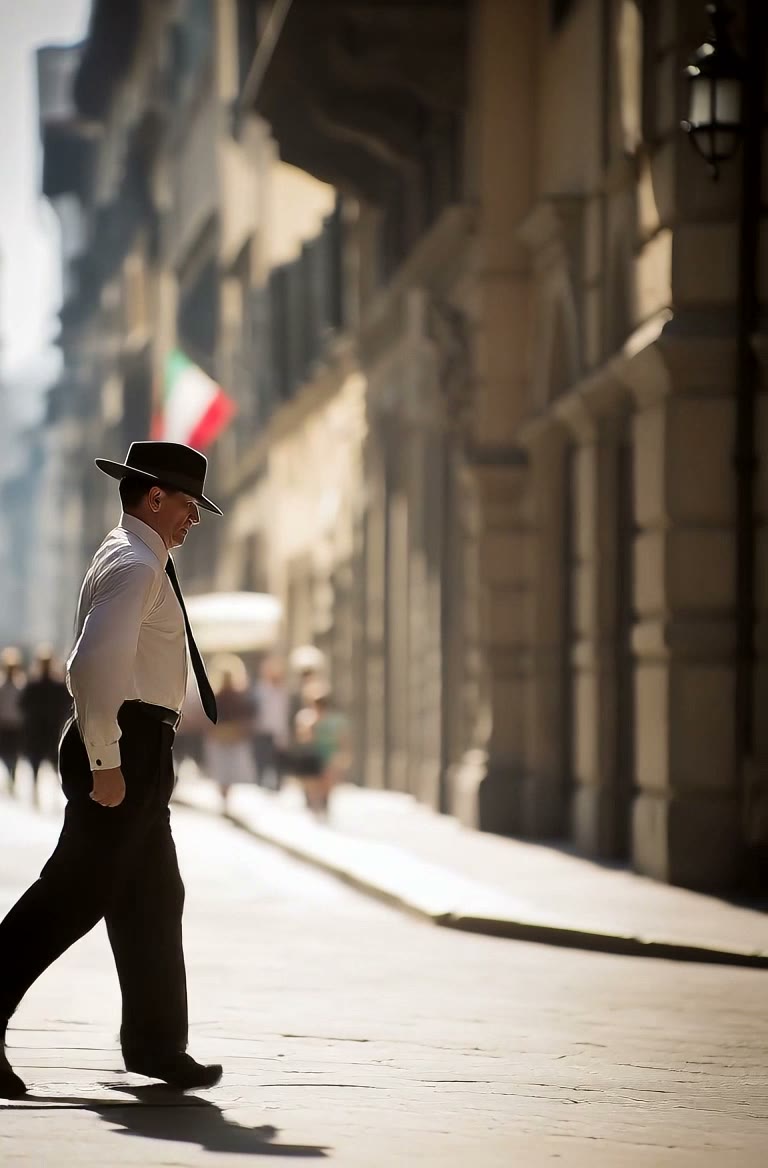
Find a clip where one person does the glide and the feet are visible the whole time. Save it as an MP4, 2 to 15 seconds. Ours was 7 seconds: a man in a white shirt and a fedora moonwalking down a sunny street.
Step 2: Pick your photo
One person or character, face visible. Full body is best because the moonwalk is all about the feet, but as our test shows, a waist-up photo works too: the model will make up the legs and shoes. Whatever is behind the person becomes the stage, so pick that on purpose.
Step 3: Set up video to video
Open Photo to Video AI and switch to the Video tab. Add the moonwalk clip under Source clip and your photo under Reference images.
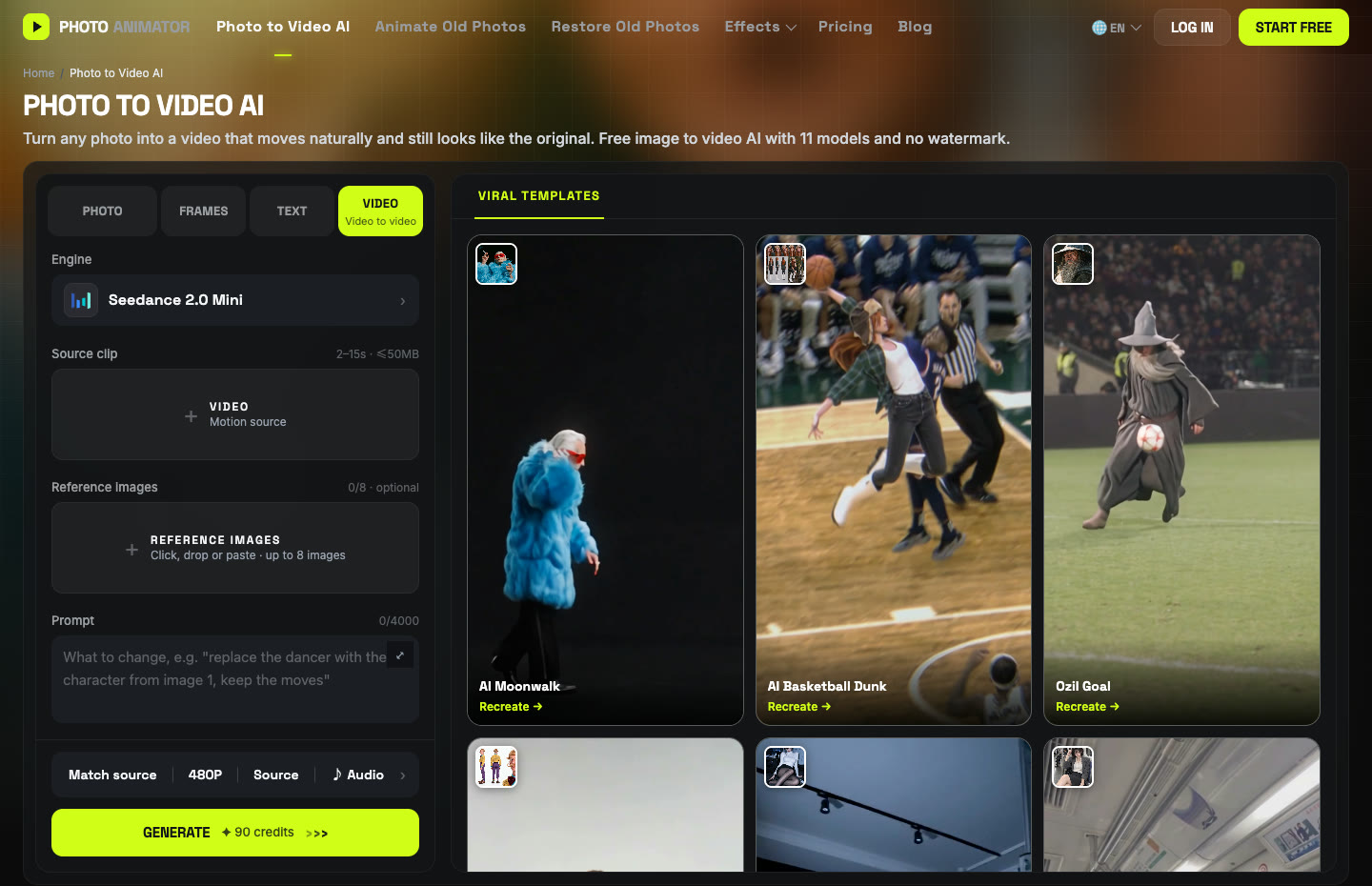
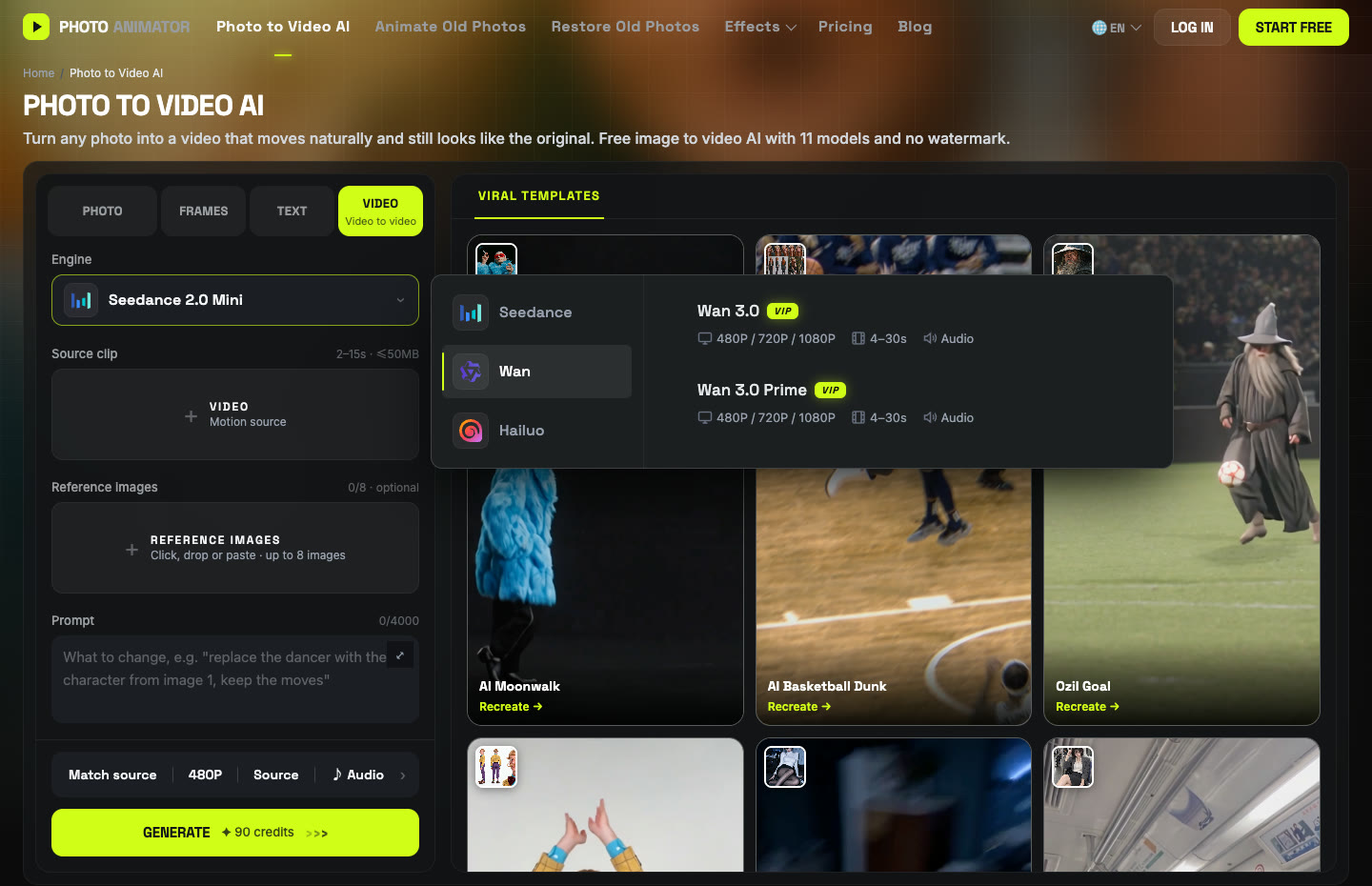
Click the Engine box, choose Wan on the left and pick Wan 3.0. In the settings bar, set 480P, aspect ratio Match source, and keep Audio on.
Step 4: Paste the prompt
Unlike most trends, this one needs a longer prompt, because we're swapping both the dancer and the background. We typed it in Chinese. The English version below says the same thing:
将视频中的人物替换为图1中的角色,保持角色的面部特征、发型和服装不变; 将视频背景替换为图1中的场景。 严格保留原视频人物的所有动作、手势、头部转动、口型和面部表情,以及原视频的镜头运动、构图和节奏。 画面真实自然,光线与原图的背景环境一致,人物与背景融合无违和感。 Replace the person in the video with the character from image 1, keeping their facial features, hairstyle and clothing unchanged. Replace the video background with the scene from image 1. Strictly keep all of the original person's movements, gestures, head turns, mouth shapes and facial expressions, as well as the original camera movement, framing and pacing. Make it look real and natural, with lighting that matches the background of the original image, so the person blends into the background seamlessly.
Press Generate. Ours took about three minutes and cost 140 credits for 7 seconds. The finished video lands in My Videos, so you can close the tab and come back.
Method 2: Use the ready-made Moonwalk template
After our run worked, we saved the exact setup (clip, Wan 3.0, settings and prompt) as a template, so you don't have to touch any of the steps above.
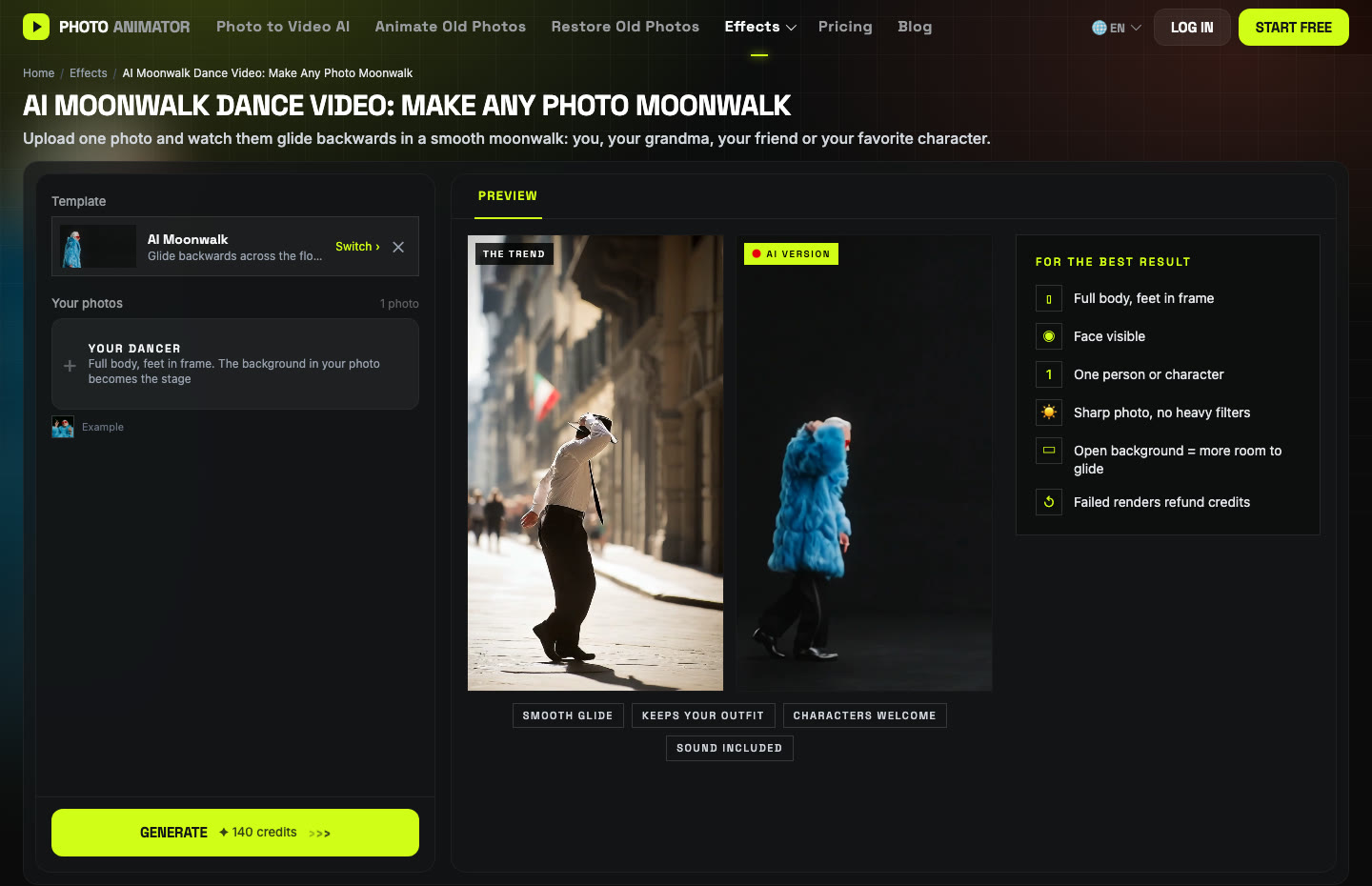
- Open the AI Moonwalk Dance Video generator. The template is already loaded.
- Upload one photo: one person or character, full body if you have it, face visible.
- Press Generate. The video lands in My Videos.
- Download the MP4 (no watermark) and post it.
Which method should you use?
| Method 1: DIY | Method 2: Template | |
|---|---|---|
| What you need | Clip, photo, prompt, settings | One photo |
| Model | Wan 3.0 | Wan 3.0 |
| Cost (7s, 480P) | 140 credits | Shown on the Generate button |
| Best for | A different dance clip, or keeping the original background | Getting it done in a minute |
FAQ
How do I make an AI moonwalk video from a photo?
Upload one photo to the AI Moonwalk template and press Generate, or run Wan 3.0 video-to-video yourself with a moonwalk clip, your photo and the prompt above.
Does the photo need to be full body?
It's better, but not required. Our test photo was waist up and the model added trousers and shoes on its own. If you care what the shoes look like, use a full-body photo.
Why is the background different from the original clip?
Because the prompt tells the model to use the background from your photo. Remove that line if you want to keep the clip's original background.
Can I make my grandma or a cartoon character moonwalk?
Yes, as long as they agreed. Our test was an older woman in a fur coat. Characters and mascots work the same way.
How much does it cost?
Our 7-second run at 480P cost 140 credits with Wan 3.0. New accounts get free credits to start, and failed renders are refunded automatically.
Does the video have sound?
Yes, audio was on in our run. You can switch it off in the settings bar.
More dance trends we tested: Nicole Kidman dance, Bad Times, Smalltown Boy and Toc Toc. Or try a sports one: the AI basketball dunk.