How to Make a Toc Toc AI Dance Video (2026): 2 Easy Ways
What’s new on this page
- — Published: both methods, based on our own Seedance 2.0 Mini test run.
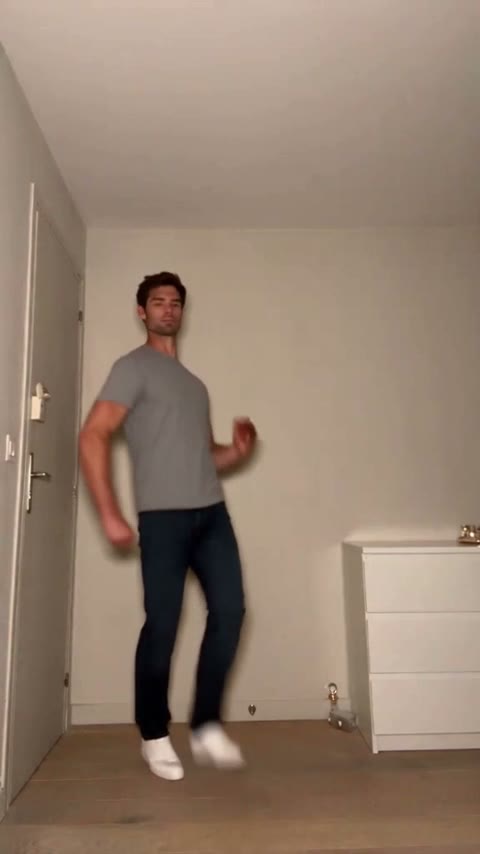
The Toc Toc dance is a short, bouncy solo dance clip filmed in a plain room that keeps showing up on TikTok, Reels and Shorts. The Toc Toc AI trend keeps the dance exactly as it is and swaps the dancer for yourself, a friend or a character.
You don't need to know the dance. A video-to-video AI model copies every step from the original clip and only changes who is dancing. This guide shows two ways: the do-it-yourself workflow we used, and the one-photo template we built from it.
Method 1: Make it yourself with video-to-video AI
Step 1: Save the dance clip
Save a Toc Toc dance clip as an MP4. Pick one with a single dancer, a steady camera and the full body in frame — that is what the AI copies best. Video-to-video models accept clips of up to 15 seconds; ours was 11 seconds. Use it for a personal remix and credit the original creator when you post.
Step 2: Pick a full-body reference photo
Unlike a talking or singing clip, a dance shows the whole body. A full-body photo (or at least knees up) lets the model match your outfit, trousers and shoes instead of guessing them. One person, facing the camera, sharp and well lit.
Step 3: Set up Seedance 2.0 Mini in the Video tab
- Engine: Seedance 2.0 Mini (video-to-video).
- Source clip: the dance clip.
- Reference image: your photo.
- Ratio and length: Match source, so the output keeps the clip's own length and vertical frame.
- Resolution: 720P, Audio on.
Step 4: Use a short replace-only prompt
We kept the prompt to one sentence. Telling the model to change only the person keeps the room, lighting, camera and dance moves identical to the original:
Replace the person in the video with the person in the image, keep everything else unchanged.
(We actually typed it in Chinese — 将视频中的人物替换成图片中人物,其他的保持不变 — and it works the same.) Press Generate. The result appears in My Videos after a few minutes; failed renders refund their credits automatically.
Method 2: Use the ready-made Toc Toc template (one photo)
Because this setup worked, we packaged it as a template: the dance clip, Seedance 2.0 Mini, the prompt and the settings (12s · 720p · original ratio · original sound). You only add the photo.
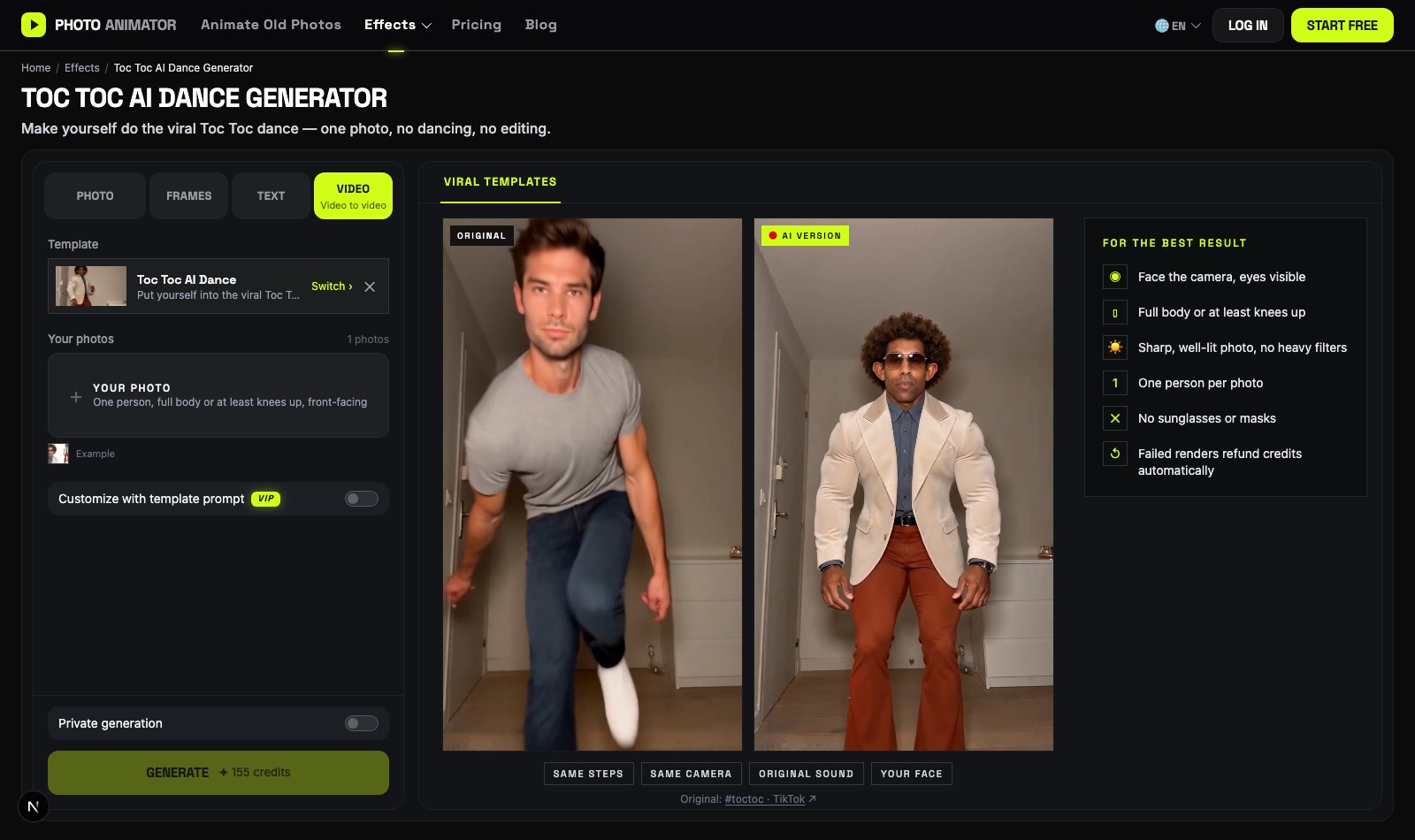
- Open the Toc Toc AI dance generator. The template is already loaded.
- Upload one sharp, front-facing photo — full body works best.
- Press Generate. The video shows up in My Videos when it's ready, so you can close the tab.
- Download the MP4 (no watermark) and post it to TikTok, Reels or Shorts.
Which method should you use?
| Method 1: DIY | Method 2: Template | |
|---|---|---|
| What you need | Clip, photo, prompt, settings | One photo |
| Finding the clip | Yes, 15s or less | Done for you |
| Model | Your choice (we used Seedance 2.0 Mini) | Seedance 2.0 Mini, tested |
| Best for | Using another dance clip or customizing the scene | Getting a result quickly |
FAQ
Do I need to know the Toc Toc dance?
No. The moves come from the original clip; the AI only replaces who is dancing.
What photo works best for an AI dance?
One person, facing the camera, full body or at least knees up, sharp and well lit. Avoid sunglasses, heavy filters and tight face crops.
Does the AI dance video keep the music?
Yes. With audio on and Match source, the original sound is kept unchanged.
How long can the source clip be?
Video-to-video models accept up to 15 seconds. The Toc Toc clip we used is about 11 seconds.
Is this affiliated with the original Toc Toc creators?
No. AI Photo Animator is an independent tool. Only upload photos of yourself or of people who gave you permission.