How to Make a Talk Dirty Dance AI Video From One Photo
What’s new on this page
- — Published after our own Wan 3.0 test run, which worked first time.
The Talk Dirty dance AI trend takes a concert-stage hip hop solo, set to Jason Derulo's "Talk Dirty" and styled like his Last Dance World Tour stage, and puts someone else in the spotlight. One dancer in the middle, backup dancers in loud jackets on both sides, smoke and a band behind them. Searches for "talk dirty dance" jumped out of nowhere in early October 2026, and the funniest versions star people who clearly don't dance.
If you've asked ChatGPT "how do I make my friend do the talk dirty dance with AI?", this is the answer. We made one ourselves, wrote down the settings and the cost, and saved the setup as a template.
Our test run
| Our run | |
|---|---|
| Photo | A man in a navy suit and red tie, full body, standing |
| Model | Wan 3.0, video to video |
| Settings | 15s · 480P · aspect ratio Match source · audio on |
| Credits | 300 |
| Time to finish | About 5 minutes |
| Result | Success, first try |
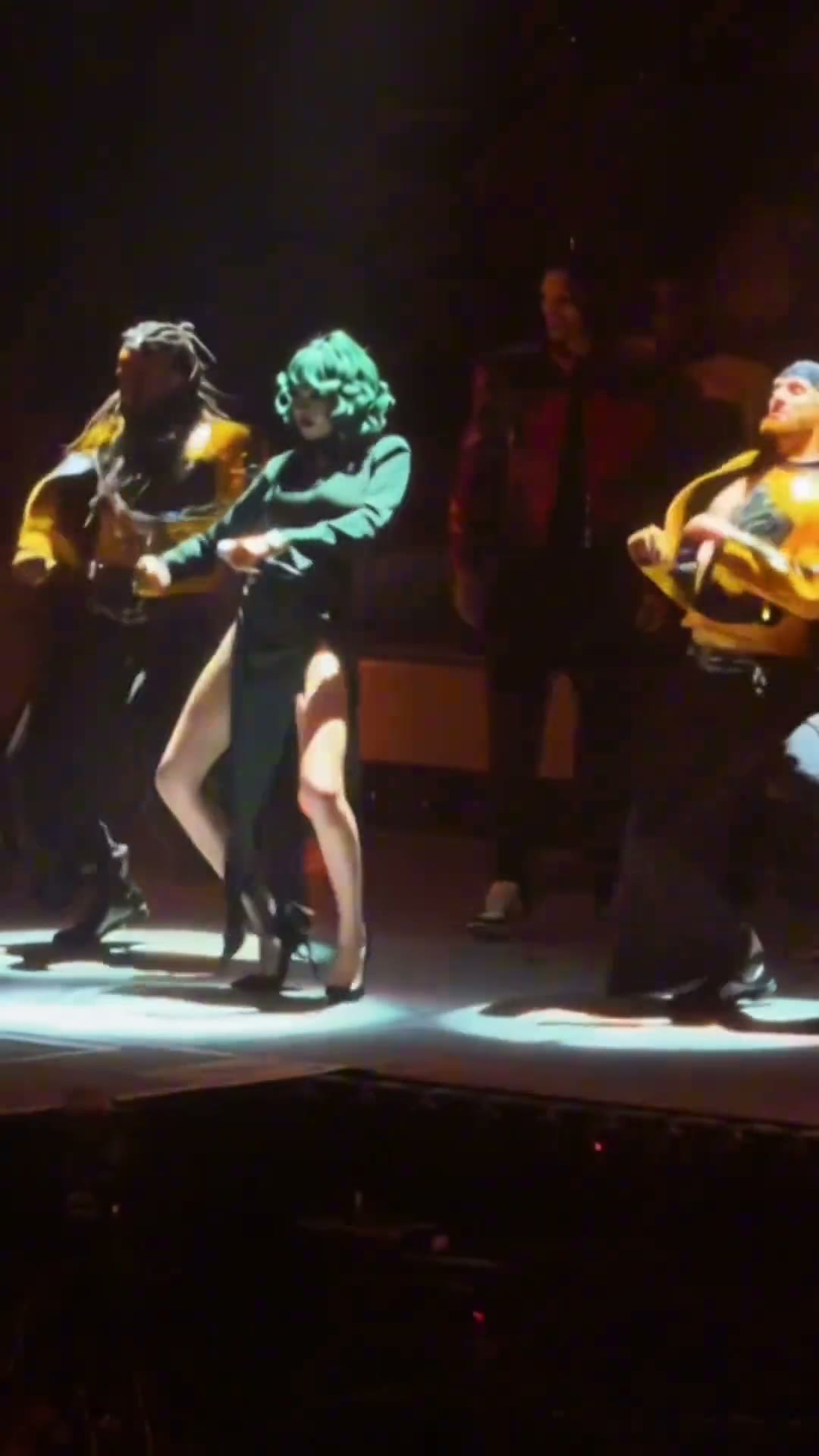
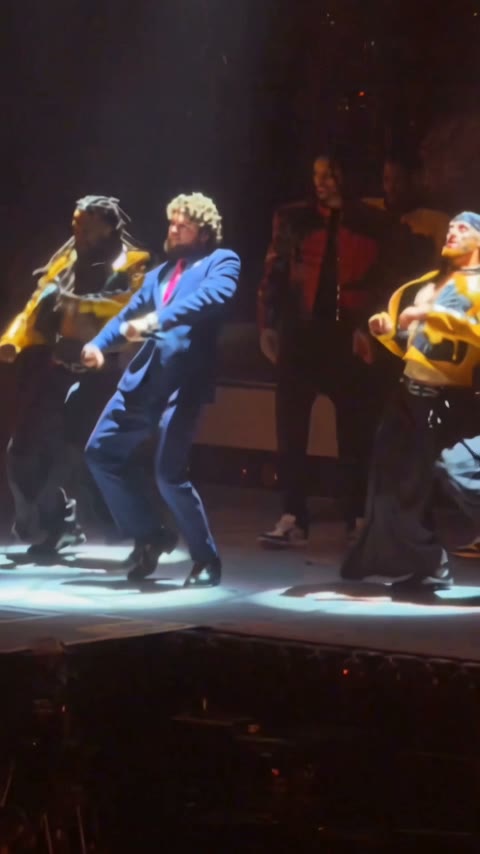
What stood out: the model kept everything we didn't ask it to change. The lights, the smoke, the backup dancers and the band all stayed, and only the lead dancer became our guy in the suit. He hits the footwork and the beat drops in a full business outfit, which is the whole joke.
Method 1: Make it yourself with Wan 3.0
Step 1: Save the stage clip
Save the clip you want as an MP4, up to 15 seconds. Ours was the 15-second stage solo, with the lead dancer in green.
Step 2: Pick your photo
One person, full body and standing, face visible. The outfit in the photo is the outfit on stage, so a suit, a hoodie or a costume all come through. A plain background helps the model read the clothes.
Step 3: Set up video to video
Open Photo to Video AI and switch to the Video tab. Add the stage clip under Source clip and your photo under Reference images.
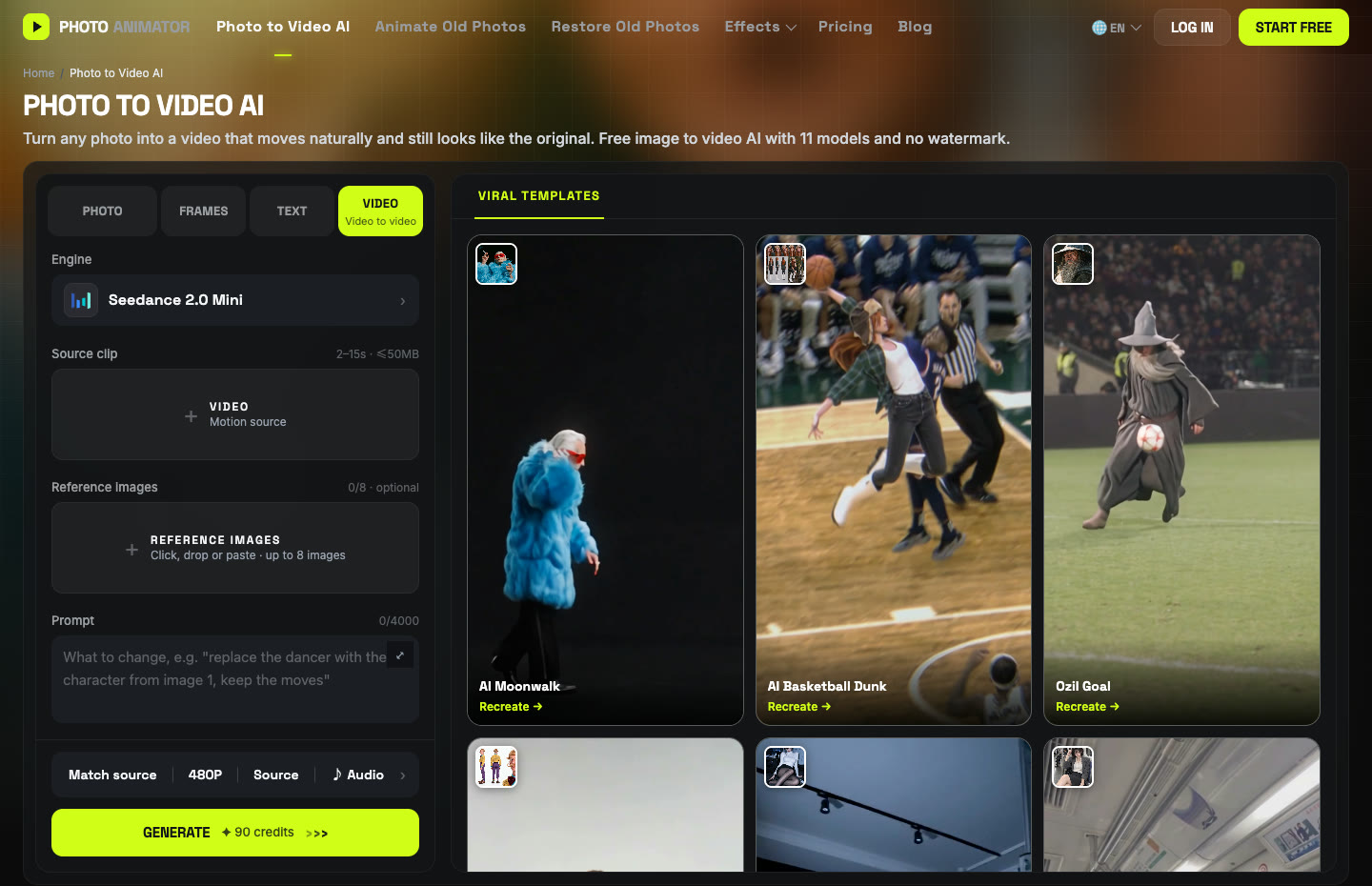
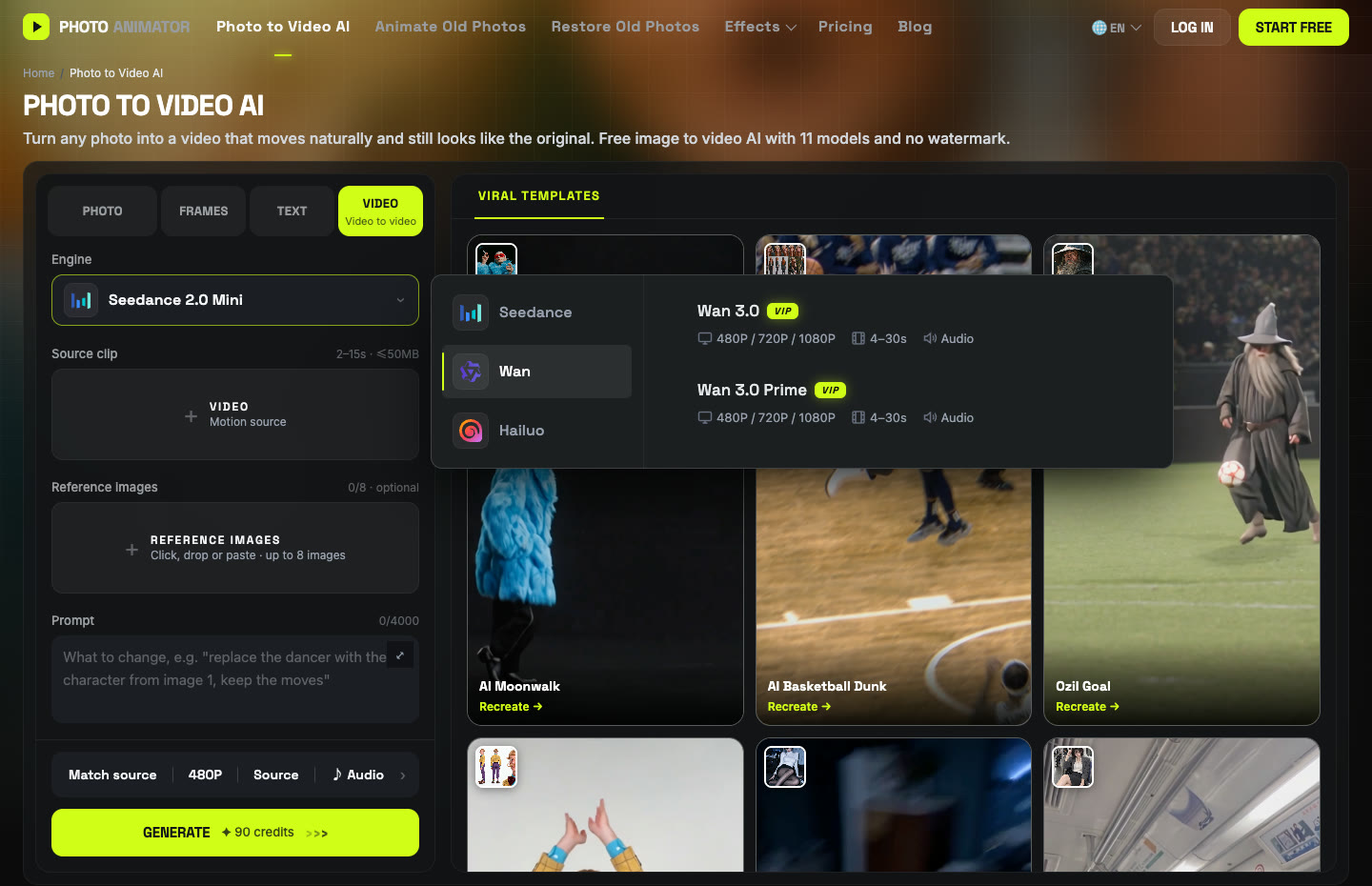
Click the Engine box, choose Wan and pick Wan 3.0. Set 15s, 480P, aspect ratio Match source, and keep Audio on.
Step 4: Paste the prompt
This prompt is short on purpose. We want to keep the stage, the crew and the lights, so we only tell the model which dancer to replace. We typed it in Chinese; the English line says the same thing:
将视频中穿着绿色衣服跳舞的女性替换成图一中的角色和装扮,其他的保持不变。 Replace the woman dancing in green in the video with the character and outfit from image 1. Keep everything else the same.
Press Generate. Ours took about five minutes and cost 300 credits for 15 seconds. The video lands in My Videos, so you can close the tab.
Method 2: Use the ready-made Talk Dirty template
Once our run worked, we saved the exact setup (Wan 3.0, settings and prompt) as a template, so you can skip all of the above.
- Open the Talk Dirty Dance AI generator. The template is already loaded.
- Upload one photo: one person, full body, face visible.
- Press Generate. The video lands in My Videos.
- Download the MP4 (no watermark) and post it.
Which method should you use?
| Method 1: DIY | Method 2: Template | |
|---|---|---|
| What you need | Clip, photo, prompt, settings | One photo |
| Model | Wan 3.0 | Wan 3.0 |
| Cost (15s, 480P) | 300 credits | Shown on the Generate button |
| Best for | A different clip or a shorter cut | Getting it done in a minute |
FAQ
What song is the Talk Dirty dance?
"Talk Dirty" by Jason Derulo featuring 2 Chainz (2013), which he still performs on The Last Dance World Tour. It's not Poison's "Talk Dirty to Me".
How do I make my friend do the Talk Dirty dance with AI?
Get their OK, then upload one full-body photo of them to the Talk Dirty template and press Generate. Or run Wan 3.0 video-to-video yourself with the prompt above.
Will it keep their clothes?
Yes. Our test kept the navy suit and red tie for the whole 15 seconds. Whatever they wear in the photo is what they wear on stage.
Can I use a photo of my boss or a celebrity?
Only with their permission. Your own photo, friends who said yes, or characters you created are all fine.
How much does it cost and how long does it take?
Our 15-second run at 480P cost 300 credits and took about five minutes. New accounts get free credits, and failed renders are refunded automatically.
Does the video have sound?
Yes, audio was on in our run. You can switch it off in the settings bar.
More dance trends we tested: AI moonwalk, Nicole Kidman dance, Smalltown Boy and Toc Toc.