Dime Dime Baby AI Tutorial: Make the Dance From 1 Photo
What’s new on this page
- — Published after our own Wan 3.0 test, which worked on the first try.
- — Added screenshots of the finished task and the template page.
The Dime Dime Baby AI trend puts your face on the guy who dances across a banquet hall to Karol G's "Bby Wow", bites a snack mid-move and keeps going. TikTok is full of "dime dime baby ai tutorial" videos, but most of them are 10-second clips that never show the settings.
We made one ourselves and wrote down the model, settings, exact prompt, cost and time.
What is the Dime Dime Baby trend?
"Dime, dime, baby" is the first line of Bby Wow, a 2026 song by Karol G with Judeline and Rusowsky. Dime is Spanish for "tell me". On TikTok the sound got paired with a party clip: one man struts through a decorated banquet hall with total confidence, takes a bite of a snack, and carries on dancing while guests and a small girl stare.
The AI version swaps that man for whoever is in your photo. Pick someone who would never do this in real life.
Our test
| Our run | |
|---|---|
| Photo | One man, head to toe, long curly hair, camo jacket |
| Model | Wan 3.0, video to video |
| Settings | 10s · 480P · aspect ratio auto · audio on |
| Credits | 200 |
| Time to finish | About 3.5 minutes |
| Result | Success, first try |
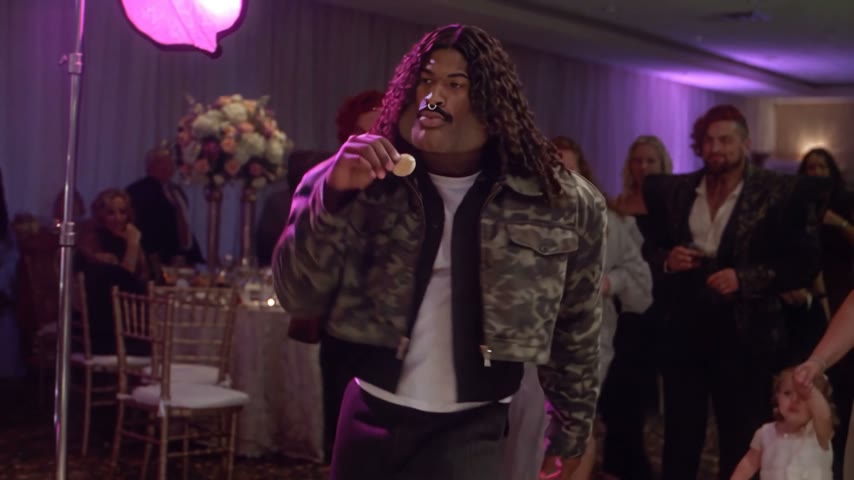
What worked: the camo jacket, the white tee, the hair and the face all carried over, and the snack bite still happens on the beat. Everyone else in the room stayed the same, which matters here, because the guests' reactions are half the joke.
Method 1: Make it yourself with Wan 3.0
Step 1: Save a Dime Dime Baby clip
Find a version of the party clip where the dancer is clearly visible, and save it as an MP4 of around 10 seconds. Trim off any end card or watermark first.
Step 2: Pick your photo
One person, face clearly visible, ideally head to hips or full body so the model can see the outfit. A plain standing photo beats a cropped selfie.
Step 3: Set up video to video
Open Photo to Video AI, switch to the Video tab, add the clip under Source clip and your photo under Reference images. Pick Wan 3.0, then set 10s, 480P, aspect ratio auto and keep Audio on.
Step 4: Paste the prompt
This is the exact prompt from our run. Describe the dancer in your clip in the first sentence (ours had pigtails and a black tank top), so the model knows which person to replace.
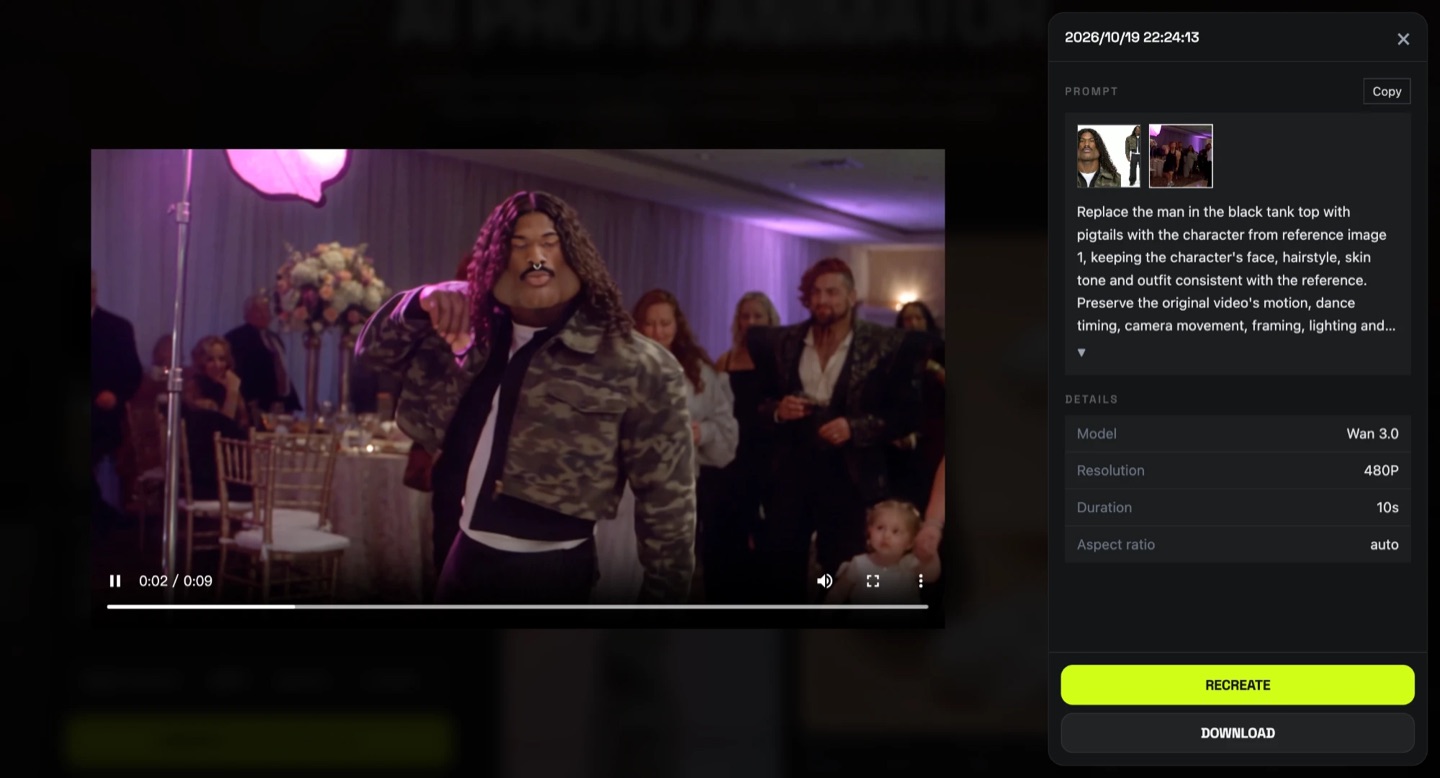
Replace the man in the black tank top with pigtails with the character from reference image 1, keeping the character's face, hairstyle, skin tone and outfit consistent with the reference. Preserve the original video's motion, dance timing, camera movement, framing, lighting and background exactly. Keep all other people unchanged. Natural, smooth result with clean blending, no flickering or distortion.
Press Generate. Ours took about three and a half minutes and cost 200 credits. The video lands in My Videos, so you can close the tab.
Method 2: Use the ready-made template
We saved this setup (clip, model, settings and prompt) as a template, so you only need the photo.
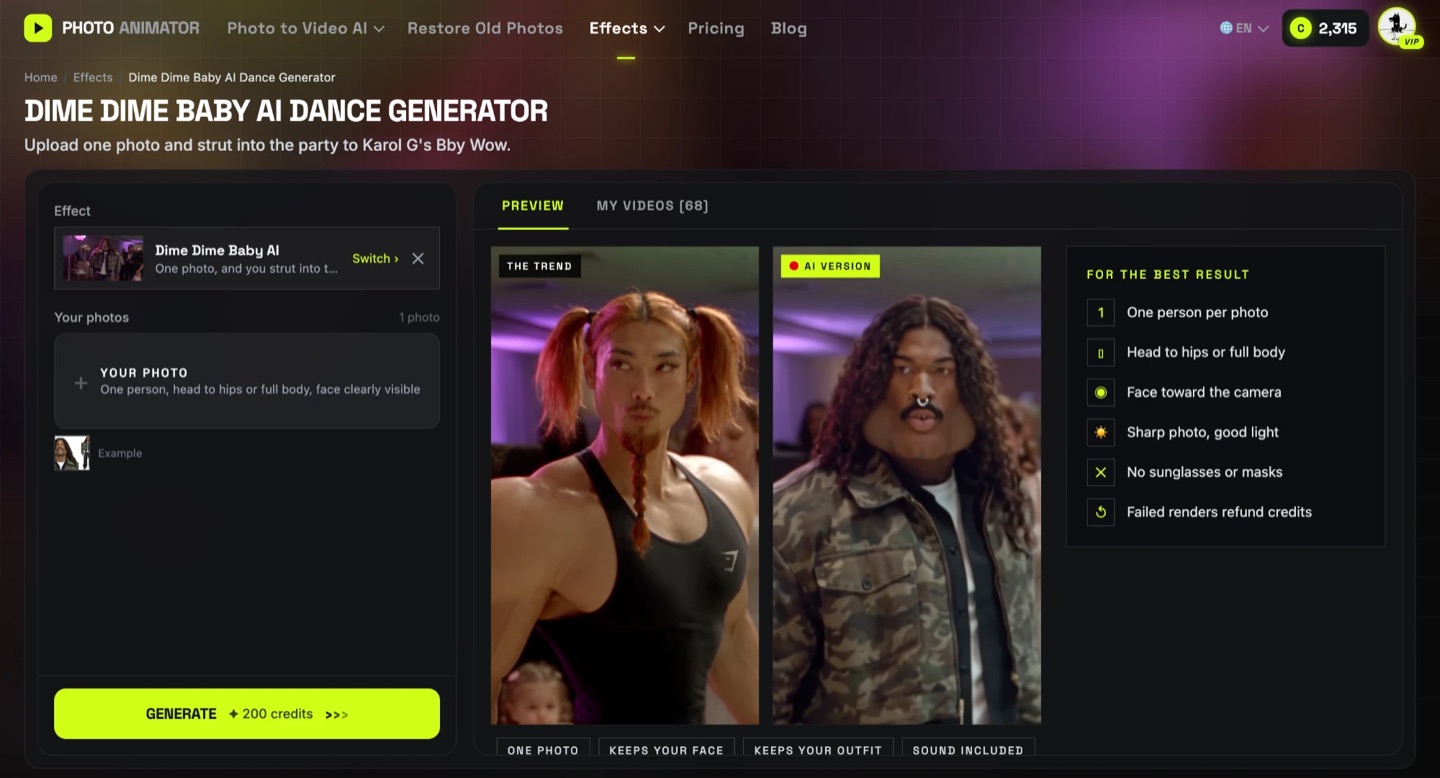
- Open the Dime Dime Baby AI dance generator.
- Upload one photo of one person.
- Press Generate. The cost is shown on the button before you start.
- Download the MP4 (no watermark) and post it.
Photos that work, and ones that don't
- Works: one person, facing the camera, head to hips or full body, even light.
- Risky: group photos. The model may mix faces or pick the wrong person.
- Risky: sunglasses, masks, hats pulled low. The face has less to go on.
- Risky: tight face-only selfies. The outfit gets invented instead of copied.
FAQ
How are people making the Dime Dime Baby AI video?
With video-to-video AI: a Dime Dime Baby clip plus one photo, and a prompt that replaces the dancer. Or with a one-photo template like our Dime Dime Baby AI generator.
What song is used in the Dime Dime Baby trend?
"Bby Wow" by Karol G with Judeline and Rusowsky. "Dime, dime, baby" is the opening line.
Which AI model did you use?
Wan 3.0, video to video, 10 seconds at 480P with audio on.
How much does it cost?
Our run cost 200 credits. New accounts get free credits, downloads have no watermark, and failed renders are refunded.
Can I make it with a baby or a pet photo?
This template is built for one adult in the dancer's role. Babies and pets may come out stretched; for those, try a dance template made for them.
Can I use someone else's photo?
Only with their permission. Don't use photos of celebrities or strangers.
More dance trends we tested: Otsukare Summer, Toc Toc, Smalltown Boy and the AI moonwalk.