How to Turn Your Photo Into a Sawadika Dance AI Video
What’s new on this page
- — Published after our own Wan 3.0 test run, which worked first time.
Sawadika dance AI videos started showing up right after LISA released SaWaDiKa on September 3, 2026. People take one photo of themselves, a friend or a made-up character and have them do the dance: arm waves, a low stance, a lot of attitude.
If you've asked ChatGPT "how do I turn my photo into the Sawadika dance?", this is the answer. We made one ourselves, took new screenshots of every step, and wrote down what it cost.
Our test run
| Our run | |
|---|---|
| Photo | 1 character sheet: front, side and back views plus a face close-up of a man with a bowl cut, curled mustache, yellow check blazer, purple trousers and odd socks |
| Model | Wan 3.0, video to video |
| Settings | 15s · 480P · aspect ratio Match source · audio on |
| Credits | 300 |
| Time to finish | About 9 minutes |
| Result | Success, first try |
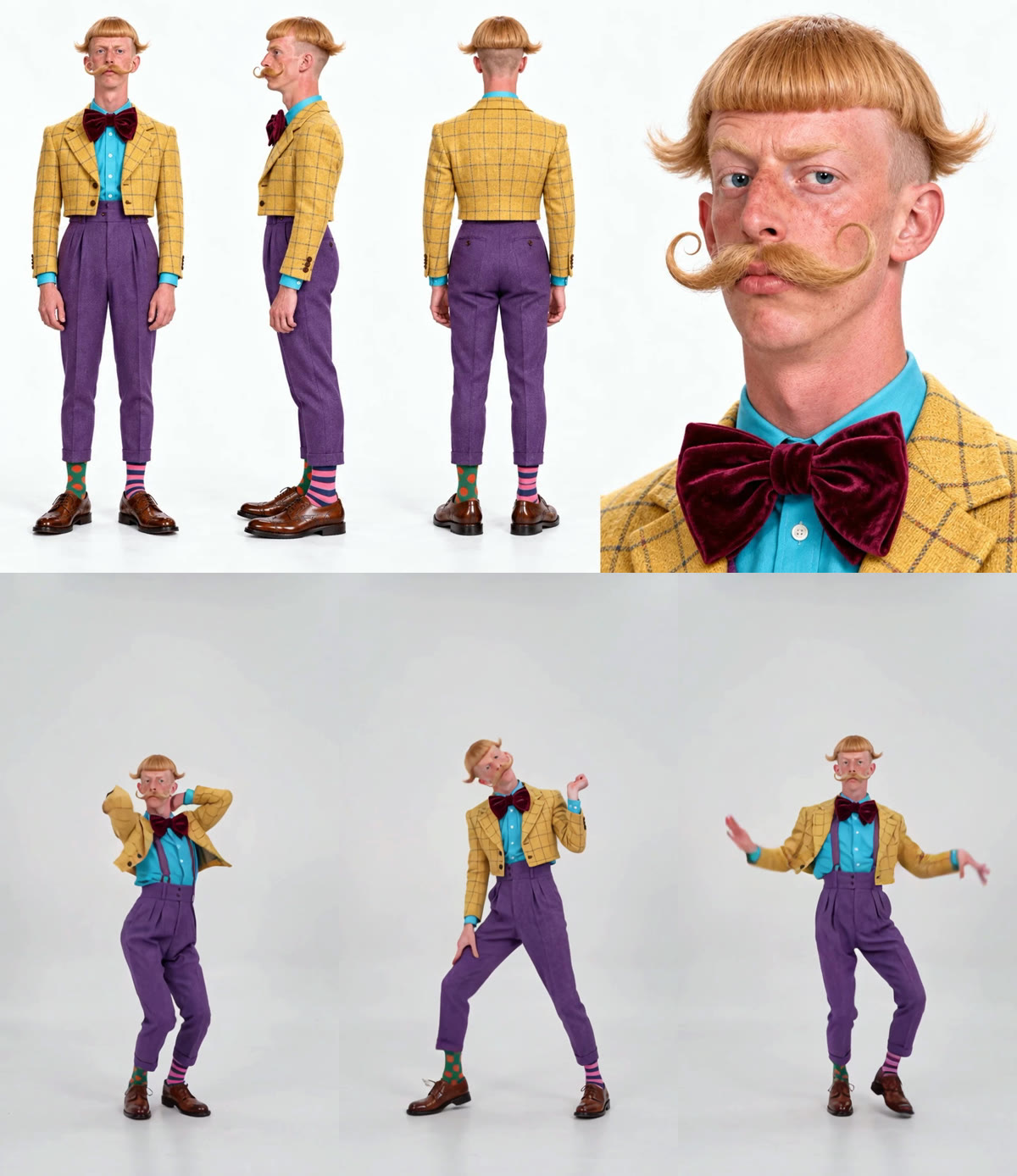
What held up: the bowl cut, the mustache curls, the velvet bow tie and the mismatched socks (green with orange dots on one foot, pink stripes on the other) stayed the same for all 15 seconds. The source clip was shot outdoors against a wall and blue sky, and the prompt asked for the background from our image, so the whole dance moved into a plain white studio.
What didn't: in a few frames the model added suspenders that aren't in the reference, and the blazer opens and closes a bit more than real fabric would. Nobody watching on a phone will notice, but it's there.
Method 1: Make it yourself with Wan 3.0
Step 1: Save a Sawadika dance clip
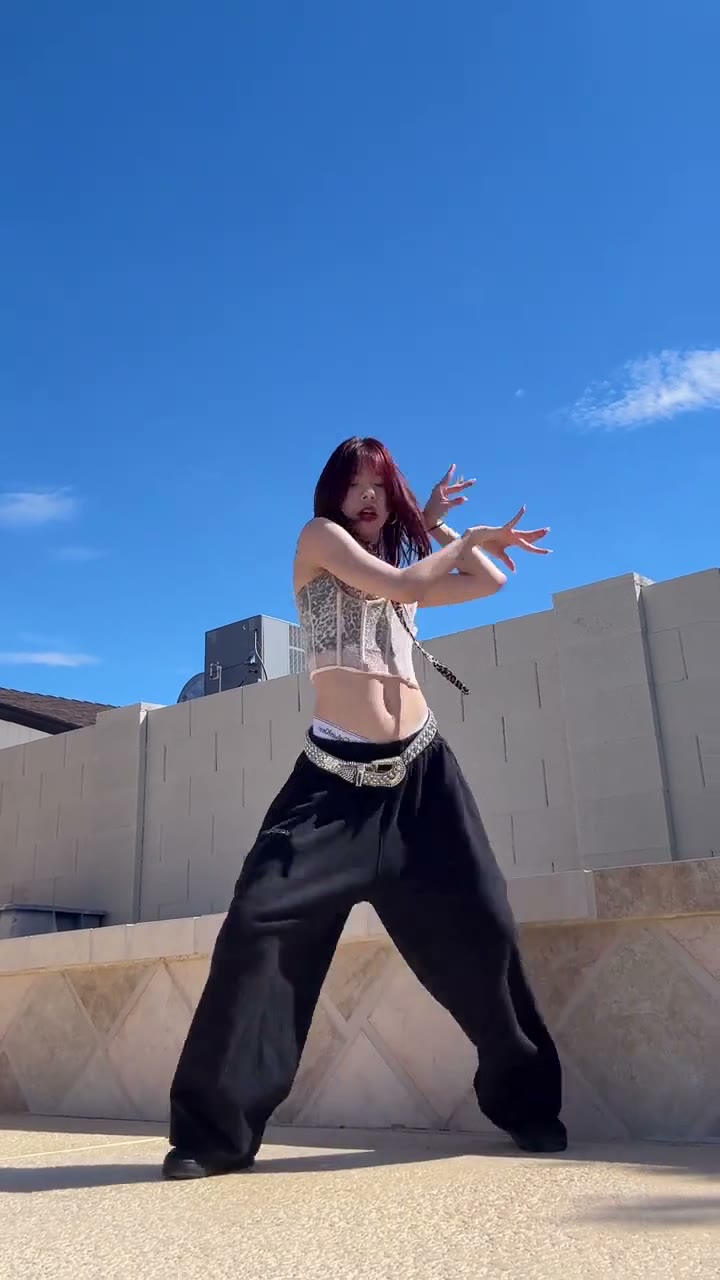
You need a clip of one person doing the dance, 15 seconds or less, with the whole body in frame. Ours was a vertical fan dance video shot outside.
Step 2: Pick one photo
Use a full-body photo, standing, with the face clearly visible. A character sheet (several angles on one image) works even better, because the dance turns side-on and the model needs to know what your back looks like. Whatever is behind you in the photo becomes the stage, so a clean background gives a clean video.
Step 3: Set up video to video
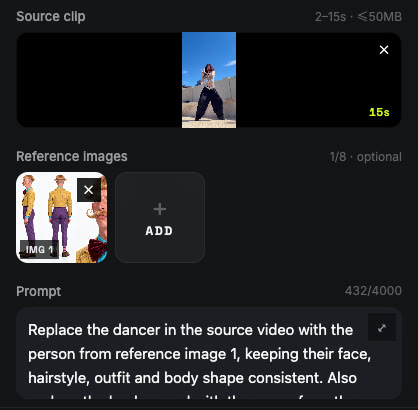
Open Photo to Video AI and switch to the Video tab. Add the dance clip under Source clip and your photo under Reference images.
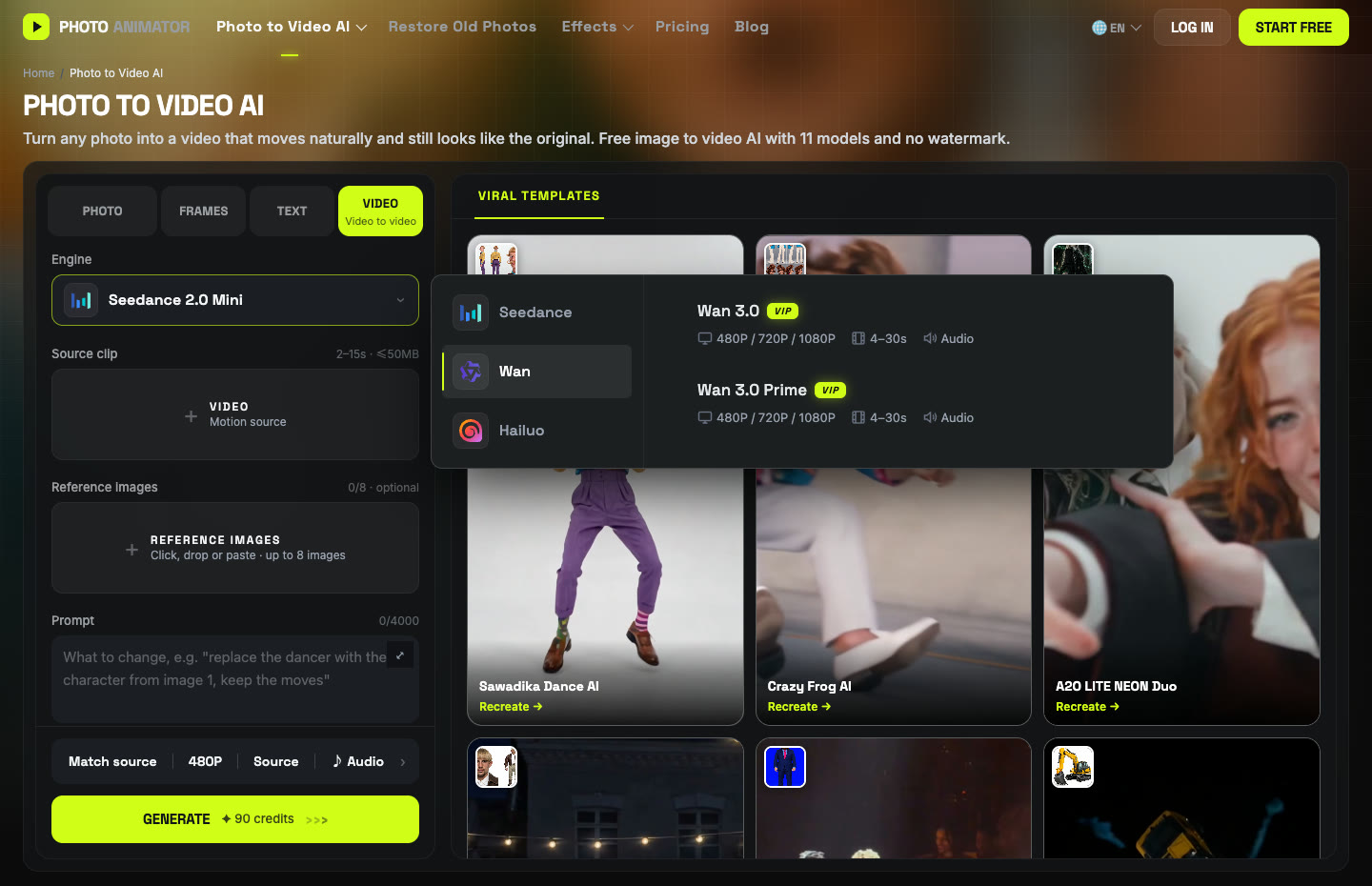
Click the Engine box, choose Wan and pick Wan 3.0. Set 480P, aspect ratio Match source, and keep Audio on. Wan 3.0 is a paid-plan model, so you'll need a subscription for this route.
Step 4: Paste the prompt
This is the exact prompt we used. It's short on purpose: one person in, one person out, and an instruction to take the background from your photo too.
Replace the dancer in the source video with the person from reference image 1, keeping their face, hairstyle, outfit and body shape consistent. Also replace the background with the scene from the reference image. Keep the original choreography, timing, camera movement and framing exactly the same. Natural lighting that matches the new background, realistic skin and fabric details, smooth motion, no flickering or face distortion.
Press Generate. Ours took about nine minutes and cost 300 credits for 15 seconds. The video lands in My Videos, so you can close the tab.
Method 2: Use the ready-made Sawadika template
After our run worked, we saved the whole setup as a template. You only pick the photo, and the cost shows on the button before you start.
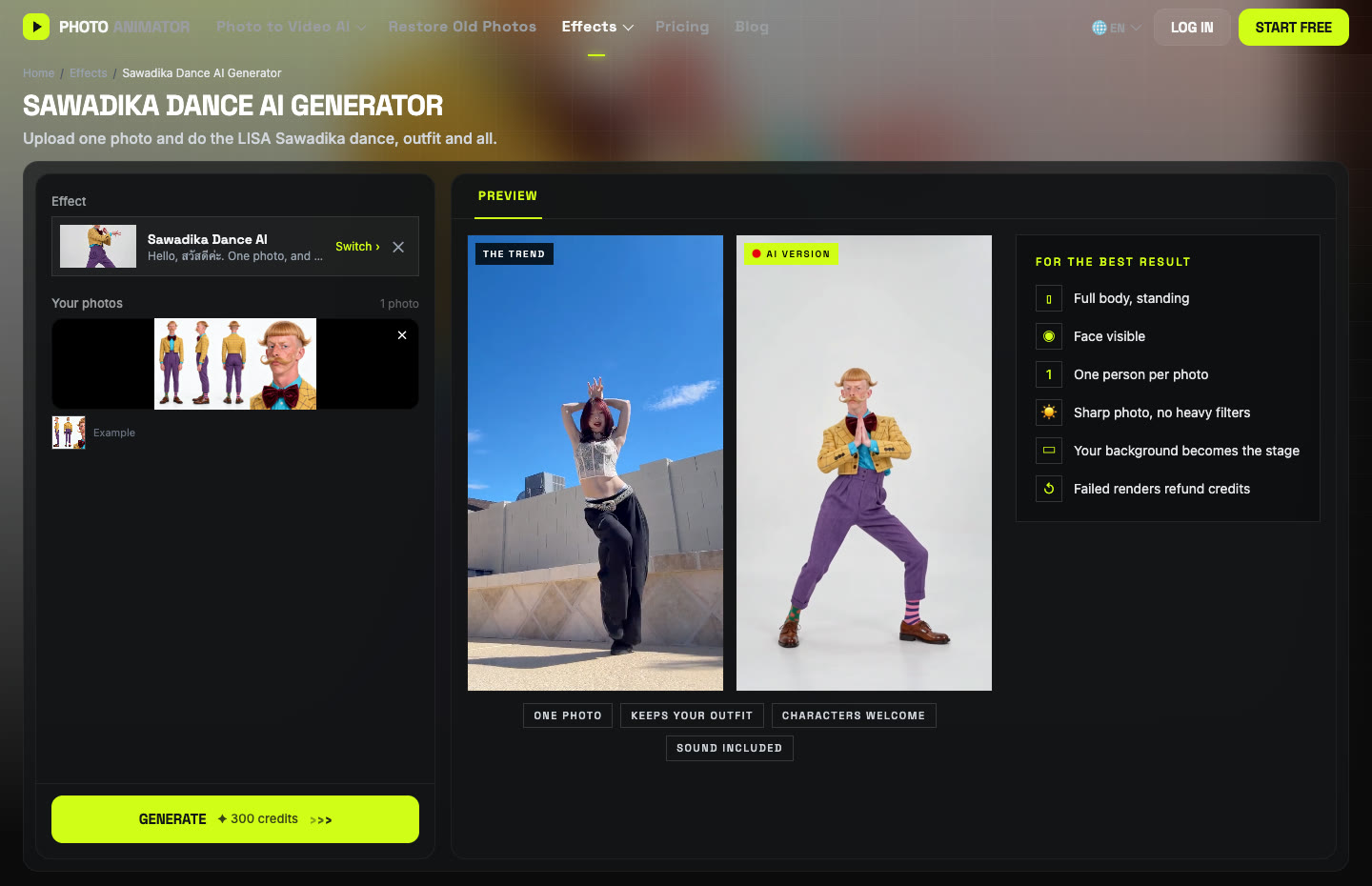
- Open the Sawadika Dance AI generator. The template is already loaded.
- Upload The Dancer: one person, full body, standing, face visible.
- Press Generate, then download the MP4 (no watermark) from My Videos.
Which method should you use?
| Method 1: DIY | Method 2: Template | |
|---|---|---|
| What you need | Clip, 1 photo, prompt, settings | 1 photo |
| Model | Wan 3.0 | Wan 3.0 |
| Cost (15s, 480P) | 300 credits | 300 credits |
| Best for | Your own dance clip or keeping its background | Getting it done in a minute |
FAQ
What is the Sawadika dance AI trend?
Real people and characters doing the dance from LISA's SaWaDiKa, made from a single photo with AI. It took off after the song came out on September 3, 2026.
What does Sawadika mean?
It's the Thai greeting for hello (สวัสดีค่ะ, the polite form women use). LISA is from Thailand and used it as the song title.
Can I use a photo of LISA?
No. Only use photos of yourself, people who agreed, or characters you made. Photos of LISA or other celebrities aren't allowed.
Does it work with a selfie?
A selfie only shows the face, so the model has to guess the body and outfit. A full-body photo looks much more like you.
How much does it cost?
Our 15-second run at 480P cost 300 credits with Wan 3.0. New accounts get free credits, and failed renders are refunded automatically.
Does the video have sound?
Yes, audio was on in our run. You can turn it off in the settings bar.
More dances we tested: Cheba Man dance, AI moonwalk, Smalltown Boy dance and Crazy Frog AI.