How to Make the A2O LITE NEON AI Dance Video With 2 Photos
What’s new on this page
- — Published after two Wan 3.0 Prime test runs: the first mixed up the two dancers, the second worked.
"NEON" is A2O LITE's October 2026 debut single (official video), and the part everyone is copying is the two-person intro. The A2O LITE NEON dance AI trend puts two new people in it: you and a friend, a couple, or two characters.
That second person is what makes it harder than most AI dance trends. With one dancer, the model only has to keep one face. With two, it also has to keep them apart. Our first try failed exactly there, so this guide shows both runs and the prompt change that fixed it.
Our two test runs
| Run 1 | Run 2 | |
|---|---|---|
| Photos | Same two cosplay photos: Slytherin (platinum hair, green robe) and Gryffindor (red hair, red sweater) | Same |
| Model | Wan 3.0 Prime, video to video | Wan 3.0 Prime, video to video |
| Settings | 15s · 480P · aspect ratio auto · audio on | Same |
| How the prompt named the dancers | "The first woman who appears" / "the second woman" | By hair and position: "long straight black hair, on the left" / "light brown hair, on the right, the one shown alone at the start" |
| Time to finish | About 3.5 minutes | About 2.5 minutes |
| Credits | 460 | 460 |
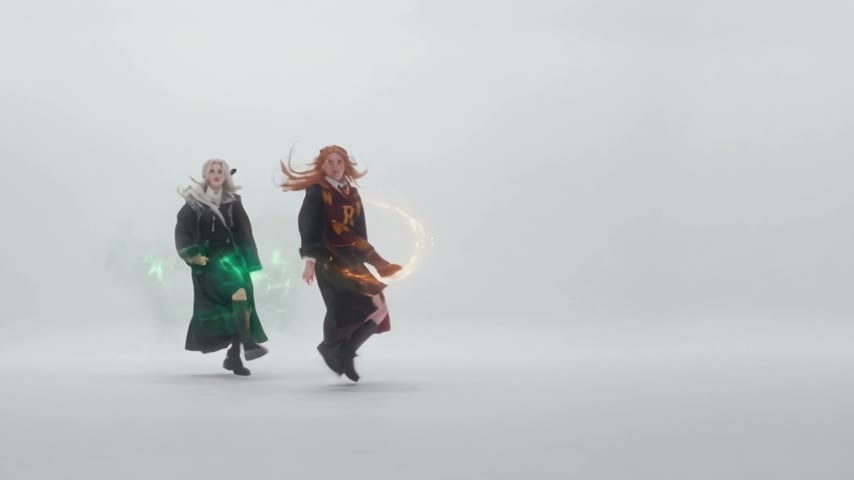
| Result | Both dancers became the Slytherin girl | Each dancer stayed herself all 15 seconds |
What went wrong the first time
Two seconds in, our first video already had two identical girls: both with platinum hair, both in green Slytherin robes. The Gryffindor photo was gone.
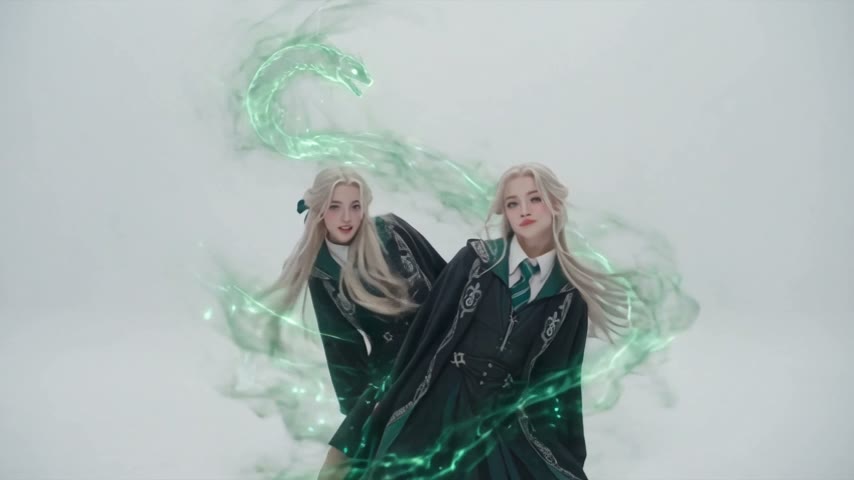
Our prompt said "replace the first woman who appears" and "the second woman". That sounds clear, but the NEON clip opens with only one dancer on screen, and later has close-ups and a rotated shot. "First" and "second" were ambiguous to the model, so it gave both dancers the first identity.
The fix was to describe each original dancer by something the model can see in every frame: hair color and where she stands. We also named the shots where mix-ups happen and said outright that the identities must never swap or blend.
Method 1: Make it yourself with Wan 3.0 Prime
Step 1: Save the NEON duo clip
Save the two-person intro as an MP4, up to 15 seconds. Ours is the duo on a white background: a dancer with light brown hair opens alone, then a dancer with long straight black hair joins on her left.
Step 2: Pick two photos
One person per photo, two different people. Face and outfit clearly visible; upper body is fine. Whatever they wear in the photo is what they dance in, which is why cosplay works so well here.
Step 3: Set up video to video
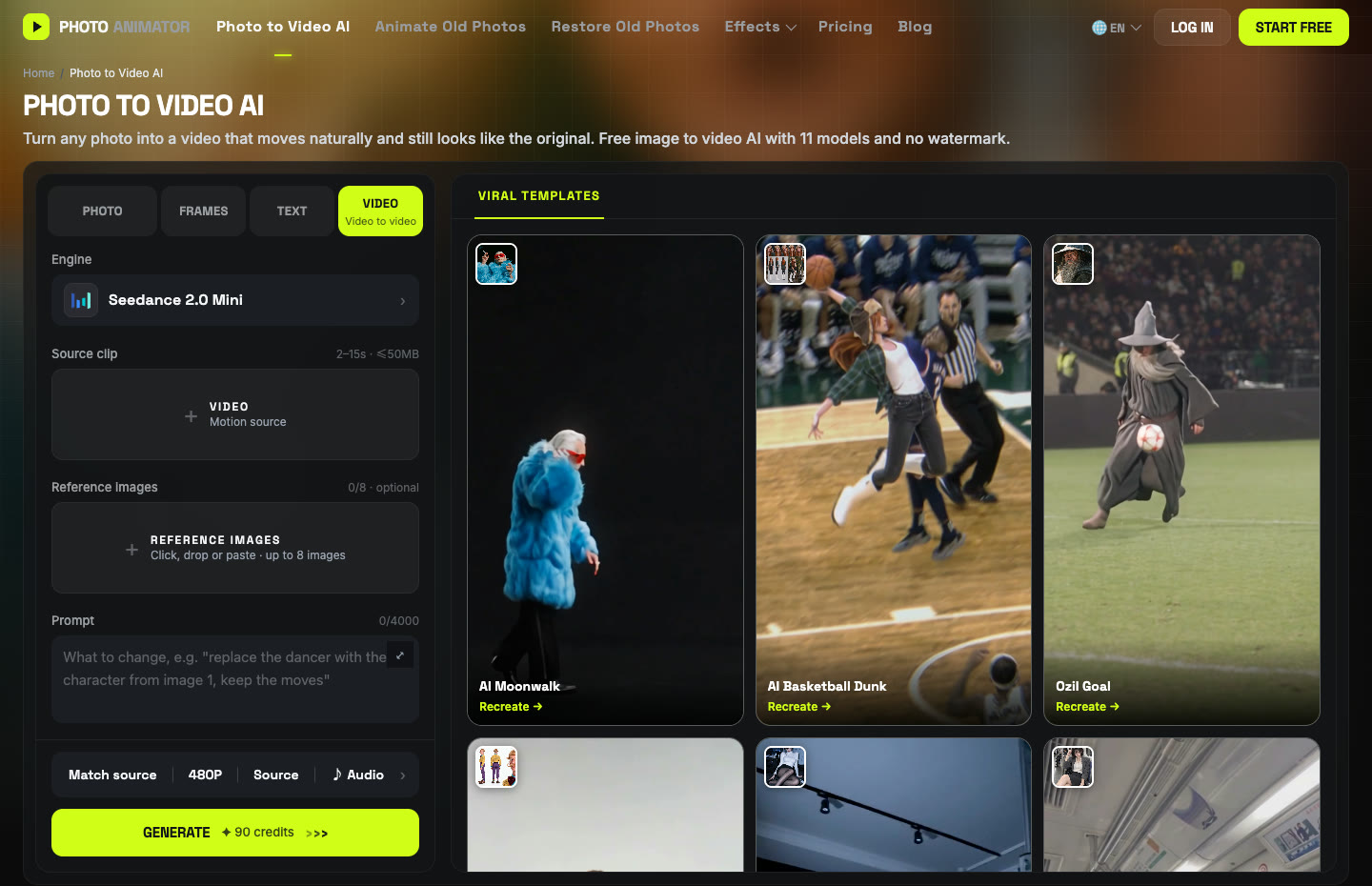
Open Photo to Video AI and switch to the Video tab. Add the clip under Source clip and both photos under Reference images: the photo for the left dancer first, the right dancer second.
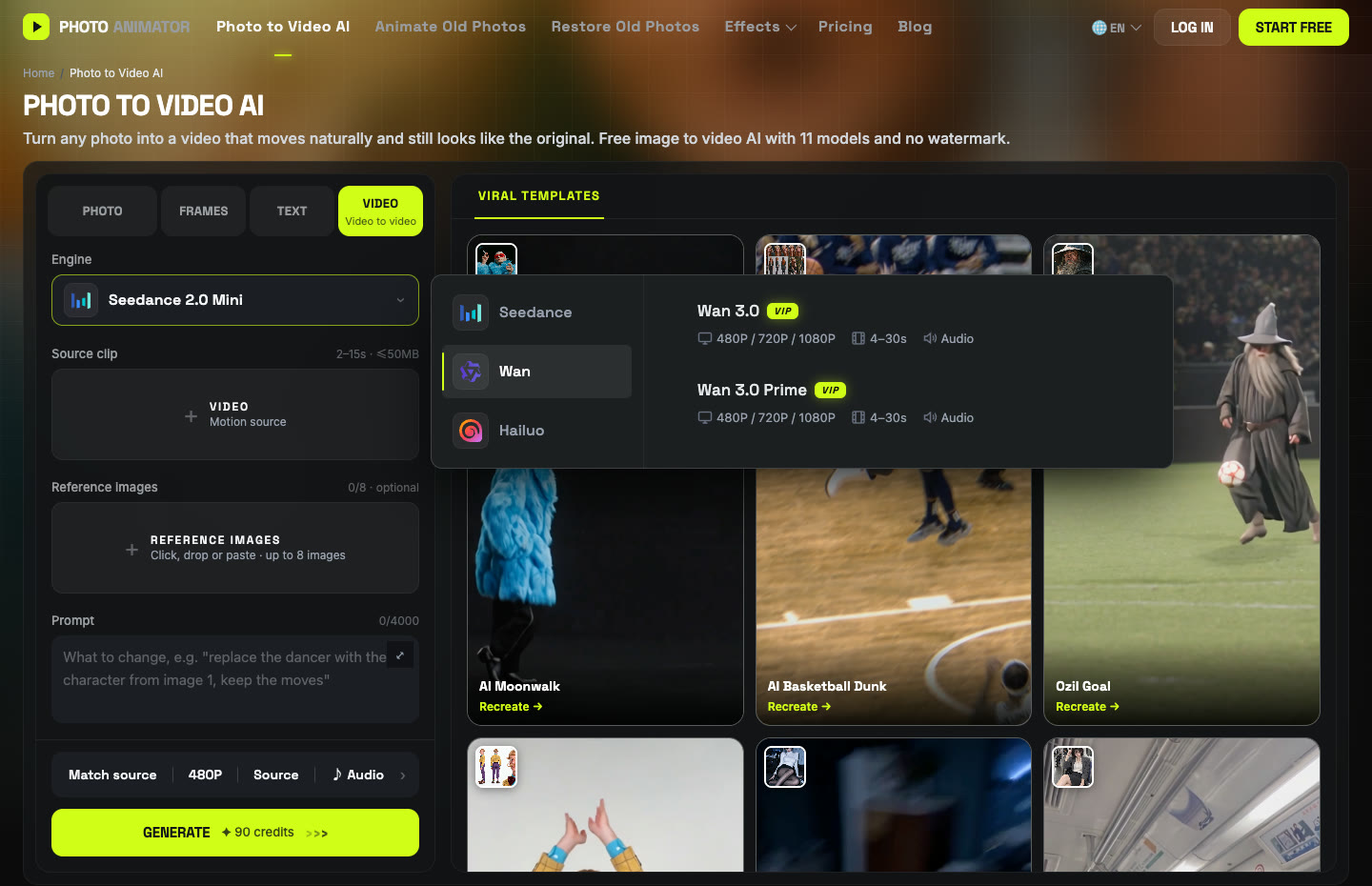
Click the Engine box, choose Wan and pick Wan 3.0 Prime. Set 15s, 480P, aspect ratio auto, and keep Audio on.
Step 4: Paste the prompt that worked
Replace the woman with long straight black hair (on the left when both are in frame) with the person in reference image 1. Replace the woman with light brown hair (on the right when both are in frame, and the one shown alone at the start) with the person in reference image 2. Each keeps the face, hairstyle, body and outfit from her own reference image, and their identities never swap or blend across the whole video, including close-ups and the rotated shot. Keep the original dance moves, timing, camera movement, framing and white background unchanged. Clean footage, no watermark, no text.
For comparison, this is the run-1 prompt that mixed them up. Don't use it:
Replace the first woman who appears in the video with the person in reference image 1, matching her face, hairstyle, body shape and outfit. Replace the second woman with the person in reference image 2, matching her face, hairstyle, body shape and outfit. Keep the original dance moves, timing, camera movement, framing and background unchanged. Motion stays smooth and natural, and both faces stay consistent throughout with no distortion. Clean footage, no watermark, no text, no subtitles.
Press Generate. Ours took about 2.5 minutes and cost 460 credits for 15 seconds. The video lands in My Videos, so you can close the tab.
Method 2: Use the ready-made NEON template
Once run 2 worked, we saved that exact setup (clip, Wan 3.0 Prime, settings and the fixed prompt) as a template.
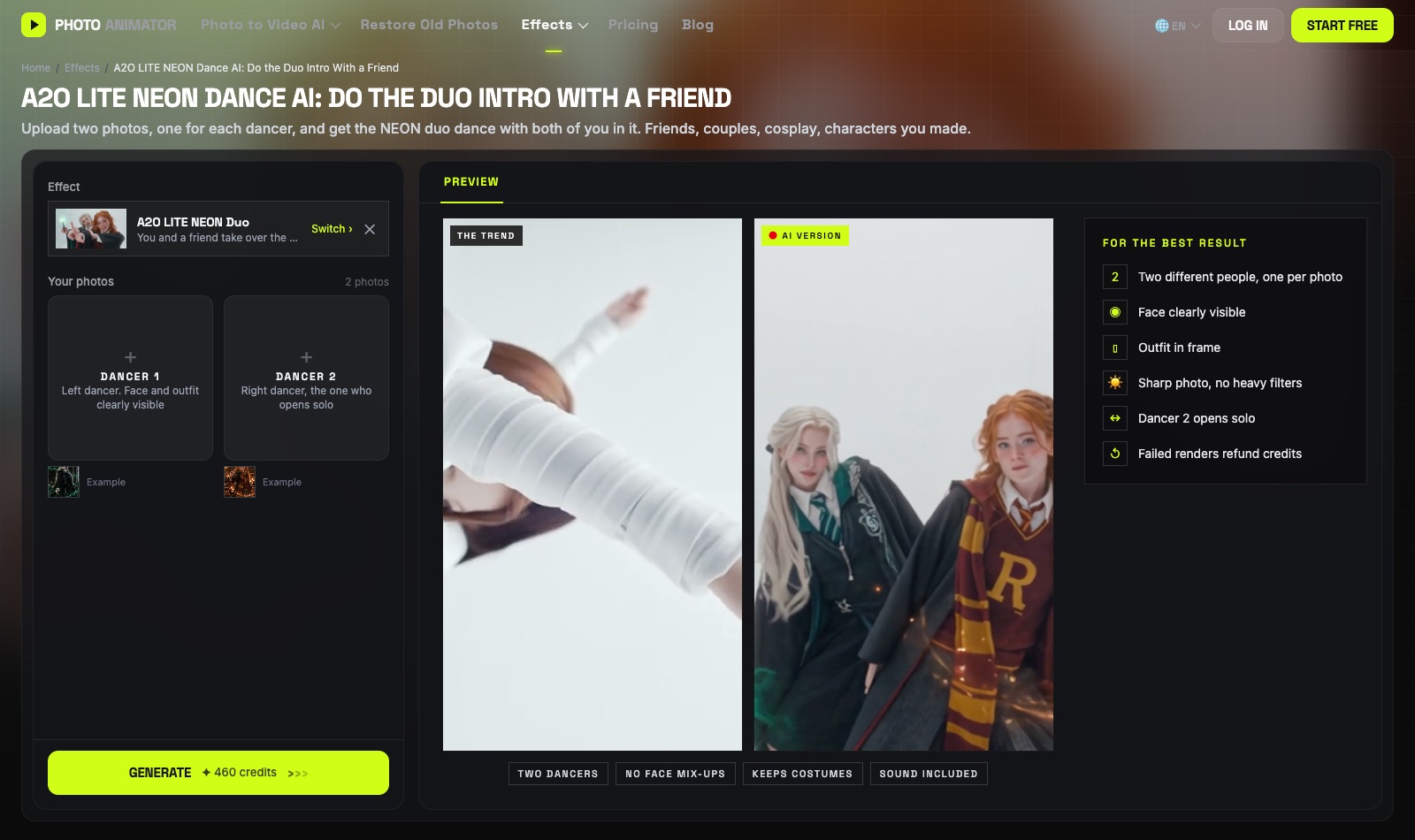
- Open the A2O LITE NEON Dance AI generator. The template is already loaded.
- Upload Dancer 1 (left) and Dancer 2 (right, opens solo).
- Press Generate. The video lands in My Videos.
- Download the MP4 (no watermark) and post it.
Template vs. prompt lists
Most A2O LITE NEON pages you'll find are lists of prompts: you still have to find the clip, pick a model and hope the two dancers stay apart. The prompts are fine, but the hard part is the identity mix-up, and that only shows up when you actually run it.
| Method 1: DIY | Method 2: Template | |
|---|---|---|
| What you need | Clip, 2 photos, prompt, settings | 2 photos |
| Model | Wan 3.0 Prime | Wan 3.0 Prime |
| Cost (15s, 480P) | 460 credits | Shown on the Generate button |
| Best for | A different duo clip or a solo version | Getting it done in a minute |
FAQ
How do I make the A2O LITE NEON AI dance with a friend?
Upload one photo each to the NEON template and press Generate, or run Wan 3.0 Prime video-to-video yourself with the duo clip, both photos and the prompt above.
Why did both dancers end up with the same face?
That happened to us when the prompt said "first woman" and "second woman". The clip opens with one dancer alone, so the order is ambiguous. Describe each dancer by hair and position instead.
Can I use cosplay photos?
Yes. Both of ours were Harry Potter cosplays, and the robes, scarves and hair all came through.
Can I do a solo version?
Yes: use a one-person clip and one photo, and drop the second replace line from the prompt.
How much does it cost?
460 credits for 15 seconds at 480P with Wan 3.0 Prime, in both of our runs. New accounts get free credits, and failed renders are refunded automatically.
Does the video have sound?
Yes, audio was on in both runs. You can switch it off in the settings bar.
More dance trends we tested: AI moonwalk, Talk Dirty dance, Smalltown Boy and Nicole Kidman dance.