How to Make the Cheba Man Dance AI Video From One Photo
What’s new on this page
- — Published after our own Wan 3.0 test run, which worked first time.
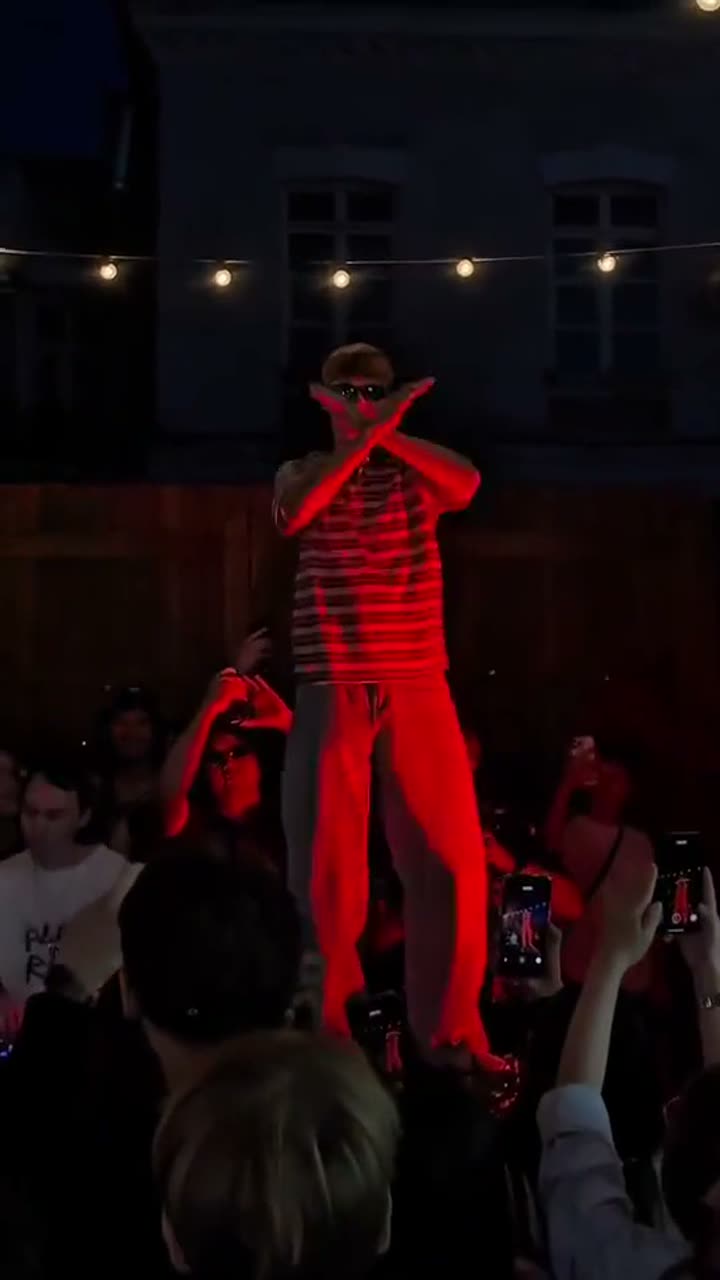
The Cheba Man dance is the Tecktonik revival clip that's all over TikTok and Reels: one guy alone on a raised stage at an outdoor night party, deep red light, festoon bulbs overhead, arms spread wide and hands flying, while the whole crowd below films him on their phones. The Cheba Man dance AI version puts someone else on that stage from a single photo.
If you've asked ChatGPT something like "how do I make the Cheba Man dance with my face?", this is the answer. We made one ourselves and wrote down the model, the settings, the full prompt, the credits and how long it took.
What is the Cheba Man dance?
Cheba Man is a dancer who went viral for bringing back Tecktonik, the fast electro dance from the late 2000s that's built almost entirely on big, sharp arm moves. The clip people remix is shot from inside the crowd, looking up at the stage. The joke is the confidence: he dances like nobody else is there, and every phone in the crowd is pointed at him.
That also makes it hard for AI. The arms move fast and often cross in front of the face, which is exactly where many generators blur or warp the face. Our prompt is written around that problem.
Our test run
| Our run | |
|---|---|
| Photo | A man with a blond bowl cut, brown leather jacket, white shirt and khaki trousers |
| Model | Wan 3.0, video to video |
| Settings | 15s · 480P · aspect ratio Match source · audio on |
| Credits | 300 |
| Time to finish | About 5 minutes |
| Result | Success, first try |
What we checked: the jacket, the shirt, the belt and the boots all stayed the same for the full 15 seconds, and the face stayed sharp even on the fastest arm waves. The stage, the red light, the bulbs and the crowd with their phones come from the original clip, so the result looks like the real party.
Method 1: Make it yourself with Wan 3.0
Step 1: Save the clip
Save the Cheba Man clip as an MP4, up to 15 seconds. Pick a stretch where the dancer stays in frame. We used 15 seconds.
Step 2: Pick your photo
One person, face sharp and well lit. A full-body photo is best, because the prompt keeps your shoes and trousers too. If you only have a waist-up photo, the model will make up the rest. Skip heavy filters: they make the face drift during fast moves.
Step 3: Set up video to video
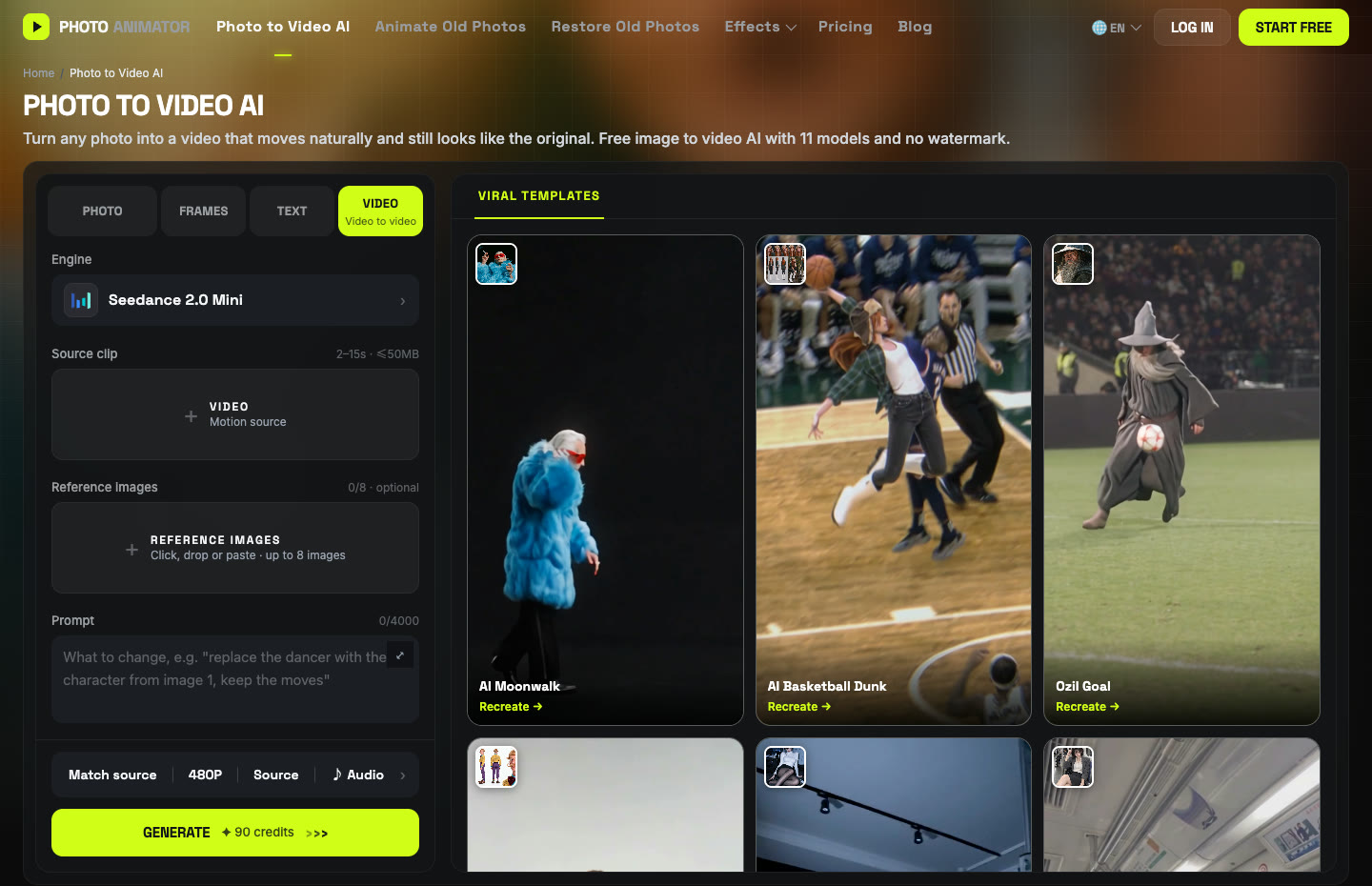
Open Photo to Video AI and switch to the Video tab. Add the clip under Source clip and your photo under Reference images.
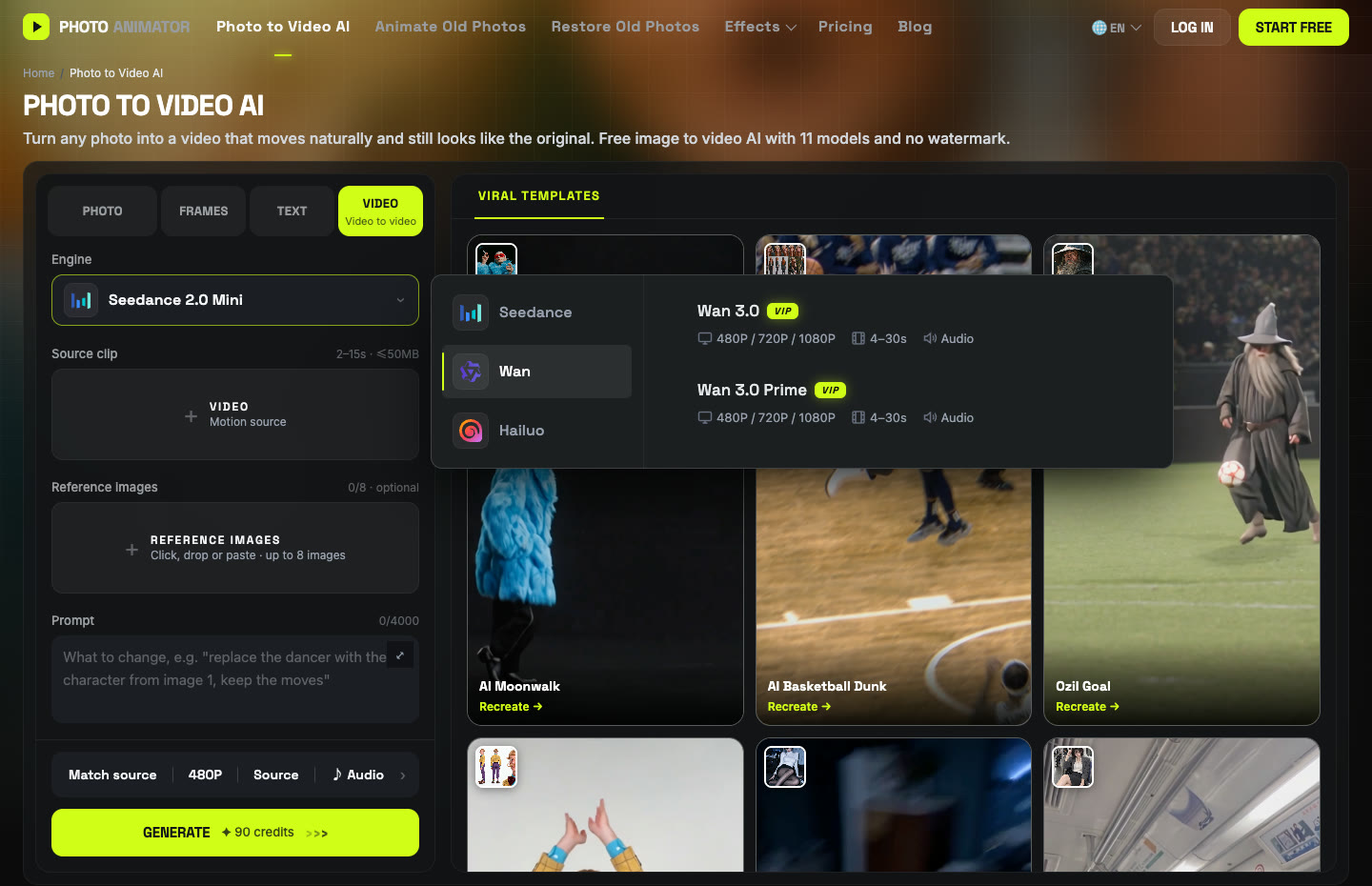
Click the Engine box, choose Wan and pick Wan 3.0. In the settings bar, set 480P, aspect ratio Match source, and keep Audio on.
Step 4: Paste the prompt
Unlike the moonwalk, we keep the original background here: the red stage and the crowd are the whole point. The third sentence is the one that matters most for this dance: it asks for a sharp, stable face during fast motion and natural hands.
Replace the dancing man in the video with the person in reference image 1, keeping his exact face, hairstyle, skin tone, body type and outfit (clothing style, colors and shoes). Keep the original dance moves, fast arm movements, footwork, rhythm, camera movement, framing, background and lighting exactly the same. His face stays sharp, stable and consistent throughout, even during fast motion, with no distortion or blur, and natural hands and limbs. Clean footage, no watermark, no text, no subtitles.
Press Generate. Ours took about five minutes and cost 300 credits for 15 seconds. The video lands in My Videos, so you can close the tab and come back.
Method 2: Use the ready-made Cheba Man template
After our run worked, we saved the exact setup (clip, Wan 3.0, settings and prompt) as a template, so you can skip all of the steps above.
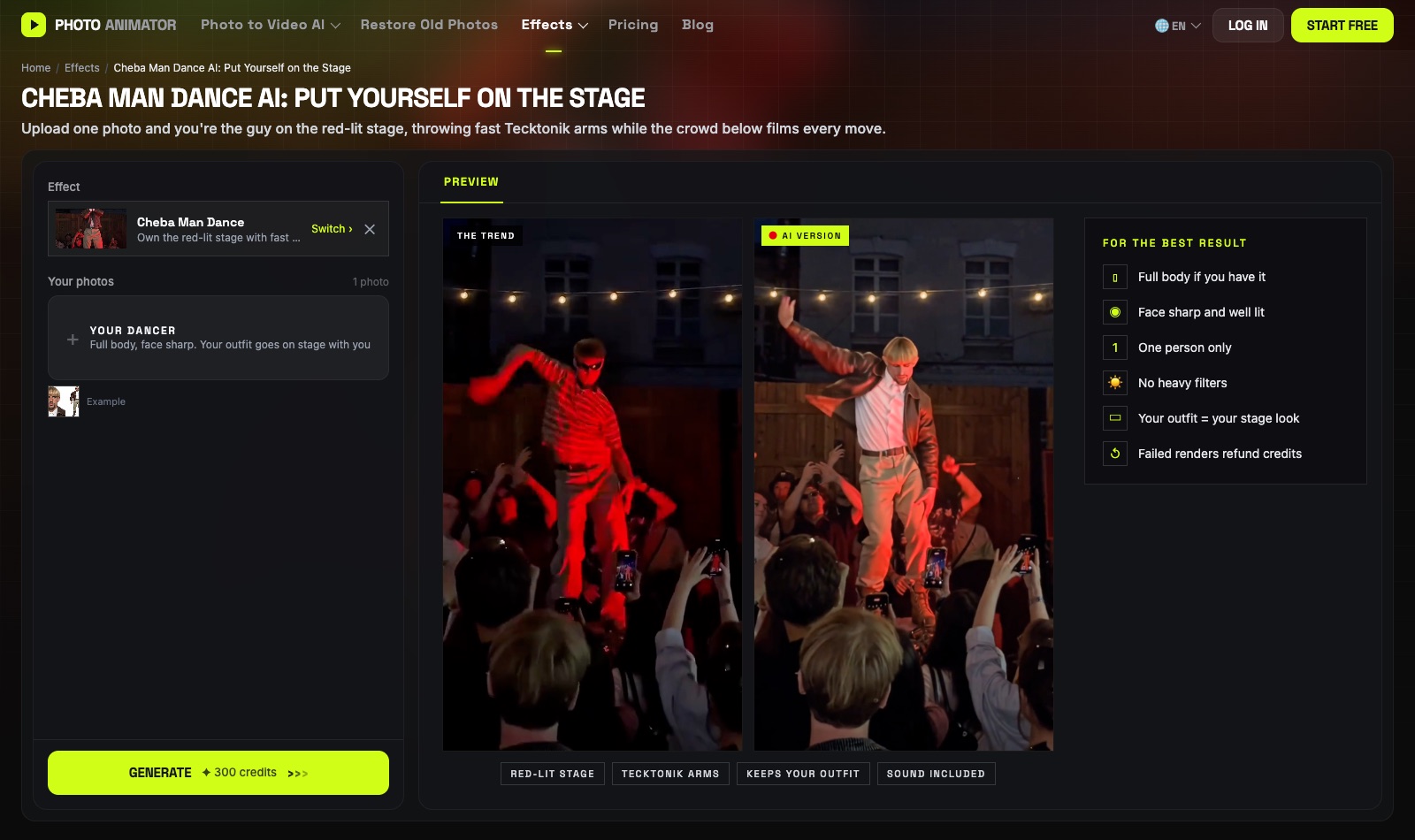
- Open the Cheba Man Dance AI generator. The template is already loaded.
- Upload one photo: one person, full body if you have it, face sharp.
- Press Generate. The video lands in My Videos in about five minutes.
- Download the MP4 (no watermark) and post it.
Which method should you use?
| Method 1: DIY | Method 2: Template | |
|---|---|---|
| What you need | Clip, photo, prompt, settings | One photo |
| Model | Wan 3.0 | Wan 3.0 |
| Cost (15s, 480P) | 300 credits | Shown on the Generate button |
| Best for | A different clip or length | Getting it done in a minute |
FAQ
What is the Cheba Man dance?
A viral clip of a dancer reviving Tecktonik, the fast arm-heavy electro dance, alone on a red-lit stage at a night party while the crowd films him.
How do I make the Cheba Man dance AI video?
Upload one photo to the Cheba Man template and press Generate, or run Wan 3.0 video-to-video yourself with the clip, your photo and the prompt above.
Why does my face blur during the fast arm moves?
Fast motion is where most models struggle. Use a sharp, well-lit photo without filters, and keep the sentence in the prompt that asks for a stable face with no blur during fast motion.
Does the photo need to be full body?
It's better, because the prompt keeps your trousers and shoes too. A waist-up photo still works; the model fills in the rest.
How long does it take and how much does it cost?
Our 15-second run at 480P took about five minutes and cost 300 credits with Wan 3.0. New accounts get free credits, and failed renders are refunded automatically.
Does the video have sound?
Yes, audio was on in our run. You can switch it off in the settings bar.
More dance trends we tested: AI moonwalk, Talk Dirty dance AI and Nicole Kidman dance. Or browse every template on the AI Dance Video Generator.