How to Make a Zoolander AI Meme Video (2026): 2 Easy Ways
What’s new on this page
- — Published: both methods, based on our own test runs with MiniMax H3, Wan 3.0 and Seedance.
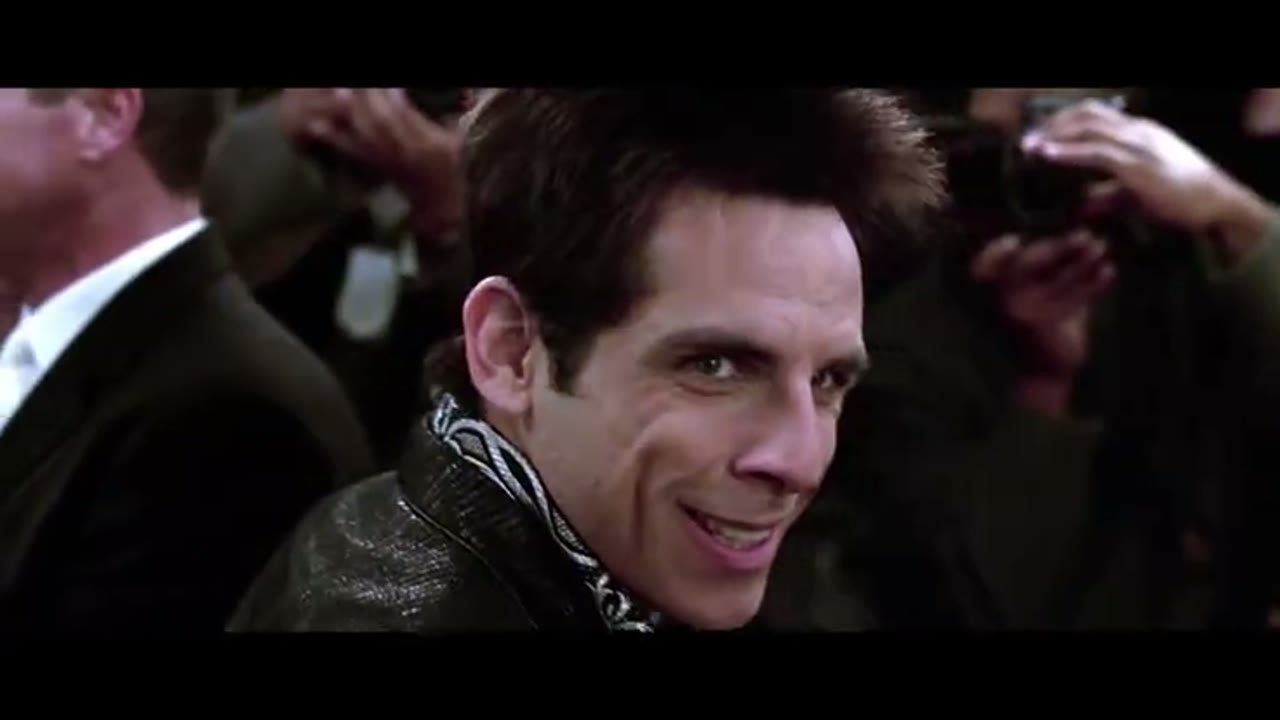
The Zoolander stare is the red-carpet moment from Zoolander (2001): one model slowly turns around and locks eyes with his rival while photographers flash all around them. The Zoolander AI meme keeps the scene and swaps both men for you and a friend, a couple, or two characters.
Unlike most face-swap memes, this one has two people in the shot. That makes the prompt matter more: the AI has to know exactly which photo goes to which person. This guide shows the do-it-yourself workflow we tested, and the two-photo template we built from it.
Method 1: Make it yourself with video-to-video AI
Step 1: Download the original clip
Save the red-carpet stare clip as an MP4. Trim it to the turn and the stare — video-to-video models accept up to 15 seconds, and ours was 11 seconds. A clip without logos or burned-in captions works best. Use it for a personal remix and credit the film when you post.
Step 2: Upload two photos
Open the Video tab (video to video), add the clip as the Source clip, then add two Reference images in order: image 1 for the one who turns and stares (black jacket), image 2 for the rival (blue jacket). One person per photo, facing the camera, waist-up or full body, sharp and well lit.
Step 3: Pick Seedance, Wan or MiniMax
All three video-to-video engines on AI Photo Animator can do this swap. Overall the success rate in our tests was good; MiniMax H3 was the cheapest of the three. Price for an 11-second clip with sound:
| Engine | Settings | Credits (11s) |
|---|---|---|
| MiniMax H3 | 768p, 16:9 | 220 |
| Wan 3.0 | 720p | 440 |
| Seedance 2.5 | 480p / 720p | 470 / 1,045 |
For this meme set the ratio to 16:9 (the scene is landscape), length to the clip's own 11 seconds and Audio on.
Step 4: Write a detailed prompt
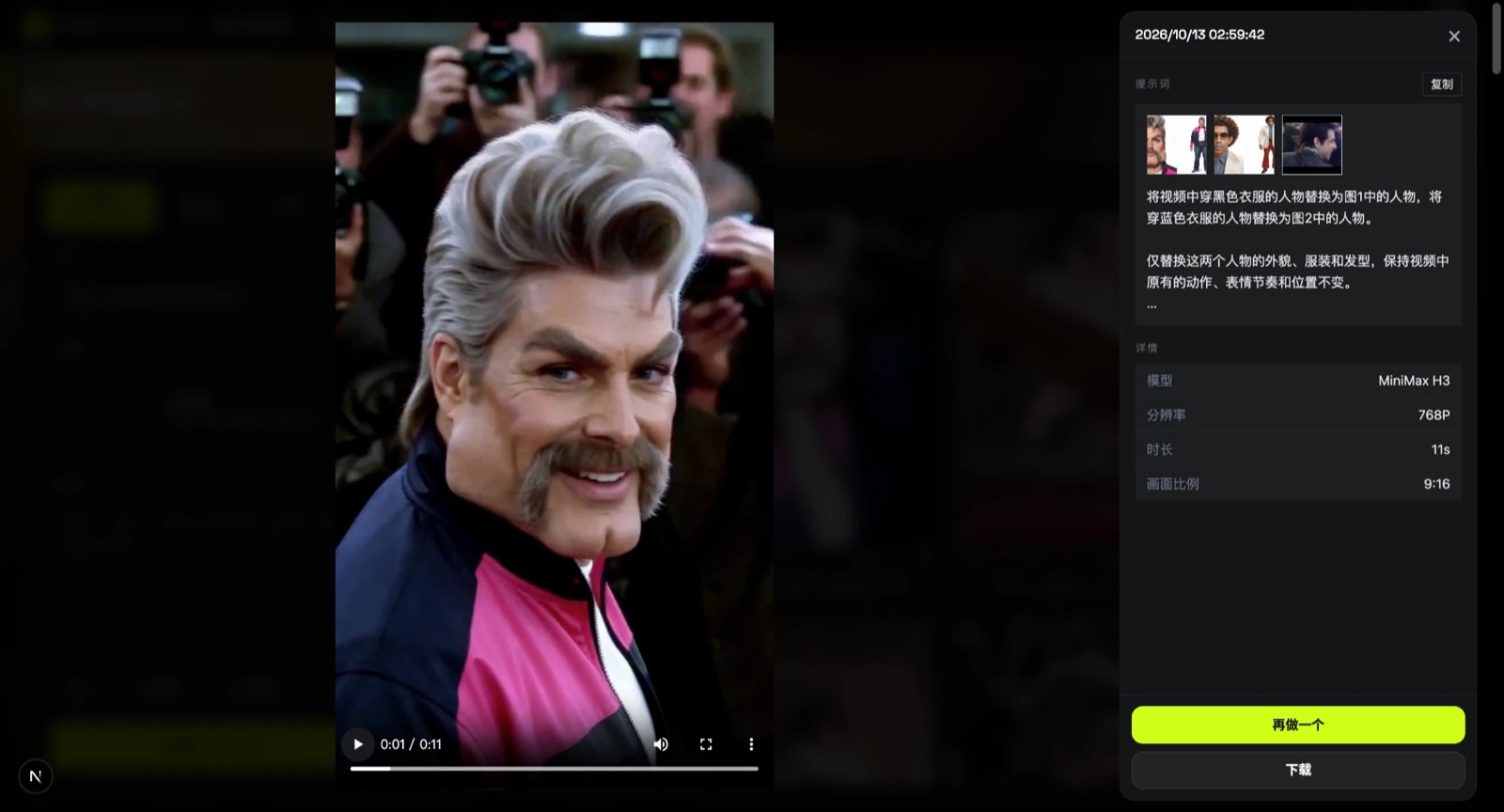
With two people, a one-line "replace the person" prompt is risky: the model may mix the faces up or swap the wrong person. Name each person by what they wear in the clip, map them to image 1 and image 2, and say explicitly what must stay unchanged. This is the prompt we used:
Replace the person in the black jacket with the person in image 1, and the person in the blue jacket with the person in image 2. Only change the two people's face, outfit and hairstyle. Keep their movements, expression timing and positions exactly as in the video. The background must match the original video frame by frame, from the first frame to the last: keep the crowd, photographers, cameras, flashes, lighting and color grade. Do not add, remove or replace anything in the background. Camera movement, framing and shot size stay identical. Keep the whole clip stable, and restore the original background at the end just as strictly as at the start.
(We actually typed it in Chinese and it works the same.) Press Generate. The result shows up in My Videos in about 10 minutes.
Method 2: Use the ready-made Zoolander template (two photos)
Because this setup worked, we packaged it as a template: MiniMax H3, the detailed prompt and the settings (11s · 768p · 16:9 · sound) are fixed. You only add two photos.
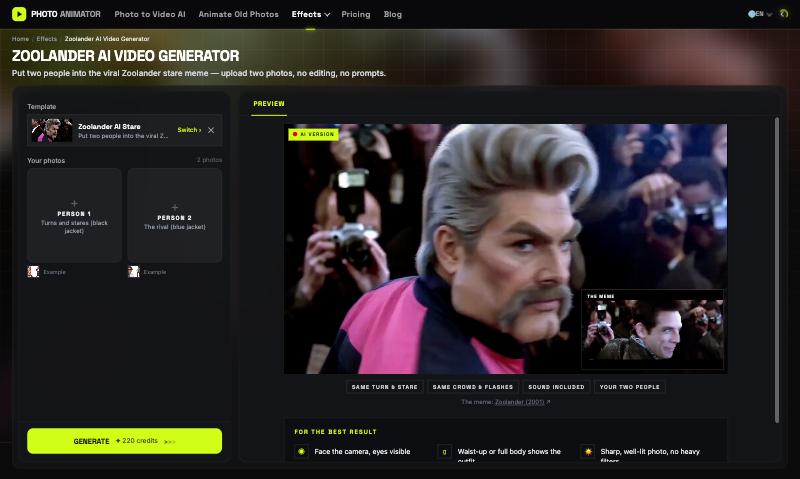
- Open the Zoolander AI video generator. The template is already loaded.
- Upload Person 1 (the one who turns and stares) and Person 2 (the rival).
- Press Generate (220 credits). The video lands in My Videos, so you can close the tab.
- Download the MP4 (no watermark) and post it to TikTok, Reels or Shorts.
Which method should you use?
| Method 1: DIY | Method 2: Template | |
|---|---|---|
| What you need | Clip, 2 photos, prompt, settings | 2 photos |
| Finding the clip | Yes, 15s or less | Done for you |
| Model | Seedance, Wan or MiniMax | MiniMax H3, tested |
| Prompt | Write and tune it yourself | Already set up |
| Best for | Other scenes or custom tweaks | A quick result |
FAQ
Why did my Zoolander AI video fail?
Most often the photo shows a celebrity or the model flagged the content. Try a different, clearly non-famous photo. Failed renders refund credits automatically.
Which model is cheapest for the Zoolander meme?
MiniMax H3 is the cheapest of the three: 220 credits for 11 seconds at 768p with sound, half the price of Wan 3.0.
Why does the prompt need to be so detailed?
There are two people in the scene. Naming each one by their jacket and mapping them to image 1 and image 2 stops the AI from mixing the faces or swapping the wrong person.
Can I use only one photo?
The template needs two. In the DIY method you can replace only one person and say "keep the other person unchanged" in the prompt.
Is this affiliated with the Zoolander film?
No. AI Photo Animator is an independent tool. Only upload photos of yourself or of people who gave you permission.